Freedom251 › Cloud Storage Services

CloudMe
by CloudMe
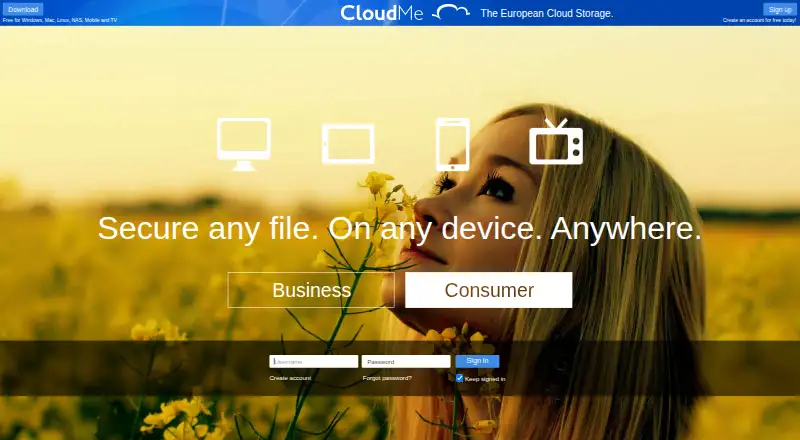
What CloudMe is
CloudMe combines cloud storage, synchronization across computers and mobile devices, and file sharing. Its selective sync lets users choose folders for each computer, including keeping personal folders off work devices. Shared project folders support adding documents and changes; published pages can also be followed by people without CloudMe accounts. Scheduled upload-only folders keep an offsite copy, while ordinary two-way sync mirrors deletions and is not a backup. The mobile app supports camera roll backup, music and video streaming, sharing, and reading PDFs, documents, and other files. CloudMe supports WebDAV clients, and Apple's Pages, Numbers, and Keynote can open, edit, and save documents directly to CloudMe. It also offers more than 100 API methods through SOAP and REST, plus a Java library. CloudMe says it operates its own data center and hardware in Sweden, within the European Union. The free plan costs nothing and includes 3 GB of storage and a 150 MB maximum file size per file. Platforms include Android, iOS, Linux, macOS, web, and Windows.
Who it suits
CloudMe suits people who want synced folders, shared project files, and mobile access across supported platforms. Businesses can use a central Cloud File Server with employee accounts and shared space.
What it does well
- Choose which folders sync to each computer.
- Shared folders support documents and changes.
- Scheduled upload-only folders keep an offsite copy.
- Mobile app supports camera roll backup and streaming.
- WebDAV and an API support connected workflows.
What to know first
- Free accounts limit files to 150 MB.
- Ordinary two-way sync mirrors deletions; it is not backup.
- Free storage is limited to 3 GB.
Limits
The free account includes 3 GB of storage and a 150 MB maximum file size per file. The pricing page states a 2 GB maximum file size for plans; ordinary bidirectional synchronization mirrors deletions and is not a backup.
Plans
| Plan | Billed and limits | Price |
|---|---|---|
| Free Plan | 3 GB storage · 150 MB maximum file size | Free |
| Free account | 3 GB storage · 150 MB maximum file size | Free |
| 200 GB cloud storage | 1 year · 200 GB storage | $139.99 a year |
| 500 GB cloud storage | 1 year · 500 GB storage | $299.99 a year |
| 25 GB cloud storage | 1 year · 25 GB storage | $39.99 a year |
| 100 GB cloud storage | 1 year · 100 GB storage | $79.99 a year |
| 10 GB cloud storage | 1 year · 10 GB storage | $9.99 a year |
| Business Professional Vault | per user per TB per month, billed annually · Business account includes a central Cloud File Server and employee accounts · maximum file size 2 GB | On request |
The first 8 of 15 plans, as cloudme.com lists them, read 20 Sept 2026. The maker's own page has the final word. Every plan
Getting started
- Visit the CloudMe website.
- Choose a free account with 3 GB of storage and a 150 MB per-file limit, or review the listed vault and business plans.
- Use CloudMe on Android, iOS, Linux, macOS, web, or Windows.
- Select the folders to synchronize on each computer.
- Create shared project folders or publish a WebShare folder for CloudMe users and non-users.
CloudMe is a cloud storage and sync service for people who want folder-level control across computers, mobile apps, and shared projects. It is strongest for selective sync, public sharing, and scheduled upload-only copies; its free account is constrained by a 150 MB file limit.
Overview
CloudMe brings storage, device synchronization, and file sharing together. Selective sync lets you choose which folders reach each computer, including keeping personal folders off a work device. That control is useful when devices have different roles, but ordinary bidirectional sync mirrors deletions, so it should not be mistaken for backup.
For an offsite copy, scheduled upload-only folders are the better fit. WebShare folders can be shared with CloudMe users or published for people without accounts; followers can receive push notifications when contents change. This combination suits ongoing project distribution, though users need to choose the upload-only mode when preservation matters.
Key features
- Shared project folders: Members can add documents and updates, making CloudMe suitable for collaborative file exchange. Published pages can also be followed without a CloudMe account.
- Mobile tools: The mobile app supports camera roll backup, music and video streaming, sharing, and reading PDFs, documents, and other files. That makes it more useful on phones than a storage-only service.
- WebDAV and office documents: WebDAV clients can connect to CloudMe, and Apple's Pages, Numbers, and Keynote can open, edit, and save documents directly there. This is a practical advantage for Apple users who want files to remain in cloud storage while they work.
- Developer access: More than 100 stateless API methods are available through SOAP and REST, alongside a Java library, for app integration and white-label services. That breadth is relevant to developers and service providers, not necessary for a basic personal storage account.
- Swedish infrastructure: CloudMe says it owns and operates its data center and hardware in Sweden, within the EU. That gives organizations a stated EU storage location to consider when choosing a business file service.
Pricing
CloudMe uses a freemium model, with two free-plan entries priced at $0: Free Plan and Free account. Both provide 3 GB of storage and cap individual files at 150 MB. That is enough for small documents and modest personal sharing, but the file limit rules out larger uploads even when unused storage remains.
The pricing page states a 2 GB maximum file size for plans, a substantial increase over the free account's 150 MB cap. The personal paid options are Online Safe with 50 GB, Small vault with 200 GB, and Standard vault with 2 TB; each has custom pricing. They offer clear capacity steps, but without a published price, readers cannot compare their cost per gigabyte before choosing.
Business Standard Vault and Business Professional Vault include a Central Cloud File Server, administrator-managed user accounts, and EU data storage. Enterprise Standard, Enterprise Pro, and Enterprise Plus Cloud-Based File-server plans include a cloud-based file server, administrator-managed accounts, and EU storage. All five use custom pricing, and no seat counts or quotas are stated for these business and enterprise tiers. The business account structure includes employee accounts with private space and access to shared space, which may suit organizations that need managed collaboration rather than just personal storage.
The free account is the only plan with a published price and explicit storage and file-size caps.
Platforms
CloudMe supports Android, iOS, Linux, macOS, web, and Windows, and also offers an API. Its range covers desktop and mobile use across major operating systems, with web access for users who do not want to rely on a particular device.
Who it's for
CloudMe is a reasonable fit for individuals who want to select folders per computer, stream or back up phone media, and share project material with account holders and outsiders. Its scheduled upload-only folders also serve people who need an offsite copy distinct from everyday synchronization.
Organizations may find the managed employee accounts, central file server, shared space, and EU-based infrastructure relevant. Developers can also make use of its API and Java library. It is less suitable for free users handling large files, or for buyers who need to compare business pricing and user quotas before engaging with a provider.
Pros and cons
- Pro: Selective sync and separate upload-only folders address two different needs: limiting files on a device and keeping an offsite copy.
- Pro: WebShare can reach non-users, while followers can get change notifications, which helps distribute evolving project files.
- Pro: Mobile media tools, WebDAV support, and Apple iWork document access broaden its use beyond basic file storage.
- Pro: Business and enterprise options include administrator-managed accounts and EU storage, with central or cloud-based file-server arrangements.
- Con: Free storage is 3 GB and the 150 MB per-file ceiling can block larger uploads.
- Con: Standard bidirectional sync mirrors deletions, so users must set up scheduled upload-only folders for a safer offsite copy.
Alternatives
Cloud Storage Services is the broader category to browse if CloudMe's limits or plan structure do not fit.
Choose Blomp instead if a larger free allowance matters most: its free plan includes 40 GB, while its 500 GB plan is $0.99 a month, billed monthly.
IDrive is another freemium option with a free plan and free trial; its Basic plan has 10 GB, while IDrive Mini is $0.25 a month, billed monthly, for 100 GB and one user.
Consider Koofr if its free plan's 10 GB, seven-day deleted-file retention, and up to 10 public links better match your storage and sharing needs.
Microsoft PowerPoint is a different option for readers whose priority is presentation software: its free plan is for one person and includes 5 GB of cloud storage.
Nutstore may suit teams comparing per-member storage, with Standard and Advanced plans requiring at least five members and providing 50 GB or 100 GB per member respectively.
Choose ownCloud instead if self-hosting is a priority; its platform options include self-hosted, and its Community plan supports unlimited users.
PhoneCopy is the alternative to consider if contact, calendar, task, and note synchronization is the main requirement rather than general cloud file storage.
Yandex Disk is another freemium storage option, with 5 GB on its free plan and a 200 GB personal plan.
Verdict
CloudMe is best for users and organizations who value selective device sync, flexible sharing, or managed file space in an EU-based service. Scheduled upload-only folders are its key safeguard for offsite copies, while mobile tools and WebDAV add useful reach. Look elsewhere if a 150 MB free file limit is too restrictive or if you need clear paid-plan pricing and quotas before making a decision.
Verdict
CloudMe combines storage, sync, sharing, and business account options, with a free plan for 3 GB. Be aware of the per-file limit and use scheduled upload-only folders when you need an offsite copy.
Questions
Is CloudMe free?
Yes. Its free account is listed as free and includes 3 GB of storage with a 150 MB per-file limit.
Which platforms does CloudMe support?
It lists API, Android, iOS, Linux, macOS, web, and Windows.
Can people without CloudMe accounts access shared content?
Yes. Published WebShare folders and pages can be followed by people without CloudMe accounts.
Does CloudMe provide backup?
Scheduled upload-only folders can keep an offsite copy. Ordinary two-way synchronization mirrors deletions and is not a real backup.
Where is CloudMe's data stored?
CloudMe says it owns and operates its data center and hardware in Sweden, within the European Union.
What business and developer options are available?
Business accounts include a central Cloud File Server and employee accounts with private and shared space. The API offers over 100 stateless SOAP and REST methods, plus a Java library.
Facts from CloudMe's own pages
- API
- CloudMe offers over 100 stateless API methods through SOAP and REST, plus a Java library, for apps and white-label services. · cloudme.com, 11 Oct 2026
- API protocols
- The public developer page documents SOAP and REST web services over SSL using Digest authentication. · cloudme.com, 14 Oct 2026
- Backup
- Scheduled upload-only folders keep an offsite copy; CloudMe says ordinary bidirectional sync mirrors deletions and is not a real backup. · cloudme.com, 11 Oct 2026
- Business admin controls
- Yes · cloudme.com, 20 Sept 2026
- Business use
- Business accounts include a central Cloud File Server and employee accounts with additional private space and access to shared space. · cloudme.com, 11 Oct 2026
- Camera-roll backup
- The service uploads a phone camera roll, allows computer organization into folders and supports sharing those folders. · cloudme.com, 14 Oct 2026
- Collaboration
- Shared collaboration folders synchronize changes among invited CloudMe members who follow and sync the folder. · cloudme.com, 14 Oct 2026
- Company legal facts
- CloudMe AB is registered in Linköping, Sweden, with organization number 556741-2431 and registration date October 30, 2007. · allabolag.se, 14 Oct 2026
- Company ownership
- CloudMe AB is listed as part of the Xcerion group, and Xcerion identifies CloudMe as a portfolio company. · xcerion.com, 14 Oct 2026
- Company size
- LinkedIn lists CloudMe as privately held, headquartered in Linköping, founded in 2011 and employing 11–50 people. · linkedin.com, 14 Oct 2026
- Data location
- CloudMe says it owns and operates its own data center and hardware in Sweden, within the European Union. · cloudme.com, 11 Oct 2026
- Device platforms
- Windows,Mac,Linux,iPhone,Android · cloudme.com, 20 Sept 2026
- Documentation
- The help area includes tutorials for getting started, camera roll, sync folders, music, sharing and collaboration. · cloudme.com, 14 Oct 2026
- File size limit
- 0.15 · cloudme.com, 20 Sept 2026
- Free-account limits
- The free account provides 3 GB of storage with a 150 MB maximum file size. · cloudme.com, 14 Oct 2026
- Free plan
- Yes · cloudme.com, 20 Sept 2026
- Funding news
- Xcerion reports that CloudMe received 1 million SEK in funding and appointed a new CEO and management team in 2021. · xcerion.com, 14 Oct 2026
- Headquarters
- Linköping, Sweden · cloudme.com, 28 Sept 2026
- iOS system requirement
- The App Store listing requires iOS 12.0 or later and iPadOS 12.0 or later. · apps.apple.com, 14 Oct 2026
- Java API
- CloudMe publishes a separate Java API section and downloadable API documentation. · cloudme.com, 14 Oct 2026
- Licence model
- The user agreement grants a revocable, non-exclusive service licence and prohibits modifying, distributing, reverse engineering or reselling the service. · cloudme.com, 14 Oct 2026
- Limit: login problems
- The sole Trustpilot reviewer reported inability to log into a Smart-TV-created account from a PC browser. · de.trustpilot.com, 14 Oct 2026
- Limit: missing mobile features
- An Apple reviewer requested Files-app integration, CloudMe email access and mobile CloudTop access. · apps.apple.com, 14 Oct 2026
- Limit: mobile stability
- Android reviewers reported force-closing and startup crashes on some phones. · appbrain.com, 14 Oct 2026
Where CloudMe stands on Freedom251
- Cloud Storage Services#9 of 64
- Cloud storage#43 of 66