Freedom251 › File Sync Software

FileCloud
by FileCloud
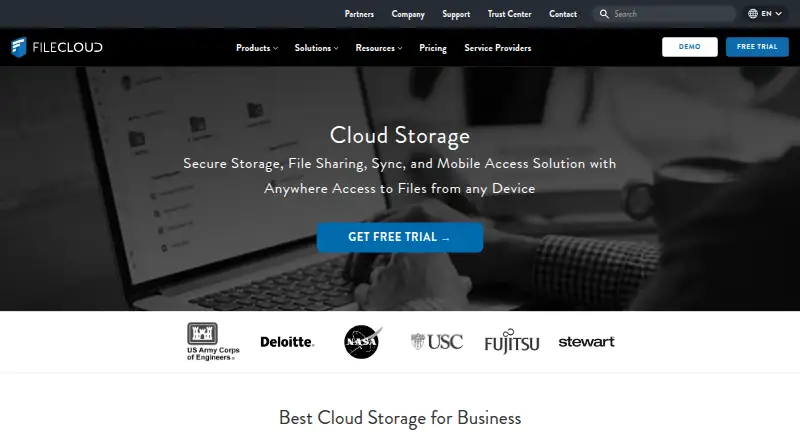
What FileCloud is
FileCloud is an enterprise file storage and collaboration platform for sharing, syncing, backing up, and remotely accessing files. It offers a hosted Online service and Server software that can run on premises or on public cloud platforms. Users can create public, private, and time-limited shares with granular permissions. Collaboration tools include file versioning, approval workflows, comments, activity streams, team folders, and document editing. FileCloud lists Windows, macOS, Linux, iOS, Android, and web access. Security features include encryption at rest and in transit, two-factor authentication, single sign-on, audit logs, and remote device wipe controls. Listed integrations include Active Directory, NTFS, network shares, Microsoft Office Online, LibreOffice, Outlook, and FileCloud for Office. The Salesforce plugin reached end of life on September 1, 2025, and no replacement is planned. Essentials costs $7/user/mo billed annually with a 20-user minimum; Advanced costs $14/user/mo billed annually with a 10-user minimum. The self-hosted Community Edition offers a free one-year license for up to five full users and 10 external users, but omits SSO and third-party integrations.
Who it suits
It suits organizations seeking hosted or self-managed file storage, sharing, and collaboration, including enterprises, educational institutions, government organizations, and managed service providers. The Community Edition is aimed at small self-hosted deployments within its listed user limits.
What it does well
- Offers hosted and self-managed deployment options.
- Supports time-limited shares and granular permissions.
- Includes versioning and approval workflows.
- Community Edition has a free one-year license.
What to know first
- Essentials has a 20-user minimum.
- Advanced has a 10-user minimum.
- Community Edition omits SSO and third-party integrations.
- Salesforce plugin has no planned replacement.
Limits
Community Edition's free one-year license covers up to five full users and 10 external users, and excludes SSO and third-party integrations. Essentials has a 20-user minimum; Advanced has a 10-user minimum. The listed Online Essentials plan allows up to three workflows.
Plans
| Plan | Billed and limits | Price |
|---|---|---|
| Essentials | Billed annually · 20 users minimum · Unlimited file upload size | $7 a month |
| Advanced | Billed annually · 10 users minimum · Unlimited file upload size | $14 a month |
| Service Provider | Service-provider deployment and licensing | On request |
| Service Provider | Service-provider deployment and licensing | On request |
| FedRAMP High | 10 users minimum · 10 TB base storage | On request |
| FedRAMP High | 10 users minimum · 10 TB base storage | On request |
| FileCloud Online Advanced | Billed Annually; page shows “$14 user/mo Billed Annually” · 10 minimum users · 10TB included · unlimited external users · unlimited file upload size | $14 |
| FileCloud Online Essentials | Billed Annually; page shows “$7 user/mo Billed Annually” · 10 minimum users · 5TB included · unlimited external users · unlimited file upload size · 3 workflows max. | $7 |
The first 8 of 10 plans, as filecloud.com lists them, read 20 Sept 2026. The maker's own page has the final word. Every plan
Getting started
- Visit the FileCloud website.
- Choose the hosted Online service or Server software for on-premises or public cloud deployment.
- For a self-hosted free option, choose Community Edition, which includes a one-year license.
- For a paid hosted plan, compare Essentials and Advanced, including their minimum user counts.
- Use the listed Windows, macOS, Linux, iOS, Android, or web access options.
FileCloud is an enterprise file storage and collaboration platform for sharing, sync, backup, and remote access. It suits organizations that need a choice of hosted or self-managed deployment and administrative controls over shared files. Its broad sharing and security toolkit comes with minimum seat counts, while the free Community Edition omits SSO and third-party integrations.
Overview
FileCloud Online is the hosted option; FileCloud Server can run on premises or on public cloud platforms. That choice lets organizations keep deployment aligned with their infrastructure, but the self-hosted Community Edition is a limited entry point rather than a full substitute for paid plans.
Sharing supports public, private, and time-limited links, granular permissions, and unlimited external accounts. Versioning, approval workflows, comments, activity streams, team folders, and document editing cover common collaboration needs. Integrations include Active Directory, NTFS, network shares, Office Online, LibreOffice, Office mobile apps, Outlook, and FileCloud for Office.
Key features
FileCloud combines AES encryption at rest with SSL/TLS in transit, two-factor authentication, single sign-on, audit logs, and remote device wipe controls. Those safeguards and its business administration controls make it relevant to organizations managing access across teams and devices.
The Trust Center lists ISO 27001, SOC 2, ISO 9001, HIPAA, and FedRAMP High assurance materials. SOC 2 and HIPAA audit reports are available only to current customers. Requested documentation is provided within one business day after an NDA is signed. FileCloud's Salesforce plugin reached end of life on September 1, 2025, with no replacement planned, so Salesforce users should not count on that integration.
Pricing
Paid plans are billed annually and require a minimum number of users, so the per-user price alone does not show the entry cost for a small team.
- Essentials: $7 a month, billed annually, with a 20-user minimum and unlimited file upload size. This is the lower-cost paid option, but the higher seat floor makes it a poor fit for a small group.
- Advanced: $14 a month, billed annually, with a 10-user minimum and unlimited file upload size. Its lower minimum makes it more accessible to smaller organizations than Essentials.
- FileCloud Online Essentials: the page shows “$7 user/mo Billed Annually”; 10 minimum users, 5TB included, unlimited external users, unlimited file upload size, and a maximum of three workflows. The workflow cap is a meaningful constraint for teams relying on approvals.
- FileCloud Online Advanced: the page shows “$14 user/mo Billed Annually”; 10 minimum users, 10TB included, unlimited external users, and unlimited file upload size. The larger included storage and absence of a stated workflow cap distinguish it from Online Essentials.
- FedRAMP High: custom pricing. The online plan includes 10TB, unlimited external users, and unlimited file upload size; the separate FedRAMP High plan has a 10-user minimum and 10 TB base storage.
- Service Provider: custom pricing for service-provider deployment and licensing. The online Service Provider plan has user-provided storage, unlimited external users, and unlimited file upload size.
FileCloud offers a 14-day trial. Its free Community Edition is self-hosted, licensed for one year, and capped at five full users and 10 external users; it omits SSO and third-party integrations. That can suit a small evaluation or deployment with modest needs, but organizations requiring those capabilities must look to a paid option.
Platforms
FileCloud supports web, Windows, macOS, Linux, iOS, and Android, as well as self-hosted deployment. The range suits organizations with mixed desktop and mobile fleets, while self-hosting provides an alternative to the hosted service.
Who it's for
FileCloud says it serves enterprises, educational institutions, government organizations, and managed service providers. It is best suited to organizations that need controlled external sharing, collaboration workflows, and a choice between hosted and self-managed infrastructure. Individuals and very small teams may find the paid plans' minimum user counts hard to justify.
Pros and cons
- Pro: Hosted and self-hosted deployment options serve organizations with different infrastructure requirements.
- Pro: Granular sharing permissions, unlimited external accounts, and collaboration tools support working with people outside the organization.
- Pro: Encryption, SSO, two-factor authentication, audit logs, and remote wipe give administrators several layers of control.
- Con: Minimum user counts of 10 or 20 can make paid plans unsuitable for small teams.
- Con: Community Edition omits SSO and third-party integrations, limiting its usefulness for organizations that depend on either.
- Con: Online Essentials limits workflows to three, and the Salesforce plugin has ended without a planned replacement.
Alternatives
For a broader comparison, see Cloud Storage Services, Cloud Backup Services, and File Sharing Software.
- IDrive is worth considering for a freemium alternative, with a free 10 GB Basic plan and a 100 GB, one-user IDrive Mini plan at $0.25 a month.
- Koofr offers a free forever plan with 10 GB, a 7-day deleted-file retention period, and up to 10 public links, making it an option for readers who want a free starting point.
- Microsoft PowerPoint is an alternative for readers focused on presentation software rather than FileCloud's enterprise file platform.
- FileLu is a freemium alternative with a Premium monthly plan at $6 a month; its storage amount is selected on the page.
- Filen may suit readers who prioritize open-source apps: Filen says its apps use the AGPL v3 license.
- Jottacloud offers a 5 GB free plan for one user and an Unlimited plan at $12.99 a month.
- Nextcloud Files is another freemium option, with self-hosted support and a Standard plan starting at 100 users for €71.29 a year.
- pCloud offers a free plan with 10 GB of storage and no credit card requirement.
Verdict
Choose FileCloud if your organization needs enterprise sharing and collaboration controls and wants to decide between hosted and self-managed deployment. Its mix of security measures and external-sharing tools is compelling for that use, but minimum seats, Community Edition omissions, Essentials' workflow cap, and the discontinued Salesforce plugin are reasons to look elsewhere if your team is small or depends on those capabilities.
Verdict
FileCloud offers several deployment choices and a broad set of sharing, collaboration, and security controls. Check minimum user counts and Community Edition omissions, and note that its Salesforce plugin has ended without a planned replacement.
Questions
Is there a free plan?
Yes. The self-hosted Community Edition includes a free one-year license for up to five full users and 10 external users.
How much do the paid plans cost?
Essentials is $7/user/mo billed annually, with a 20-user minimum. Advanced is $14/user/mo billed annually, with a 10-user minimum.
Which platforms does FileCloud support?
FileCloud lists support for web, Windows, macOS, Linux, iOS, and Android.
Can FileCloud be self-hosted?
Yes. Its Server software can run on premises or on public cloud platforms. The Community Edition is self-hosted.
What integrations are listed?
The listed integrations include Active Directory, NTFS, network shares, Microsoft Office Online, LibreOffice, Microsoft Office mobile apps, Outlook, and FileCloud for Office.
Is the Salesforce plugin available?
FileCloud's Salesforce plugin reached end of life on September 1, 2025, and no replacement product is planned.
Facts from FileCloud's own pages
- Business admin controls
- Yes · filecloud.com, 20 Sept 2026
- Collaboration
- Listed collaboration tools include file versioning, approval workflows, comments, activity streams, team folders, and document editing. · filecloud.com, 3 Oct 2026
- Community edition
- FileCloud Community Edition is self-hosted and provides a free one-year license for up to 5 full users and 10 external users; listed omissions include SSO and third-party integrations. · docs.filecloud.com, 3 Oct 2026
- Compliance
- The Trust Center lists ISO 27001, SOC 2, ISO 9001, HIPAA, and FedRAMP High assurance materials; it says SOC 2 and HIPAA audit reports are available only to current customers. · trust.filecloud.com, 3 Oct 2026
- Deployment
- FileCloud offers hosted Online service and Server software that can run on premises or on public cloud platforms. · filecloud.com, 3 Oct 2026
- Device platforms
- Windows,macOS,Linux,iOS,Android · filecloud.com, 20 Sept 2026
- File sharing
- Users can create public, private, and time-limited shares, with granular permissions and unlimited external accounts listed in the feature comparison. · filecloud.com, 3 Oct 2026
- File versioning
- Yes · filecloud.com, 20 Sept 2026
- Free plan
- No · filecloud.com, 20 Sept 2026
- Headquarters
- New York, New York, United States · filecloud.com, 28 Sept 2026
- Integrations
- The feature list names Active Directory, NTFS, network shares, Microsoft Office Online, LibreOffice, Microsoft Office mobile apps, Outlook, and FileCloud for Office integrations. · filecloud.com, 3 Oct 2026
- Platforms
- Downloads include Windows, macOS, and Linux sync clients, plus iPhone, iPad, and Android apps; the page says a FileCloud license is required to use the client apps. · filecloud.com, 3 Oct 2026
- Product
- FileCloud describes itself as an enterprise file storage and collaboration platform for file sharing, sync, backup, and remote access. · filecloud.com, 3 Oct 2026
- Salesforce limitation
- FileCloud’s help page says its Salesforce plugin reached end of life on September 1, 2025, and that no replacement product is planned. · docs.filecloud.com, 3 Oct 2026
- Security
- FileCloud describes AES encryption at rest, SSL/TLS protection in transit, two-factor authentication, single sign-on, audit logs, and remote device wipe controls. · filecloud.com, 3 Oct 2026
- Paid from
- 7 · filecloud.com, 20 Sept 2026
- Support
- The Trust Center says requested documentation is provided within one business day after an NDA is signed. · trust.filecloud.com, 3 Oct 2026
- Who it serves
- FileCloud says its product is used by organizations including enterprises, educational institutions, government organizations, and managed service providers. · filecloud.com, 3 Oct 2026
- Zero-knowledge encryption
- Yes · filecloud.com, 20 Sept 2026
Where FileCloud stands on Freedom251
- File Sync Software#2 of 28
- Cloud Backup Services#4 of 47
- File Sharing Software#4 of 47
- Cloud Storage Services#11 of 64
- Cloud Content Collaboration Software#8 of 30
- Cloud storage#18 of 66