Freedom251 › Network Testing Software
OpenSpeedTest
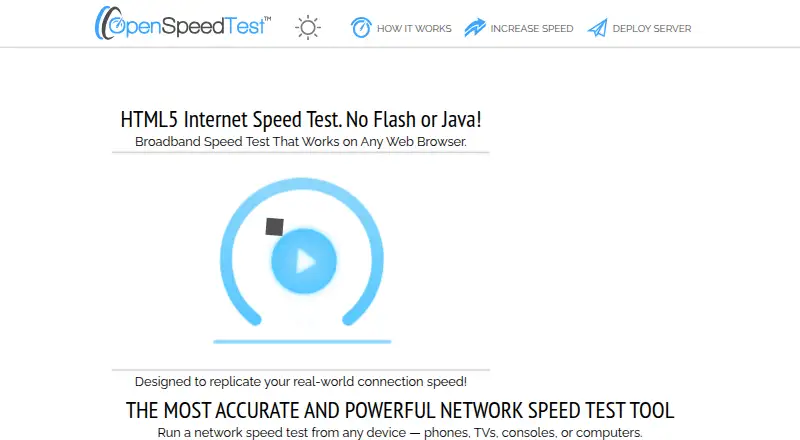
What OpenSpeedTest is
OpenSpeedTest is a free, browser-based HTML5 tool for measuring internet and network performance. It measures sustained download and upload speeds, latency, jitter, and connection stability. The maker says its adaptive test supports connections from 1 Mbps to 10 Gbps and beyond. The browser test runs without an app, plugin, Flash, or Java installation.
A responsive widget can be embedded in a website or app. URL parameters can start tests automatically, run continuous stress tests, choose download, upload, or ping measurements, and set ping samples or parallel connections. For self-hosting, OpenSpeedTest provides Docker images or source code for home, office, cloud, and enterprise environments. The setup guide specifies a public IPv4 or IPv6 address, a domain resolving to the server, and an email address for its Let's Encrypt setup. The maker describes uses including home networks, small offices, enterprise deployments, and teams testing their own infrastructure. OpenSpeedTest dates to 2011. Firefox is not recommended for stress tests longer than 10 minutes or for speeds above 2.5 Gbps.
Who it suits
OpenSpeedTest suits people who need to measure connection performance in a browser, or teams that want to embed a test or self-host it. Its documented deployment options cover home, office, cloud, and enterprise environments.
What it does well
- Measures download, upload, latency, jitter, and stability.
- Browser test needs no app or plugin.
- Widget supports automatic starts and test settings.
- Free for personal and commercial widget use.
- Docker and source-code self-hosting options.
What to know first
- Firefox is not recommended for long stress tests.
- Firefox is not recommended above 2.5 Gbps.
- Self-hosting setup requires a public IP address and domain.
Limits
The free plan is listed as free. Firefox is not recommended for stress tests longer than 10 minutes or speeds above 2.5 Gbps.
Plans
| Plan | Billed and limits | Price |
|---|---|---|
| OpenSpeedTest | Free and open-source HTML5 network speed test; embed widget is free for personal and commercial use; self-hosted deployment available | Free |
As openspeedtest.com lists them, read 5 Oct 2026. The maker's own page has the final word.
Getting started
- Open the OpenSpeedTest website in a browser.
- Run the browser-based test without installing an app or plugin.
- Use the embeddable iframe widget if adding a test to a website or app.
- Set URL parameters to choose measurements or start tests automatically.
- For self-hosting, use the Docker images or source code and prepare a public IP address, domain, and email address.
OpenSpeedTest is a browser-based tool for measuring internet and local network performance, suited to people who want a quick connection check or need to measure infrastructure they control. Its free, configurable tests and self-hosting options make it a practical fit, though Firefox has limits for extended stress tests and very high speeds.
Overview
The HTML5 test measures sustained download and upload speeds, latency, jitter, and connection stability. It runs without an app, plugin, Flash, or Java installation, so users can check a connection from a browser rather than installing test software. The maker says its adaptive test supports connections from 1 Mbps to 10 Gbps and beyond.
A responsive widget can bring the test to a website or app, and a URL parameter can start it automatically. That is useful for support pages and internal tools where a connection check should be close at hand. Organizations can instead deploy Docker images or source code in home, office, cloud, or enterprise environments.
Key features
- Configurable tests: URL parameters can launch tests automatically, run continuous stress tests, select download, upload, or ping, and set ping samples or parallel connections. This supports repeatable checks, but the browser is part of the test environment: Firefox is not recommended for stress tests longer than 10 minutes or speeds above 2.5 Gbps.
- Embedding: The responsive iframe widget is free for personal and commercial use. Automatic starts through a URL parameter make it suitable for a direct check inside a site or app, without requiring visitors to install a client.
- Self-hosting: Docker and source-code deployments let teams run tests against infrastructure they control. The setup requires a public IPv4 or IPv6 address, a domain resolving to the server, and an email address for the documented Let's Encrypt SSL setup; it is therefore less convenient for a quick hosted service than for an organization prepared to manage deployment.
- Protocols and security: OpenSpeedTest supports HTTP/1.1, HTTP/2, and HTTP/3. The maker describes the Docker application as static HTML, CSS, and JavaScript files and provides SSL setup instructions. The privacy policy says the service may collect names, email addresses, cookies, and browser or device information including IP address; it was last updated June 1, 2018.
Pricing
OpenSpeedTest is free: the plan costs nothing and includes the open-source HTML5 network test, a free embed widget for personal and commercial use, and self-hosted deployment. There are no paid tiers to compare, so the trade-off is operational rather than tier-based: self-hosting gives teams control over where they run tests, but requires a public address, a resolving domain, and SSL setup. The site provides a contact form and FAQ links for support inquiries.
Platforms
OpenSpeedTest supports Android, iOS, Linux, macOS, Windows, web, and self-hosted deployment. Browser access avoids a separate app requirement for the test, while self-hosting is an option for teams deploying it in their own environment.
Who it's for
It suits home users checking a connection, small offices offering a convenient speed test, and teams or enterprises measuring their own infrastructure. Its configurable parameters also help when a team needs repeatable download, upload, ping, or continuous tests. It is a weaker fit for Firefox users planning long stress tests or measurements above 2.5 Gbps, and for readers looking for broader network diagnostics rather than these connection metrics.
Pros and cons
- Pro: Browser-based testing needs no app, plugin, Flash, or Java, reducing friction for users on varied devices.
- Pro: Free commercial embedding and self-hosting give organizations a way to place tests in their own sites or infrastructure without a paid plan.
- Pro: Speed, latency, jitter, stability, and configurable test modes cover several practical aspects of a connection.
- Con: Firefox is not recommended for stress tests beyond 10 minutes or speeds above 2.5 Gbps, which constrains some extended or high-speed measurements.
- Con: Self-hosting requires a public IP address, a domain pointed at the server, and an email address for SSL setup, adding deployment work.
- Con: The privacy policy describes collection of contact and device information, including IP address, which may matter to users evaluating privacy.
Alternatives
Network Testing Software is a broader category to browse when you want to compare tools beyond browser-based speed measurement.
- LibreSpeed is another free, open-source, self-hosted speed-test option if you want an alternative in that category.
- PingPlotter is worth considering when connection monitoring is the priority: its free plan allows one connection, no remote collection, and 10-minute history, while its Professional Edition is $29 a month.
- TRex is an open-source Linux application for readers who need a different network-testing approach and can meet its hardware and NIC requirements.
- EVE-NG offers a freemium option with 7 nodes per instance, 63 nodes per lab, and an Admin role, for readers whose needs fit those limits.
- GNS3 is a free, open-source option if that is the priority.
- Mininet may suit readers who want BSD-licensed network emulation and can work within its Linux-kernel requirement and single-server CPU and bandwidth limits.
- Netperf is a free source-code option for readers comfortable configuring platform and test features.
- Netpicker has a free Foundation plan for readers seeking a network-device tool with unlimited devices, a single user, and Professional features for 10 devices.
Verdict
Choose OpenSpeedTest if you want free browser-based connection measurements, especially for a site or app embedding or a deployment on infrastructure you control. Its broad set of connection metrics and configurable tests are useful without client installation; look elsewhere if Firefox is central to long, high-speed stress tests or you need a different kind of network analysis.
Verdict
OpenSpeedTest provides browser-based measurements and configurable embedding, with self-hosting options for organizations that want to run it in their own environment. Firefox has stated limits for long stress tests and higher speeds.
Questions
How much does OpenSpeedTest cost?
The OpenSpeedTest plan is free. The free plan includes the HTML5 network speed test, and the embed widget is free for personal and commercial use.
Which platforms does it support?
Listed platforms are Android, iOS, Linux, macOS, self-hosted, web, and Windows. The browser test does not require an app, plugin, Flash, or Java.
Can I host it myself?
Yes. Self-hosted deployments are available as Docker images or source code. The setup guide requires a public IPv4 or IPv6 address, a domain resolving to the server, and an email address for Let's Encrypt setup.
Can I embed a speed test on my site?
Yes. OpenSpeedTest provides a responsive iframe widget for websites or apps. URL parameters can start tests automatically and customize test behavior.
What connection speeds can it measure?
The maker says its adaptive test supports connections from 1 Mbps to 10 Gbps and beyond.
What information does the privacy policy say may be collected?
It says the service may collect member names and email addresses, cookies, and browser or device information including IP address. The policy page says it was last updated June 1, 2018.
Facts from OpenSpeedTest's own pages
- Browser use
- The browser-based test requires no app, plugin, Flash, or Java installation. · openspeedtest.com, 5 Oct 2026
- Connection range
- The maker says its adaptive test supports connections from 1 Mbps to 10 Gbps and beyond. · openspeedtest.com, 5 Oct 2026
- Deployment requirements
- The self-hosted setup guide specifies a public IPv4 or IPv6 address, a domain resolving to the server, and an email address for its Let's Encrypt setup. · openspeedtest.com, 5 Oct 2026
- Embedding
- A responsive widget can be embedded on a website or app and can start automatically using a URL parameter. · openspeedtest.com, 5 Oct 2026
- Founded
- 2011 · openspeedtest.com, 28 Sept 2026
- Integrations
- The maker documents an embeddable iframe widget and Docker deployment; it does not list named third-party integrations on the pages opened. · openspeedtest.com, 5 Oct 2026
- Notable browser limit
- The maker says Firefox is not recommended for stress tests longer than 10 minutes or speeds above 2.5 Gbps. · openspeedtest.com, 5 Oct 2026
- Privacy
- The privacy policy says it may collect member names and email addresses, cookies, and browser or device information including IP address; the policy page says it was last updated June 1, 2018. · openspeedtest.com, 5 Oct 2026
- Security
- The maker describes the self-hosted Docker application as static HTML, CSS, and JavaScript files and provides instructions for enabling Let's Encrypt SSL. · openspeedtest.com, 5 Oct 2026
- Self-hosting
- Self-hosted deployments are available as Docker images or source code for home, office, cloud, and enterprise environments. · openspeedtest.com, 5 Oct 2026
- Speed measurement
- It measures sustained download and upload speeds, latency, jitter, and connection stability. · openspeedtest.com, 5 Oct 2026
- Support
- The site provides a contact form and links to FAQs for support inquiries. · openspeedtest.com, 5 Oct 2026
- Test customization
- URL parameters can start tests automatically, run continuous stress tests, select download, upload, or ping, and set ping samples or parallel connections. · openspeedtest.com, 5 Oct 2026
- What it does
- OpenSpeedTest is a browser-based HTML5 tool for measuring internet and network performance. · openspeedtest.com, 5 Oct 2026
- Who it is for
- The maker describes use for home networks, small offices, enterprise deployments, and teams testing their own infrastructure. · openspeedtest.com, 5 Oct 2026
Where OpenSpeedTest stands on Freedom251
- Network Testing Software#14 of 33