Freedom251 › Network Testing Software
LibreSpeed
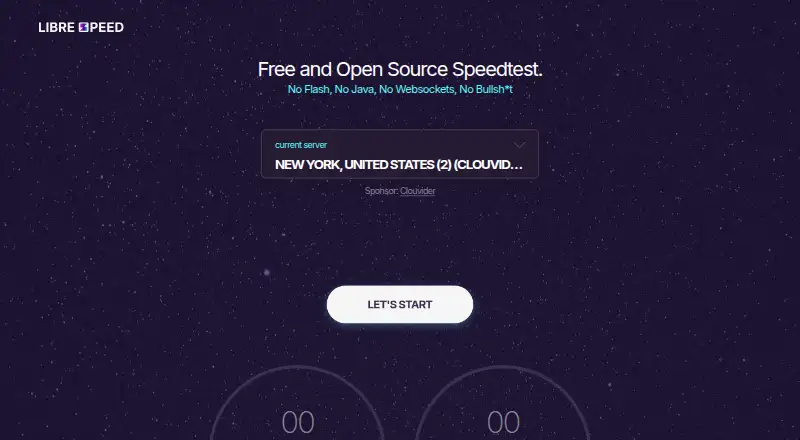
What LibreSpeed is
LibreSpeed is a free speed-testing tool that measures download and upload speeds, ping, and jitter. Its lightweight JavaScript test uses XMLHttpRequest and Web Workers, and it supports IE11, current Edge, Chrome, Firefox, Safari, and mobile browsers. Telemetry and sharing results are optional. When several test points are configured, LibreSpeed can select the one with the lowest ping. A separate stability test reports current, average, minimum, and maximum latency, along with jitter, failed-request percentage, threshold alerts, and CSV export. It can check a local backend, configured test points, or Google, Cloudflare, and Apple. Deployments use a web server such as Apache, nginx, or IIS and PHP 5.4 or newer, though other backends are available. Optional result storage supports MariaDB, MySQL, Microsoft SQL Server, PostgreSQL, and SQLite. The project also offers an Android client template, a command-line client, and a .NET library through NuGet. It is free to self-host, with no paid plans listed.
Who it suits
LibreSpeed suits people who want a free speed test for a browser or self-hosted deployment. Its stability checks and optional result storage may also suit operators who need more than a one-off speed measurement.
What it does well
- Measures download, upload, ping, and jitter
- Telemetry and result sharing are optional
- Can select the test point with the lowest ping
- Stability test includes alerts and CSV export
- Optional storage supports five database systems
What to know first
- Deployment requires a web server and PHP 5.4 or newer
- Node.js backend is partial and not recommended
- Telemetry may store IP address and approximate location
Limits
The free plan is self-hosted and no paid plans are listed. Self-hosting requires a web server and PHP 5.4 or newer, unless another backend is used.
Plans
| Plan | Billed and limits | Price |
|---|---|---|
| Free and Open Source | Self-hosted; no paid plans listed | Free |
As librespeed.org lists them, read 2 Oct 2026. The maker's own page has the final word.
Getting started
- Visit https://librespeed.org/ for the web version.
- For self-hosting, install it on a web server such as Apache, nginx, or IIS.
- Use PHP 5.4 or newer, or choose another available backend.
- Optionally configure result storage with a supported database.
- Optionally use the Android client template, command-line client, or .NET client library.
LibreSpeed is a free, lightweight connection test for browser users and people who want to run a test on their own infrastructure. It is a strong fit for measuring speed and connection stability without a paid plan; the main trade-off is that self-hosting calls for a web server and PHP or another backend.
Overview
The core test measures download and upload speeds, ping, and jitter, covering both transfer rates and basic latency. If several test points are configured, LibreSpeed can automatically select the one with the lowest ping, which is useful when users should not have to choose a server themselves.
LibreSpeed’s separate stability test adds a time-oriented view: it reports current, average, minimum, and maximum latency, jitter, failed-request percentage, and threshold alerts, with CSV export. It can check the local backend, configured test points, or Google, Cloudflare, and Apple. That makes it more useful than a one-off speed result for spotting inconsistent latency or failed requests, though it is not a broad network-monitoring suite.
Key features
Browser testing and server choice
The project supports IE11, current Edge, Chrome, Firefox, Safari, and mobile browser versions. Automatic selection among configured points favors the lowest-ping option; operators still need multiple test points in place to benefit from that choice.
Self-hosting and integrations
Installation uses a web server such as Apache, nginx, or IIS, with PHP 5.4 or newer; Go and Rust backend implementations are also available. The Node.js implementation is partial and not recommended. Optional result storage supports MariaDB, MySQL, Microsoft SQL Server, PostgreSQL, and SQLite. This flexibility suits operators who want to control deployment and storage, but it asks more of them than a ready-made hosted test.
Beyond the browser, the project provides an Android client template, a command-line client, and a .NET client library distributed through NuGet. Its Docker image is built weekly with updated ipinfo data and the latest PHP security patches, and the project recommends using the latest image.
Pricing
Free and Open Source: free. This is a self-hosted plan, with no paid plans listed. It suits individuals and operators willing to provide and maintain their own deployment; the free price does not remove the web-server and backend requirements.
Platforms
LibreSpeed supports web, Android, Linux, macOS, and Windows, as well as self-hosted use. Its stated browser support spans major desktop browsers, IE11, and mobile browser versions. The separate Android template, command-line client, and .NET library provide additional ways to use the project beyond a browser page.
Who it's for
Choose LibreSpeed if you need a free speed test that can be hosted under your control, want download and upload readings alongside ping and jitter, or need the stability test’s latency ranges, failure percentage, alerts, and CSV export. It is less suitable if you want to avoid server administration or need monitoring beyond these connection and stability measures.
Privacy-conscious operators can leave telemetry and results sharing off, since both are optional. On the official demo, telemetry may store a test ID, time, results, IP address, ISP, approximate location, user agent, browser locale, and a test log. The privacy policy says collected data is not disclosed to third parties and can be deleted when the test ID or IP address is provided. Anyone using the demo should weigh that collection against the convenience of a hosted test.
Pros and cons
- Pro: Download, upload, ping, and jitter measurements make the basic test more informative than a download-only result.
- Pro: The standalone stability test tracks latency variation and failed requests, and supports threshold alerts and CSV export.
- Pro: Optional telemetry and result storage let operators choose whether to share or retain test results.
- Con: Self-hosting requires a web server and PHP 5.4 or newer, or an alternative backend, so it is not a zero-setup option.
- Con: The Node.js backend is partial and not recommended, narrowing the practical backend choices for some deployments.
Alternatives
Network Testing Software is the broader category to browse if LibreSpeed’s focused speed and stability checks are not enough.
- PingPlotter is worth considering if you need connection monitoring; its Free plan is limited to one connection, no remote collection, and 10-minute monitoring history, while Professional Edition costs $29 a month.
- EVE-NG may suit readers seeking a network emulation environment: its Freemium plan allows 7 nodes per EVE instance and 63 nodes per lab, with Admin role only.
- GNS3 is an open-source option to consider for network simulation rather than connection speed and stability testing.
- OpenSpeedTest is another free speed-test option across web, desktop, and mobile platforms.
- TRex may fit Linux-based traffic-generation needs; its hardware and NIC requirements matter before choosing it.
- iperf3 is a free, three-clause BSD-licensed option for readers comfortable using source distributions, since ESnet does not distribute binary packages.
- Netpicker is an alternative for network-device workflows: its Foundation plan is free for life, supports unlimited network devices, and is limited to a single user, with Professional features for 10 devices.
- Cisco pyATS is a free Apache 2.0-licensed option for Linux, macOS, and self-hosted use.
Verdict
LibreSpeed is a compelling choice for people who want a free, self-hostable speed test with a distinct stability check and control over telemetry and result storage. Choose it for connection measurements and deployment flexibility; look elsewhere if you need a managed setup or a broader network-monitoring tool.
Verdict
LibreSpeed combines routine connection measurements with a separate stability test and several self-hosting options. Review the deployment requirements and the demo's telemetry details before choosing how to run it.
Questions
Is LibreSpeed free?
Yes. The listed plan is free and open source, at no cost; no paid plans are listed.
Which measurements does it provide?
It measures download, upload, ping, and jitter. Its separate stability test also reports latency statistics, failed-request percentage, and threshold alerts.
Which platforms and browsers are supported?
Listed platforms are Android, Linux, macOS, self-hosted, web, and Windows. The project states support for IE11, current Edge, Chrome, Firefox, Safari, and mobile browsers.
Can I host it myself?
Yes. Deployment uses a web server such as Apache, nginx, or IIS with PHP 5.4 or newer; other backends are available.
Does it store test results?
Result storage is optional and supports MariaDB, MySQL, Microsoft SQL Server, PostgreSQL, and SQLite.
Facts from LibreSpeed's own pages
- Backend options
- Go and Rust implementations are available, while the Node.js implementation is partial and currently not recommended. · github.com, 2 Oct 2026
- Browser support
- The project states that IE11, current Edge, Chrome, Firefox, Safari, and mobile browser versions are supported. · github.com, 2 Oct 2026
- Client options
- The project provides an Android client template, a command-line client, and a .NET client library distributed through NuGet. · github.com, 2 Oct 2026
- Database integrations
- Optional result storage supports MariaDB, MySQL, Microsoft SQL Server, PostgreSQL, and SQLite. · github.com, 2 Oct 2026
- Deployment
- Installation uses a web server such as Apache, nginx, or IIS, with PHP 5.4 or newer; other backends are available. · github.com, 2 Oct 2026
- Docker
- A Docker image is built weekly with updated ipinfo data and the latest PHP security patches, and the project recommends the latest image. · github.com, 2 Oct 2026
- External targets
- The stability test can target the local backend, configured test points, or Google, Cloudflare, and Apple. · github.com, 2 Oct 2026
- Measurements
- The test measures download, upload, ping, and jitter. · github.com, 2 Oct 2026
- Multiple servers
- LibreSpeed can automatically choose among multiple test points using the one with the lowest ping. · github.com, 2 Oct 2026
- Optional telemetry
- Telemetry and results sharing are optional features. · github.com, 2 Oct 2026
- Privacy data
- The official demo says telemetry may store test ID, time, results, IP address, ISP, approximate location, user agent, browser locale, and a test log. · librespeed.org, 2 Oct 2026
- Privacy disclosure
- The official privacy policy says collected data is not disclosed to third parties and can be deleted when the test ID or IP address is provided. · librespeed.org, 2 Oct 2026
- Purpose
- LibreSpeed is a very lightweight JavaScript speed test using XMLHttpRequest and Web Workers. · github.com, 2 Oct 2026
- Stability test
- A standalone stability test reports current, average, minimum, and maximum latency, jitter, failed-request percentage, threshold alerts, and CSV export. · github.com, 2 Oct 2026
Where LibreSpeed stands on Freedom251
- Network Testing Software#9 of 33