Freedom251 › Network Testing Software
TRex
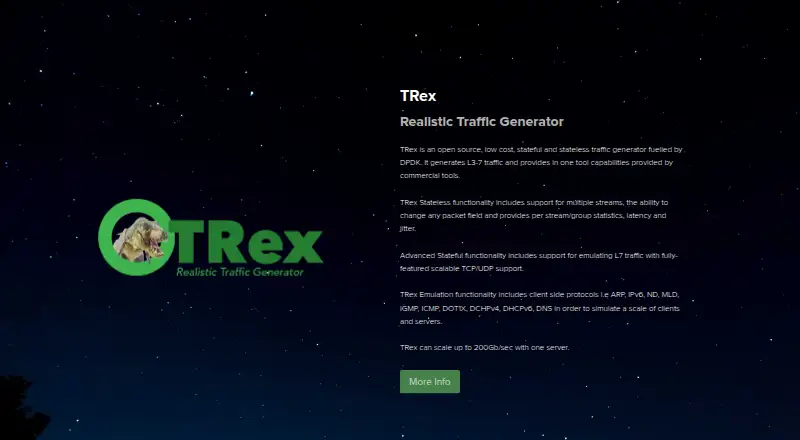
What TRex is
TRex is a free, open-source traffic generator for benchmarking platforms with realistic network traffic. It generates Layer 3–7 traffic in stateless, stateful, and advanced stateful modes. Stateless mode handles multiple streams, packet-field changes, and per-stream or per-group statistics, latency, and jitter. Advanced stateful mode emulates Layer 7 traffic over scalable TCP and UDP flows. Protocol emulation includes ARP, IPv6, ND, MLD, IGMP, ICMP, DOT1X, DHCPv4, DHCPv6, and DNS. TRex provides Python automation APIs and a console interface; stateless functions can also be accessed through JSON-RPC. The site says one server can scale up to 200 Gb/sec. Its manual describes a Linux application using DPDK and Linux kernel modules, intended to work on COTS x86 servers. It can run in a virtual machine or Docker for low-performance, low-footprint use, but virtual switches can constrain throughput and virtual-machine latency results are inaccurate. Hardware and NIC requirements apply. Support resources include the TRex community forum and Cisco DevNet community.
Who it suits
TRex suits teams benchmarking network devices, testing switches, or generating traffic for client, server, production, routing, or DDoS test scenarios. Its Linux and hardware requirements make it a fit for users able to provide compatible systems and NICs.
What it does well
- Supports stateless, stateful, and advanced stateful traffic.
- Offers Python automation APIs and a console interface.
- One server can scale up to 200 Gb/sec.
- Can run in a virtual machine or Docker.
- Free and open source.
What to know first
- Linux application with hardware and NIC requirements.
- ARM compilation is not tested in regression.
- Virtual switches can limit throughput.
- Virtual-machine latency results are inaccurate.
Limits
The free plan is listed as free, with hardware and NIC requirements. Virtual switches can limit throughput to around 1 MPPS, and latency results in virtual-machine setups are inaccurate.
Plans
| Plan | Billed and limits | Price |
|---|---|---|
| TRex | Open source · Linux application · hardware and NIC requirements apply | Free |
As trex-tgn.cisco.com lists them, read 4 Oct 2026. The maker's own page has the final word.
Getting started
- Open the TRex website and documentation.
- Use a Linux environment; the manual describes TRex as a Linux application using DPDK.
- Choose a supported COTS x86 server and account for the hardware and NIC requirements.
- Run TRex directly, or use a virtual machine or Docker for low-footprint use.
- Use the console interface or Python automation API to configure traffic generation.
TRex is a free, open-source traffic generator for benchmarking network platforms with realistic traffic. It is best suited to network engineers who need scalable traffic workloads, protocol emulation, and automation on Linux-based infrastructure. Its breadth is a strong fit for demanding device tests, but hardware requirements and virtual-environment limits narrow where it can deliver useful results.
Overview
TRex generates Layer 3–7 traffic in stateless, stateful, and advanced stateful modes. Stateless workloads can span multiple streams, change packet fields, and collect per-stream or per-group statistics, latency, and jitter. Advanced stateful mode emulates Layer 7 traffic over scalable TCP and UDP flows. The site says one server can scale up to 200 Gb/sec, making TRex a strong candidate for high-scale benchmarks as well as switch, routing, client/server scale, production, and DDoS traffic tests.
Its emulation includes ARP, IPv6, neighbor discovery, MLD, IGMP, ICMP, DOT1X, DHCPv4, DHCPv6, and DNS. Broader protocol support includes LLDP, mDNS, NetFlow/IPFIX, OSPF, RIP, and GTP-U. That range helps teams reproduce varied network conditions rather than relying only on basic throughput traffic.
Key features
Automation is a practical strength. Python APIs cover stateless, stateful, advanced stateful, emulation, and NDR functions; the stateless API can also be used through JSON-RPC from compatible languages. A console interface is provided, and BIRD integration supports Linux-based stack configuration. These options suit teams that need repeatable tests integrated into their own workflows.
There are important deployment constraints. The manual describes TRex as a Linux application using DPDK and Linux kernel modules, intended to work on COTS x86 servers. ARM compilation is possible, but ARM is not tested in the regression. Running it in a virtual machine or Docker can provide a lower-performance, lower-footprint setup without extra hardware, but virtual switches can limit throughput to around 1 MPPS, and virtual-machine latency results are not accurate. That makes virtualization useful for lightweight exploration, not a substitute for reliable performance or latency measurement.
TRexViewer, the live monitoring application, is supported only on Windows. Support resources include the TRex community forum and Cisco DevNet community. The official pages make no security certification or compliance claims.
Pricing
TRex is free and open source. The TRex plan costs nothing and includes an open-source Linux application; hardware and NIC requirements apply. There are no paid tiers to trade features against, so it suits teams able to supply and configure appropriate Linux hardware. Those who need low-footprint use can run it in a virtual machine or Docker, but should accept the stated performance and latency limits.
Platforms
TRex is a Linux application, despite its API, web, macOS, and Windows platform labels. The Windows-only TRexViewer provides live monitoring, while the core traffic generator depends on Linux, DPDK, and compatible hardware. Teams choosing deployment should plan around that distinction rather than expect a native macOS or Windows traffic-generation application.
Who it's for
TRex is a good match for network engineering teams benchmarking high-scale stateful devices, generating DDoS traffic, testing switches, scaling clients and servers, validating production traffic, or exercising routing protocols. Its multiple traffic modes, protocol coverage, and automation interfaces make it particularly useful where tests need to be varied and repeatable. It is a poor fit for users seeking accurate virtual-machine latency measurements or a lightweight desktop tool that avoids Linux and NIC requirements.
Pros and cons
- Broad traffic coverage: Stateless, stateful, and advanced stateful modes support workloads from packet-level streams to scalable Layer 7 TCP and UDP flows.
- Useful automation options: Python APIs, JSON-RPC for stateless use, and a console interface support scripted and repeatable testing.
- High stated scale: The site says a single server can reach 200 Gb/sec, which is relevant to high-volume platform benchmarks.
- Hardware and operating-system demands: The Linux, DPDK, and NIC requirements make setup less suitable for teams without compatible infrastructure.
- Virtual test limits: Virtual switches can constrain throughput to around 1 MPPS, and virtual-machine latency results are inaccurate.
- Limited viewer platform: TRexViewer live monitoring is supported only on Windows.
Alternatives
For a wider comparison, see Network Testing Software. Choose OpenSpeedTest instead for a free HTML5 network speed test with an embed widget for personal and commercial use, rather than TRex's scalable traffic-generation and emulation focus. LibreSpeed is another free, self-hosted option if a simpler open-source speed test is the goal.
PingPlotter may suit readers looking for connection monitoring: its free plan is limited to one connection, no remote collection, and 10-minute monitoring history. Choose EVE-NG when a network lab is the priority; its free plan allows 7 nodes per instance and 63 nodes per lab. GNS3 is a free, open-source alternative for users who want network simulation rather than traffic generation.
iPerf2 is another free network testing tool, with a compile-time feature set and permit-key access gating in its professional edition. Mininet is a better fit for Linux-kernel-based network emulation, though it is limited by one server's CPU and bandwidth. Netperf offers free source-code distribution under an MIT license for readers who want a configurable performance-testing tool.
Verdict
Choose TRex if you need a free, scalable generator for realistic network-device benchmarks, with protocol emulation and automation broad enough for varied test workflows. Its strongest case is the combination of traffic modes, high stated scale, and programmable control. Look elsewhere if your work depends on accurate latency in a virtual environment or if Linux, DPDK, and suitable NICs are outside your setup.
Verdict
TRex offers several traffic-generation modes, protocol emulation, and automation interfaces for benchmarking and testing. Check system and NIC requirements, and treat virtual-environment throughput and latency limitations as material constraints.
Questions
How much does TRex cost?
The TRex plan is listed as free.
Is TRex open source?
Yes. TRex is described as an open source traffic generator.
Which operating system does TRex use?
The manual describes TRex as a Linux application that uses DPDK and interacts with Linux kernel modules.
Does TRex provide an API?
Yes. It provides Python automation APIs and a console interface. Stateless functions can also be accessed through JSON-RPC.
Can TRex run in a virtual machine or Docker?
The documentation describes both options for low-performance, low-footprint use. Virtual switches can constrain throughput, and virtual-machine latency results are inaccurate.
What support resources are listed?
The documentation lists the TRex community forum and Cisco DevNet community.
Facts from TRex's own pages
- Advanced stateful
- Advanced stateful mode emulates Layer 7 traffic over scalable TCP and UDP flows. · trex-tgn.cisco.com, 4 Oct 2026
- Automation
- TRex provides a Python API and a console interface, and its stateless API can be used through JSON-RPC from languages that support it. · trex-tgn.cisco.com, 4 Oct 2026
- Automation API
- The documentation provides Python automation APIs for stateless, stateful, advanced stateful, emulation, and NDR functions. · trex-tgn.cisco.com, 3 Oct 2026
- Deployment
- TRex is a Linux application; the documentation also describes running it in Docker or a VirtualBox virtual machine for experimentation. · trex-tgn.cisco.com, 4 Oct 2026
- Emulation protocols
- Emulation includes ARP, IPv6, ND, MLD, IGMP, ICMP, DOT1X, DHCPv4, DHCPv6, and DNS. · trex-tgn.cisco.com, 3 Oct 2026
- GUI support
- The TRexViewer live monitoring application is supported only on Windows OS. · trex-tgn.cisco.com, 4 Oct 2026
- Integration
- The documentation describes an integration with BIRD for Linux based stack configuration. · trex-tgn.cisco.com, 4 Oct 2026
- Operating system
- The manual describes TRex as a Linux application that uses DPDK and interacts with Linux kernel modules. · trex-tgn.cisco.com, 3 Oct 2026
- Performance
- The site says TRex can scale up to 200 Gb/sec with one server. · trex-tgn.cisco.com, 4 Oct 2026
- Platform limit
- The manual says TRex should work on COTS x86 servers and can be compiled for ARM, though ARM is not tested in its regression setup. · trex-tgn.cisco.com, 4 Oct 2026
- Protocol emulation
- Its emulation functionality includes ARP, IPv6, ND, MLD, IGMP, ICMP, DOT1X, DHCPv4, DHCPv6, and DNS. · trex-tgn.cisco.com, 4 Oct 2026
- Purpose
- TRex is an open source traffic generator for benchmarking and testing network devices with realistic traffic. · trex-tgn.cisco.com, 4 Oct 2026
- Security
- The opened official pages do not state security certifications or compliance claims. · trex-tgn.cisco.com, 3 Oct 2026
- Stateful features
- Advanced Stateful mode supports L7 traffic with scalable TCP and UDP. · trex-tgn.cisco.com, 3 Oct 2026
- Stateless features
- Stateless mode supports multiple streams, packet field changes, and per stream or group statistics, latency, and jitter. · trex-tgn.cisco.com, 4 Oct 2026
- Support
- The documentation lists a TRex community forum and Cisco DevNet community as support resources. · trex-tgn.cisco.com, 3 Oct 2026
- Traffic generation
- TRex generates L3–7 traffic and offers stateful and stateless traffic generation modes. · trex-tgn.cisco.com, 3 Oct 2026
- Traffic modes
- It supports stateless, stateful, and advanced stateful traffic generation. · trex-tgn.cisco.com, 4 Oct 2026
- Use cases
- The FAQ lists high scale benchmarks, switch testing, large client and server scale tests, production tests, and routing protocol tests as common use cases. · trex-tgn.cisco.com, 4 Oct 2026
- Virtual environment limits
- The FAQ says virtual switches can limit throughput to around 1 MPPS and latency results in virtual machine setups are not accurate. · trex-tgn.cisco.com, 4 Oct 2026
Where TRex stands on Freedom251
- Network Testing Software#21 of 33