Freedom251 › Network Testing Software
Netperf
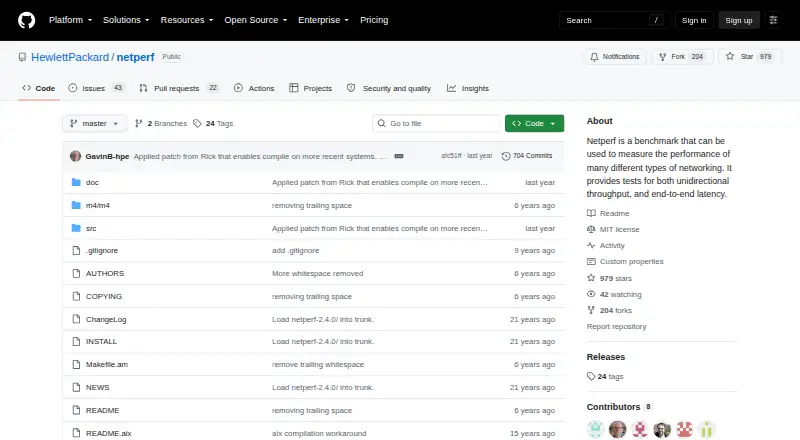
What Netperf is
Netperf is a free, open-source tool for measuring network performance, including unidirectional throughput and end-to-end latency. It uses a client-server arrangement with two executables: netperf and netserver. The server can run as an inetd child or as a standalone daemon. The manual describes TCP and UDP transfer and request/response tests over IPv4 and IPv6 using sockets, alongside tests for XTI, DLPI, Unix domain sockets, and SCTP. Where the platform and build support it, results can include CPU utilization and service demand. Optional configure settings enable pacing for STREAM tests, timing histograms, and interim test results. Netperf is distributed primarily as source code for installation on systems where ready-made binaries may not be available. The project documents reported Windows builds using Cygwin, the Windows DDK, and Microsoft Visual Studio 2003; a README discusses a workaround for case-insensitive file and directory names on OSX. Hewlett Packard Enterprise released this version under the MIT license. The project cautions that the manual may be outdated, and some test types must be enabled at configure time.
Who it suits
Netperf suits users familiar with the networking protocols and interfaces it measures who can install and configure source code. It may also suit teams that need throughput or latency measurements across the documented protocols.
What it does well
- Measures throughput and end-to-end latency
- Supports TCP and UDP tests over IPv4 and IPv6
- Can report CPU utilization and service demand
- Released under the MIT license
What to know first
- Distributed primarily as source code
- Some test types require configure-time enabling
- Project warns that its manual may be outdated
- Windows build information describes older toolchains
Limits
Netperf is free and distributed as source code. XTI, DLPI, Unix domain socket, and SCTP tests require configure-time enablement; pacing, timing histograms, and interim results are optional configure settings.
Plans
| Plan | Billed and limits | Price |
|---|---|---|
| Netperf | Source code distribution · MIT license · Some platform and test features require configuration | Free |
As github.com lists them, read 4 Oct 2026. The maker's own page has the final word.
Getting started
- Open the Netperf project website on GitHub.
- Obtain the source code distribution.
- Configure the build, enabling XTI, DLPI, Unix domain socket, or SCTP tests if needed.
- Install Netperf on a supported system.
- Run netserver as an inetd child or standalone daemon, then use netperf to run tests.
Verdict
Netperf provides configurable network performance measurements, but users should account for source installation and optional test setup. Its documentation may be outdated, so check relevant test and platform requirements before proceeding.
Questions
How much does Netperf cost?
The listed plan is free. It is distributed as source code under the MIT license.
Which platforms does Netperf support?
Its listed platforms are Linux, macOS, and Windows. The project documents reported Windows builds using Cygwin, the Windows DDK, and Microsoft Visual Studio 2003.
What does Netperf measure?
It measures network performance, including unidirectional throughput and end-to-end latency. When supported by the platform and build, it can also report CPU utilization and service demand.
Which protocols and interfaces are covered?
The manual describes TCP and UDP tests over IPv4 and IPv6 using sockets, along with XTI, DLPI, Unix domain socket, and SCTP tests. The latter four must be enabled at configure time.
Is Netperf open source?
Yes. Hewlett Packard Enterprise released this version under the MIT license.
Facts from Netperf's own pages
- Client and server
- Netperf uses two executables, netperf and netserver, in a client-server model. · github.com, 4 Oct 2026
- Configuration limits
- The manual says XTI, Unix domain sockets, DLPI, and SCTP tests must be explicitly enabled at configure time. · github.com, 4 Oct 2026
- Documentation caveat
- The project README warns that its manual may be outdated and points readers to it for fuller information. · github.com, 4 Oct 2026
- Installation
- The project says its primary distribution form is source code so it can be installed on systems where the authors cannot readily create binaries. · github.com, 4 Oct 2026
- Intended users
- The manual assumes users have at least a passing familiarity with the networking protocols and interfaces involved. · github.com, 4 Oct 2026
- License
- Hewlett Packard Enterprise says this version was open sourced under the MIT license. · github.com, 4 Oct 2026
- macOS support
- A project README discusses an OSX case-insensitive file and directory name workaround. · github.com, 4 Oct 2026
- Measurements
- The manual describes reporting CPU utilization and service demand alongside performance results when supported by the platform and build. · github.com, 4 Oct 2026
- Optional test controls
- Optional configure settings enable pacing for STREAM tests, timing histograms, and interim test results. · github.com, 4 Oct 2026
- Protocols and interfaces
- The manual lists TCP and UDP transfer and request/response tests over IPv4 and IPv6 using sockets, plus XTI, DLPI, Unix domain socket, and SCTP tests. · github.com, 4 Oct 2026
- Purpose
- Netperf measures network performance, including unidirectional throughput and end-to-end latency. · github.com, 4 Oct 2026
- Security and compliance
- The opened project pages identify the MIT license but do not state security certifications or compliance claims. · github.com, 4 Oct 2026
- Server operation
- The manual describes running netserver as an inetd child or as a standalone daemon. · github.com, 4 Oct 2026
- Support
- The README directs people with severe difficulties to contact Rick Jones by email and mentions the netperf-talk mailing list. · github.com, 4 Oct 2026
- Windows support
- The project documents reported builds using Cygwin, the Windows DDK, and Microsoft Visual Studio 2003. · github.com, 4 Oct 2026
Where Netperf stands on Freedom251
- Network Testing Software#15 of 33