Freedom251 › Network Configuration Management Software

Netpicker
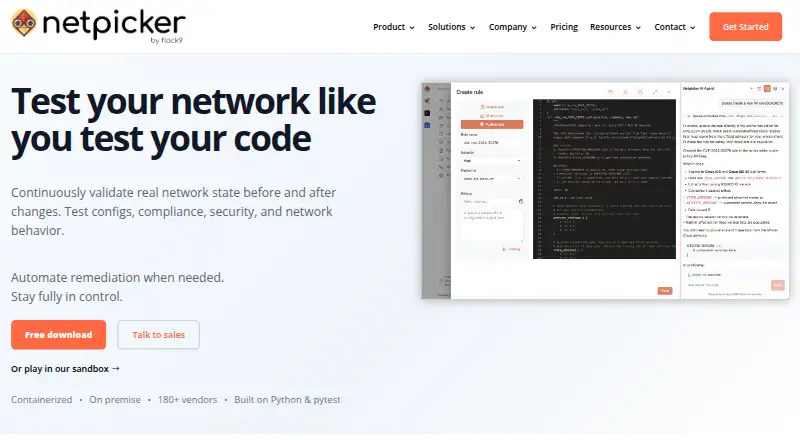
What Netpicker is
Netpicker validates network state, configurations, behavior, security and compliance, and can automate remediation. It runs Python tests in pytest format against device configurations, show-command output and API data. The free Foundation plan includes unlimited configuration backups, Git history, diffs, search and drift detection. Netpicker supports devices from more than 180 vendors and is designed for network and NetDevOps engineers, with a graphical interface for configuration checks and real-time show commands. It can run as a Docker container or OVA virtual appliance, including on-premises or air-gapped deployments. API connections link it to source-of-truth systems, Git, ITSM tools and other existing tools. Its REST API manages devices, backups and tests, runs show commands and tests, and restores backups; documentation is provided through Swagger/OpenAPI. Security checks cover CVEs, configurations, compliance and pen-test findings without sending network data outside the customer environment. Professional starts at $7,500 a year, with 10 devices included.
Who it suits
It suits network and NetDevOps engineers who need configuration checks, backups or compliance validation. On-premises and air-gapped deployment options are listed for organizations that need them.
What it does well
- Supports devices from more than 180 vendors.
- Foundation includes unlimited configuration backups.
- Can detect drift and compare configuration changes.
- Runs on-premises or in air-gapped environments.
- REST API can restore backups and run tests.
What to know first
- Foundation is limited to a single user.
- Professional starts at $7,500 a year.
- Professional includes 10 devices.
Limits
Foundation is free for life and supports unlimited network devices, but is for a single user. Its plan lists Professional features for 10 devices; Professional starts at $7,500 per year and includes 10 devices, while Enterprise starts at $33,500 per year.
Plans
| Plan | Billed and limits | Price |
|---|---|---|
| Netpicker - Foundation | FREE for life · unlimited network devices · single user · Professional features for 10 devices | Free |
| Netpicker - Enterprise | Starting at $33,500 Per year · multi-role RBAC · SSO · audit logs · Kubernetes, OpenShift and air-gapped support | $33,500 a year |
| Netpicker - Professional | Starting at $7,500 per year · 10 devices included · multi-user admin · NetBox, Nautobot and Infrahub plugins | $7,500 a year |
As netpicker.io lists them, read 1 Oct 2026. The maker's own page has the final word.
Getting started
- Visit netpicker.io.
- Choose the free Foundation plan or a paid plan.
- Deploy Netpicker as a Docker container or OVA virtual appliance.
- Run it on-premises or in an air-gapped environment.
- Connect source-of-truth systems, Git or ITSM tools through API-based integrations.
Netpicker is a network validation and automation platform for network and NetDevOps engineers. It is best suited to teams that need repeatable configuration, compliance and security checks while keeping network data on premises. Its standout advantage is the combination of extensive free backup tools and air-gapped deployment; the main trade-off is that team administration and enterprise controls start at substantial annual prices.
Overview
Netpicker runs automated Python tests in pytest format against device configurations, show-command output and API data. That makes it a fit for engineers who want network checks expressed as repeatable tests and who can maintain or review those tests. It also offers remediation automation, with engineers retaining review and approval of AI-generated remediation jobs.
Support for devices from more than 180 vendors broadens its relevance across mixed network estates. Deployment as a Docker container or OVA virtual appliance, including on-premises and air-gapped operation, suits organizations that cannot send network data outside their environment. Netpicker also connects through APIs to source-of-truth systems, Git, ITSM tools and other existing tools. Flock9 says it uses organizational and technical security measures, while cautioning that internet transmission and storage cannot be guaranteed completely secure.
Key features
Testing, backup and recovery
The free Foundation plan includes unlimited configuration backups, Git history, diffs, search and drift detection. That is a strong starting point for an individual engineer who wants a useful configuration record without a subscription. Configuration comparison, scheduled backups and change rollback add practical support for spotting and recovering from changes.
The testing engine works against device configuration, command output and API data, and the REST API can manage devices, backups and tests, run show commands and tests, and restore backups. Swagger/OpenAPI documentation helps teams integrate those operations into their own workflows. Netpicker's graphical interface also supports configuration checks and real-time show commands.
Security and compliance
Netpicker checks CVEs, security configurations, compliance requirements and pen-test findings without sending network data outside the customer environment. Its CVE checks distinguish potential exposure based on OS-version matching from verified exposure, which also checks whether the vulnerable feature is enabled and mitigations are present. That distinction makes the results more useful for prioritizing work than version matching alone.
Compliance evidence can align with CIS, NIS2, DORA, PCI-DSS, NIST, ISO 27001, HIPAA and DISA STIGs. AI can draft compliance tests, remediation jobs and troubleshooting queries from plain English, but engineer review and approval remain part of the process—a sensible constraint for changes with operational or security impact.
Pricing
| Plan | Price | What it includes |
|---|---|---|
| Foundation | free; billed FREE for life | Unlimited network devices, one user, and Professional features for 10 devices |
| Professional | $7,500 a year; starts at $7,500 per year | 10 devices included, multi-user administration, and NetBox, Nautobot and Infrahub plugins |
| Enterprise | $33,500 a year; starts at $33,500 per year | Multi-role RBAC, SSO, audit logs, Kubernetes, OpenShift and air-gapped support |
Foundation is unusually capable for an individual: it includes the backup, history and drift tools without a device cap, but limits the account to one user and Professional features to 10 devices. It is less suitable for a team that needs shared administration or broader access to paid features.
Professional is the step up for teams that need multiple administrators and the named source-of-truth plugins; its 10 included devices make it a focused entry point rather than an unlimited deployment. Enterprise is aimed at organizations that need role separation, SSO, audit logs or the specified container-platform and air-gapped support. Both paid plans start at the stated annual prices, so they represent a significant commitment compared with Foundation.
Foundation support consists of a knowledge base, YouTube training courses, best-effort tickets and best-effort Discord. Professional adds a 24-hour ticket response and private Discord channel. That improvement matters to teams relying on support, though the listed Professional response is a response target rather than a promise of resolution.
Platforms
Netpicker supports API, Linux, self-hosted and web use, with a hybrid deployment model. Docker and OVA options support on-premises operation, and air-gapped deployment is available with Enterprise. That makes it more appropriate for network environments with strict data boundaries than a service that requires network information to leave the customer's environment.
Who it's for
Netpicker is a strong fit for network and NetDevOps engineers who want to formalize checks, preserve configuration history and connect testing with existing source-of-truth, Git and ITSM tools. It also suits organizations that need security or compliance evidence while keeping network data local. A solo engineer can start with Foundation; teams should weigh its one-user cap against the Professional entry price. It is a weaker fit for buyers seeking low-cost multi-user administration or a simple, narrowly focused backup utility.
Pros and cons
- Pros: Foundation provides unlimited backups, Git history, diffs, search and drift detection at no charge, useful for individual engineers establishing configuration control.
- Pros: Testing across configuration, command output and API data, plus coverage of more than 180 vendors, supports varied network estates.
- Pros: On-premises and air-gapped options, alongside security checks that keep network data inside the environment, address strict data-boundary needs.
- Cons: Foundation is single-user, so teams need a paid plan for multi-user administration.
- Cons: Professional starts at $7,500 a year and includes 10 devices, a considerable step up for teams seeking shared access.
- Cons: Stronger identity, audit and air-gapped capabilities are reserved for Enterprise, which starts at $33,500 a year.
Alternatives
For buyers comparing network configuration and testing tools, Network Configuration Management Software and Network Testing Software are relevant category guides.
ManageEngine Network Configuration Manager is worth considering if a two-device free edition or a Professional edition priced at $238 a year better fits the budget; it also supports mobile platforms and Windows. Unimus offers a free tier for 10 devices with all features except Compliance and SAML/OIDC, making it a more bounded no-cost option when those exclusions are acceptable. Oxidized is a free, self-hosted, Apache-2.0 option for buyers who want that licensing and deployment model.
rConfig has a no-device-limit, MIT-licensed Core plan that runs on customer hardware, while its Starter plan is a one-time purchase; it may suit buyers prioritizing that model. Arista NG Firewall is a different choice for buyers focused on basic security and connectivity features. NetKeep is a free, self-hosted option for Linux amd64 or arm64 servers under AGPL-3.0. Gluware offers a renewable one-year Community Edition for up to 20 devices, with its full application suite except Topology. Mobile Net Switch is a free, non-expiring Windows application for buyers who need that platform.
Verdict
Choose Netpicker if your network team needs repeatable testing, configuration history and security or compliance validation without moving network data outside its environment. Foundation makes it practical for a single engineer to start, but the one-user cap and the steep annual step to paid plans make it a poor fit for budget-conscious teams that need shared administration. Organizations that require stronger access controls, audit logs or air-gapped support should consider Enterprise only if its starting price is justified by those needs.
Verdict
Netpicker combines network testing, backup and security validation with on-premises and air-gapped deployment options. The free Foundation plan is limited to one user; Professional starts at $7,500 a year.
Questions
Is Netpicker free?
Yes. Foundation is free for life and includes unlimited network devices for a single user.
How much do the paid plans cost?
Professional starts at $7,500 per year and Enterprise starts at $33,500 per year.
Where can Netpicker run?
It is available as a Docker container or OVA virtual appliance and can run on-premises or in air-gapped environments.
Which source-of-truth plugins are listed?
Professional lists plugins for NetBox, Nautobot and Infrahub, plus integration with Slurp'it.
What does Netpicker check?
It validates network state, configurations, security, compliance and network behavior. Security checks include CVEs and pen-test findings.
What support comes with the plans?
Foundation includes a knowledge base, YouTube training courses, best-effort tickets and best-effort Discord. Professional adds 24-hour ticket response and a private Discord channel.
Facts from Netpicker's own pages
- AI
- Netpicker can generate compliance tests, remediation jobs and troubleshooting queries from plain English, with engineer review and approval. · netpicker.io, 1 Oct 2026
- Audience
- Netpicker is designed for network and NetDevOps engineers and includes a graphical interface for configuration checks and real-time show commands. · netpicker.io, 1 Oct 2026
- Backup
- The free version provides unlimited configuration backups, Git history, diffs, search and drift detection. · netpicker.io, 1 Oct 2026
- Compliance evidence
- Netpicker provides evidence aligned with CIS, NIS2, DORA, PCI-DSS, NIST, ISO 27001, HIPAA and DISA STIGs. · netpicker.io, 1 Oct 2026
- CVE method
- Potential CVEs use OS-version matching, while verified CVEs check whether the vulnerable feature is enabled and mitigations are present. · netpicker.io, 1 Oct 2026
- Deployment
- Netpicker is available as a Docker container or an OVA virtual appliance, and can run on-premises or air-gapped. · netpicker.io, 1 Oct 2026
- Integrations
- Netpicker provides API-based connections to source-of-truth systems, Git, ITSM tools and other existing tools. · netpicker.io, 1 Oct 2026
- Privacy
- Flock9 says it uses organisational and technical security measures but does not guarantee that internet transmission or storage can be completely secure. · netpicker.io, 1 Oct 2026
- Purpose
- Netpicker continuously validates network state, configurations, compliance, security and network behavior, and can automate remediation. · netpicker.io, 1 Oct 2026
- REST API
- The REST API manages devices, backups and tests, runs show commands and tests, and restores backups; it is documented with Swagger/OpenAPI. · netpicker.io, 1 Oct 2026
- Security automation
- Netpicker validates CVEs, security configurations, compliance and pen-test findings without sending network data outside the customer environment. · netpicker.io, 1 Oct 2026
- Source-of-truth plugins
- Professional pricing lists supported plugins for NetBox, Nautobot and Infrahub, plus integration with Slurp'it. · netpicker.io, 1 Oct 2026
- Support
- Foundation includes a knowledge base, YouTube training courses, best-effort tickets and best-effort Discord; Professional adds 24-hour ticket response and a private Discord channel. · netpicker.io, 1 Oct 2026
- Testing engine
- Netpicker runs automated Python tests in pytest format against device configurations, show-command output and API data. · netpicker.io, 1 Oct 2026
- Vendor coverage
- Netpicker supports network devices from more than 180 vendors. · netpicker.io, 1 Oct 2026
Where Netpicker stands on Freedom251
- Network Configuration Management Software#3 of 35
- Network Testing Software#13 of 33