Freedom251 › Network Configuration Management Software

ManageEngine Network Configuration Manager
Visit ManageEngine Network Configuration Manager Alternatives Pricing
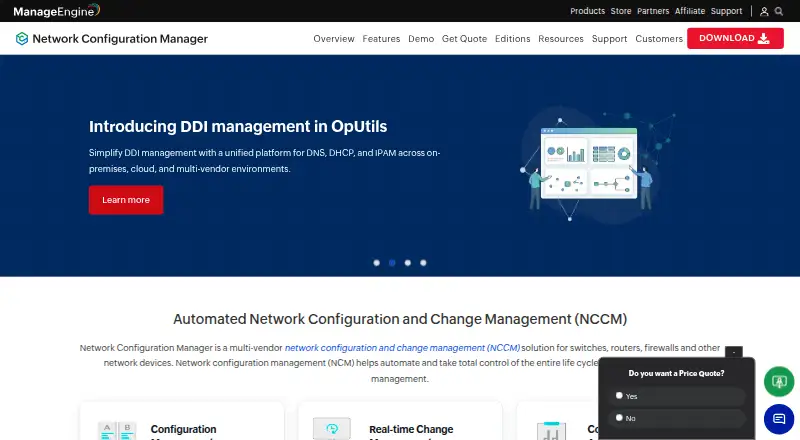
What ManageEngine Network Configuration Manager is
ManageEngine Network Configuration Manager manages configuration and change workflows for switches, routers, firewalls, and other network devices. It schedules configuration backups, tracks changes in real time, and supports version comparison and rollback to trusted configurations. Configlets and scripts can automate tasks and apply changes to devices in bulk. The product checks configurations against standards and policies and supports compliance reporting. It also identifies devices with firmware vulnerabilities, with CVE IDs, severity information, and patch links. The product page says the editions support devices from more than 200 vendors and that retrieved configuration data is encrypted using AES 256-bit encryption. It is an on-premises product, with Windows and Linux installers. Android and iOS mobile apps show backups, changes, vulnerabilities, compliance, and user activities. The Free Edition covers two devices. Professional Edition is listed at $238 a year for a 10-device pack with two users; Enterprise Edition is $3,358 a year for a 250-device pack with two users. Both paid editions list 24x5 technical support.
Who it suits
This product suits teams managing configurations and changes across network devices who need backups, policy checks, and vulnerability information. It is intended for on-premises deployment.
What it does well
- Schedules configuration backups and supports rollback.
- Tracks configuration changes in real time.
- Automates tasks and bulk changes with scripts and configlets.
- Checks configurations against standards and policies.
- Mobile apps show backups, changes, and compliance.
What to know first
- Free Edition covers only two devices.
- Professional starts with a 10-device pack and two users.
- Enterprise starts with a 250-device pack and two users.
- Requires on-premises deployment.
Limits
The Free Edition covers two devices. The Professional plan starts at 10 devices and two users; the listed Enterprise plan is for 250–30,000 devices, while the product page describes Enterprise support up to 50,000 devices.
Plans
| Plan | Billed and limits | Price |
|---|---|---|
| Free Edition | Free without a license · 2 devices | Free |
| Trial | 30 days · Unlimited devices · evaluation edition | Free |
| Free | 2 devices · configuration backup · configlets · change detection · compliance · reports · 200+ vendor support | Free |
| Professional Edition | annual · 10 devices shown by G2 · paid device-based licensing | $238 a year |
| Enterprise Edition | 250 Devices Pack with 2 Users; AMS included · 250–30,000 devices · distributed environment support | $3,358 a year |
| Professional | Up to 10,000 devices · 24x5 support | On request |
| Enterprise | Up to 50,000 devices · distributed environment · data synchronization · automatic updates · 24x5 support | On request |
As manageengine.com lists them, read 30 Sept 2026. The maker's own page has the final word.
Getting started
- Visit the ManageEngine Network Configuration Manager website.
- Choose the Free Edition or a paid edition based on the device capacity needed.
- Download a Windows or Linux installer for on-premises deployment.
- Install the product on a supported Windows or Linux server operating system.
- Use the Android or iOS mobile app to view network configuration activity.
ManageEngine Network Configuration Manager is an on-premises platform for managing configuration changes across switches, routers, firewalls, and other network devices. It suits network teams that need repeatable backups, automation, and policy checks across a growing fleet. Its breadth is useful, but the two-device free edition and paid plans’ pack sizes make the fit depend on how many devices you manage.
Overview
The product brings configuration backup, change tracking, bulk automation, compliance reporting, and firmware vulnerability information into one workflow. Support for devices from more than 200 vendors gives teams with mixed equipment a broad base to work from. Network discovery and API access add useful management options, while on-premises deployment means the software runs within your own environment.
The editions target different scales, but their published capacity figures do not align: the product page says Enterprise can support up to 50,000 devices, while the Enterprise pricing details give a 250–30,000-device range. Confirm the applicable capacity before choosing a plan for a large deployment.
Key features
Backups and change control
Scheduled backups, version comparisons, and rollback offer a practical recovery path when a change causes problems. Real-time change tracking and notifications can help teams catch unexpected edits, provided someone reviews and acts on them.
Automation and compliance
Configlets and scripts can apply configuration tasks across devices in bulk, reducing repetitive work. Policy checks and compliance reports help teams assess whether configurations meet defined standards. These tools are most useful where changes and requirements are repeatable; teams seeking only a basic backup utility may not need the broader workflow.
Firmware and security visibility
Firmware vulnerability information includes CVE identifiers, severity, and patch links, helping administrators prioritize affected devices. The product says configuration data retrieved from devices is encrypted with AES 256-bit encryption and stored in its database.
Operations and access
ServiceDesk Plus integration can create tickets for configuration upload requests and backup failures, connecting those events with service workflows. Professional and Enterprise include 24x5 technical support. Android and iOS apps provide views of backups, changes, firmware vulnerabilities, compliance, and user activity, useful for checking status away from the management console.
Pricing
The pricing model is freemium, with a free plan and a 30-day trial. All editions are on-premises, so teams should account for running the software on their own infrastructure.
| Plan | Price and limits | Best fit |
|---|---|---|
| Free Edition | free; no license required; 2 devices | A small evaluation or a very limited network. The two-device cap is restrictive for broader production use. |
| Professional Edition | $238 a year for a 10 Devices Pack with 2 Users; AMS included; 10–10,000 devices, starting with 2 users | Teams that need paid management across a modest or growing fleet. The stated starting pack covers 10 devices and two users, so check the required pack size against your deployment. |
| Enterprise Edition | $3,358 a year for a 250 Devices Pack with 2 Users; AMS included; 250–30,000 devices; distributed environment support | Larger or distributed operations that need synchronization and central reporting. The entry pack begins at 250 devices, and its listed maximum differs from the product page’s 50,000-device Enterprise figure. |
Professional and Enterprise both include AMS and 24x5 technical support. Enterprise adds distributed-environment support, automatic data synchronization, and central reporting. The plans start at substantially different device pack sizes, so the Enterprise price is difficult to justify for a smaller fleet.
Platforms
The product lists Android, iOS, Linux, self-hosted, web, and Windows. The mobile apps provide status views, while the download page offers Windows and Linux installers and the help documentation covers supported Windows and Linux server operating systems.
Who it's for
Network administrators and operations teams responsible for configurations across multiple devices are the clearest fit, especially when they need change accountability, recovery, policy checks, and bulk updates in one system. Its multi-vendor support and Enterprise reporting features can serve larger environments. It is a weaker choice for a two-device-free-tier user who needs more capacity, or for anyone who cannot run an on-premises deployment.
Pros and cons
- Pros: Scheduled backups, comparisons, and rollback give teams a way to recover from problematic changes.
- Pros: Bulk automation and compliance reporting cover both routine configuration work and policy review.
- Pros: CVE details, severity, and patch links make firmware vulnerability findings more actionable.
- Pros: Support for more than 200 vendors suits networks with varied equipment.
- Cons: The Free Edition covers only two devices, limiting its use beyond evaluation or very small deployments.
- Cons: The published Enterprise capacity differs between the product page and pricing details, which complicates planning at the top end.
- Cons: On-premises deployment requires teams to operate the software in their own environment.
Alternatives
Unimus is a reasonable alternative for teams seeking a free tier covering 10 devices with all features except Compliance and SAML/OIDC; its free plan includes community support and has no time limit.
Netpicker may suit a single-user who wants unlimited network devices on its free Foundation plan, which includes Professional features for 10 devices.
Oxidized is a free, self-hosted option for teams comfortable with Apache-2.0 licensed software.
RANCID is another free option, with Linux, macOS, and self-hosted platforms.
rConfig may fit teams looking for a no-device-limit, MIT-licensed Core edition that runs on their own hardware.
Arista NG Firewall is a freemium web-based product with a free plan for basic security and connectivity features.
NetKeep is a free self-hosted option for Linux amd64 or arm64 servers, licensed under AGPL-3.0.
Gluware offers a one-year renewable Community Edition for up to 20 devices, with the application suite except Topology, plus community support and on-demand training.
For broader category browsing, see Network Configuration Management Software, Network Management Software, and Network Automation Software.
Verdict
Choose ManageEngine Network Configuration Manager if your team needs an on-premises system that combines configuration recovery, change visibility, bulk automation, and compliance checks across a multi-vendor network. Its strongest reason to choose it is that breadth of operational control; its main drawback is the small free cap and pricing that begins at 10 or 250 devices, depending on edition. Small networks or teams seeking a free, self-hosted alternative should compare the lighter options first.
Verdict
Network Configuration Manager combines backup, change tracking, automation, compliance checks, and firmware vulnerability information. The Free Edition covers two devices; review the paid pack sizes and on-premises deployment requirement before choosing an edition.
Questions
Is there a free plan?
Yes. The Free Edition costs nothing and covers two devices.
Is a free trial available?
Yes. The pricing note lists a 30-day trial.
What do the paid editions cost?
Professional is $238 a year for a 10-device pack with two users. Enterprise is $3,358 a year for a 250-device pack with two users.
Where can it run?
It is an on-premises product with Windows and Linux installers. The listed platforms also include Android, iOS, Linux, web, and Windows.
How many vendors' devices does it support?
The product page says its editions support devices from more than 200 vendors.
Does it integrate with ServiceDesk Plus?
Yes. The integration can create tickets for configuration upload requests and backup failures.
Facts from ManageEngine Network Configuration Manager's own pages
- Android app dependency
- The Google Play app requires the desktop Network Configuration Manager version 128184 or later. · play.google.com, 15 Oct 2026
- Approval workflow
- Role controls let operators request uploads while administrators approve or reject them. · manageengine.com, 15 Oct 2026
- Automation
- Configlets and command tasks apply scripted configuration operations in bulk across devices. · manageengine.com, 15 Oct 2026
- Backups
- It schedules configuration backups and supports version comparison and rollback to trusted configurations. · manageengine.com, 30 Sept 2026
- Change tracking
- Real-time monitoring records configuration changes and can issue alerts or automatically roll devices back. · manageengine.com, 15 Oct 2026
- Company facts
- LinkedIn lists ManageEngine as privately held, founded in 2002, headquartered in Del Valle, Texas, with 5,001–10,000 employees. · linkedin.com, 15 Oct 2026
- Company ownership
- ManageEngine is the enterprise IT management division of Zoho Corporation. · manageengine.com, 15 Oct 2026
- Compliance
- Built-in and custom policies cover CIS, HIPAA, SOX, PCI and Cisco IOS compliance checks. · manageengine.com, 15 Oct 2026
- Configuration backups
- It schedules backups and can trigger automated backups when a configuration change is detected. · manageengine.com, 15 Oct 2026
- Deployment requirements
- The download page offers Windows and Linux installers; the help page documents supported Windows and Linux server operating systems. · manageengine.com, 30 Sept 2026
- Device REST management
- REST-based device configuration management is documented for Fortigate and Palo Alto, with Juniper, Arista and Cisco FTD listed as planned support. · manageengine.com, 15 Oct 2026
- Device support
- The product page says the editions support devices from more than 200 vendors. · manageengine.com, 30 Sept 2026
- Distributed deployment
- Enterprise Edition uses central and probe components to manage geographically distributed networks and up to 50,000 devices. · manageengine.com, 15 Oct 2026
- Documentation depth
- The help center includes installation, operating-system requirements, ports, database migration, licensing, REST API reference and troubleshooting material. · manageengine.com, 15 Oct 2026
- Enterprise deployment
- The Enterprise edition supports distributed environments, automatic data synchronization, and central reporting. · manageengine.com, 30 Sept 2026
- Firmware vulnerabilities
- It identifies devices with firmware vulnerabilities and provides CVE IDs, severity information, and patch links. · manageengine.com, 30 Sept 2026
- Firmware vulnerability management
- The vulnerability module lists affected devices with CVE identifiers, severity and patch links, using synchronized vulnerability data. · manageengine.com, 15 Oct 2026
- Founded
- 1996 · manageengine.com, 23 Sept 2026
- Headquarters
- Pleasanton, California, United States · manageengine.com, 23 Sept 2026
- Integration
- Integration with ServiceDesk Plus can create tickets for configuration upload requests and backup failures. · manageengine.com, 30 Sept 2026
- Integrations
- The OpManager add-on documentation lists integrations with Password Manager Pro, ServiceDesk Plus and ServiceNow. · manageengine.com, 15 Oct 2026
- License
- The EULA grants a proprietary, non-transferable license and prohibits redistribution, modification, reverse engineering and multi-server installation. · manageengine.com, 15 Oct 2026
- Limit: device coverage gaps
- GetApp reviewers report missing compliance information for HP Aruba switches, while TrustRadius cites Huawei integration limitations. · getapp.com, 15 Oct 2026
- Limit: interface and reporting
- Reviewers cite a dated or cluttered interface, limited report customization and extra effort for advanced reporting. · g2.com, 15 Oct 2026
Where ManageEngine Network Configuration Manager stands on Freedom251
- Network Configuration Management Software#2 of 35
- Network Management Software#5 of 34
- Network Automation Software#5 of 29