Freedom251 › AI Email Assistants

OpenMailBot
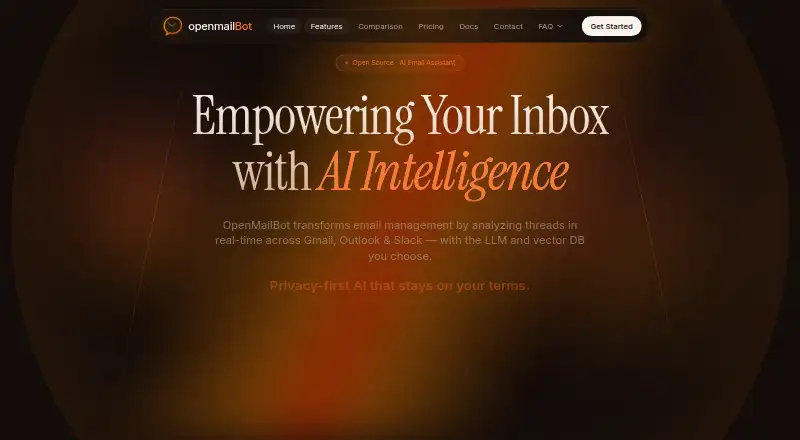
What OpenMailBot is
OpenMailBot is an open-source AI layer for email tools that analyzes threads across Gmail, Outlook, and Slack. Its inbox chatbot answers questions using emails, drafts, attachments, PDFs, and documents; it can also summarize threads and draft replies that draw on attachments. The product can learn writing tone from sent emails and apply personalized labels to incoming messages. Users connect an inbox through Google or Microsoft OAuth. The listed AI options include OpenAI, Anthropic, Gemini, Mistral, Cohere, and Ollama, while storage choices include ChromaDB, Pinecone, and Qdrant. OpenMailBot says it can run on a user's servers, VPC, or Kubernetes, and offers a zero-config mode using ChromaDB and Ollama. The maker says emails stay on the user's server and are not seen by the service; it also describes tenant-specific vector namespaces and a Neo4j contact graph with GDPR Article 17 delete. Slack ingestion is listed, while Teams, Notion, Jira, and Linear are ongoing integrations. Setup documentation lists Node.js 18+, Python 3.8+, Git, and Bash on Linux or macOS, or Git Bash on Windows. The Community plan is free.
Who it suits
It is aimed at self-hosters and enterprise teams, including lawyers, accountants, businesses, privacy-conscious people, and developers or DevOps. It may suit users comfortable with the listed setup requirements and self-hosting options.
What it does well
- Chatbot searches emails, drafts, attachments, and documents.
- Can summarize threads and draft replies.
- Supports deployment on servers, VPC, or Kubernetes.
- Community plan includes all AI features.
What to know first
- Setup requires Node.js 18+ and Python 3.8+.
- Teams, Notion, Jira, and Linear integrations are ongoing.
- Community support is through GitHub.
Plans
| Plan | Billed and limits | Price |
|---|---|---|
| COMMUNITY | All AI features · Inbuilt ChromaDB + Ollama · Unlimited users & inboxes · Community support on GitHub | Free |
| ENTERPRISE | SAML / SSO & SCIM · Dedicated tenant & VPC · Audit logging & exports · Solution architect on-call | On request |
As openmailbot.com lists them, read 7 Oct 2026. The maker's own page has the final word.
OpenMailBot is an open-source AI layer for email tools that brings thread analysis, inbox chat, summaries, and reply drafting to Gmail, Outlook, and Slack. It suits self-hosters, privacy-conscious professionals, developers, and enterprise teams willing to manage their own deployment. Its broad model and storage choices are compelling, but setup requirements and integration maturity make it a deliberate choice rather than a plug-and-play inbox assistant.
Overview
OpenMailBot connects an inbox through Google or Microsoft OAuth and works across email threads, drafts, attachments, PDFs, and other documents. The chatbot lets you ask questions against that material, while thread summaries reduce long conversations to usable context and AI drafting can pull facts from attached files. It also learns the tone of previously sent messages and applies personalized labels to incoming mail, making it more than a generic summarizer.
The architecture is aimed at control. OpenMailBot says messages remain on the user's server and that the service does not see them. It describes separate vector namespaces for each tenant and user, plus a Neo4j contact graph with GDPR Article 17 deletion. Those are meaningful design choices for organizations with strict data boundaries, although they place responsibility for deployment and operations on the customer.
Key features
Inbox intelligence
Inbox triage, thread summaries, and reply drafting address the daily work of sorting and answering mail. Drafts can retrieve information from attachments, which is useful when a response depends on a PDF or document rather than the visible thread. Personalized labels and learned writing tone can reduce repetitive classification and editing, especially for people with established email habits.
Composable AI stack
You can mix OpenAI, Anthropic, Gemini, Mistral, and Cohere models with Ollama, and choose ChromaDB, Pinecone, or Qdrant for storage. The zero-config mode combines ChromaDB with Ollama, giving self-hosters a simpler starting point and a local-oriented path. Teams that need a particular model or vector database gain flexibility; teams seeking one managed configuration may find the choices add operational work.
Collaboration inputs
Slack ingestion is listed as an integration. Teams, Notion, Jira, and Linear are described as ongoing integrations, so they should not be treated as equivalent to a finished connector when planning a workflow.
Pricing
Community — free
The Community plan includes all AI features, inbuilt ChromaDB and Ollama, unlimited users and inboxes, and community support on GitHub. It is an unusually open allowance for individuals, developers, and small teams, with no seat or inbox cap stated. In exchange, support is community-based and the plan does not include enterprise controls such as SAML/SSO, SCIM, dedicated tenancy, VPC deployment, audit logging, exports, or an on-call solution architect.
Enterprise — custom pricing
Enterprise adds SAML/SSO and SCIM, a dedicated tenant and VPC, audit logging and exports, and a solution architect on-call. It fits organizations that need identity administration, isolation, compliance-oriented records, or guided deployment. Organizations without those requirements can stay on Community, provided they can handle implementation and support themselves.
Platforms
OpenMailBot supports Linux, macOS, Windows, web access, and self-hosted deployment. Quick setup requires Node.js 18 or newer, Python 3.8 or newer, Git, and Bash on Linux or macOS; Windows users need Git Bash. The setup script installs dependencies, configures MongoDB and environment files, starts backend, agent, and frontend services, and can open the interface at localhost:5173. This is practical for technical operators, but a substantial prerequisite list for nontechnical users.
Who it's for
Lawyers, accountants, privacy-conscious people, businesses, developers, and DevOps teams are the clearest matches. Self-hosting on servers, a VPC, or Kubernetes suits organizations that need control over email data and infrastructure. Casual users who want a hosted assistant with minimal configuration should look elsewhere.
Pros and cons
- Pros: Free Community access includes all AI features, unlimited users and inboxes, and local ChromaDB/Ollama options.
- Pros: Chat, summaries, attachment-aware drafting, tone learning, and personalized labels cover the full email-triage cycle.
- Pros: Self-hosting, tenant namespaces, and stated server-side privacy claims support sensitive workloads.
- Cons: Node.js, Python, Git, Bash, MongoDB, and multi-service startup make deployment demanding for nontechnical teams.
- Cons: Teams, Notion, Jira, and Linear are ongoing integrations, so broader workflow coverage may not yet be dependable.
- Cons: Community support is GitHub-based; enterprise assistance and controls require a custom-priced plan.
Alternatives
For a wider comparison, see AI Email Assistants.
Choose Mailbutler Smart Assistant if you want a freemium assistant spanning mobile, desktop, web, and browser extension platforms. Perplexity is the better fit for a general research assistant with a free tier and a $20 a month Pro plan. Pick Spike for a team-oriented inbox with teamspaces, search history, and per-member storage limits. Superhuman Go suits users seeking inline suggestions, tab-and-app chat, documents, and synced conversations across common platforms. Mailtwine is worth considering during its free beta when you want all features without plan limits. Serif fits users wanting email triage and drafting alongside meeting, task, and knowledge-base tools, with Lite at $30 a month. Spark +AI is a hosted alternative with Smart Inbox, unlimited email accounts, notifications, and calendar features in its free plan. EmailOps is another free option for Linux, macOS, and Windows users.
Verdict
Choose OpenMailBot if you want a free, self-hostable email AI layer with broad model choices, attachment-aware drafting, and infrastructure control.
Verdict
OpenMailBot combines email triage, summaries, reply drafting, and self-hosting options. The setup prerequisites and ongoing status of several integrations are worth considering before adopting it.
Facts from OpenMailBot's own pages
- AI and storage options
- The site lists OpenAI, Anthropic, Gemini, Mistral, Cohere, Ollama, ChromaDB, Pinecone, and Qdrant as options to mix and match. · openmailbot.com, 7 Oct 2026
- Email access
- The site says users connect an inbox with Google or Microsoft OAuth. · openmailbot.com, 7 Oct 2026
- Inbox chat
- Its chatbot can answer questions using emails, drafts, attachments, PDFs, and documents. · openmailbot.com, 7 Oct 2026
- Integrations
- The site lists Slack ingestion and says ongoing integrations include Teams, Notion, Jira, and Linear. · openmailbot.com, 7 Oct 2026
- Intended users
- The site describes the product as built for self-hosters and enterprise teams and highlights lawyers, accountants, businesses, privacy-conscious people, and developers or DevOps. · openmailbot.com, 7 Oct 2026
- Privacy claims
- The maker says emails stay on the user's server and that the service does not see them; the page presents these as product privacy claims. · openmailbot.com, 7 Oct 2026
- Purpose
- OpenMailBot describes itself as an open-source AI layer for email tools that analyzes email threads across Gmail, Outlook, and Slack. · openmailbot.com, 7 Oct 2026
- Self-hosting
- OpenMailBot says it can run on a user's servers, VPC, or Kubernetes, and describes a zero-config mode using ChromaDB and Ollama. · openmailbot.com, 7 Oct 2026
- Setup process
- The setup script installs dependencies, sets up MongoDB, configures environment files, starts backend, agent, and frontend services, and can open a browser to localhost:5173. · openmailbot.com, 7 Oct 2026
- Setup requirements
- The quick setup documentation lists Node.js 18+, Python 3.8+, Git, and Bash on Linux or macOS, or Git Bash on Windows. · openmailbot.com, 7 Oct 2026
- Summaries and drafts
- It summarizes email threads and drafts replies that can retrieve information from attachments. · openmailbot.com, 7 Oct 2026
- Support
- The Community plan includes community support on GitHub; Enterprise lists a solution architect on-call. · openmailbot.com, 7 Oct 2026
- Tenant isolation
- The site describes vector namespaces per tenant and user, and a Neo4j contact graph with GDPR Article 17 delete. · openmailbot.com, 7 Oct 2026
- Writing and labels
- It learns writing tone from past sent emails and automatically labels incoming messages with personalized categories. · openmailbot.com, 7 Oct 2026
Where OpenMailBot stands on Freedom251
- AI Email Assistants#12 of 46