Freedom251 › AI Email Assistants
MailFlow
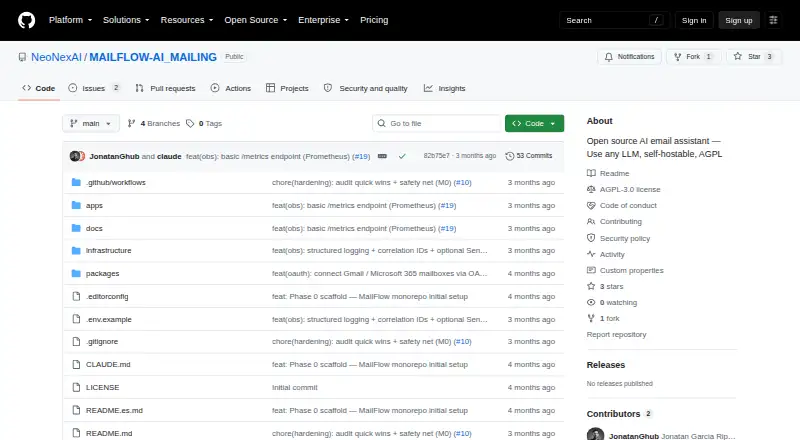
What MailFlow is
MailFlow is software for sorting incoming email into IMAP folders and preparing replies in the user’s writing style. It classifies messages using internal or client domains, threads, and keywords, with an LLM fallback. Replies are saved as drafts in the mailbox’s IMAP Drafts folder; MailFlow never sends email automatically. Mailboxes connect through generic IMAP or OAuth2 for Gmail and Microsoft 365. The project lists Ollama, OpenAI, Anthropic, Gemini, vLLM, LM Studio, and OpenAI-compatible endpoints as LLM options. MailFlow supports web, API, and self-hosted use, and its full web, API, and worker stack can run with Docker Compose. The project recommends local Ollama for privacy. Stored IMAP passwords and LLM API keys are encrypted using a Fernet SECRET_KEY; the security file warns that an early development key appeared in Git history and should not be reused for deployments. The README lists English and Spanish support. The managed Free plan costs nothing and allows one mailbox and 100 emails per day. Paid costs $12 a month, with plan limits unstated. Self-hosted instances have no plan limits.
Who it suits
MailFlow suits individuals or teams looking to sort incoming IMAP mail and prepare reply drafts without automatic sending. It may also fit users who want to self-host or choose from several listed LLM options.
What it does well
- Classifies mail into IMAP folders using domains, threads, and keywords.
- Saves generated replies in the IMAP Drafts folder.
- Connects through generic IMAP or OAuth2 for Gmail and Microsoft 365.
- Supports multiple listed LLM providers and compatible endpoints.
- Can be self-hosted with Docker Compose.
- Lists English and Spanish support.
What to know first
- Managed Free is limited to one mailbox.
- Managed Free allows 100 emails per day.
- MailFlow does not send email automatically.
- The security file warns against reusing an early development SECRET_KEY.
Limits
Managed Free allows one mailbox and 100 emails per day. Self-hosted instances have no plan limits. Paid plan limits are unstated.
Plans
| Plan | Billed and limits | Price |
|---|---|---|
| Free | Free · 1 mailbox · 100 emails/day | Free |
| Paid | $12/mo · Plan limits not stated | $12 a month |
As github.com lists them, read 9 Oct 2026. The maker's own page has the final word.
Getting started
- Open the MailFlow project at https://github.com/NeoNexAI/MAILFLOW-AI_MAILING.
- Choose managed web use or a self-hosted deployment.
- For self-hosting, run the full web, API, and worker stack with Docker Compose.
- Connect a mailbox through generic IMAP or OAuth2 for Gmail or Microsoft 365.
- Configure an LLM option such as Ollama, OpenAI, Anthropic, Gemini, vLLM, LM Studio, or an OpenAI-compatible endpoint.
- Choose Free or Paid for managed use; Free costs nothing and Paid is $12 a month.
Verdict
Choose MailFlow if you want incoming mail classified and reply drafts prepared for review, especially if self-hosting or local Ollama matters to you. Managed Free is capped at one mailbox and 100 emails a day. Look elsewhere if you need the software to send replies automatically.
Questions
What does MailFlow do with incoming email?
It classifies incoming mail into IMAP folders and creates reply drafts in the IMAP Drafts folder.
Does MailFlow send replies automatically?
No. Generated replies are saved as drafts and are not sent automatically.
Which email connections are supported?
Mailboxes can connect through generic IMAP or OAuth2 for Gmail and Microsoft 365.
Can MailFlow be self-hosted?
Yes. The full web, API, and worker stack can run using Docker Compose, and self-hosted instances have no plan limits.
What does the managed Free plan include?
It costs nothing and is limited to one mailbox and 100 emails per day.
What does the paid plan cost?
Paid costs $12 a month; its plan limits are unstated.
Facts from MailFlow's own pages
- Classification
- It classifies mail using internal or client domains, threads, and keywords, with an LLM fallback. · github.com, 9 Oct 2026
- Credential security
- The SECURITY file says a Fernet SECRET_KEY encrypts stored IMAP passwords and LLM API keys. · github.com, 9 Oct 2026
- Drafts
- Generated replies are saved to the IMAP Drafts folder and MailFlow never sends email automatically. · github.com, 9 Oct 2026
- Email integrations
- Mailboxes can connect through generic IMAP or OAuth2 for Gmail and Microsoft 365. · github.com, 9 Oct 2026
- Headquarters
- Coves de Vinromà, Castellón, Spain · github.com, 28 Sept 2026
- Language
- The README lists English and Spanish bilingual support. · github.com, 9 Oct 2026
- Limits
- In managed multi-tenant mode, the listed Free plan limit is 1 mailbox and 100 emails per day; self-hosted instances have no plan limits. · github.com, 9 Oct 2026
- LLM integrations
- The project lists Ollama, OpenAI, Anthropic, Gemini, vLLM, LM Studio, and OpenAI-compatible endpoints as supported LLM options. · github.com, 9 Oct 2026
- Privacy
- The project recommends local Ollama for privacy and supports self-hosting. · github.com, 9 Oct 2026
- Purpose
- MailFlow classifies incoming email into IMAP folders and generates draft replies in the user's writing style. · github.com, 9 Oct 2026
- Roadmap
- Template library, correction-based learning, writing-style capture, and semantic search are listed as not yet implemented roadmap items. · github.com, 9 Oct 2026
- Security notice
- The security file warns that an early development SECRET_KEY appeared in Git history and should not be reused for deployments. · github.com, 9 Oct 2026
- Self-hosting
- MailFlow can be run as a full web, API, and worker stack using Docker Compose. · github.com, 9 Oct 2026
Where MailFlow stands on Freedom251
- AI Email Assistants#11 of 46