Freedom251 › AI Email Assistants
EmailOps
What EmailOps is
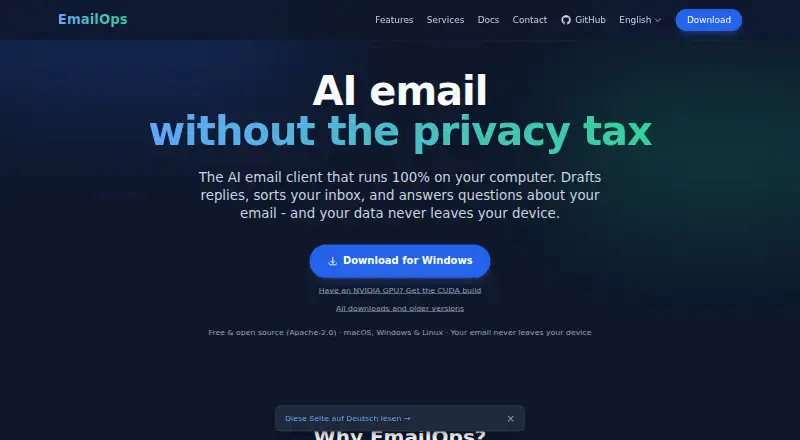
EmailOps is a free, open-source email client for Linux, macOS, and Windows that runs AI on the user's computer. It connects Gmail, Outlook, Microsoft 365, and providers available through IMAP/SMTP, bringing accounts into one inbox for reading, replying, and triage. AI features include mailbox chat, reply drafts, classification, semantic search, translation, and thread summaries. Users can browse, preview, and export attachments from one view. An embedded local AI backend is the default, and the app can use an existing Ollama server; paid OpenRouter is an optional remote service. When OpenRouter is enabled, email content in prompts is sent to that provider. EmailOps says mail and calendar data are stored in a local SQLite database, with no backend, cloud sync, telemetry, or in-app analytics. Credentials are kept in the operating system's secure credential store, network traffic uses TLS, and message HTML is sanitized before display. Local AI needs suitable hardware: at least 8 GB unified memory on Apple Silicon, or 8 GB GPU VRAM or 16 GB system RAM without a GPU on Windows or Linux. AI can be disabled for plain email use.
Who it suits
EmailOps suits people who want a desktop email client with local AI tools and support for multiple accounts. It also offers a plain email mode for users who disable AI.
What it does well
- Free and open source under Apache-2.0
- Combines connected accounts in one inbox
- Includes local AI tools and attachment handling
- Mail and calendar data are stored locally
- Can be used with AI disabled
What to know first
- Local AI requires suitable hardware
- Enabling OpenRouter sends email content in prompts to that provider
- Available for Linux, macOS, and Windows
Limits
Local AI requires at least 8 GB unified memory on Apple Silicon, or 8 GB GPU VRAM or 16 GB system RAM without a GPU on Windows or Linux. OpenRouter is a paid optional remote backend, and using it sends email content in prompts to that provider.
Plans
| Plan | Billed and limits | Price |
|---|---|---|
| Free | All features included · No account required · Open source under Apache-2.0 | Free |
| EmailOps | Full app · every feature included · no tiers | Free |
As getemailops.com lists them, read 19 Sept 2026. The maker's own page has the final word.
Getting started
- Open https://www.getemailops.com/en/.
- Install the app for Linux, macOS, or Windows.
- Connect Gmail, Outlook, Microsoft 365, or another provider reachable over IMAP/SMTP.
- Use the embedded local AI backend, connect an existing Ollama server, or optionally enable paid OpenRouter.
- Turn off AI to use EmailOps as a plain email client.
Verdict
EmailOps combines a unified inbox and AI tools with local storage and an optional remote AI service. Check the hardware requirements for local AI and note the data-sharing condition if enabling OpenRouter.
Questions
Is EmailOps free?
Yes. The app costs nothing, includes every feature, has no tiers, and requires no account.
Is EmailOps open source?
Yes. EmailOps is open source under the Apache-2.0 license.
Which operating systems does it support?
EmailOps runs on Linux, macOS, and Windows.
Which email providers can I connect?
It supports Gmail, Outlook, Microsoft 365, and providers reachable over IMAP/SMTP.
Does EmailOps send email content to a cloud AI service?
Its embedded local backend is the default. OpenRouter is optional and off by default; if enabled, email content in prompts is sent to that provider.
Who makes EmailOps?
The privacy policy identifies Gerónimo Di Pierro as the developer, and the homepage names Gero as founder.
Facts from EmailOps's own pages
- AI backends
- The app offers an embedded local backend by default, supports an existing Ollama server, and can optionally use paid OpenRouter. · getemailops.com, 30 Sept 2026
- AI features
- Its AI features include mailbox chat, reply drafts, email classification, semantic search, and translation. · getemailops.com, 30 Sept 2026
- Attachments
- Users can browse, preview, and export attachments from one view. · getemailops.com, 30 Sept 2026
- Free plan
- Yes · getemailops.com, 19 Sept 2026
- Hardware requirement
- Running local AI requires suitable hardware; the installation guide lists at least 8 GB unified memory on Apple Silicon or 8 GB GPU VRAM / 16 GB system RAM without a GPU on Windows or Linux. · getemailops.com, 30 Sept 2026
- License
- EmailOps is free and open source under the Apache-2.0 license. · getemailops.com, 30 Sept 2026
- Mail providers
- It supports Gmail, Outlook, Microsoft 365, and providers reachable over IMAP/SMTP. · getemailops.com, 30 Sept 2026
- Maker
- The privacy policy identifies Gerónimo Di Pierro as the developer; the homepage names Gero as founder. · getemailops.com, 30 Sept 2026
- Plain email mode
- Users can disable AI and use EmailOps as a plain email client. · getemailops.com, 30 Sept 2026
- Privacy
- Mail and calendar data are stored in a local SQLite database, and EmailOps says it has no backend, cloud sync, telemetry, or analytics in the app. · getemailops.com, 30 Sept 2026
- Product
- EmailOps is an open-source email client that runs AI on the user's computer. · getemailops.com, 30 Sept 2026
- Remote AI limit
- If users enable OpenRouter, email content in prompts is sent to that provider; this option is off by default. · getemailops.com, 30 Sept 2026
- Security
- Credentials are stored in the operating system's secure credential store, network traffic uses TLS, and message HTML is sanitized before rendering. · getemailops.com, 30 Sept 2026
- Support
- The site provides contact by email at [email protected]. · getemailops.com, 30 Sept 2026
- Unified inbox
- It combines connected accounts in one inbox for reading, replying, and triage. · getemailops.com, 30 Sept 2026
Where EmailOps stands on Freedom251
- AI Email Assistants#3 of 46
- Email clients#36 of 142