Freedom251 › DVD Authoring Software
Open Burning Suite
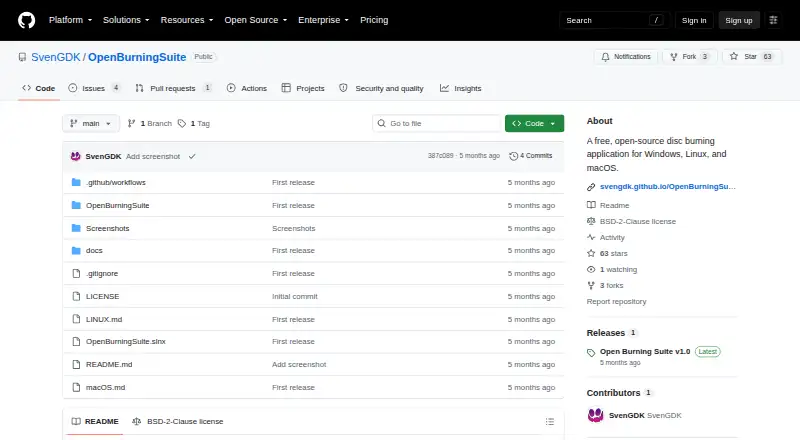
What Open Burning Suite is
Open Burning Suite is a free desktop application for burning, copying, creating and verifying CD, DVD, HD DVD and Blu-ray discs. It runs on Linux, macOS and Windows, with an interface built using .NET 8 and Avalonia UI. It works directly with optical drives through native SCSI/MMC commands. It can read and create image files in formats including ISO, BIN/CUE, CCD/IMG/SUB, NRG, MDF/MDS and CDI. Audio tools cover CD-TEXT discs, track ripping to WAV or BIN/CUE, and playlist imports. Video support includes DVD-Video, Blu-ray BDMV, BDAV and Blu-ray 3D; FFmpeg is an optional runtime dependency for video authoring. Integrity checks support CRC32, MD5, SHA-1, SHA-256 and SHA-512. Gaming presets cover PlayStation, Nintendo, Sega, Xbox and retro platforms, though Nintendo DS/3DS support is limited to verification. Images can be protected with AES-256-CBC, and PS3 disc decryption supports IRD, dkey or hex keys. Burning, reading and verification need a physical drive; image creation from files and folders does not.
Who it suits
It suits people who need disc authoring and verification across major desktop platforms, including users working with audio, video, game or disc-image formats. Physical-drive operations require an optical drive and appropriate operating-system permissions.
What it does well
- Works on Linux, macOS and Windows.
- Reads and creates several disc-image formats.
- Supports five checksum methods for verification.
- Includes Blu-ray authoring and audio tools.
- Free plan: free.
What to know first
- Physical drive required for burning, reading and verification.
- FFmpeg required for video authoring features.
- Direct drive access requires elevated or suitable permissions.
- Nintendo DS/3DS support is verification only.
Plans
| Plan | Billed and limits | Price |
|---|---|---|
| Free | Free and open source · BSD 2-Clause license | Free |
As github.com lists them, read 15 Oct 2026. The maker's own page has the final word.
Getting started
- Visit the Open Burning Suite GitHub project
- Choose the build for Linux, macOS, or Windows
- Install and launch the desktop application
- Connect a physical optical drive and arrange the required platform-specific permissions for burning, reading, or verification
- Install FFmpeg for video authoring features
Open Burning Suite is a desktop application for creating, copying and checking optical discs, as well as working with disc images, audio and video. It suits people with varied optical-media tasks more than anyone who only needs to author a basic DVD. Its breadth is useful, but physical-disc work depends on a drive and appropriate system permissions.
Overview
The suite brings disc burning, copying, image creation and verification together with audio and video capabilities. It communicates with optical drives using native SCSI/MMC commands rather than external disc-operation tools, and its .NET 8 and Avalonia UI application supports Linux, macOS and Windows. That range makes it a capable free option for mixed media workflows, though it remains tied to specialized hardware for much of its work.
Key features
- Disc images: It reads and creates ISO, BIN/CUE, CCD/IMG/SUB, NRG, MDF/MDS and CDI images. The broad format coverage suits people managing varied image collections. Building an image from files and folders does not require an optical drive, unlike burning, reading or verification.
- Audio: Users can create CDs with CD-TEXT, rip tracks to WAV or BIN/CUE, and import M3U, PLS, WPL and ASX playlists. These tools make the suite relevant to audio-disc workflows as well as data and video tasks.
- Video: Support includes DVD-Video, Blu-ray BDMV and BDAV, Blu-ray 3D, and FFmpeg-based transcoding. FFmpeg is an optional runtime dependency but is required for video authoring, so users focused on that work should account for it.
- Verification and gaming: Disc integrity checks can use CRC32, MD5, SHA-1, SHA-256 or SHA-512. Gaming presets span PlayStation, Nintendo, Sega, Xbox and retro systems, but Nintendo DS/3DS support is limited to verification; users needing more for those systems should look elsewhere.
- Encryption: Disc images can be protected with AES-256-CBC, and PS3 disc decryption accepts IRD, dkey or hex keys. These are specialized capabilities for users handling protected images, rather than essential features for simple disc burning.
Pricing
Open Burning Suite is free: the Free plan costs nothing and is open-source under the BSD 2-Clause License. There is no paid tier or trial to weigh against a lower-cost option. The practical costs are the optical drive needed for physical-disc work and the access rights required by the operating system.
Platforms
The application runs on Linux, macOS and Windows. Burning, reading and verification require a physical optical drive; image building from files and folders does not. Direct drive access requires Administrator privileges on Windows, root or suitable device permissions on Linux, and hardware access permissions on macOS. Those requirements make it less convenient on locked-down computers or systems where users cannot grant hardware access.
Who it's for
Open Burning Suite is a strong fit for people who need one free desktop application for several kinds of optical-media work, especially varied image formats, audio CDs, Blu-ray authoring or checksum-based verification. It is less suitable for people without optical hardware who need to burn or inspect discs, users unable to grant drive permissions, or anyone seeking a narrowly focused DVD-authoring workflow. Unanswered questions can be taken to the project's GitHub issue tracker.
Pros and cons
- Pro: Broad image-format support, audio tools and DVD/Blu-ray capabilities cover more than a basic burner workflow.
- Pro: Multiple checksum algorithms support explicit integrity checks, while image creation from files and folders works without a drive.
- Pro: Free, open-source licensing and Linux, macOS and Windows support make it accessible across desktop platforms.
- Con: Physical-disc operations require an optical drive and system-level access, which can rule it out on restricted machines.
- Con: Video authoring requires the separate FFmpeg runtime, and Nintendo DS/3DS presets support verification only.
Alternatives
For a DVD-focused workflow, DVD Authoring Software is a useful category to explore. Choose DVDStyler for a free, open-source DVD authoring application on Linux, macOS or Windows; Open Burning Suite covers a wider set of disc, image, audio and Blu-ray tasks. Q DVD-Author is another free, open-source option for Linux users, while Open Burning Suite supports all three desktop platforms. WinX DVD Author suits Windows 10/11 users seeking a free DVD authoring application without limits or watermarks.
PyBurn Studio is another free option for Linux, macOS and Windows. For a paid Windows authoring workflow, Scenarist SD costs $99 a year on its Scenarist Live plan; the plan describes annual usage rights and updates, upgrades, bug fixes, workflow enhancements and technical support. AVS Video Editor is a freemium Windows alternative, while DVDBuilder SDK is a freemium Windows option. Roxio Creator NXT 9 is a paid option for macOS users.
Verdict
Choose Open Burning Suite if you want a free, cross-platform desktop tool that spans disc images, audio, video and integrity checks. Its wide optical-media scope is the main reason to pick it; the need for drive hardware and elevated access for physical-disc work is the main reason to choose a different tool.
Verdict
Open Burning Suite combines broad disc, image, audio and video capabilities in a free desktop application. Check drive and permission requirements first, and note the limits on Nintendo DS/3DS support.
Questions
How much does Open Burning Suite cost?
The Free plan costs nothing.
Which platforms does it support?
It supports Linux, macOS, and Windows.
Can I create a disc image without a physical drive?
Yes. Building images from files and folders does not require a physical optical drive.
What does the Nintendo DS and 3DS support cover?
Nintendo DS and 3DS support is limited to verification.
Does it support video authoring?
It supports DVD-Video, Blu-ray BDMV, BDAV, and Blu-ray 3D. FFmpeg is required for video authoring features.
How can users ask questions or report issues?
The documentation directs users with unanswered questions to open an issue on GitHub.
Facts from Open Burning Suite's own pages
- Access requirements
- Direct drive access requires Administrator privileges on Windows, root or suitable device permissions on Linux, and hardware access permissions on macOS. · svengdk.github.io, 30 Sept 2026
- AppImage update limit
- The AppImage listing says updates require downloading a newer AppImage rather than using a built-in updater. · appimage.github.io, 15 Oct 2026
- Audio
- The application creates CD-TEXT audio CDs, rips to WAV or BIN/CUE, copies music files and imports M3U, PLS, WPL and ASX playlists. · github.com, 15 Oct 2026
- Burning
- Burning supports CD/DVD/HD-DVD/Blu-ray/M-DISC media, TAO, SAO, DAO and RAW modes, simulation, overburn and multi-copy jobs. · github.com, 15 Oct 2026
- CHD dependency
- The getting-started documentation identifies chdman as an optional tool for reading and extracting CHD images. · openburningsuite.pages.dev, 15 Oct 2026
- Company facts
- SvenGDK's public GitHub profile describes the maker as a civil servant developing free tools for personal and educational use and lists Luxembourg. · github.com, 15 Oct 2026
- Cross-platform technology
- The desktop interface uses .NET 8 and Avalonia UI on Windows, Linux and macOS. · github.com, 15 Oct 2026
- Disc images
- It reads and creates multiple image formats, including ISO, BIN/CUE, CCD/IMG/SUB, NRG, MDF/MDS, and CDI. · svengdk.github.io, 30 Sept 2026
- Disc operations
- It communicates directly with optical drives through native SCSI/MMC commands without external disc-operation tools. · svengdk.github.io, 30 Sept 2026
- Disc reading
- The reader can output ISO, BIN/CUE, CCD/IMG/SUB, TOC/BIN, NRG, MDF/MDS, IMG and CDI images, including raw sectors and subchannels. · github.com, 15 Oct 2026
- Documentation
- The documentation site contains installation, burning, reading, image-building, verification, gaming, supported-format and architecture guides. · svengdk.github.io, 15 Oct 2026
- Drive access
- The program sends native SCSI/MMC commands directly to optical drives and does not require external tools for core disc operations. · svengdk.github.io, 15 Oct 2026
- Encryption
- Disc images can use password-protected AES-256-CBC encryption in the .obse format, and PS3 images can be decrypted with IRD, dkey or hex files. · github.com, 15 Oct 2026
- Gaming
- Gaming presets cover systems including PlayStation, Nintendo, Sega, Xbox, and retro platforms; Nintendo DS/3DS support is verification only. · svengdk.github.io, 30 Sept 2026
- Gaming limit
- Proprietary gaming formats can be read and identified but cannot be created or burned by the suite. · github.com, 15 Oct 2026
- Gaming support
- Presets cover PlayStation, PSP, GameCube, Wii, Dreamcast, Saturn, Xbox and other retro systems, with region-free and boot-sector patching. · openburningsuite.pages.dev, 15 Oct 2026
- Image building
- Image creation supports ISO 9660, Joliet, UDF, Rock Ridge and HFS+ filesystem options plus El Torito bootable discs. · github.com, 15 Oct 2026
- Independent project description
- The maintainer's independent GitHub fork describes OpenBurningSuite as an active C#/.NET 8/Avalonia fork with retro-gaming presets. · github.com, 15 Oct 2026
- Integrations
- FFmpeg is an optional runtime dependency required for video authoring features. · svengdk.github.io, 30 Sept 2026
- Interface
- The desktop application is built with .NET 8 and Avalonia UI. · svengdk.github.io, 30 Sept 2026
- Internal extensibility
- The architecture documents an internal IScsiTransport abstraction with separate Windows, Linux and macOS transport implementations. · openburningsuite.pages.dev, 15 Oct 2026
- Licence
- The repository distributes the software under the permissive BSD 2-Clause licence. · github.com, 15 Oct 2026
- License
- The project is released under the BSD 2-Clause License. · svengdk.github.io, 30 Sept 2026
- Limit: macOS Gatekeeper
- MacRumors users reported that the Apple-Silicon DMG appeared damaged or blocked until quarantine removal or use of the PKG installer. · forums.macrumors.com, 15 Oct 2026
Where Open Burning Suite stands on Freedom251
- DVD Authoring Software#3 of 26