Freedom251 › DVD Authoring Software
Scenarist SD
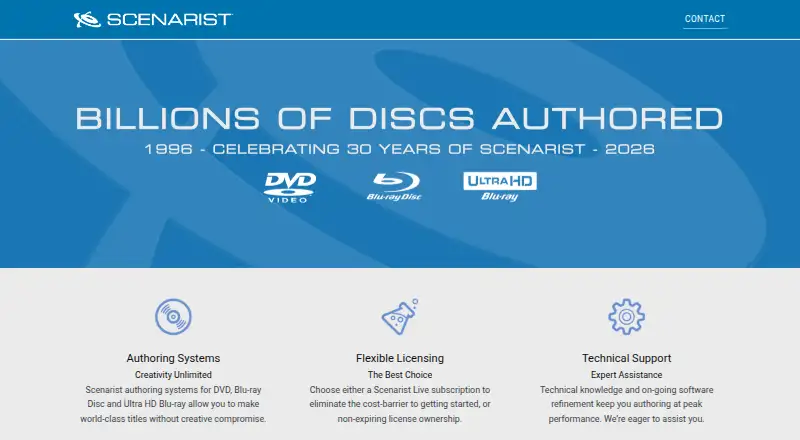
What Scenarist SD is
Scenarist SD is a professional DVD-Video authoring system for Windows. It provides drag-and-drop project authoring, a graphical menu editor, storyboard layout, and a timeline for setting chapter points and placing audio or subtitles. Its specification lists MPEG-1 and MPEG-2 video for NTSC and PAL. Audio options include Dolby Digital, PCM WAVE or AIFF, MPEG-1 Layer 2, and DTS, with channel limits varying by format. Supported still images include layered Photoshop files, BMP, GIF, PICT, Photo CD, SGI, TGA, TIFF, and YUV. Scenarist offers a Live subscription or non-expiring license ownership. The listed Live plan is $99 a year, while its page also says $99/month; Live includes application use, an annual usage license, updates, bug fixes, workflow enhancements, and technical support. Scenarist asks prospective customers to contact it with the format they need to author for pricing and options. System requirements list Windows 10 and Windows 7, 32-bit or 64-bit, and minimum hardware including an Intel Core i5 3.0 GHz processor or similar and 4 GB RAM. On Apple hardware, Windows must boot natively; virtualization is unsupported. Blu-ray authoring is not supported.
Who it suits
Scenarist SD is aimed at major motion picture companies, high-end authoring facilities, producers, and independent content holders producing DVD-Video. It suits Windows users who need DVD menus, timelines, and support for multiple listed media formats.
What it does well
- Includes drag-and-drop authoring and a graphical menu editor.
- Timeline supports chapter points, audio, and subtitle placement.
- Lists MPEG-1 and MPEG-2 video for NTSC and PAL.
- Live includes updates, bug fixes, workflow enhancements, and support.
What to know first
- Authoring is for DVD-Video, not Blu-ray.
- Listed operating systems are Windows 10 and Windows 7.
- Apple hardware must boot Windows natively; virtualization is unsupported.
- The Live plan page gives conflicting annual and monthly price terms.
Limits
The listed Scenarist Live plan is $99 a year, billed annually, while its page also says $99/month. Windows virtualization through Parallels and VMware is unsupported, and Blu-ray authoring is not supported.
Plans
| Plan | Billed and limits | Price |
|---|---|---|
| Scenarist Live — Scenarist SD | Billed annually; page says $99/month · Scenarist SD use license · annual usage license · updates, upgrades, bug fixes, workflow enhancements, and technical support | $99 a month |
As scenarist.com lists them, read 4 Oct 2026. The maker's own page has the final word.
Getting started
- Visit the Scenarist website.
- Contact Scenarist with the format you need to author to request pricing and options.
- Choose Scenarist Live or non-expiring license ownership.
- Use a Windows 10 or Windows 7 system that meets the listed minimum hardware requirements.
- If using Apple hardware, boot Windows natively.
- Arrange tailored one-to-one remote training if needed.
Verdict
Scenarist SD offers a broad DVD authoring toolset and format support for Windows. Confirm the Live price and options with Scenarist before committing.
Questions
What does Scenarist SD cost?
The listed Scenarist Live plan is $99 a year, billed annually; the page also says $99/month. Scenarist directs prospective customers to contact it with the format they need to author for pricing and options.
What does Scenarist Live include?
It includes an application-use license, an annual usage license, software upgrades, bug fixes, workflow enhancements, and technical support.
Which operating systems are listed?
The system requirements list Windows 10 and Windows 7, in 32-bit or 64-bit versions.
Can it run on Apple hardware?
Windows may run on Apple hardware through Boot Camp, but the computer must boot Windows natively. Parallels and VMware virtualization are unsupported.
Does Scenarist SD author Blu-ray discs?
No. Blu-ray authoring is not supported.
Does Scenarist offer training?
Yes. It offers tailored one-to-one live remote training, starting with a two-hour session and including a recording.
Facts from Scenarist SD's own pages
- Audience
- Scenarist says its products serve major motion picture companies, high-end authoring facilities, producers, and independent content holders. · scenarist.com, 4 Oct 2026
- Audio formats
- Listed audio support includes Dolby Digital up to 5.1 channels, PCM WAVE or AIFF up to 5.1 channels, MPEG-1 Layer 2 up to 8 channels, and DTS up to 6.1 channels. · scenarist.com, 4 Oct 2026
- Current pricing process
- The Live page asks prospective customers to contact Scenarist with the format they need to author for pricing and options. · jp.scenarist.com, 4 Oct 2026
- DVD features
- The maker’s specification sheet lists graphical drag-and-drop authoring, a graphical menu editor, a storyboard layout, and an integrated timeline for chapter points and audio or subtitle placement. · scenarist.com, 4 Oct 2026
- Hardware requirements
- The listed minimums include an Intel Core i5 dual- or quad-core 3.0 GHz processor or similar, 4 GB RAM or more, and one HD widescreen monitor. · scenarist.com, 4 Oct 2026
- Headquarters
- Novato, California, USA · scenarist.com, 28 Sept 2026
- Image formats
- Listed still-image formats include layered Photoshop files, BMP, GIF, PICT, Photo CD, SGI, TGA, TIFF, and YUV. · scenarist.com, 4 Oct 2026
- Licensing
- Scenarist offers a Live subscription or non-expiring license ownership. · scenarist.com, 4 Oct 2026
- Mac limitation
- The same requirements say Windows may run on Apple hardware through Boot Camp, but it must boot Windows natively; Parallels and VMware virtualization are unsupported. · scenarist.com, 4 Oct 2026
- Operating system
- The maker’s system requirements PDF lists Windows 10 and Windows 7, 32-bit or 64-bit, for Scenarist SD. · scenarist.com, 4 Oct 2026
- Optional capabilities
- Scenarist Live lists optional RDP support, network licensing, and priority technical support. · jp.scenarist.com, 4 Oct 2026
- Product
- Scenarist SD is a professional DVD-Video authoring system. · scenarist.com, 4 Oct 2026
- Subscription inclusions
- Scenarist Live includes an application-use license, annual usage license, software upgrades, bug fixes, workflow enhancements, and technical support. · jp.scenarist.com, 4 Oct 2026
- Support and training
- The maker offers technical support and tailored one-to-one live remote training, starting with a two-hour session and including a recording. · jp.scenarist.com, 4 Oct 2026
- Video formats
- The specification sheet lists MPEG-1 and MPEG-2 support for NTSC and PAL video. · scenarist.com, 4 Oct 2026
Where Scenarist SD stands on Freedom251
- DVD Authoring Software#22 of 26