Freedom251 › DVD Authoring Software
Roxio Creator NXT 9
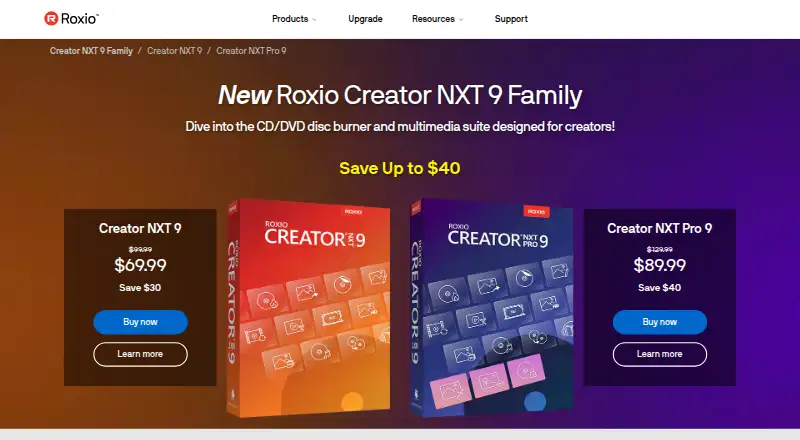
What Roxio Creator NXT 9 is
Roxio Creator NXT 9 is a media suite for capturing, editing, organizing, converting, and burning media. Its video, photo, and audio tools include Roxio VideoWave and Corel AfterShot 3. MultiCam Capture records a screen and video from multiple devices; MultiCam Editor synchronizes and edits footage from cameras. For DVD projects, Roxio MyDVD provides more than 100 themed menu templates and a Template Designer for customizing them. The suite burns CDs and DVDs, supports dual-layer DVDs and listed DVD standards, and works with image formats including ISO, BIN/CUE, IMG, DMG, CDR, and NRG. Blu-ray authoring is available through a separate plug-in purchased from within the product. Creator NXT 9 can convert media into common formats for online sharing, including uploads to YouTube and Facebook. It does not capture, copy, or rip copyrighted or protected media. The listed Windows requirements are Windows 10 or 11, with 64-bit Windows needed for some functions. Installation, registration, updates, and some features require an internet connection. Installation needs at least 4 GB of free disk space; video editing and disc authoring can need tens of gigabytes. Corel provides documentation, knowledge-base search, support tickets, and live chat with an agent.
Who it suits
Creator NXT 9 suits Windows users who want media editing tools alongside CD and DVD authoring and burning. It may also suit people who capture footage from multiple devices or create DVDs with customized menus.
What it does well
- Includes video, photo, and audio editing tools.
- Captures screens and video from multiple devices.
- DVD authoring includes over 100 themed menu templates.
- Supports dual-layer DVD burning and multiple image formats.
- Converts media for sharing on YouTube and Facebook.
- Offers documentation, tickets, and live chat support.
What to know first
- Blu-ray authoring requires a separately purchased plug-in.
- Some functions require 64-bit Windows.
- Installation and some features require an internet connection.
- Video editing or disc authoring may need tens of gigabytes.
Plans
| Plan | Billed and limits | Price |
|---|---|---|
| Roxio Creator NXT 9 | Windows 10/11 · some functions require 64-bit Windows · Blu-ray authoring requires a separate plug-in | On request |
As roxio.com lists them, read 8 Oct 2026. The maker's own page has the final word.
Getting started
- Visit the Roxio Creator product website.
- Use a Windows 10 or Windows 11 system; some functions require 64-bit Windows.
- Ensure an internet connection is available for installation and registration.
- Allow at least 4 GB of free disk space, with more for video editing or disc authoring.
- Install and register the product, then use its editing, capture, conversion, or disc tools.
Verdict
Choose Roxio Creator NXT 9 if you want Windows media editing tools with CD and DVD burning and authoring in one suite. Look elsewhere if Blu-ray authoring without an extra plug-in is essential, or if your system cannot meet its Windows and storage requirements.
Questions
Is there a free plan?
No. Roxio Creator NXT 9 is listed as paid.
What operating systems does it support?
The listed requirements specify Windows 10 and Windows 11. Some functionality requires 64-bit Windows.
How much does it cost?
No price is listed for the Roxio Creator NXT 9 plan.
Can it author Blu-ray discs?
Yes, Blu-ray authoring is listed, but it requires purchasing a separate plug-in from within the product.
What disc and image formats does it support?
It supports CD and DVD burning, dual-layer DVD, and image formats ISO, BIN/CUE, IMG, DMG, CDR, and NRG.
Who makes Roxio Creator NXT 9?
The product page identifies Corel Corporation as its copyright holder. Corel lists its headquarters in Ottawa, Canada.
Facts from Roxio Creator NXT 9's own pages
- Blu-ray limitation
- Blu-ray authoring requires purchasing a separate plug-in from within the product. · roxio.com, 8 Oct 2026
- DVD authoring
- Roxio MyDVD includes more than 100 themed templates and a Template Designer for customizing DVD menus. · roxio.com, 8 Oct 2026
- Installation requirement
- An internet connection is required for installation, registration, product updates, and some features. · roxio.com, 8 Oct 2026
- Maker
- The product page identifies Corel Corporation as its copyright holder; Corel lists its headquarters in Ottawa, Canada. · corel.com, 8 Oct 2026
- Media editing
- The suite includes video, photo, and audio editing tools, including Roxio VideoWave and Corel AfterShot 3. · roxio.com, 8 Oct 2026
- Online sharing
- The product converts media into popular formats for sharing online, including uploads to YouTube and Facebook. · roxio.com, 8 Oct 2026
- Product type
- Creator NXT 9 is a Windows CD/DVD burning and multimedia suite for capturing, editing, organizing, converting, and burning media. · roxio.com, 8 Oct 2026
- Protected media restriction
- The product does not capture, copy, or rip copyrighted or protected media. · roxio.com, 8 Oct 2026
- Screen and camera capture
- MultiCam Capture records a screen and video from multiple devices, while MultiCam Editor synchronizes and edits camera footage. · roxio.com, 8 Oct 2026
- Storage requirement
- Installation requires at least 4 GB of free hard-drive space, and video editing or disc authoring may require tens of gigabytes. · roxio.com, 8 Oct 2026
- Support
- Roxio support offers documentation, knowledge-base search, support tickets, and live chat with a Corel agent. · roxio.com, 8 Oct 2026
- System requirements
- The listed operating systems are Windows 11 and Windows 10, with 64-bit Windows required for some functionality. · roxio.com, 8 Oct 2026
Where Roxio Creator NXT 9 stands on Freedom251
- DVD Authoring Software#21 of 26