Freedom251 › DVD Authoring Software
Wondershare DVD Creator
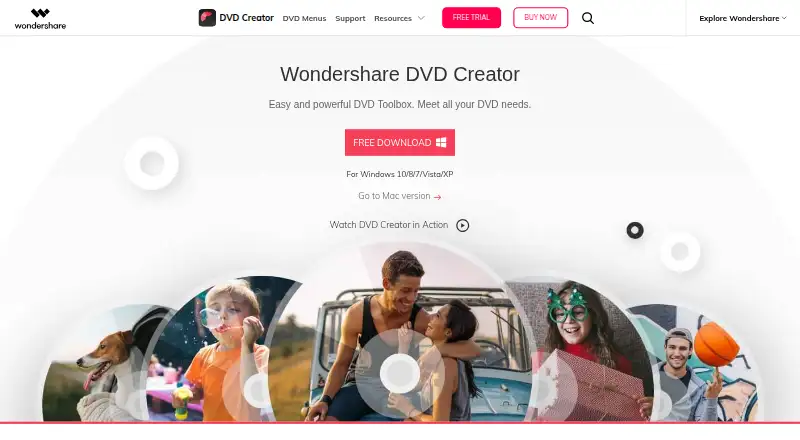
What Wondershare DVD Creator is
Wondershare DVD Creator is a DVD and Blu-ray authoring tool for burning videos and photos, creating DVD menus, and editing movies. It supports video burning in 150 formats to DVD, folders, ISO files, and Blu-ray discs. Supported media include DVD-9, DVD-5, DVD-R/RW, DVD+R/RW, DVD+R DL, DVD-R DL, DVD-RAM, BD-R, BD-RE, BD-25, BD-50, and BD-100; Blu-ray output is available only on Windows. Its editor can trim and crop clips, adjust brightness, contrast, and saturation, apply effects, add watermarks, and use .srt, .ass, and .ssa subtitles. For DVD menus, it provides over 100 static and dynamic templates and customization for background images, music, and title thumbnails. A slideshow maker includes transitions, background music or text, photo duration controls, and ordering. Other utilities cover data and CD burning, ISO-to-DVD, DVD-to-video conversion, DVD copying, Blu-ray burning, and chapter creation. Wondershare lists Windows 10/8/7/Vista/XP and Mac OS X 10.10 or later. A free trial is available, with three templates and watermarks on several trial tools. Paid options include a yearly subscription, a perpetual license, and multi-user licenses.
Who it suits
It suits Windows or Mac users who want to author DVDs, create menus, edit video, or assemble photo slideshows. Windows users who need Blu-ray output are the ones who can use that capability.
What it does well
- Burns video in 150 formats to DVD, folders, ISO, and Blu-ray.
- Offers over 100 static and dynamic DVD menu templates.
- Editor includes trimming, cropping, image adjustments, effects, and subtitles.
- Slideshow maker supports transitions, music or text, and photo ordering.
- Paid plans include free technical support.
What to know first
- Blu-ray output is limited to the Windows version.
- The free trial has three templates and watermarks on several tools.
- The 1 Year Subscription automatically renews unless canceled.
Limits
The trial offers three menu templates; its video editor, slideshow maker, DVD-to-video converter, and DVD-to-DVD converter add a watermark, while the data disc and CD burner show ads. The 1 Year Subscription costs $39.95 a year and renews automatically; the Perpetual License costs 55.95 USD once, and the Multi-User License costs 124.95 USD once.
Plans
| Plan | Billed and limits | Price |
|---|---|---|
| Multi-User License | Installs on 2–5 PCs or 6–10 PCs · all basic features · no watermark · free tech support | $124.95, paid once |
| 1 Year Subscription | $39.95/yr; automatically renews, cancel any time · All basic features · no ads · no watermark · free tech support | $39.95 a year |
| Perpetual License | $55.95 one-time fee · Use DVD Creator forever · all basic features · no watermark · free tech support | $55.95, paid once |
As dvdcreator.wondershare.com lists them, read 2 Oct 2026. The maker's own page has the final word.
Getting started
- Open the Wondershare DVD Creator website.
- Choose Windows or macOS; the download page lists supported system versions.
- Start with the free trial or select a paid license.
- Install the application and use its disc, menu, editing, or slideshow tools.
Verdict
Choose Wondershare DVD Creator if you want disc authoring alongside video editing, DVD menus, and slideshow tools. Look elsewhere if Blu-ray authoring on macOS is essential, or if you want to avoid the trial's tool restrictions before paying.
Questions
Is there a free plan?
No. A free trial is available.
How much does Wondershare DVD Creator cost?
The 1 Year Subscription is $39.95 a year and automatically renews, with cancellation any time. The Perpetual License is $55.95, paid once, and the Multi-User License is $124.95, paid once.
Which platforms does it support?
It supports macOS and Windows. The download page lists Windows 10/8/7/Vista/XP and Mac OS X 10.10 or later.
Can it create Blu-ray discs on Mac?
No. Blu-ray discs are available only in the Windows version.
What restrictions apply to the trial?
The trial includes three menu templates. Its video editor, slideshow maker, DVD-to-video converter, and DVD-to-DVD converter add a watermark, while the data disc and CD burner show ads.
What does the Multi-User License cover?
It is listed at $124.95, paid once and covers installation on 2–5 PCs or 6–10 PCs.
Facts from Wondershare DVD Creator's own pages
- Additional tools
- The listed utilities include data disc burning, CD burning, ISO-to-DVD, DVD-to-video conversion, DVD copying, Blu-ray burning, and chapter creation. · dvdcreator.wondershare.com, 2 Oct 2026
- Blu-ray limit
- Blu-ray discs are available only in the Windows version. · dvdcreator.wondershare.com, 2 Oct 2026
- Disc support
- Supported disc types include DVD-9, DVD-5, DVD-R/RW, DVD+R/RW, DVD+R DL, DVD-R DL, DVD-RAM, BD-R, BD-RE, BD-25, BD-50, and BD-100. · dvdcreator.wondershare.com, 2 Oct 2026
- DVD menus
- The product page lists over 100 free static and dynamic DVD templates and says users can customize background image, music, and title thumbnails. · dvdcreator.wondershare.com, 2 Oct 2026
- Editing
- The built-in editor trims and crops videos, adjusts brightness, contrast, and saturation, applies effects, adds watermarks, and supports .srt, .ass, and .ssa subtitles. · dvdcreator.wondershare.com, 2 Oct 2026
- Formats
- The product page says it burns videos in 150 formats to DVD, folders, ISO, and Blu-ray disc. · dvdcreator.wondershare.com, 2 Oct 2026
- Purpose
- DVD Creator burns videos and photos to DVD and can create DVD menus and edit movies. · dvdcreator.wondershare.com, 2 Oct 2026
- Security and privacy claims
- The official shop page claims the product is 100% secure, without viruses or malware, and that privacy is protected. · dvdcreator.wondershare.com, 2 Oct 2026
- Slideshow
- The slideshow maker supports transitions, background music or text, photo duration settings, and photo ordering. · dvdcreator.wondershare.com, 2 Oct 2026
- Support
- The paid plans list free technical support. · dvdcreator.wondershare.com, 2 Oct 2026
- Supported systems
- The download page lists Windows 10/8/7/Vista/XP and Mac OS X 10.10 or later. · dvdcreator.wondershare.com, 2 Oct 2026
- Trial limits
- The store comparison lists three templates in the trial and says the trial video editor, slideshow maker, DVD-to-video converter, and DVD-to-DVD converter add a watermark; data disc and CD burner show ads. · dvdcreator.wondershare.com, 2 Oct 2026
Where Wondershare DVD Creator stands on Freedom251
- DVD Authoring Software#17 of 26