Freedom251 › DVD Authoring Software

Pinnacle Studio
What Pinnacle Studio is
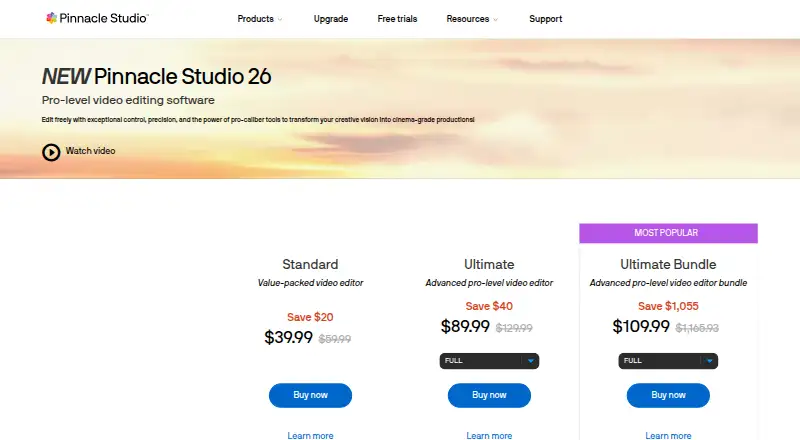
Pinnacle Studio is Windows desktop software for creating and editing movies, with video capture and screen recording through MultiCam Capture Lite. Standard supports HD export, six video and audio tracks, and multi-camera editing with up to two cameras. Ultimate supports HD and 4K export, unlimited tracks, and up to six cameras, plus video masking, smart object and motion tracking, blend modes, 360° editing, and full color grading. The software also includes audio editing, voiceover recording, royalty-free music and sound effects, DVD authoring, and a slideshow maker. Users can export to common video formats and devices, or to YouTube, Flickr, and Vimeo. The product is paid, has no free plan, and offers a 15-day trial; videos exported during the trial display a watermark. It requires 64-bit Windows 10 or 11, at least 4 GB RAM, and 10 GB of disk space. Internet access is required for installation, registration, and updates, and registration is required to use it. Blu-ray disc authoring requires a separate plug-in purchase.
Who it suits
It suits Windows users who want desktop movie editing, with an option for both newer editors and experienced producers. Ultimate is the tier for users who need 4K export, more cameras, or its additional editing tools.
What it does well
- Ultimate supports 4K export and unlimited tracks
- Multi-camera editing supports up to six cameras in Ultimate
- Includes screen recording and video capture
- Includes audio tools, DVD authoring, and slideshow maker
- Exports to YouTube, Flickr, and Vimeo
What to know first
- Trial exports display a watermark
- No free plan, web app, or mobile app
- Blu-ray authoring requires a separate plug-in
- Requires 64-bit Windows 10 or 11 and internet for setup
Limits
The trial lasts 15 days and places a watermark on exported videos. Standard is limited to six tracks and two cameras, while Ultimate provides unlimited tracks and up to six cameras.
Plans
| Plan | Billed and limits | Price |
|---|---|---|
| Pinnacle Studio Standard | 6 tracks · 2 cameras · 20 DVD menu templates | On request |
| Pinnacle Studio Ultimate | Unlimited tracks · 6 cameras · 100 DVD menu templates | On request |
As pinnaclesys.com lists them, read 20 Sept 2026. The maker's own page has the final word.
Getting started
- Open the Pinnacle Studio website
- Check the 15-day trial
- Use a 64-bit Windows 10 or Windows 11 computer with at least 4 GB RAM and 10 GB storage
- Install the desktop software with an internet connection
- Complete registration to use the product
Verdict
Pinnacle Studio provides movie editing, capture, and media tools in a Windows desktop package. Compare the edition limits and account for the trial watermark and separate Blu-ray plug-in if those matter to your workflow.
Questions
Is Pinnacle Studio free?
No. It is paid software with no free plan, but a 15-day trial is available.
Which platforms does it support?
Pinnacle Studio is a Windows desktop application. There is no web or mobile app.
What does Ultimate add?
Ultimate supports HD and 4K export, unlimited tracks, multicamera editing with up to six cameras, and advanced tools such as masking, tracking, blend modes, 360-degree editing, and full color grading.
Can it create Blu-ray discs?
Yes, but Blu-ray disc authoring requires purchasing a separate plug-in from within Pinnacle Studio.
Who makes Pinnacle Studio?
The product pages identify Corel Corporation as the copyright holder and trademark owner.
Facts from Pinnacle Studio's own pages
- Blu-ray limit
- Blu-ray disc authoring requires purchasing a separate plug-in from within Pinnacle Studio. · pinnaclesys.com, 8 Oct 2026
- Creative features
- Ultimate includes video masking, smart object tracking, motion tracking, blend modes, 360° editing, and full color grading. · pinnaclesys.com, 8 Oct 2026
- Desktop app
- Yes · pinnaclesys.com, 20 Sept 2026
- Exports and integrations
- The version comparison lists web export to YouTube, Flickr, and Vimeo, plus export to common video formats and devices. · pinnaclesys.com, 8 Oct 2026
- 4K export
- Yes · pinnaclesys.com, 20 Sept 2026
- Free plan
- No · pinnaclesys.com, 20 Sept 2026
- Intended users
- The maker describes tiers for both people new to video editing and experienced producers. · pinnaclesys.com, 8 Oct 2026
- Maker
- The product pages identify Corel Corporation as the copyright holder and trademark owner for Pinnacle Studio. · pinnaclesys.com, 8 Oct 2026
- Media tools
- The product includes audio editing, voiceover recording, royalty-free music and sound effects, DVD authoring, and a slideshow maker. · pinnaclesys.com, 8 Oct 2026
- Mobile app
- No · pinnaclesys.com, 20 Sept 2026
- Product
- Pinnacle Studio is video editing software for creating and editing movies, with video capture and screen recording tools. · pinnaclesys.com, 8 Oct 2026
- Registration
- An internet connection is required for installation, registration, and updates, and registration is required to use the product. · pinnaclesys.com, 8 Oct 2026
- Screen capture
- Pinnacle Studio includes MultiCam Capture Lite for screen recording and video capture. · pinnaclesys.com, 8 Oct 2026
- Standard editing
- The Standard edition supports HD export, six video and audio tracks, and multi-camera editing with up to two cameras. · pinnaclesys.com, 8 Oct 2026
- Support
- Pinnacle’s support page links to a learning center, tutorials, user guides, and how-to tips. · pinnaclesys.com, 8 Oct 2026
- System requirements
- The listed system requirements specify 64-bit Windows 10 or Windows 11, at least 4 GB RAM, and 10 GB of hard drive space. · pinnaclesys.com, 8 Oct 2026
- Team collaboration
- No · pinnaclesys.com, 20 Sept 2026
- Trial limitation
- Videos exported while using the Pinnacle trial display a watermark. · pinnaclesys.com, 8 Oct 2026
- Ultimate editing
- Ultimate supports HD and 4K export, unlimited tracks, and multi-camera editing with up to six cameras. · pinnaclesys.com, 8 Oct 2026
- Web app
- No · pinnaclesys.com, 20 Sept 2026
Where Pinnacle Studio stands on Freedom251
- DVD Authoring Software#15 of 26
- Motion Tracking Software#32 of 40
- Video Editing Software#125 of 155
- Video editors#59 of 71
- 360 Video Software#27 of 30
- AI Video Editors#75 of 81
- Video Creation And Editing Software#29 of 31