Freedom251 › DVD Authoring Software
Tipard DVD Creator
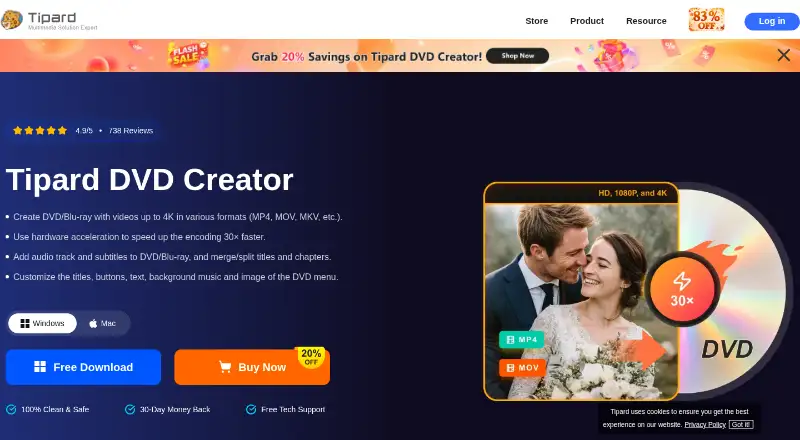
What Tipard DVD Creator is
Tipard DVD Creator authors DVDs from video files and can output to discs, folders, or ISO images. It provides tools to split or merge chapters and customize menu layouts and templates with backgrounds, music, thumbnails, and opening films. The listed editing options include trimming, rotation, effects, batch edits, brightness adjustment, audio and subtitle editing, and watermarks. Tipard also describes Blu-ray authoring up to 4K, including customizable chapters and menus.
Supported input examples include AVI, MKV, MPEG4, QuickTime, and Windows Media files, plus recordings from iPhone, iPad, Android devices, and cameras. Listed DVD media and outputs include DVD-R, DVD-RW, DVD-RAM, DVD-5, DVD-9, DVD ISO images, and DVD folders. Fit-to-Disc transcodes video to standard discs or DVD files while maintaining a disc structure. The product supports Windows 11/10/8.1/8/7 and macOS 10.12 or above. A trial is available with the same services and features as the registered version, subject to different use conditions. Monthly licenses cost $24 a month, and lifetime licenses start at $45, paid once. Licenses are platform-specific; single-computer monthly and lifetime licenses cover one computer.
Who it suits
Tipard DVD Creator suits people making personalized DVDs from personal recordings, family moments, or gift videos. It also fits users who want DVD or Blu-ray authoring, menu customization, and basic video adjustments on Windows or macOS.
What it does well
- Outputs DVDs to discs, folders, or ISO images.
- Customizable menus can include backgrounds, music, and thumbnails.
- Includes chapter splitting and merging.
- Lists editing tools for video, audio, and subtitles.
- Supports Blu-ray authoring up to 4K.
What to know first
- There is no free plan; a trial is available.
- Licenses are platform-specific.
- Single-computer licenses cover one computer.
Limits
The trial has the same services and features as the registered version, but its use conditions differ. One-month and lifetime licenses cover one computer unless you choose a multi-computer license; licenses are platform-specific.
Plans
| Plan | Billed and limits | Price |
|---|---|---|
| 1 Month License (Mac) | Monthly; auto-renews, cancel anytime · 1 Mac · 1 month access to all features · monthly upgrade and support · 7-day money-back guarantee | $24 a month |
| 1 Month License (Windows) | Monthly; auto-renews, cancel anytime · 1 PC · 1 month access to all features · monthly upgrade and support · 7-day money-back guarantee | $24 a month |
| Lifetime License (Windows, 1 PC) | One-time purchase · 1 PC · lifetime access to all features, upgrades, and support · 30-day money-back guarantee | $45, paid once |
| Lifetime License (Mac, 1 Mac) | One-time purchase · 1 Mac · lifetime access to all features, upgrades, and support · 30-day money-back guarantee | $45, paid once |
| Lifetime License (Mac, 3 Macs) | One-time purchase · 3 Macs · lifetime access to all features, upgrades, and support · 30-day money-back guarantee | $70, paid once |
| Lifetime License (Windows, 3 PCs) | One-time purchase · 3 PCs · lifetime access to all features, upgrades, and support · 30-day money-back guarantee | $70, paid once |
As tipard.com lists them, read 7 Oct 2026. The maker's own page has the final word.
Getting started
- Open the Tipard DVD Creator website.
- Select the Windows or Mac version for your operating system.
- Choose the trial or a monthly or lifetime license for that platform.
- Install the product on the number of computers covered by the license.
- Add video files or recordings from a listed device and choose disc, folder, or ISO output.
Verdict
Choose Tipard DVD Creator if you need disc, folder, or ISO output with customizable chapters and menus, or Blu-ray authoring up to 4K. Look elsewhere if you need a free plan or a license that works across platforms; licenses are platform-specific.
Questions
Is Tipard DVD Creator free?
There is no free plan. A trial is available with the same services and features as the registered version, subject to different use conditions.
How much does Tipard DVD Creator cost?
One-month licenses cost $24 a month. Lifetime licenses for one computer cost $45, paid once, and three-computer lifetime licenses cost $70, paid once.
Which platforms does it support?
Tipard lists Windows 11/10/8.1/8/7 and macOS 10.12 or above.
Can it create Blu-ray discs?
The product page says it supports Blu-ray authoring up to 4K, with customizable chapters and menus.
Can I use one license on Windows and Mac?
No. Licenses are platform-specific. One-month and lifetime licenses for one computer cover one PC or one Mac, depending on the option.
Who makes Tipard DVD Creator?
Tipard Studio says it develops digital video, physical media, audio, and multimedia software and was founded in 2009.
Facts from Tipard DVD Creator's own pages
- Automatic conversion
- Fit-to-Disc automatically transcodes input video to standard discs or DVD files while maintaining a disc structure, according to the product page. · tipard.com, 7 Oct 2026
- Blu-ray
- The product page says it also supports Blu-ray authoring up to 4K, including customizable chapters and menus. · tipard.com, 7 Oct 2026
- Disc formats
- The page lists DVD-R, DVD-RW, DVD-RAM, DVD-5, DVD-9, DVD ISO images, and DVD folders as supported media or outputs. · tipard.com, 7 Oct 2026
- DVD authoring
- It can split or merge chapters, customize menu layouts and templates, and add menu backgrounds, music, thumbnails, and opening films. · tipard.com, 7 Oct 2026
- Founded
- 2009 · tipard.com, 28 Sept 2026
- Input and device compatibility
- The page lists video formats including AVI, MKV, MPEG4, QuickTime, and Windows Media files, and mentions recordings from iPhone, iPad, Android devices, and cameras. · tipard.com, 7 Oct 2026
- Intended use
- The product page describes making personalized DVDs from personal recordings, preserving family moments, and creating gift DVDs. · tipard.com, 7 Oct 2026
- License limitation
- Tipard says licenses are platform-specific, and its one-month and lifetime licenses are for one computer; multiple computers require a multi-user license. · tipard.com, 7 Oct 2026
- Maker
- Tipard Studio says it develops digital video, physical media, audio, and multimedia software and was founded in 2009. · tipard.com, 7 Oct 2026
- Operating systems
- The product page lists Windows 11/10/8.1/8/7 and macOS 10.12 or above as supported systems. · tipard.com, 7 Oct 2026
- Purpose
- Tipard DVD Creator authors DVDs from videos and can output to discs, folders, or ISO images. · tipard.com, 7 Oct 2026
- Security and trust claims
- Tipard describes its programs as clean and safe and says they have no bundled malware; the product page also advertises a 30-day money-back guarantee and free technical support. · tipard.com, 7 Oct 2026
- Trial conditions
- The purchase page says the trial version has the same services and features as the registered version except for its use conditions. · tipard.com, 7 Oct 2026
- Video editing
- Its listed editing tools include trimming, rotation, effects, batch edits, brightness adjustment, audio and subtitle editing, and watermarks. · tipard.com, 7 Oct 2026
Where Tipard DVD Creator stands on Freedom251
- DVD Authoring Software#16 of 26