Freedom251 › DVD Authoring Software
Q DVD-Author
What Q DVD-Author is
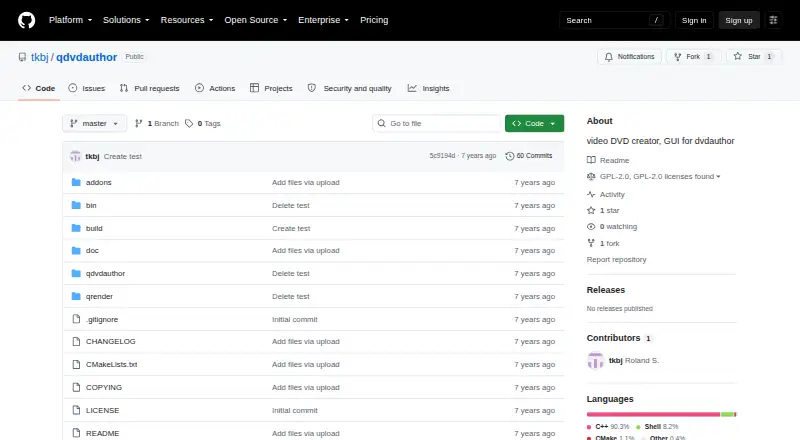
Q DVD-Author is a video DVD creator and graphical frontend for dvdauthor. Users can add movie sources, create DVD menus and submenus, and link menu buttons to videos or other menus before authoring. The project also lists photo slideshows and qslideshow, along with qplayer, qrender, and dvd-slideshow. Its legacy guide describes previewing an authored DVD with xine and provides a growisofs command for burning it. That guide requires MPEG-2 movie files as sources and names dvdauthor, mjpegtools, and ImageMagick++ as required tools. The project says QDVDAuthor is available in Qt5 and Qt6, and links to Linux packages for Arch Linux, Debian, Mageia, OpenSUSE, and Ubuntu. Listed platforms are Linux, macOS, and Windows. The repository identifies the software as GPL-2.0 licensed, with the license distributing it without warranty. The project lists advanced end users as its intended audience. Its listed plan costs nothing, with no free trial.
Who it suits
Q DVD-Author is aimed at advanced end users who want to create video DVDs with menus and slideshows. It may suit users whose source videos are MPEG-2 and who can meet the listed tool dependencies.
What it does well
- Creates DVD menus and submenus
- Includes slideshow and qslideshow features
- Listed for Linux, macOS, and Windows
- GPL-2.0 licensed software costs nothing
What to know first
- The legacy guide requires MPEG-2 movie sources
- Requires dvdauthor, mjpegtools, and ImageMagick++
- License distributes the software without warranty
Limits
The documented version requires MPEG-2 movie files as sources. The legacy guide also lists dvdauthor, mjpegtools, and ImageMagick++ as required tools.
Plans
| Plan | Billed and limits | Price |
|---|---|---|
| Q DVD-Author | GPL-2.0 software · Linux | Free |
As github.com lists them, read 4 Oct 2026. The maker's own page has the final word.
Getting started
- Visit the Q DVD-Author project repository.
- Choose a platform; the project lists Linux, macOS, and Windows.
- For Linux, check the project’s links to packages for Arch Linux, Debian, Mageia, OpenSUSE, or Ubuntu.
- Install the required tools listed in the guide: dvdauthor, mjpegtools, and ImageMagick++.
- Add MPEG-2 movie sources, create menu buttons, and author the DVD.
- Preview the authored DVD with xine or use the guide’s growisofs command to burn it.
Overview
Q DVD-Author is a video DVD creator and graphical frontend for dvdauthor, aimed at advanced end users. Its menu and slideshow tools make it a fit for people building authored DVDs; the MPEG-2 source requirement and supporting tools narrow its appeal.
Key features
DVD projects can combine movie sources with menu buttons that link to either a source or another menu. That gives authors a way to build navigable DVD structures rather than simply place video files on a disc. Menu and submenu support is useful for multi-part projects, though chapter tools are manual, so this is better suited to users willing to control authoring steps than those seeking an automated workflow.
Photo slideshow and qslideshow features extend it beyond movie-only projects. The project also names qplayer, qrender, and dvd-slideshow among its components. Subtitle support and both DVD standards are included, while disc output is to a folder.
The guide’s documented version requires MPEG-2 movie files as sources. That is a significant constraint for anyone whose footage is in another format: source preparation would be needed before authoring. It also depends on dvdauthor, mjpegtools, and ImageMagick++, so users should be comfortable setting up those tools.
Pricing
Q DVD-Author costs nothing under the GPL-2.0 license, with no free trial. There is no paid tier to unlock; the trade-off is that the user takes on the dependencies and manual authoring workflow. The license distributes the software without warranty.
Platforms
Q DVD-Author is described as cross-platform, with Linux, macOS, and Windows support, and is available in Qt5 and Qt6 versions. Linux packages are linked for Arch Linux, Debian, Mageia, OpenSUSE, and Ubuntu. The plan identifies Linux, so Linux users have the clearest package detail; users on macOS or Windows should weigh that against the broader platform claim.
Who it's for
This is a stronger fit for advanced end users who want direct control over DVD menus, submenus, and slideshow projects and can work with MPEG-2 sources and the required tools. It is a weaker choice for anyone expecting a guided workflow, automated chaptering, or unrestricted video-source formats.
Pros and cons
- Pros: Menu and submenu authoring, slideshow features, subtitles, and support for both DVD standards cover several core DVD-creation needs in free GPL-2.0 software.
- Pros: Folder output and a documented preview-and-burn path give users a route from authored project to disc.
- Cons: The documented MPEG-2 input requirement can force format preparation before authoring.
- Cons: Manual chapter tools and dependencies on dvdauthor, mjpegtools, and ImageMagick++ make setup and project assembly more involved.
Alternatives
Browse DVD Authoring Software for more options. DVDStyler is another free option for Linux, macOS, and Windows if you want an alternative open-source DVD authoring application. Open Burning Suite is a free, open-source disc burning application for those prioritizing disc burning over Q DVD-Author’s menu-authoring workflow. WinX DVD Author is worth considering for Windows 10/11 users seeking a free option described as having no limits or watermarks.
PyBurn Studio, DeVeDe NG, Scenarist SD, AVS Video Editor, and DVDBuilder SDK are also alternatives to compare.
Verdict
Choose Q DVD-Author if you are an advanced user who wants free DVD menu and slideshow authoring and can manage its dependencies and MPEG-2 source requirement. If your videos need no format preparation, your workflow should be less manual, or you want a simpler burning-focused tool, look elsewhere.
Verdict
Q DVD-Author offers DVD authoring with menu-building tools and slideshow features. Its documented MPEG-2 input requirement and dependencies are important considerations before use.
Questions
How much does Q DVD-Author cost?
The listed plan is free. The pricing model is free, and there is no free trial.
Which platforms does it support?
The project lists Linux, macOS, and Windows. It also links to packages for Arch Linux, Debian, Mageia, OpenSUSE, and Ubuntu.
What can I create with Q DVD-Author?
It is a video DVD creator with tools for menus, submenus, and buttons that link to movie sources or other menus. The project also lists photo slideshow and qslideshow features.
What input files and dependencies does the guide require?
The legacy guide says its documented version requires MPEG-2 movie files. It lists dvdauthor, mjpegtools, and ImageMagick++ as required tools.
Is Q DVD-Author open source?
The repository identifies it as GPL-2.0 licensed software. The license text says the software is distributed without warranty.
Facts from Q DVD-Author's own pages
- Audience
- The project page lists advanced end users as its intended audience. · sourceforge.net, 4 Oct 2026
- Components
- The project lists qplayer, qrender, and dvd-slideshow among its features. · sourceforge.net, 4 Oct 2026
- Dependencies
- The legacy project guide lists dvdauthor, mjpegtools, and ImageMagick++ as required tools. · qdvdauthor.sourceforge.net, 4 Oct 2026
- DVD authoring
- The guide describes adding movie sources, creating menu buttons that link to sources or menus, and authoring the DVD. · qdvdauthor.sourceforge.net, 4 Oct 2026
- Input limitation
- The legacy guide says the version it documents requires MPEG-2 movie files as sources. · qdvdauthor.sourceforge.net, 4 Oct 2026
- License
- The project repository identifies the software as GPL-2.0 licensed. · github.com, 4 Oct 2026
- License terms
- The repository's GPL v2 license text says the software is distributed without warranty. · github.com, 4 Oct 2026
- Linux distributions
- The project page links to packages for Arch Linux, Debian, Mageia, OpenSUSE, and Ubuntu. · sourceforge.net, 4 Oct 2026
- Menus
- The project lists video DVD menus and submenus among its features. · sourceforge.net, 4 Oct 2026
- Preview and burning
- The guide describes previewing an authored DVD with xine and gives a growisofs command for burning it. · qdvdauthor.sourceforge.net, 4 Oct 2026
- Purpose
- Q DVD-Author is a video DVD creator and GUI frontend for dvdauthor. · github.com, 4 Oct 2026
- Qt versions
- The project page says QDVDAuthor is available in Qt5 and Qt6. · sourceforge.net, 4 Oct 2026
- Slideshows
- The project lists photo slideshow and qslideshow features. · sourceforge.net, 4 Oct 2026
Where Q DVD-Author stands on Freedom251
- DVD Authoring Software#6 of 26