Freedom251 › DVD Authoring Software
AVS Video Editor
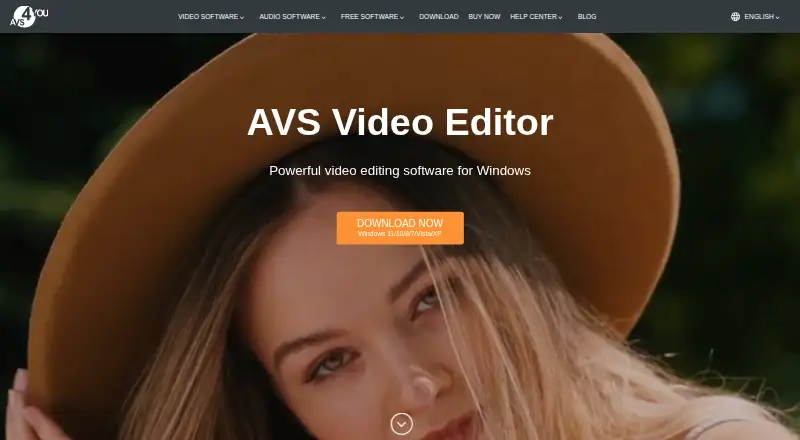
What AVS Video Editor is
AVS Video Editor is a Windows desktop program for editing and creating videos. Its tools cover cutting, splitting and joining clips, color tuning, stabilization and chroma key. It can capture footage from DV/HDV, webcam and VHS cameras, or record a selected part of the screen or the full screen. The product page describes an AI plugin that generates short clips from text descriptions and provides AI-powered image and video effects. The editor supports popular video formats and resolutions up to 4K Ultra HD and DCI 4K. Finished videos can be saved on a computer, prepared for iOS and Android devices, or created for YouTube, TikTok, Instagram and Vimeo. Free use adds a watermark to output files until activation. Once downloaded and activated, editing can be done offline; the download and activation require internet access. The listed one-year subscription is $49 a year for five AVS4YOU programs on one computer. The Unlimited subscription is listed at $279 a month as a one-time payment with no yearly renewals, for one computer.
Who it suits
AVS Video Editor suits Windows users who want editing, screen recording and camera capture in one desktop program. The maker describes its software as designed for beginners and professionals, and its 4K support and output options cover several common sharing destinations.
What it does well
- Edits by cutting, splitting, joining, color tuning, stabilization and chroma key.
- Captures from DV/HDV, webcam and VHS cameras.
- Records a selected screen area or the full screen.
- Supports resolutions up to 4K Ultra HD and DCI 4K.
- Exports for iOS, Android, YouTube, TikTok, Instagram and Vimeo.
What to know first
- Free output carries a watermark until activation.
- Available for Windows; Mac OS and Linux are unsupported.
- One license key activates one computer and cannot be transferred.
Limits
Free use adds a watermark to output until activation. The listed subscriptions license one computer; the one-year plan provides access to five AVS4YOU programs for one year.
Plans
| Plan | Billed and limits | Price |
|---|---|---|
| 1 year subscription | $49.00 for 1 year; page lists regular price $149.00 and says the offer price was valid through September 30, 2026 · Access to 5 AVS4YOU programs for 1 year · one computer per license | $49 a year |
| Unlimited subscription | $79.00 one-time payment; page lists regular price $279.00 and says the offer price was valid through September 30, 2026 · Unlimited access to 5 AVS4YOU programs · one computer per license | $79, paid once |
As avs4you.com lists them, read 7 Oct 2026. The maker's own page has the final word.
Getting started
- Visit the AVS Video Editor website.
- Download the Windows desktop software; the download requires internet access.
- Activate the software, which also requires internet access, to remove the watermark from output.
- Choose free use or a listed subscription plan.
AVS Video Editor is a Windows desktop application for assembling, correcting and exporting video, with built-in camera and screen capture. It fits beginners who want an installed editor and experienced users who need 4K delivery, legacy-camera ingest or offline work after activation. Its broad capture and editing set is useful, but Windows exclusivity, a one-computer licence and watermarked free exports narrow its appeal.
Overview
The editor handles practical post-production: cutting, splitting and joining clips, colour tuning, stabilisation and chroma key. Support for popular formats and resolutions up to 4K Ultra HD and DCI 4K makes it suitable for high-resolution projects instead of only basic home-video output.
Capture is a significant advantage. AVS Video Editor can ingest DV and HDV cameras, webcams and VHS cameras, and record either a selected screen area or the entire screen. That combination suits digitising older tapes, recording demonstrations and moving camera footage directly into an edit without a separate capture application.
An AI plugin can generate short clips from text descriptions and apply AI-powered image and video effects. Those tools add creative possibilities, while the main workflow remains a conventional editor built around standard clip editing and adjustments.
Key features
- Core editing: Cutting, splitting, joining, colour tuning, stabilisation and chroma key cover routine assembly, correction and keyed-background work. They are practical tools for general projects rather than a claim of a specialist compositing suite.
- Camera and screen recording: DV, HDV, webcam and VHS support makes the software relevant to archive conversion and mixed-source projects. Full-screen and region capture also covers tutorials, demonstrations and software walkthroughs.
- AI plugin: Text-to-short-clip generation and AI image and video effects can speed experimentation, but they supplement rather than replace the editor's conventional controls.
- 4K and format support: Popular formats, 4K Ultra HD and DCI 4K give creators room for current high-resolution delivery.
- Delivery: Projects can be saved locally, prepared for iOS and Android devices, or formatted for YouTube, TikTok, Instagram and Vimeo. That is useful when one project must serve several destinations.
- Offline workflow: Editing runs on the PC and can continue offline after download and activation. Internet access is still required for both download and activation.
Pricing
AVS Video Editor uses a freemium model. The free version can be used without a trial countdown, but exported videos carry a watermark until the software is activated, making it mainly an evaluation or watermark-tolerant option.
<| Plan | Price and terms | Best for |
|---|---|---|
| 1 year subscription | $49 a year, billed $49.00 for 1 year; the page lists a regular price of $149.00 and says the offer price was valid through September 30, 2026. Access to 5 AVS4YOU programs for 1 year; one computer per licence. | Users who want the lowest paid entry and can work on one Windows computer, while accepting a one-year term. |
| Unlimited subscription | $279 a month, billed as a one-time payment; no yearly renewals; one computer per licence. | Users seeking a non-renewing purchase arrangement and willing to pay substantially more upfront. |
Both paid options are tied to one computer, and licence keys cannot be transferred to another. There is no free trial beyond the watermarked free use. Purchases are processed through the 2Checkout payment gateway.
Platforms
This is a Windows desktop app, not a web or mobile editor. The download page lists Windows 11, 10, 8.1, 8, 7, Vista and XP; Mac OS and Linux are unsupported. The narrow platform choice is decisive for households or teams working across operating systems.
AVS4YOU identifies Ascensio System SIA as the data collector, states GDPR compliance and hosts data centres in Northern Virginia, United States. Support consists of a form, guides, knowledge centre and FAQ; there is no phone support.
Who it's for
Choose it for Windows-based editing that combines ordinary timeline work with direct capture from cameras, VHS and the screen. Beginners get a broad set of familiar operations, while professionals can use 4K output, stabilisation, chroma key and multi-destination export for suitable projects. It is a poor fit if you need macOS or Linux support, transferable licences, multi-computer deployment or watermark-free output without activation.
Pros and cons
- Pro: Camera, VHS and screen capture are built into the same application as editing, reducing the need for a separate ingest tool.
- Pro: 4K Ultra HD and DCI 4K support and exports for major social and mobile destinations cover varied delivery needs.
- Pro: Editing can be performed offline after activation, useful where an internet connection is unreliable.
- Con: Free exports are watermarked, so serious publishing requires activation.
- Con: Every licence activates one computer and cannot be moved, which limits shared or frequently replaced setups.
- Con: Windows-only support excludes Mac and Linux users, and assistance has no phone channel.
Alternatives
Browse Video Editing Software for a wider editor comparison, or DVD Authoring Software when disc creation is the primary task.
- PyBurn Studio is a free option for Linux, macOS and Windows users.
- DVDStyler is a free, open-source DVD authoring application with cross-platform support.
- Open Burning Suite is a free, open-source disc-burning application for Linux, macOS and Windows.
- Q DVD-Author is free GPL-2.0 software for Linux and other listed platforms.
- WinX DVD Author is free on Windows 10/11 with no limits or watermarks.
- DVDBuilder SDK is a freemium Windows alternative.
- DeVeDe NG is a free Linux option.
- Scenarist SD is a paid Windows alternative at $99 a year, billed annually.
Verdict
AVS Video Editor is a sensible choice for Windows users who want one desktop package for editing, 4K export and camera, VHS or screen capture, with offline work after activation. Look elsewhere if you need cross-platform access, a licence that follows you between computers or clean free exports; its watermark and single-computer terms are the main reasons to pass.
Verdict
Choose AVS Video Editor if you want Windows desktop editing with camera capture, screen recording and support up to 4K. Consider the watermark on free output and the single-computer license when deciding whether it fits your setup.
Questions
Is there a free plan?
Yes. Free use is available, but output video files have a watermark until activation.
What does a paid plan cost?
The listed 1 year subscription is $49 a year. The Unlimited subscription is listed at $279 a month as a one-time payment with no yearly renewals.
Which platforms does it support?
It is a Windows desktop app. The download page lists Windows 11, 10, 8.1, 8, 7, Vista and XP, and says Mac OS and Linux are unsupported.
Can I edit offline?
Yes, editing can be done offline after download and activation. Both downloading and activation require internet access.
How many computers does a license cover?
One license key activates the software on one computer and cannot be transferred to another computer.
Who makes AVS Video Editor?
The maker is AVS Video Editor, with headquarters in Riga, Latvia.
Facts from AVS Video Editor's own pages
- AI tools
- The product page says its AI plugin can generate short video clips from text descriptions and offers AI-powered image and video effects. · avs4you.com, 7 Oct 2026
- Audience
- The company describes its software as designed for both professionals and beginners. · avs4you.com, 7 Oct 2026
- Desktop app
- Yes · avs4you.com, 21 Sept 2026
- Editing features
- The editor supports cutting, splitting and joining video, color tuning, stabilization and chroma key. · avs4you.com, 7 Oct 2026
- Export and sharing
- It can save videos on the computer, prepare them for iOS and Android devices, and create videos for YouTube, TikTok, Instagram and Vimeo. · avs4you.com, 7 Oct 2026
- Formats and resolution
- The editor supports popular video formats and resolutions up to 4K Ultra HD and DCI 4K. · avs4you.com, 7 Oct 2026
- 4K export
- Yes · avs4you.com, 21 Sept 2026
- Free plan
- Yes · avs4you.com, 21 Sept 2026
- Free use
- AVS Video Editor can be used for free, but a watermark is added to output video files until the software is activated. · avs4you.com, 7 Oct 2026
- Headquarters
- Riga, Latvia · avs4you.com, 28 Sept 2026
- License limit
- One license key activates the software on a single computer, and the maker says licenses cannot be transferred to another computer. · avs4you.com, 7 Oct 2026
- Mobile app
- No · avs4you.com, 21 Sept 2026
- Offline use
- The maker says editing takes place on the PC and can be done offline after download and activation, which require internet access. · avs4you.com, 7 Oct 2026
- Payment security
- The purchase page says transactions are processed through the 2Checkout payment gateway. · avs4you.com, 7 Oct 2026
- Platform limits
- The download page lists Windows 11, 10, 8.1, 8, 7, Vista and XP, and says Mac OS and Linux are unsupported. · avs4you.com, 7 Oct 2026
- Purpose
- AVS Video Editor is video-editing software for Windows that lets users edit and create videos. · avs4you.com, 7 Oct 2026
- Recording
- It can capture from DV/HDV cameras, webcams and VHS cameras, and record a selected screen area or the full screen. · avs4you.com, 7 Oct 2026
- Security and privacy
- The privacy policy says AVS4YOU complies with GDPR, identifies Ascensio System SIA as the data collector, and says data-center hosting is in Northern Virginia, United States. · avs4you.com, 7 Oct 2026
- Support
- The maker offers a support form, guides, a knowledge center and FAQ, and says there is no phone support. · avs4you.com, 7 Oct 2026
- Web app
- No · avs4you.com, 21 Sept 2026
Where AVS Video Editor stands on Freedom251
- DVD Authoring Software#4 of 26
- Video Editing Software#81 of 155