Freedom251 › Virtual Classroom Software

Neukol
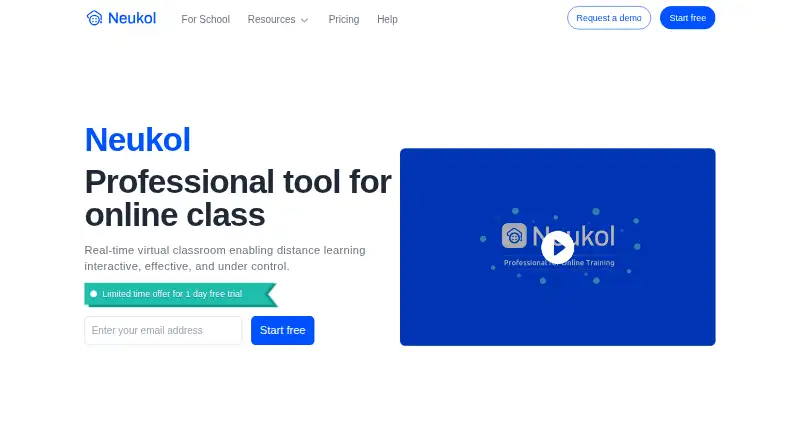
What Neukol is
Neukol is a virtual classroom for interactive distance teaching and learning. Its whiteboard supports writing, drawing, typing, and pasting images, and its contents can be saved as courseware. Teachers can present uploaded slides, documents, audio, and video without screen sharing, using an annotation pen and laser pointer. Other listed tools include a timer, quiz, answer buzzer, rewards, raised hands, chat, collaborative whiteboard, and cloud recording. Training can be recorded to the cloud and replayed in HD. Instructors and assistants can manage muting, video order and layout, visibility, and access to screen sharing and the pen tool. The Free plan allows two lessons per month, up to 15 participants, 1 GB storage, and replay for up to seven days. Pro costs $19.99 a month billed annually and allows up to 60 lesson hours monthly. Enterprise is pay as you go, with a prepaid start from 200 USD, lesson fees of 0.5 USD per student per hour, and cloud recording fees of 0.3 USD per hour; it includes Core API access.
Who it suits
Neukol suits teachers running interactive online lessons and one-to-one instruction, as well as organizations and freelance teachers considering Enterprise. The Free plan is limited to two lessons per month and 15 participants.
What it does well
- Whiteboard supports writing, drawing, typing, and images.
- Present uploaded media without screen sharing.
- Cloud recordings can be replayed in HD.
- Free plan includes 1 GB storage.
- Pro allows up to 60 lesson hours monthly.
What to know first
- Free plan allows only two lessons monthly.
- Free plan limits classes to 15 participants.
- Pro is $19.99 a month billed annually.
- Enterprise has per-student lesson and recording fees.
Limits
The Free plan allows two lessons per month, up to 15 participants, 1 GB storage and replay for up to seven days. Pro allows up to 60 lesson hours per month, 10 GB storage and replay for up to seven days. Enterprise charges 0.5 USD/student/hr for lessons and 0.3 USD/hr for cloud recording.
Plans
| Plan | Billed and limits | Price |
|---|---|---|
| Free | 1 license · classrooms up to 90 mins · 2 lessons/month · 15 participants · 1 GB storage · replay up to 7 days | Free |
| Pro | month billed annually · 1 license · classrooms up to 3 hrs · up to 60 lesson hours/month · 10 GB storage · replay up to 7 days | $19.99 a month |
| Enterprise | Pay as you go; prepaid start from 200 USD · Lesson fee: 0.5 USD/student/hr · cloud recording fee: 0.3 USD/hr · up to 150 students/lesson · 1 TB+ storage · Core API access | On request |
As neukol.com lists them, read 2 Oct 2026. The maker's own page has the final word.
Getting started
- Open https://www.neukol.com/en/.
- Choose the Free plan, Pro plan or Enterprise pay-as-you-go option.
- Use the listed Android, iOS, macOS or Windows platform, or the API.
- Start a lesson and present uploaded course materials or use the classroom whiteboard.
Neukol is a professional virtual classroom for interactive online teaching. It best suits teachers and organizations that need presentation tools, participation controls, and reusable lesson material in one service. The main buying question is how quickly its lesson, storage, and usage limits fit your teaching volume.
Overview
Neukol combines live classes with teaching content and replay. You can upload slides, documents, audio, and video and present them without screen sharing, using a laser pointer and annotation pen. Its whiteboard handles writing, drawing, typing, and pasted images, and saved boards can become courseware for later lessons.
Cloud recording creates HD playback, while attendance tracking and breakout rooms support organized sessions. Recordings are retained for seven days on the Free and Pro plans, so Neukol is less suitable when learners need a long-term video library unless an Enterprise arrangement provides the storage and retention you require.
Key features
Teaching and participation
A timer, quizzes, answer buzzer, rewards, raised hands, chat, and collaborative whiteboard give instructors several ways to pace a class and invite responses. These are meaningful advantages for tutoring, training, and lessons built around interaction; they are more specialized than the controls needed for an occasional presentation call.
Classroom control
Instructors and assistants can manage muting, video order and layout, participant visibility, and access to screen sharing and the pen tool. That moderation layer helps a teacher keep attention on the lesson and limit disruptive actions. The platform also supports recording and attendance, making it better suited to structured teaching than an unmoderated meeting room.
Integrations and support
Enterprise includes Core API access for organizations that need to connect classroom functions with other systems. The comparison references SSO, but it is not shown as included in the plan columns, so buyers requiring single sign-on should confirm the commercial arrangement. An online help center plus email and chat support cover standard assistance; Enterprise adds remote initialization and training.
Pricing
Free
The Free plan costs nothing license and includes one license, classrooms up to 90 minutes, two lessons per month, 15 participants, 1 GB of storage, and replay for up to seven days. It is a sensible way for an occasional tutor to assess the classroom, but two monthly lessons and short replay make it unsuitable for a regular teaching schedule.
Pro
Pro costs $19.99 a month, billed monthly but charged annually. One license supports classrooms up to three hours, up to 60 lesson hours per month, 10 GB of storage, and seven-day replay. This is the practical fit for a one-to-one teacher or other solo instructor running frequent sessions. The annual billing commitment and unchanged replay window matter if your usage is seasonal or you need durable recordings.
Enterprise
Enterprise uses pay-as-you-go billing with prepaid starts from 200 USD. It charges 0.5 USD per student per lesson hour and 0.3 USD per cloud-recording hour, supports up to 150 students per lesson, provides 1 TB or more of storage, and includes Core API access. The model fits organizations and freelance teachers with variable or larger classes, but per-student and recording charges make costs rise with attendance and recording time.
Platforms
Neukol supports Android, iOS, macOS, Windows, and an API, giving learners and instructors coverage across major desktop and mobile environments. The API is a platform-level option; Core API access is specifically included with Enterprise.
Who it's for
Choose Neukol for one-to-one teaching, structured training, or organizational classes where presentation materials, interactive activities, recording, and moderator controls need to coexist. Pro targets one-to-one teachers, while Enterprise is aimed at organizations and freelance teachers with higher or less predictable volume. It is a weaker fit for casual meetings, very small budgets beyond the Free quota, or teams that require recordings to remain accessible longer than seven days.
Pros and cons
Pros
- Purpose-built teaching toolkit: quizzes, buzzer, rewards, raised hands, chat, timer, and collaborative whiteboarding support active lessons.
- Material-focused delivery: uploaded files can be presented with pointer and annotation tools without screen sharing.
- Strong moderation: instructors and assistants can control participant audio, video arrangement, visibility, and tool access.
- Enterprise scale: classes can reach 150 students, with 1 TB or more of storage and Core API access.
Cons
- Restrictive Free quota: two lessons per month, 90-minute classrooms, 15 participants, and 1 GB storage limit sustained use.
- Annual Pro billing: the 19.99 USD monthly rate is billed annually, reducing flexibility for seasonal teachers.
- Short replay period: Free and Pro recordings remain available for only seven days.
- Usage-based Enterprise costs: student-hour and recording fees can make larger or heavily recorded programs expensive.
Alternatives
For a broader directory comparison, see Virtual Classroom Software.
- alfaview is a better choice when you need Linux and web support or a free room accommodating up to 50 participants.
- LearnCube suits teachers wanting unlimited one-to-one classes on its free basic plan and a materials library of up to 10 files.
- Lessonspace is preferable when you want participant-minute pricing, unlimited concurrent sessions, and no free plan.
- TrainerCentral fits course creators whose free tier allows up to three courses, 10 active learners, unlimited learner accounts, and 5 GB storage.
- BrainCert Virtual Classroom is aimed at buyers comfortable with a 119.00 USD monthly Bronze plan billed annually, including up to 25 attendees and 5,000 virtual-classroom minutes monthly.
- Classverse is worth considering for a free-forever plan with unlimited classrooms, five enrollments per month, 1 GB media storage, and no video recording.
- Koala Go is designed around small sessions of up to four students, invoicing tools, and a 4.5% fee on invoices.
Verdict
Neukol is a strong choice for teachers and training organizations that value interactive lesson tools, controlled participation, and integrated presentation and recording. Pro is the clearest fit for a regular solo teacher; Enterprise makes sense when class size, storage, or API integration justify usage-based billing. Look elsewhere if you need generous free usage, long replay retention, or predictable costs for high-volume recorded teaching.
Verdict
Neukol brings presentation, interaction, and class controls together for online teaching. Compare the Free plan's lesson and participant limits with Pro or Enterprise pricing needs.
Questions
Is Neukol free?
Yes. The Free plan costs nothing and includes one license, two lessons per month, up to 15 participants and 1 GB storage.
How much does Pro cost?
Pro costs $19.99 a month, billed annually. It includes one license and up to 60 lesson hours per month.
Does Neukol offer a free trial?
Yes. Neukol lists a 1-day trial.
Which platforms does Neukol support?
The listed platforms are Android, API, iOS, macOS and Windows.
What does Enterprise cost?
Enterprise is pay as you go, with a prepaid start from 200 USD. Lessons cost 0.5 USD/student/hr and cloud recording costs 0.3 USD/hr.
Who operates Neukol?
The company footer identifies Neuxnet (Singapore) Pte. Ltd. as the operator.
Facts from Neukol's own pages
- Class controls
- Instructors and assistants can control participant muting, video order and layout, visibility, and access to screen sharing and the pen tool. · neukol.com, 2 Oct 2026
- Company
- The company footer identifies Neuxnet (Singapore) Pte. Ltd. as the operator. · neukol.com, 2 Oct 2026
- File presentation
- Uploaded slides, documents, audio, and video can be presented without screen sharing, with a built-in laser pointer and annotation pen. · neukol.com, 2 Oct 2026
- Integrations and API
- The Enterprise plan includes Core API access; the comparison lists SSO, but does not show it as included in the plan columns. · neukol.com, 2 Oct 2026
- Plan limits
- The Free plan allows up to 2 lessons per month and 15 participants, while Pro allows up to 60 lesson hours per month. · neukol.com, 2 Oct 2026
- Platforms
- The Neukol help center provides installation instructions for Windows, Mac, iPad/iPhone, and Android devices. · help.neukol.com, 2 Oct 2026
- Privacy
- Neukol’s privacy policy says it collects personal data to provide services and improve user experience, and describes third-party SDKs used for device adaptation and crash reporting. · neukol.com, 2 Oct 2026
- Product
- Neukol describes itself as a professional virtual classroom for interactive distance teaching and learning. · neukol.com, 2 Oct 2026
- Recording
- Neukol says training can be recorded to its cloud and played back in HD format. · neukol.com, 2 Oct 2026
- Support
- The pricing comparison lists an online help center and email and chat support, and includes remote initialization and training for Enterprise. · neukol.com, 2 Oct 2026
- Teaching tools
- The site lists tools including a timer, quiz, answer buzzer, rewards, raised hands, chat, collaborative whiteboard, and cloud recording. · neukol.com, 2 Oct 2026
- Use cases
- The pricing page describes the Pro plan as intended for one-to-one teachers and Enterprise as for organizations and freelance teachers. · neukol.com, 2 Oct 2026
- Whiteboard
- The classroom whiteboard supports writing, drawing, typing, and pasting images, and its contents can be saved as courseware. · neukol.com, 2 Oct 2026
Where Neukol stands on Freedom251
- Virtual Classroom Software#8 of 30