Freedom251 › Online course platforms

TrainerCentral
What TrainerCentral is
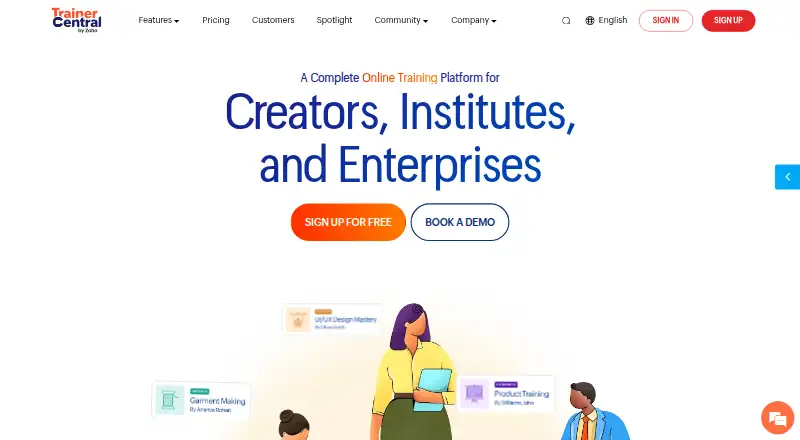
TrainerCentral is a platform for creating and delivering online courses and running a training business. Its course builder supports text, documents, audio, video, PDFs, spreadsheets, images and external links. Trainers can schedule drip content, run tests and quizzes, and teach in a live virtual classroom. Learners have a portal, live interaction, discussion forums and course certificates.
Business features include a website builder, custom branding, a business dashboard, integrated payments and subscriptions, email marketing and custom domains. Trainers can connect third-party apps through Zapier and Zoho Flow. Listed payment gateways include Razorpay, Stripe, Paytm, Forte, Authorize.net, PayPal and Mercado Pago. The mobile learner apps support Android and iOS, with custom-branded app options for trainers. Learner desktop apps for Windows and Mac can block screenshots, screen recording and text copying during course playback.
TrainerCentral offers a free plan and a 15-day trial. Free includes up to three courses, 10 active learners, unlimited learner accounts and 5GB of storage. Starter is for one trainer, with unlimited courses and learners, up to 50 live participants, 100GB of storage and five additional site pages. Professional has three trainer licenses, unlimited courses and learners, up to 100 live participants, 1TB of storage and 20 additional site pages. TrainerCentral describes itself as a division of Zoho Corporation. It states that it has ISO/IEC 27001 and ISO/IEC 27017 certifications and is SOC 2 Type 2 compliant.
Who it suits
TrainerCentral suits experts and trainers who want to build courses and run a training business with course creation, learner engagement and business tools in one platform. Its free plan is suited to a small course offering, while Starter and Professional provide more trainer capacity, storage and live participant capacity.
What it does well
- Accepts eight types of course content, including video and PDFs.
- Includes a builder, live classroom, drip scheduling, tests and quizzes.
- Offers integrated payments, subscriptions and email marketing.
- Supports custom domains and branded mobile app options.
- Connects third-party apps through Zapier and Zoho Flow.
- Learner desktop apps can block copying and recording during playback.
What to know first
- Free includes only three courses and 10 active learners.
- Free storage is limited to 5GB.
- Support hours are Monday through Friday.
Limits
The Free plan includes up to three courses, 10 active learners and 5GB of storage. Starter includes one trainer, up to 50 live participants and 100GB of storage; Professional includes three trainer licenses, up to 100 live participants and 1TB of storage.
Plans
| Plan | Billed and limits | Price |
|---|---|---|
| Free | Up to 3 courses · 10 active learners · unlimited learner accounts · 5GB storage | Free |
| Starter | Monthly or yearly (save up to 16%) · Single trainer · unlimited courses and learners · up to 50 live participants · 100GB storage · 5 additional site pages | On request |
| Professional | Monthly or yearly (save up to 16%) · 3 trainer licenses · unlimited courses and learners · up to 100 live participants · 1TB storage · 20 additional site pages | On request |
As trainercentral.com lists them, read 8 Oct 2026. The maker's own page has the final word.
Getting started
- Visit the TrainerCentral website.
- Start with the Free plan or begin the 15-day trial.
- Build a course using supported content formats and course tools.
- Set up a website, custom branding or custom domain as needed.
- Choose integrated payments and a listed payment gateway if you plan to charge learners.
- Offer learners access through the web, mobile apps or desktop apps.
TrainerCentral combines course delivery with the tools to sell and manage training, making it a fit for independent educators and small teams who want one branded service for both. Its broad teaching and business toolkit is a strong starting point; the free plan’s 10-active-learner cap is the first constraint to weigh.
Overview
TrainerCentral brings course creation, live teaching, learner engagement and business operations into one platform. Trainers can publish lessons in varied formats, run virtual classrooms, accept payments and manage a training site. That breadth suits experts building a training business, especially those who value branded learner experiences. Organizations seeking a platform primarily for internal training or requiring a different operating model may want to compare alternatives.
Key features
The course builder supports text, documents, audio, video, PDFs, spreadsheets, images and external links. Drip scheduling, tests and quizzes help structure lessons and check learner progress. Live virtual classrooms add a synchronous option, while learner portals, discussion forums, live interaction and certificates support engagement beyond self-paced content.
For selling and managing courses, TrainerCentral includes a website builder, custom branding, custom-domain support, integrated payments and subscriptions, email marketing and a business dashboard. It charges no transaction fee. Supported gateways include Razorpay, Stripe, Paytm, Forte, Authorize.net, PayPal and Mercado Pago. These bundled tools can simplify operations for trainers who want their course site and sales functions together.
Learners can use Android and iOS apps, and trainers can opt for custom-branded mobile apps. The Windows and Mac desktop learner app can block screenshots, screen recording and text copying during playback, which may help protect course material on those devices. TrainerCentral says it holds ISO/IEC 27001 and ISO/IEC 27017 certifications and is SOC 2 Type 2 compliant; it also describes physical security, encryption and intrusion detection and prevention controls for its data centers and network.
Zapier and Zoho Flow integrations provide routes to connect third-party apps. Support is available by email or live chat 24 hours a day, Monday through Friday, a useful service window for trainers who need help during the workweek.
Pricing
TrainerCentral is freemium, with a free plan and a 15-day trial. The Free plan costs nothing and allows up to three courses, 10 active learners, unlimited learner accounts and 5GB of storage. Unlimited accounts do not remove the active-learner ceiling, so this tier is best for building a small course library or starting with a limited audience.
Starter has custom pricing and can be billed monthly or yearly, with savings of up to 16% on yearly billing. It includes one trainer, unlimited courses and learners, up to 50 live participants, 100GB of storage and five additional site pages. It is the natural step up for a solo trainer who has outgrown the free active-learner and storage limits.
Professional also has custom pricing and monthly or yearly billing, with savings of up to 16% on yearly billing. It provides three trainer licenses, unlimited courses and learners, up to 100 live participants, 1TB of storage and 20 additional site pages. The higher capacity suits a small training team or a business expecting larger live sessions. Both paid plans expand course and learner capacity, but live attendance remains capped by tier.
Platforms
TrainerCentral supports Android, iOS, macOS, web and Windows. Learners can use mobile apps or the desktop app on Windows and Mac; the branded app option gives trainers more control over the mobile experience.
Who it's for
TrainerCentral is strongest for independent experts and small training businesses that need course authoring, live sessions, learner engagement and sales tools under one roof. The Free plan can serve a modest launch, while Starter fits a solo operator scaling up and Professional adds capacity for three trainers. It is less suited to a business that needs more than 100 live participants in a session or wants to choose a paid tier based on a published price.
Pros and cons
- Pros: A wide range of lesson formats, assessments, drip scheduling and live classrooms supports varied teaching styles.
- Pros: Website building, payments, subscriptions, email marketing and a business dashboard cover key parts of running a training business.
- Pros: No transaction fee and support for several named payment gateways give trainers payment options without a platform transaction charge.
- Pros: Mobile apps, branded app options and a desktop player with playback restrictions offer multiple learner experiences.
- Cons: Free is limited to 10 active learners and 5GB of storage, despite unlimited learner accounts.
- Cons: Starter and Professional cap live attendance at 50 and 100 participants respectively.
- Cons: Paid plan prices are custom, making direct cost comparison harder before contacting the provider.
Alternatives
Compare TrainerCentral with the Online course platforms and Virtual Classroom Software directories if you want to survey options by category.
FreshLearn is a relevant alternative for a budget-conscious launch: its free plan allows one product, 25 manual enrollments and five sales pages, while its Pro plan costs $35 a month.
Open edX may suit organizations that want free platform software and are prepared to handle hosting, infrastructure, maintenance, support and customization themselves.
Prolaud is another freemium option with a free Starter plan.
Euron Systems offers a free plan for exploring the platform.
Loopwise is worth comparing for its Pro plan at $29 a month, which includes unlimited students and courses.
Tutor LMS offers free, self-hosted software with unlimited courses, learners and instructors, making it an option for organizations that want to run a platform themselves.
Coursebox has a free plan with three courses, unlimited learners and AI page credits, and is another option to compare for course creation.
LifterLMS is a freemium, self-hosted alternative for organizations comparing course and membership software.
Verdict
Choose TrainerCentral if you want course creation, live and self-paced learning, learner engagement and training-business tools in one branded platform. Its free tier makes it practical to start, and the paid plans offer substantially more learner, storage and team capacity. Look elsewhere if the free active-learner cap is too tight, your live classes exceed 100 participants, or you need published paid-plan prices before deciding.
Verdict
Choose TrainerCentral if you need course creation, learner engagement and training business tools together, with a free tier for up to three courses. The free plan’s active learner and storage limits may make a paid tier a better fit as you grow. Starter and Professional offer larger capacities, though their prices are not included in the listed plan details.
Questions
Is TrainerCentral free?
Yes. The Free plan costs nothing and includes up to three courses, 10 active learners, unlimited learner accounts and 5GB of storage.
Does TrainerCentral offer a trial?
Yes, the listed pricing note includes a 15-day trial.
Which platforms are supported?
TrainerCentral lists Android, iOS, macOS, web and Windows. Learner desktop apps are available for Windows and Mac.
Can I use my own domain or branding?
Yes. Custom domains and custom branding are included features, and trainers can offer custom-branded mobile apps.
Which payment gateways are supported?
Listed gateways include Razorpay, Stripe, Paytm, Forte, Authorize.net, PayPal and Mercado Pago.
Who makes TrainerCentral?
TrainerCentral describes itself as a division of Zoho Corporation, built to help experts share knowledge and build training businesses.
Facts from TrainerCentral's own pages
- Audience
- TrainerCentral describes itself as a division of Zoho Corporation built to help experts share knowledge and build training businesses. · trainercentral.com, 8 Oct 2026
- Business tools
- The platform includes a website builder, custom branding, payments and subscriptions, and a business dashboard. · trainercentral.com, 8 Oct 2026
- Course creation
- Course features include a builder, live virtual classroom, drip scheduler, tests, and quizzes. · trainercentral.com, 8 Oct 2026
- Course formats
- text,documents,audio,video,PDFs,spreadsheets,images,external links · trainercentral.com, 22 Sept 2026
- Custom domain
- Yes · trainercentral.com, 22 Sept 2026
- Desktop app
- The learner desktop app is available for Windows and Mac and can block screenshots, screen recording, and copying text during course playback. · trainercentral.com, 8 Oct 2026
- Email marketing
- Yes · trainercentral.com, 22 Sept 2026
- Free plan
- Yes · trainercentral.com, 22 Sept 2026
- Integrations
- TrainerCentral supports third-party app integrations through Zapier and Zoho Flow. · trainercentral.com, 8 Oct 2026
- Learner engagement
- Learners can use a portal, live interaction, discussion forums, and course certificates. · trainercentral.com, 8 Oct 2026
- Mobile app
- branded · trainercentral.com, 22 Sept 2026
- Mobile apps
- TrainerCentral offers learner mobile apps for Android and iOS, including custom-branded app options for trainers. · trainercentral.com, 8 Oct 2026
- Payment gateways
- Listed payment gateways include Razorpay, Stripe, Paytm, Forte, Authorize.net, PayPal, and Mercado Pago. · help.trainercentral.com, 8 Oct 2026
- Payment options
- integrated · trainercentral.com, 22 Sept 2026
- Purpose
- TrainerCentral provides tools to create and deliver online courses and run a training business. · trainercentral.com, 8 Oct 2026
- Security certifications
- TrainerCentral states it has ISO/IEC 27001 and ISO/IEC 27017 certifications and is SOC 2 Type 2 compliant. · trainercentral.com, 8 Oct 2026
- Security controls
- TrainerCentral says its data centers have 24/7/365 security, video monitoring, and biometric access, and its network uses encryption and intrusion detection and prevention. · trainercentral.com, 8 Oct 2026
- Support
- Support is available by email or live chat 24 hours a day, Monday through Friday. · trainercentral.com, 8 Oct 2026
- Transaction fee
- 0 · trainercentral.com, 22 Sept 2026
Where TrainerCentral stands on Freedom251
- Online course platforms#4 of 148
- Virtual Classroom Software#11 of 30