Freedom251 › Virtual Classroom Software

alfaview
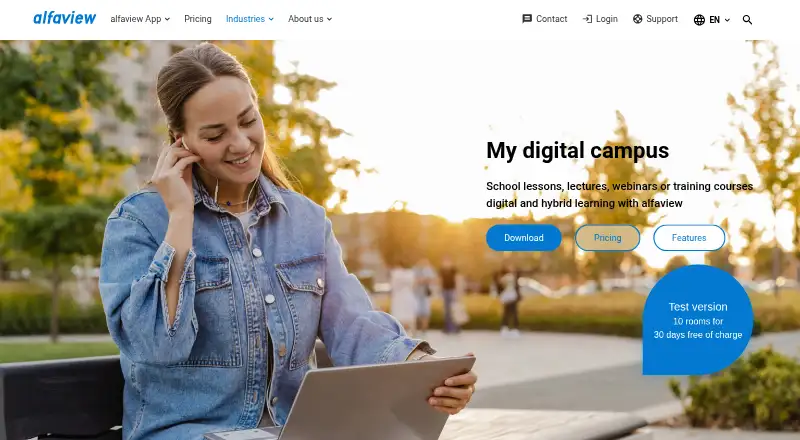
What alfaview is
alfaview provides video conferencing for online meetings, webinars, virtual events and education. Schools can use its virtual classrooms for online or hybrid classes, lectures and training, with rooms that can stay open around the clock. Teachers can be highlighted as VIPs and participants can raise a virtual hand. Meeting tools include screen sharing with audio, group chat, file sharing, a whiteboard, waiting rooms and up to 50 breakout rooms per room. Integrations include Outlook, an API, a PHP SDK and single sign-on. The Free plan offers one room for up to 50 participants and is intended for private individuals; regular non-private use requires a license. Licenses are priced per room rather than per participant. One costs €1 a month, billed at €12 excluding VAT annually, for one room and up to 100 participants. The company says its infrastructure is in German data centers and its processes comply with GDPR. Supported platforms include Windows, macOS, Linux, mobile devices and browsers.
Who it suits
alfaview suits schools and educational institutions running online or hybrid classes, lectures, webinars or training. It also serves teams that need meeting rooms with chat, file sharing and breakout sessions.
What it does well
- Virtual classrooms can remain open around the clock.
- Includes screen sharing with audio and a whiteboard.
- Supports up to 50 breakout rooms per room.
- Offers Windows, macOS, Linux, mobile and browser access.
What to know first
- Free plan is for private individuals.
- Regular non-private use requires a valid license.
- Listed prices exclude VAT.
Limits
The Free plan includes one room with up to 50 participants and is for private individuals; regular non-private use requires a valid license. Paid plans list up to 100 participants per room for One, 300 for Professional, and 500 for Premium, with 50 breakout rooms per room.
Plans
| Plan | Billed and limits | Price |
|---|---|---|
| Free | €0 · Personal use · 1 room · 50 participants per room · 50 breakout rooms | Free |
| Free 500 Special | Free for 30 days; expires automatically and usable once per company or organization · 10 rooms · 500 simultaneous participants per room · up to 200 with video and audio · all features | Free |
| One | €1 excl. VAT monthly; €12 excl. VAT annual subscription (€1/month) · 1 room/licence · 100 participants per room · 50 breakout rooms · unlimited moderators | €1 a month |
| Professional | €3.90 excl. VAT monthly; €39 excl. VAT yearly (€3.25/month, two months free) · Unlimited rooms · 300 participants per room · 600 using two rooms · 50 breakout rooms | €3.90 a month |
| Premium | €9.90 excl. VAT monthly; €99 excl. VAT yearly (€8.25/month, two months free) · Unlimited rooms · 500 participants per room · 1,000 using two rooms · 50 breakout rooms | €9.90 a month |
| Enterprise | Contact alfaview for a personalized quote · Additional services include more than 500 participants per room and a non-public streaming platform for 10,000 or more participants | On request |
As alfaview.com lists them, read 14 Oct 2026. The maker's own page has the final word.
Getting started
- Visit the alfaview education website.
- Choose browser access or download the app for a supported platform.
- Use the Free plan for private use, or select a paid room license for regular non-private use.
- Set up virtual classrooms and invite participants.
Overview
alfaview is a video-conferencing service with virtual classrooms for schools and educational institutions. It suits organizations that want persistent rooms for teaching alongside tools for meetings and events; the main trade-off is that its free plan is limited to private use.
Educators can assign participants to classrooms that remain open around the clock, making the room-based format a natural fit for recurring classes and training. Licenses are priced per booked room rather than per participant, and alfaview says user numbers can be unlimited, subject to the room capacity of the plan.
For a broader comparison, see Virtual Classroom Software.
Key features
Teachers and lecturers can be highlighted as VIPs, while participants can raise their hands virtually. Screen sharing with audio, group chat, file sharing, a whiteboard, and waiting rooms cover common classroom and meeting needs. Each room supports up to 50 breakout rooms, which gives instructors room to split a class into smaller groups.
An Outlook integration, API, PHP SDK, and single sign-on support integration and administration. The toolbox can also incorporate collaboration tools and web links. These options make alfaview more adaptable to an institution’s setup, though the features alone do not establish how much configuration each integration requires.
alfaview says its infrastructure operates in German data centers, follows GDPR-compliant processes, and is certified to ISO/IEC 27001, as are its data centers. It also says communications and stored data are encrypted in line with German Federal Office for Information Security guidelines, and that conference content is not stored or shared. The company says user data is not analyzed or used for third-party marketing. Support is available by phone, contact form, email, and Support Center.
Pricing
The Free plan costs €0 and provides one room/license, up to 50 participants per room, and 50 breakout rooms per room. It is suitable for private individuals, but not regular non-private use, which requires a valid license.
One costs €1 excl. VAT monthly, or €12 excl. VAT for an annual subscription (€1 per month). It includes one room/license, up to 100 participants per room, and 50 breakout rooms. This is the lowest-cost paid option for a single room, but it does not provide the unlimited rooms/licenses included higher up.
Professional costs €3.90 excl. VAT monthly, or €39 excl. VAT annually (€3.25 per month). It includes unlimited rooms/licenses, up to 300 participants per room, and 50 breakout rooms per room. It is the more suitable tier when one room is not enough or larger classes need more capacity.
Premium costs €9.90 excl. VAT monthly, or €99 excl. VAT annually (€8.25 per month). It raises the limit to 500 participants per room while retaining unlimited rooms/licenses and 50 breakout rooms per room. Enterprise has custom pricing; additional services include rooms for more than 500 participants and a non-public streaming platform for 10,000 or more participants.
A 30-day trial is offered. The published maximum-participants figure is 100, which conflicts with the plan capacities of 300 and 500; readers planning larger sessions should confirm the applicable limit with alfaview.
Platforms
alfaview supports Android, iOS, Linux, macOS, web, and Windows. Its download page specifies Windows 10 or newer, macOS 12 or newer, Debian and Red Hat Linux, iOS/iPadOS 16 or newer, and Android 9 or newer, alongside browser access. That spread is useful for mixed-device classrooms, though users should check that their operating system meets the stated minimum.
Who it's for
alfaview is best suited to schools and educational institutions that want persistent online or hybrid classrooms, breakout groups, and meeting tools under room-based licensing. The per-room model may suit organizations with many participants, but each room still has a plan-specific capacity. Private individuals can start free; organizations using it regularly need a paid license. It is less compelling for a non-private user looking for an ongoing no-cost option.
Pros and cons
- Pros: Persistent classrooms and 50 breakout rooms per room support recurring teaching and small-group work.
- Pros: Professional and Premium combine unlimited rooms/licenses with capacities of up to 300 and 500 participants per room, respectively.
- Pros: Broad platform support and the listed integration options suit varied institutional setups.
- Cons: The free plan is restricted to private individuals, so regular organizational use requires a license.
- Cons: One is limited to a single room/license, while higher room capacities start at €3.90 excl. VAT monthly.
- Cons: The 100-participant maximum conflicts with capacities stated for Professional and Premium, so larger sessions need clarification.
Alternatives
Choose LearnCube if its free plan’s unlimited 1:1 classes and materials library of up to 10 files better match individual instruction; its listed Virtual Classroom Pro plan costs 19.0, with no currency or term specified. BigBlueButton is the alternative to consider when an entirely open-source project developed by an international community is the priority.
BrainCert Virtual Classroom is another freemium option, with a listed Bronze plan at $119 a month billed annually and a limit of 25 attendees per session; its other stated monthly allowance is incomplete, so the fit depends on confirming that quota. ClassIn may suit readers looking for a Basic plan with 50 participants, 20 lessons per class, 40 minutes per lesson, 5 GB storage, and 20 teaching tools; its price is custom pricing.
Neukol is a possible fit for readers who can work within a free plan capped at two lessons per month, 15 participants, and 90 minutes per classroom. Classverse offers unlimited classrooms on its free plan, but caps enrollments at five per month, storage at 1 GB, and has no video recording. TrainerCentral may suit course creators who need three free courses and unlimited learner accounts, provided 10 active learners is enough. Koala Go is another alternative.
Verdict
alfaview is a strong choice for educational institutions that want always-open classrooms, substantial breakout capacity, and room-based paid licensing. Its free option is not a route to regular organizational use, and the participant-limit conflict warrants confirmation before planning large sessions. Choose it for persistent teaching spaces and the room model; look elsewhere if free organizational access or clearly stated large-session limits matter more.
Verdict
alfaview combines virtual classrooms with meeting tools and per-room licensing. Private users can start with the Free plan, while regular non-private use requires a license.
Questions
Is alfaview free?
Yes. The Free plan is listed as free and includes one room with up to 50 participants. It is intended for private individuals.
How much do the paid plans cost?
One is €1 per month, billed at €12 excluding VAT annually. Professional is €3.90 per month and Premium is €9.90 per month; annual billing is listed at €39 and €99 excluding VAT, respectively.
Which platforms does alfaview support?
It lists browser access and apps for Windows, macOS, Linux, iOS, and Android. The download page specifies Windows 10 or newer, macOS 12 or newer, Debian and Red Hat Linux, iOS/iPadOS 16 or newer, and Android 9 or newer.
What integrations and developer options are listed?
alfaview lists an Outlook integration, an API, a PHP SDK, and single sign-on. Its toolbox can also incorporate collaboration tools and web links.
What security and privacy measures does alfaview describe?
alfaview says its infrastructure and data centers are certified under ISO/IEC 27001, its processes comply with GDPR, and its communication and stored data are encrypted. It also says conference content is not stored or shared and user data is not analyzed or used for marketing by third parties.
Is there a free trial?
Yes. alfaview lists a 30-day trial.
Facts from alfaview's own pages
- Accessibility
- Accessibility features include high contrast, dark mode, scalable fonts, keyboard navigation, screen-reader support, live transcription and sign-language interpretation. · alfaview.com, 14 Oct 2026
- API
- The public API site offers interactive v2 documentation and downloadable OpenAPI 3.1 or 3.0.3 descriptions for client generation. · apis.alfaview.com, 14 Oct 2026
- API administration
- Company administrators can create, deactivate and manage API keys for third-party integrations. · support.alfaview.com, 14 Oct 2026
- Breakout rooms
- Every room includes up to 50 parallel, individually renameable breakout groups. · alfaview.com, 14 Oct 2026
- Chat and collaboration
- The feature set includes group and individual chat, whiteboard, polls, voting and an extensible toolbox for web-linked tools. · alfaview.com, 14 Oct 2026
- Company headquarters
- The company headquarters and listed address are Kriegsstr. 100, 76133 Karlsruhe, Germany. · alfaview.com, 14 Oct 2026
- Company legal name
- The maker identifies itself as alfaview gmbh. · alfaview.com, 14 Oct 2026
- Data retention
- alfaview states that video-conference content is not stored by the service. · alfaview.com, 14 Oct 2026
- Documentation depth
- The Support Center covers installation, web client, rooms, meetings, permissions, integrations, API credentials, command-line options, troubleshooting and release notes. · support.alfaview.com, 14 Oct 2026
- Education
- Schools and educational institutions can use alfaview for online or hybrid classes, lectures, webinars, and training courses. · alfaview.com, 29 Sept 2026
- Encryption
- The company says communication and stored data are encrypted in line with German Federal Office for Information Security guidelines. · alfaview.com, 29 Sept 2026
- Founded
- 2010 · alfaview.com, 28 Sept 2026
- Founded and ownership history
- Founder and CEO Niko Fostiropoulos says alfaview was developed in 2010 inside alfatraining and opened to external customers in 2016. · alfaview.com, 14 Oct 2026
- Google Play availability
- The Android app is published by alfaview gmbh, has 50K+ downloads, and Google Play reports no third-party data sharing, encrypted transit and user-requested deletion. · play.google.com, 14 Oct 2026
- Headquarters
- Karlsruhe, Germany · alfaview.com, 28 Sept 2026
- Hosting and sovereignty
- alfaview says its servers, data centers and headquarters are in Germany, data stays in Europe and U.S. CLOUD Act laws do not apply. · alfaview.com, 14 Oct 2026
- Integrations
- alfaview provides an Outlook add-in for Microsoft 365 and Outlook 2016 or newer, plus link-based toolbox integrations. · alfaview.com, 14 Oct 2026
- Licence
- The terms grant a time-limited, non-exclusive licence and explicitly reserve source-code rights; the service is proprietary, although it contains separately licensed open-source components. · alfaview.com, 14 Oct 2026
- Limit: administration learning curve
- A Capterra reviewer says the administration panel takes time to understand for a first-time host. · capterra.com, 14 Oct 2026
- Limit: availability guarantee
- The terms say historical availability was usually 99.9% but provide no guarantee that the service will remain available. · alfaview.com, 14 Oct 2026
- Limit: business fit
- A GetApp reviewer says the interface is clean and easy but feels designed more for education than business. · getapp.de, 14 Oct 2026
- Limit: mobile reviewer feedback
- An Apple App Store review requests an audio-recording option and notes that not every browser is supported. · apps.apple.com, 14 Oct 2026
- Limit: requested features
- G2’s review summary says some users want additional features, specifically mentioning breakout-room improvements. · g2.com, 14 Oct 2026
- LinkedIn company size
- LinkedIn lists alfaview in IT services, headquartered in Karlsruhe, with a 201–500 employee size band. · de.linkedin.com, 14 Oct 2026