Freedom251 › Virtual Classroom Software

LearnCube
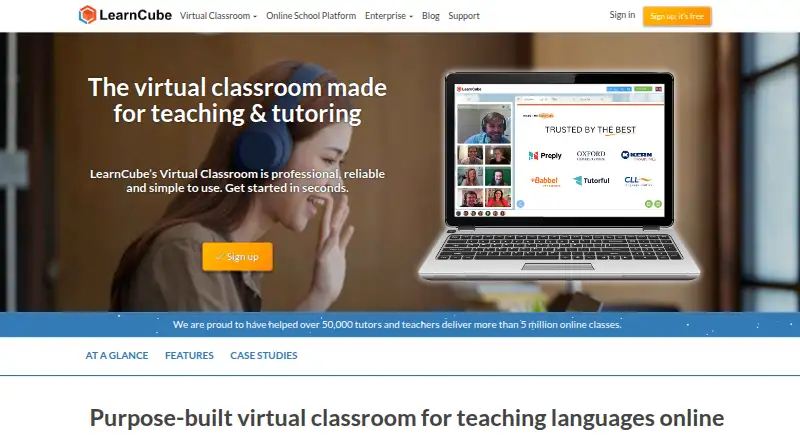
What LearnCube is
LearnCube is virtual classroom software for live online tutoring and language education. Its browser-based classroom delivers audio and video through WebRTC without downloads, alongside multi-tab whiteboards, a cloud content library, and teacher-focused features. The whiteboard supports drawing, typing, annotation, uploaded materials, and multiple boards. Online School tools manage student and teacher accounts, administration, credits, scheduling, calendars, classes, reminders, materials, reporting, and white-label branding. Payments can be processed through PayPal or Stripe without commission or transaction fees charged by LearnCube. Classes can be added to Google Calendar, Microsoft Outlook, or an ICS file, but the calendar feed is read-only. A REST API can connect the Virtual Classroom to an existing platform or LMS. LearnCube has a free plan and a 14-day trial; paid pricing is listed from $14/user/mo (annual). Platforms include Android, iOS, Linux, macOS, web, and Windows. LearnCube was founded in 2014.
Who it suits
LearnCube suits tutors and language educators who teach live online. Its Online School features may also suit organizations managing teachers, students, schedules, and payments.
What it does well
- Browser-based audio and video requires no downloads.
- Whiteboard supports uploaded content and multiple boards.
- Online School includes scheduling, reminders, and reporting.
- Payments through PayPal or Stripe carry no LearnCube transaction fees.
- Free plan and 14-day trial are available.
What to know first
- Calendar feeds are read-only.
- Classes support up to 8 participants.
- Breakout rooms are not available.
Limits
The free Virtual Classroom Basic plan includes a Materials Library of up to 10 files. Virtual Classroom Pro raises that allowance to 1000 files; its price is $19 a month. The listed participant maximum is 8, and breakout rooms are not supported.
Plans
| Plan | Billed and limits | Price |
|---|---|---|
| Virtual Classroom API Trial | 1 month · 1,000 minutes · unlimited concurrent classrooms · 20 library files · LearnCube branding | Free |
| Virtual Classroom Basic | 1 teacher · unlimited 1:1 classes · 10 library files · LearnCube branding | Free |
| Virtual Classroom Pro | $168 paid annually · 1 teacher · unlimited sessions · up to 8 students per class · 1,000 files · custom branding | $14 a month |
| Developer API Group Classes | 9,000 minutes · unlimited concurrent classrooms · up to 8 students per class · 1,000 files | $197 a month |
| Online School Lite Setup | setup fee | $250, paid once |
| Virtual Classroom Pro + Premium ESL Content | $26.60 per month when paid annually · Virtual Classroom Pro features · 100s of ESL lesson plans · CEFR A1-C1 · AI homework builder beta | $38 a month |
| Whiteboard Pro | $84 paid annually · 1 teacher · unlimited classes · up to 25 students · 1,000 files · custom branding | $7 a month |
| Developer API 1:1 Classes | 9,000 minutes · unlimited concurrent classrooms · up to 4 students per class · 1,000 files | $99 a month |
The first 8 of 10 plans, as learncube.com lists them, read 15 Oct 2026. The maker's own page has the final word. Every plan
Getting started
- Visit the LearnCube website.
- Start with the free plan or use the 14-day trial.
- Choose Virtual Classroom or Online School based on the tools needed.
- Run classes in a web browser or use a supported platform.
- Connect Google Calendar, Microsoft Outlook, or an ICS file if needed.
- Use the REST API to connect the Virtual Classroom with an existing platform or LMS.
LearnCube is a browser-based classroom for live tutoring and language lessons, with an optional layer for running an online school. It is strongest for tutors and teaching businesses that want teaching tools and administration in the same service. Its small class limit is a serious constraint for larger sessions.
Overview
LearnCube pairs live video classes with tools for working through teaching materials, then adds student, teacher and class administration through Online School. Founded in 2014, it says it has delivered more than five million online classes across over 140 countries. Audio and video run in a browser using WebRTC, so joining a class does not require a download.
The product’s education focus is useful for recurring lessons and language instruction, but the classroom’s eight-participant maximum makes it unsuitable for larger classes. A solo tutor may also find the Online School layer more than they need.
Key features
Classroom teaching
The classroom combines video conferencing, a cloud content library and an interactive whiteboard. Teachers can draw, type, annotate, upload content and use multiple boards, giving lessons more structure than a video call alone. Attendance tracking and class recording support oversight, while the lack of breakout rooms and eight-person ceiling narrow its usefulness for group instruction.
School operations and integrations
Online School manages student and teacher accounts, administration, credits, scheduling, calendars, classes, reminders, materials, reporting and white-label branding. This is the stronger fit for a teaching business coordinating staff and recurring lessons than for an instructor who only needs a virtual classroom. The classroom can also carry a school’s logo, colours and domain.
Classes can be added to Google Calendar, Microsoft Outlook or an ICS file, but the calendar feed is read-only. The REST-based Virtual Classroom API can connect the classroom to an existing platform or LMS, regardless of programming language. Online School’s payment gateway uses PayPal or Stripe without LearnCube commission or transaction fees.
Security and support
LearnCube runs on AWS, with data centers in the European Union for GDPR reasons. It encrypts customer data in transit with TLS/SSL, stores passwords using PBKDF2 with SHA-256, and requires multi-factor authentication for production access. Its policies align with ISO-27001, the NIST Cybersecurity Framework and GDPR requirements, but LearnCube is not ISO certified.
Online School Premium includes a four-week pilot with configuration, onboarding, consultation calls and teacher training support. That is a practical onboarding offer for a school setting up its operations, rather than a substitute for the shorter product trial.
Pricing
LearnCube has a free plan, paid plans and a 14-day trial. Its pricing note says paid service starts at $14/user/mo (annual), while the named plans below have their own published prices and terms.
- Virtual Classroom Basic: free. It allows unlimited 1:1 classes and up to 10 files in the Materials Library. This is a sensible starting point for an individual tutor teaching one student at a time, but the small materials allowance limits a larger teaching library.
- Virtual Classroom Pro: $19 a month. It includes unlimited group classes, up to 1,000 library files and professional customer support. It suits teachers who need more materials and group classes, though the eight-participant maximum still applies.
- Online School Premium: $99 a month. It includes unlimited student, teacher and admin accounts, a centralised materials library and a 30-day money-back guarantee. This is the plan for a teaching business needing school administration rather than just classroom access.
- Enterprise: custom pricing. It includes unlimited concurrent classes and library files, SSO, Developer APIs and enterprise support, making it the option for organizations needing those enterprise capabilities.
Platforms
LearnCube supports Android, iOS, Linux, macOS, web and Windows, and offers an API. Browser-based audio and video reduce the need to install software for classes. The read-only calendar feed is the notable integration limitation for teams that need calendar changes to sync back into LearnCube.
Who it's for
LearnCube is best suited to tutors, language teachers and online schools that value a browser classroom with an interactive whiteboard and, where needed, tools for managing accounts, scheduling, reminders and materials. The free 1:1 plan gives independent tutors a low-commitment entry point; Online School Premium is more appropriate for organizations coordinating teachers and students.
Look elsewhere if classes regularly exceed eight participants, require breakout rooms, or depend on a two-way calendar sync. The classroom tools are designed for teaching, but those constraints are consequential for larger or more complex programs.
Pros and cons
- Pro: Browser-based WebRTC classes require no downloads, reducing setup friction for students and teachers.
- Pro: The whiteboard supports drawing, annotation, uploaded content and multiple boards, while attendance tracking and recording add useful class oversight.
- Pro: Online School combines scheduling, administration, materials and reporting, and its payment gateway avoids LearnCube commission and transaction fees.
- Con: Classes are capped at eight participants, ruling out larger-group teaching.
- Con: There are no breakout rooms, and calendar feeds are read-only, limiting group-work options and calendar synchronization.
- Con: The free plan’s Materials Library is capped at 10 files, so tutors with broader libraries may need a paid plan.
Alternatives
Choose alfaview if room capacity matters more than LearnCube’s small-class focus: its free plan supports 50 participants per room and 50 breakout rooms per room, though it is priced in EUR.
BrainCert Virtual Classroom is another option to compare for virtual classes; its Bronze plan is $119 a month, billed annually, and allows up to 25 attendees per session with up to 5,000 virtual classroom minutes per month.
Consider Neukol if a free plan with replay and a higher participant cap fits better: its free tier allows 15 participants, two lessons per month and replay for up to seven days, with classrooms capped at 90 minutes.
Classverse may suit a course-based use case: its free plan supports up to five enrollments a month and unlimited classrooms, but has no video recording and includes 1 GB of media storage.
TrainerCentral is an alternative for course delivery; its free plan includes three courses, unlimited learner accounts and 10 active learners.
BigBlueButton is a completely open-source project developed by an international community.
ClassIn is another virtual classroom option to compare.
MeritHub is another paid option to consider.
For more options, browse Virtual Classroom Software.
Verdict
Choose LearnCube if you teach tutoring or language classes and want a browser-based classroom that can grow into a broader online-school system. Its whiteboard, materials tools and school administration form a useful education-focused package; the main reason to look elsewhere is the eight-participant limit, compounded by no breakout rooms and a read-only calendar feed.
Verdict
LearnCube combines live virtual classes with tools for operating an online school. The read-only calendar feed and eight-participant maximum are important constraints to weigh against your teaching setup.
Questions
Does LearnCube have a free plan?
Yes. Virtual Classroom Basic costs nothing and includes unlimited 1:1 classes and a Materials Library of up to 10 files.
What does LearnCube cost?
Paid pricing is listed from $14/user/mo (annual). Listed plans include Virtual Classroom Pro at $19 a month and Online School Premium at $99 a month.
Is there a free trial?
Yes. LearnCube lists a 14-day trial.
Which platforms does LearnCube support?
The listed platforms are Android, API, iOS, Linux, macOS, web, and Windows.
Can LearnCube connect to calendars and other platforms?
Classes can be added to Google Calendar, Microsoft Outlook, or an ICS file, and the feed is read-only. A REST-based API can connect Virtual Classroom to an existing platform or LMS.
Is LearnCube ISO certified?
No. LearnCube says its policies align with ISO-27001, NIST Cybersecurity Framework, and GDPR requirements, but it is not ISO certified.
Facts from LearnCube's own pages
- API
- LearnCube exposes REST-based virtual-classroom and whiteboard APIs with an embeddable HTML, CSS and JavaScript widget. · support.learncube.com, 15 Oct 2026
- API pricing model
- API billing is based on attended private or group classes, with examples starting at $94 monthly for 150 private classes and $99 for 75 group classes. · support.learncube.com, 15 Oct 2026
- API scale
- The API supports unlimited concurrent classrooms and group classes of up to eight student attendees. · support.learncube.com, 15 Oct 2026
- Branding
- The classroom can be white-labelled with a logo, colours and domain. · learncube.com, 1 Oct 2026
- Browser based
- LearnCube delivers audio and video through a web browser using WebRTC and requires no downloads. · learncube.com, 1 Oct 2026
- Browser delivery
- LearnCube is accessed through a web browser with no core software download or installation required. · support.learncube.com, 15 Oct 2026
- Calendar integration
- Classes can be added to Google Calendar, Microsoft Outlook or an ICS file, and the feed is read-only. · support.learncube.com, 1 Oct 2026
- Class review
- Class notes, annotations and materials are saved for later review; quality-of-call data is retained for 14 days while learning analytics and notes are stored indefinitely. · support.learncube.com, 15 Oct 2026
- Company facts
- LinkedIn lists LearnCube as a privately held London e-learning company founded in 2014 with 11-50 employees. · uk.linkedin.com, 15 Oct 2026
- Company history
- LearnCube says it was incorporated in London in September 2014 after founder Dan O’Reilly’s Startup Chile and Emerge Education experiences. · learncube.com, 15 Oct 2026
- Compliance
- LearnCube says its policies align with ISO-27001, NIST Cybersecurity Framework and GDPR requirements, but it is not ISO certified. · go.learncube.com, 1 Oct 2026
- Founded
- 2014 · learncube.com, 28 Sept 2026
- Homework
- Teachers can assign and review homework, receive completion notifications, and use an AI homework generator listed as beta. · app.learncube.com, 15 Oct 2026
- Independent company data
- CB Insights lists LearnCube as founded in 2014, headquartered in London, at pre-seed stage with $30,000 total funding. · cbinsights.com, 15 Oct 2026
- Integrations
- The Online School payment gateway processes transactions through PayPal or Stripe without LearnCube charging commission or transaction fees. · support.learncube.com, 1 Oct 2026
- Language tools
- Language teaching features include conjugation tables and conversation mode. · app.learncube.com, 15 Oct 2026
- Licence
- Public product and help pages describe hosted browser software and APIs but do not state an open-source licence or self-hosting package. · support.learncube.com, 15 Oct 2026
- Limit: connectivity dependence
- G2 reviewers note that a stable internet connection is needed for optimal performance. · g2.com, 15 Oct 2026
- Limit: implementation and usability
- Capterra reviewers report that API integration can be difficult and that the product can be time-consuming or insufficiently user-friendly for larger schools. · capterra.com, 15 Oct 2026
- Limit: mobile experience
- SoftwareWorld’s profile lists the mobile experience as less smooth than desktop sessions and says reporting is limited for detailed learner-progress tracking. · softwareworld.co, 15 Oct 2026
- Mobile support
- The classroom works on Android, iPhone and iPad, but LearnCube recommends desktops or laptops for the largest collaborative workspace. · support.learncube.com, 15 Oct 2026
- Online school
- The Online School product manages students, teachers, permissions, credits, scheduling, payments, content and reporting in one platform. · support.learncube.com, 15 Oct 2026
- Payment integrations
- The payment gateway supports Stripe and PayPal, automatically adds purchased class credits, and does not charge commission or transfer fees. · support.learncube.com, 15 Oct 2026
- Payment limitation
- The payment gateway cannot mix top-up and subscription plans, supports only private-versus-group credit types, and requires a common class duration for self-booking. · support.learncube.com, 15 Oct 2026
Where LearnCube stands on Freedom251
- Virtual Classroom Software#6 of 30