Freedom251 › Virtual Classroom Software

Classverse
What Classverse is
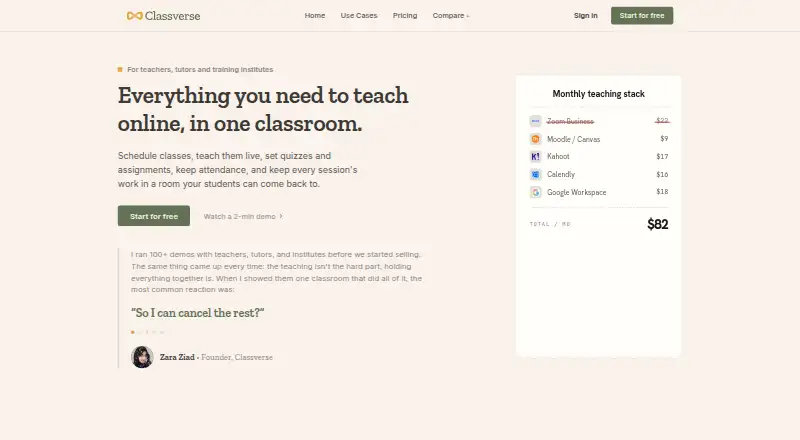
Classverse is an online classroom for teachers, tutors and training institutes to schedule and teach classes, then manage quizzes, assignments and attendance. Its live classroom brings together video meetings, an interactive whiteboard, agenda and timers, breakout rooms, conversations, quizzes, assignments and attendance tracking. A class can have up to 50 participants. Teachers can invite students to scheduled classes, with automatic notifications and calendar invites. After a course ends, students can access retained class history, which can include recordings, files, questions and answers, submissions, grades and reports.
Classverse runs in a browser, and students can join by phone through its iOS and Android apps. The listed platforms also include an API. The service offers a free plan and two paid plans billed per teacher each month. Free includes unlimited classrooms, 1 GB of media storage and up to five enrollments a month, but no video recording. Essential and Professional raise the enrollment, storage and recording allowances. Enterprise offers custom active student and record limits alongside tools for teams, roles, campuses, courses and finance management. All plans include email support; paid plans include premium support, and Professional and Enterprise include personalized onboarding.
Who it suits
Classverse suits solo tutors, coaching centres, language schools, universities, and corporate or certification trainers who need to schedule live classes and manage course work. It can also fit training organizations that need student records, multiple campuses or custom workflows, with Enterprise offering those broader management features.
What it does well
- Live meetings combine a whiteboard, agenda, timers and breakout rooms.
- Teachers can send automatic notifications and calendar invites.
- Class history can retain recordings, submissions, grades and reports.
- All plans include email support.
- Enterprise adds teams, roles, campuses and finance management.
What to know first
- The free plan allows up to five enrollments per month.
- The free plan has no video recording.
- The free plan includes 1 GB of media storage.
- Enterprise pricing is discussed with the provider.
Limits
The free plan is limited to five enrollments per month and 1 GB of media storage, and it does not include video recording. Essential allows 50 enrollments, 10 GB and five recording hours per month; Professional allows 100 enrollments, 20 GB and 20 recording hours per month.
Plans
| Plan | Billed and limits | Price |
|---|---|---|
| Free | Free forever · Up to 5 enrollments/month · Unlimited classrooms · 1 GB media storage · No video recording | Free |
| Essential | per teacher / mo, billed monthly · Up to 50 enrollments/month · Unlimited classrooms · 10 GB media storage · 5 hrs video recording/month | $15 a month |
| Professional | per teacher / mo, billed monthly · Up to 100 enrollments/month · Unlimited classrooms · 20 GB media storage · 20 hrs video recording/month | $23 a month |
| Enterprise | Let's talk · Custom active students/month · Custom student records · Custom limits and customizations | On request |
As classverse.app lists them, read 3 Oct 2026. The maker's own page has the final word.
Getting started
- Visit https://classverse.app/.
- Choose the Free plan or a paid plan billed per teacher each month.
- Open Classverse in a browser, or use the iOS or Android app to join by phone.
- Schedule a class, invite students and send notifications and calendar invites.
- Use the classroom tools to teach and manage quizzes, assignments and attendance.
Verdict
Choose Classverse if you need a browser-based classroom that brings live teaching, scheduling and course records together. The free plan provides unlimited classrooms, while Essential or Professional may suit teachers who need more enrollments, storage or recording time. Consider Enterprise for custom student limits and wider organization management; its price is discussed with the provider.
Questions
Is Classverse free?
Yes. Its Free plan is 0.00 USD, billed Free forever, and includes unlimited classrooms.
What do the paid plans cost?
Essential is $15 a month per teacher, billed monthly. Professional is $23 a month per teacher, billed monthly. Enterprise pricing is discussed with the provider.
Which platforms does Classverse support?
The listed platforms are Android, iOS, web and API. Students can use the iOS or Android app to join by phone.
Does Classverse include a free trial?
No. The listed free option is the Free plan, billed Free forever.
What integrations does Classverse offer?
The pricing page identifies a Miro integration for the whiteboard. The homepage also describes an API and custom workflows for connecting billing, learning or reporting systems.
What does Enterprise add?
Enterprise includes teams, roles, multiple campuses, student management, courses, finance management and custom workflows. It has custom active student and student record limits.
Facts from Classverse's own pages
- Browser and mobile
- Classverse runs in a browser, and the maker says iOS and Android apps are available for students joining by phone. · classverse.app, 3 Oct 2026
- Class records
- Class history can retain recordings, files, questions and answers, submissions, grades and reports for students to access after a course ends. · classverse.app, 3 Oct 2026
- Enrollment limits
- Free, Essential and Professional count enrollments each billing month, while Enterprise counts monthly active students; an enrollment is one student added to one class. · classverse.app, 3 Oct 2026
- Enterprise features
- Enterprise adds teams, roles, multiple campuses, student management, courses, finance management and custom workflows. · classverse.app, 3 Oct 2026
- Integrations
- The pricing page identifies a Miro integration for the whiteboard, and the homepage says Classverse offers an API and supports custom workflows for connecting billing, learning or reporting systems. · classverse.app, 3 Oct 2026
- Intended users
- The maker describes use cases including corporate and certification trainers, coaching centres, language schools, universities and solo tutors. · classverse.app, 3 Oct 2026
- Live teaching
- The classroom includes video call meetings, a whiteboard, agenda and timers, quizzes, assignments, breakout rooms, conversations and attendance. · classverse.app, 3 Oct 2026
- Purpose
- Classverse is an online classroom for teachers, tutors and training institutes to schedule and teach classes and manage quizzes, assignments and attendance. · classverse.app, 3 Oct 2026
- Scheduling
- Teachers can schedule classes, invite students and send automatic notifications and calendar invites. · classverse.app, 3 Oct 2026
- Security
- The homepage says data is encrypted and access is controlled by role; the privacy policy describes technical and organizational security measures and says no system can be guaranteed completely secure. · classverse.app, 3 Oct 2026
- Support
- All plans include email support; paid plans include premium support, and Professional and Enterprise include personalized onboarding. · classverse.app, 3 Oct 2026
Where Classverse stands on Freedom251
- Virtual Classroom Software#4 of 30