Freedom251 › Remote Monitoring and Maintenance Software

MSP360 RMM
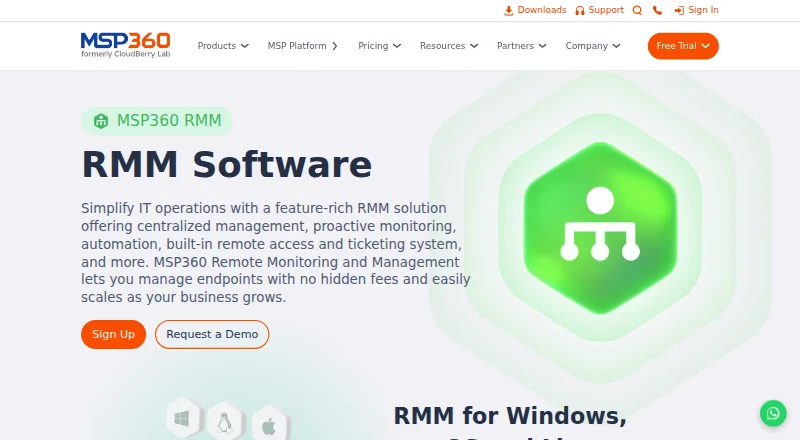
What MSP360 RMM is
MSP360 RMM is a cloud service for MSPs and IT teams managing Windows, macOS and Linux endpoints. It monitors CPU, memory and available disk space in real time and can alert teams to endpoint conditions. A central console manages operating system updates across those platforms as well as third-party application updates. Group Action Tasks can install software, run updates or execute scripts across multiple devices on demand or on a schedule. Browser-based remote access connects to Windows and macOS devices at no additional cost. RMM alerts can create tickets automatically in the built-in ticketing system, which is included with Community Edition. That free edition has no time limit and covers up to 50 endpoints for MSPs serving external clients; it is not intended for internal IT departments. The paid plan costs $1.75 per endpoint/month, billed per endpoint monthly, and volume discounts apply at 25 endpoints. A 15-day free trial is available. Community support includes documentation and community resources, while paid support includes 24/7/365 live technical support. MSP360 says the service uses encrypted connections.
Who it suits
MSP360 RMM suits MSPs and IT teams that manage Windows, macOS or Linux endpoints. Community Edition is specifically for MSPs serving external clients, not internal IT departments.
What it does well
- Real-time monitoring includes CPU, memory and disk space
- Manages OS and third-party application updates
- Runs scripts across multiple devices
- Alerts can create built-in ticketing system tickets
What to know first
- Community Edition is limited to 50 endpoints
- Community Edition is not intended for internal IT
- Remote access connects to Windows and macOS devices
Limits
Community Edition is available to MSPs serving external clients and supports up to 50 endpoints. The paid plan is billed at $1.75 per endpoint/month, with volume discounts at 25 endpoints; its trial lasts 15 days.
Plans
| Plan | Billed and limits | Price |
|---|---|---|
| MSP360 RMM Community Edition | Up to 50 endpoints · MSPs only · no time limit | Free |
| MSP360 RMM | per endpoint/month · Licensed per endpoint · volume discount applies at 25 endpoints | $1.75 a month |
As msp360.com lists them, read 29 Sept 2026. The maker's own page has the final word.
Getting started
- Open the MSP360 RMM website.
- Choose Community Edition for up to 50 endpoints, or the paid plan billed per endpoint/month.
- Start the 15-day trial to access key features without limitations.
- Use the cloud console to manage Windows, macOS, and Linux endpoints.
Overview
MSP360 RMM is a cloud service for MSPs and IT teams managing Windows, macOS, and Linux endpoints. It is most compelling for MSPs that want monitoring, patching, remote access, automation, and ticketing together, though its free edition is reserved for external-service providers rather than internal IT.
Its mix of endpoint tools and a 50-endpoint free tier makes it a practical starting point for smaller MSPs. The paid plan scales by endpoint, with volume discounts applying at 25 endpoints.
Key features
Monitoring and patching
Real-time alerts cover CPU, memory, and available disk space, giving administrators visibility into common performance constraints. Operating-system updates for Windows, macOS, and Linux, plus third-party application updates, are managed from one console. That breadth suits mixed desktop environments; it does not extend the stated endpoint-management coverage to Android or iOS.
Remote access and automation
Browser-based remote access connects to Windows and macOS devices at no additional cost, and unattended access is supported. This is useful for remote troubleshooting without a separate access charge, although Linux remote access is not among the stated capabilities. Group Action Tasks can install software, apply updates, or run scripts across multiple devices on demand or on a schedule, reducing repetitive work for teams managing fleets.
Ticketing and integrations
Alerts can automatically create tickets in the built-in ticketing system, which is included at no cost with Community Edition. ConnectWise PSA and HaloPSA are listed integrations, and an RMM API is included, giving MSPs options for connecting service workflows.
Security and support
MSP360 says encrypted connections improve account security. Community Edition support consists of documentation and community resources, with MSPs able to submit up to two support tickets per year. Paid subscribers receive 24/7/365 live technical support, a meaningful distinction for providers who need direct help outside business hours.
Pricing
MSP360 RMM Community Edition: free, with no time limit and up to 50 endpoints. It is available to MSPs serving external clients, not internal IT departments. The endpoint ceiling is generous for a free tier, but the narrow audience and limited support make it a poor fit for an in-house team or an MSP that needs dependable live assistance.
MSP360 RMM: $1.75 a month, billed per endpoint/month; volume discount applies at 25 endpoints. The paid plan is the fit for growing MSPs that need a per-endpoint license and 24/7/365 live support. No annual commitment or seat allowance is stated.
A 15-day free trial provides access to key features without limitations, letting teams assess the service before committing. The pricing model is freemium; no additional paid-plan inclusions beyond the stated support and per-endpoint licensing are specified.
Platforms
The cloud deployment supports Windows, macOS, and Linux endpoint management. Browser-based remote access is stated for Windows and macOS.
Who it's for
MSP360 RMM fits MSPs managing external client endpoints, especially those seeking one console for monitoring, updates, remote access, scripting, and alert-driven ticket creation. Smaller providers can start with Community Edition, while teams needing live technical support or more than 50 endpoints should consider the paid per-endpoint plan.
It is not the right choice for internal IT departments seeking the free edition, or for teams needing stated mobile-device management. Organizations that require direct support on the free tier should also look elsewhere.
Pros and cons
- Pros: Community Edition covers up to 50 endpoints at no cost and has no time limit, which gives eligible MSPs room to evaluate and operate before paying.
- Pros: OS and third-party application patching, monitoring, automation, remote access, and ticket creation sit in one service, reducing the need to stitch together those workflows.
- Pros: Paid support is available 24/7/365, while the paid plan’s per-endpoint billing aligns licensing with managed fleet size.
- Cons: Community Edition excludes internal IT departments and caps use at 50 endpoints, limiting its usefulness outside smaller external-service providers.
- Cons: Free-tier support is constrained to documentation, community resources, and up to two support tickets yearly; teams needing responsive live help must pay.
- Cons: Remote access is stated only for Windows and macOS, and mobile platforms are not included in the stated endpoint-management coverage.
Alternatives
ManageEngine RMM Central is worth comparing if a smaller free ceiling is acceptable: its free plan covers up to 25 devices, and an Enterprise Edition for 50 devices is priced at $1,195 a year.
Naverisk may suit readers considering a paid RMM with a free trial; its listed Arma Data Protection offer provides free data backups for Naverisk partners, with Wasabi cloud-storage costs extra.
NetLock RMM is another freemium option; its Community Edition covers up to 25 devices with unlimited tenants, users, and locations, and includes all features.
Level.io is an option for very small fleets: its free plan covers the first 10 devices with all features, while paid service is $2 a month, month-to-month with no annual commitment.
Xcellerate RMM may appeal to teams seeking unlimited devices and technicians in a free, self-hosted Community edition with all features included.
ManageEngine Endpoint Central offers a free edition for 25 endpoints and an on-premises Professional annual plan starting at $795 a year, including one technician and 50 endpoints.
O&O Syspectr is a narrower alternative for Windows PCs and servers: its free plan covers 10 systems, keeps event history for 30 days, and allows one access account.
Uyuni is a free, open-source option for configuration and infrastructure management, with hardware requirements depending on deployment and channel needs.
For more products in this category, see Remote Monitoring and Management Software.
Verdict
Choose MSP360 RMM if you are an MSP serving external clients and want endpoint monitoring, cross-platform patching, automation, remote access, and alert-to-ticket workflows in one cloud service. Its strongest case is the no-cost 50-endpoint Community Edition and a paid per-endpoint path with round-the-clock support. Look elsewhere if you are an internal IT department, need mobile endpoint management, or require live support without moving to a paid plan.
Verdict
MSP360 RMM combines endpoint monitoring, update management, remote access and automation in a cloud service. Community Edition has clear audience and endpoint limits; the paid plan is $1.75 per endpoint/month.
Questions
Is MSP360 RMM free?
Yes. Community Edition costs nothing and supports up to 50 endpoints with no time limit. It is available to MSPs serving external clients.
How much does the paid plan cost?
MSP360 RMM costs $1.75 a month, billed per endpoint/month. A volume discount applies at 25 endpoints.
Is there a free trial?
Yes. The 15-day trial provides access to key features without limitations.
Which operating systems does it manage?
It supports Windows, macOS, and Linux endpoints. The listed platforms also include Android, iOS, and web.
What integrations are listed?
The RMM page lists ConnectWise PSA and HaloPSA, and says the product includes an RMM API.
What support comes with Community Edition?
Community Edition includes documentation and community resources. MSPs can submit up to two support tickets per year; the paid plan includes 24/7/365 live technical support.
Facts from MSP360 RMM's own pages
- Automation
- Group Action Tasks can run software installations, updates, or scripts across multiple devices on demand or on a schedule. · msp360.com, 29 Sept 2026
- Community Edition audience
- Community Edition is available to MSPs and is designed for providers serving external clients; the page says it is not intended for internal IT departments. · msp360.com, 29 Sept 2026
- Community Edition support
- Community Edition includes documentation and community resources; the RMM FAQ says MSPs can submit up to two support tickets per year. · msp360.com, 29 Sept 2026
- Company history
- MSP360 says it was established in 2011 by a group of IT professionals. · msp360.com, 29 Sept 2026
- Founded
- 2011 · msp360.com, 28 Sept 2026
- Headquarters
- Pittsburgh, Pennsylvania, United States · msp360.com, 28 Sept 2026
- Integrations
- The RMM page lists ConnectWise PSA and HaloPSA, and says the product includes an RMM API. · msp360.com, 29 Sept 2026
- Monitoring
- It provides real-time endpoint performance monitoring and alerts for metrics including CPU, memory, and available disk space. · msp360.com, 29 Sept 2026
- Paid support
- The paid RMM plan includes 24/7/365 live technical support. · msp360.com, 29 Sept 2026
- Patch management
- The product can manage operating system updates across Windows, macOS, and Linux endpoints and third-party application updates from one console. · msp360.com, 29 Sept 2026
- Purpose
- MSP360 RMM helps MSPs and IT teams monitor and manage Windows, macOS, and Linux endpoints. · msp360.com, 29 Sept 2026
- Remote access
- Built-in browser-based remote access lets users connect to Windows and macOS devices at no additional cost. · msp360.com, 29 Sept 2026
- Security
- MSP360 says its RMM uses encrypted connections to improve account security. · msp360.com, 29 Sept 2026
- Ticketing
- RMM alerts can automatically create tickets in the built-in ticketing system, which is included with Community Edition at no cost. · msp360.com, 29 Sept 2026
- Trial
- The RMM page offers a 15-day free trial with access to key features without limitations. · msp360.com, 29 Sept 2026