
Mozilla Firefox
What Mozilla Firefox is
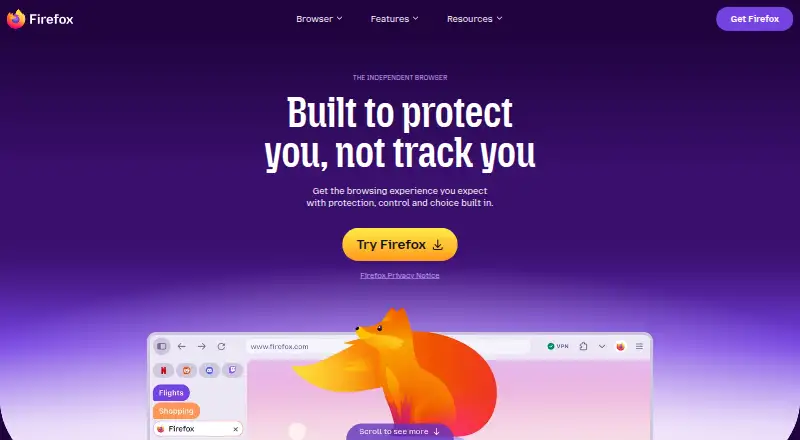
Mozilla Firefox is a free, open-source web browser using the Gecko engine. It is available on Android, iOS, Windows, macOS, Linux, and as a browser extension. Its privacy features include standard tracking protection and Total Cookie Protection, which isolates cookies so they cannot follow users across websites. Tab Groups organize open tabs by project, mood, or task, while users can access multiple AI chatbots from one place and choose whether to use them. A Mozilla account can sync bookmarks, passwords, and open tabs across devices, and thousands of free extensions are available through addons.mozilla.org. Firefox’s privacy notice says browsing history, form data, temporary files, and cookies are processed on the device unless stated otherwise. Automated translation and PDF alt-text suggestions use downloaded language models locally; for those features, Firefox says page content, PDFs, images, and tab URLs are not sent to Mozilla. It also uses Google Safe Browsing against malicious downloads and phishing. Firefox is available in more than 90 languages.
Who it suits
Firefox suits people looking for a free browser across desktop and mobile platforms, with extension support and cross-device sync. Its on-device language features may appeal to users who want those tasks handled locally.
What it does well
- Free and open source.
- Available across desktop, mobile, and extension platforms.
- Syncs bookmarks, passwords, and open tabs.
- Total Cookie Protection isolates cookies between websites.
- Thousands of free extensions are available.
What to know first
- Uses standard tracking protection, not another listed level.
- Some users’ DNS requests go through a resolver service.
Plans
| Plan | Billed and limits | Price |
|---|---|---|
| Firefox | Standard browser · Windows, macOS, Linux, iOS and Android downloads | Free |
As firefox.com lists them, read 29 Sept 2026. The maker's own page has the final word.
Getting started
- Visit the Firefox website and choose a desktop or mobile download.
- Install Firefox on a supported platform, or add it as a browser extension.
- Create or sign in to a Mozilla account to sync bookmarks, passwords, and open tabs.
- Browse addons.mozilla.org to choose among the available free extensions.
- Adjust data collection settings or enable Global Privacy Control if desired.
Overview
Mozilla Firefox is a free, open-source web browser for people who want the same bookmarks, passwords and open tabs across devices, with privacy controls and a substantial extension catalog. Its strongest case is the combination of cross-device sync and protections such as cookie isolation; readers seeking a browser defined by a different privacy model or desktop-only use may prefer an alternative.
Key features
Privacy and security
Total Cookie Protection isolates cookies between websites, limiting their ability to track activity across sites. Firefox processes browsing history, form data, temporary files and cookies on the device unless its privacy notice says otherwise. Users can change data collection settings on desktop and mobile and enable Global Privacy Control, making privacy choices adjustable rather than fixed.
Security protections include Google Safe Browsing for malicious downloads and phishing, plus validation of web pages and technical data with certificate authorities. For some users, DNS requests pass through a resolver service whose logs are deleted within 24 hours and used only to resolve DNS. That routing is not universal, so it should not be mistaken for a blanket DNS privacy guarantee.
Sync, tabs and extensions
A Mozilla account syncs bookmarks, passwords and open tabs across devices, a practical advantage for people moving between phones and computers. Tab Groups help organize open pages by task, project or mood. Firefox also supports thousands of free extensions through its own store, useful for tailoring a browser but not a substitute for checking what an individual extension does.
Optional AI tools
Firefox gives users access to multiple AI chatbots from one place, with the choice of whether to use them. Its automated translation and PDF alt-text suggestions use downloaded small language models locally; page content, PDFs, images and tab URLs are not sent to Mozilla for those features. This local processing distinction will matter to privacy-conscious users, while readers who do not want AI tools can simply decline to use them.
Pricing
Firefox: free. The standard browser includes downloads for Windows, macOS, Linux, iOS and Android. There is no paid tier or trial to weigh against the free version: Firefox is free to use, and no subscription renewal applies.
Platforms
Firefox is available for Android, iOS, Linux, macOS and Windows, as well as extensions and the web. Mozilla offers desktop and enterprise help resources alongside Android and iOS support. Its download options also include Beta, Developer Edition, Nightly and Extended Support Release, giving users alternatives to the standard desktop and mobile browsers. Firefox is available in more than 90 languages.
Who it's for
Firefox suits people who want a free browser across mobile and desktop, value syncing core browsing data, and want control over data collection and optional AI features. Its open-source status and extension catalog also make it a strong fit for users who want to adapt their browser. It is less compelling for someone whose priority is a narrowly defined privacy-focused browser or who needs a browser on platforms outside its listed desktop and mobile support.
Pros and cons
- Pro: Free and open source, with downloads for major desktop and mobile platforms.
- Pro: Cookie isolation, adjustable data collection settings and Global Privacy Control provide concrete privacy choices.
- Pro: Account sync covers bookmarks, passwords and open tabs, while thousands of free extensions allow customization.
- Pro: Local translation and PDF alt-text models keep page content, files, images and tab URLs from being sent to Mozilla for those features.
- Con: Some DNS requests use a resolver service only for some users, so that protection is not consistent for everyone.
- Con: Google Safe Browsing is part of Firefox's security approach, which may not suit readers who prefer to avoid that service.
Alternatives
For more browser choices, browse Web browsers, Mobile Browser Software or Privacy browsers.
- Brave Browser is worth considering for its free ad and tracker blocking; it is also open source and has a free plan, alongside a paid Brave Origin plan at $59.99 per on.
- Tor Browser is a free, open-source option for users who want a browser available on Android, Linux, macOS and Windows.
- Mullvad Browser is a free, open-source alternative for Linux, macOS and Windows.
- LibreWolf is another free, open-source browser, with Linux, macOS and Windows support.
- Aloha Browser offers a free plan with ad blocking and a free VPN, for users who want those features in a browser.
- Helium Browser is a free, open-source desktop option with ad and tracker blocking and Chromium extension support.
- BrowserOS is a free, open-source desktop browser with built-in AI agents for macOS, Windows and Linux.
- ungoogled-chromium is a free, open-source option with platform-specific builds for Windows, macOS, Linux and Android.
Verdict
Choose Firefox if you want a free, open-source browser that syncs useful browsing data across desktop and mobile and offers meaningful privacy controls without making AI features compulsory. Look elsewhere if you want a more specialized privacy-browser choice or a particular platform is not covered; Firefox's broad feature mix is its appeal, but it does not make every privacy preference identical.
Verdict
Firefox combines cross-device browser features, extensions, and privacy controls without a listed price. Review its privacy notice and settings for details relevant to your preferences.
Questions
Is Mozilla Firefox free?
Yes. The Firefox plan is listed as free, with no free trial.
Is Firefox open source?
Yes, Firefox is listed as open source.
Which platforms support Firefox?
Firefox is available for Windows, macOS, Linux, iOS, and Android, and as a browser extension.
Can Firefox sync data between devices?
Yes. A Mozilla account can sync bookmarks, passwords, and open tabs across devices.
Does Firefox include extensions?
Yes. Thousands of free extensions are available through addons.mozilla.org.
Who makes Firefox?
The maker is Mozilla Firefox. Mozilla is headquartered in the United States and was founded in 2004.
Facts from Mozilla Firefox's own pages
- AI tools
- Firefox lets users access multiple AI chatbots from one place and choose whether to use them. · firefox.com, 29 Sept 2026
- Availability
- Firefox is available in more than 90 languages, according to its download page. · firefox.com, 29 Sept 2026
- Browser engine
- gecko · mozilla.org, 21 Sept 2026
- Built-in ad blocking
- Yes · mozilla.org, 21 Sept 2026
- Cookie protection
- Total Cookie Protection isolates cookies so they cannot follow users across websites. · firefox.com, 29 Sept 2026
- Cross-device sync
- Yes · mozilla.org, 21 Sept 2026
- Data choices
- Users can change Firefox data collection settings on desktop and mobile and can enable Global Privacy Control. · mozilla.org, 29 Sept 2026
- DNS protection
- For some users, Firefox routes DNS requests through a resolver service whose logs are deleted within 24 hours and used only for DNS resolution. · mozilla.org, 29 Sept 2026
- Download options
- Mozilla lists Firefox Beta, Developer Edition, Nightly and Extended Support Release alongside standard desktop and mobile browsers. · firefox.com, 29 Sept 2026
- Extensions
- Firefox extensions add browser features and tools, with thousands of free extensions available through addons.mozilla.org. · firefox.com, 29 Sept 2026
- Extension support
- own_store · mozilla.org, 21 Sept 2026
- Founded
- 2004 · firefox.com, 28 Sept 2026
- Free plan
- Yes · mozilla.org, 21 Sept 2026
- On-device AI
- Firefox's automated translation and PDF alt-text suggestions use downloaded small language models locally, and page content, PDFs, images and tab URLs are not sent to Mozilla for those features. · mozilla.org, 29 Sept 2026
- Open source
- Yes · mozilla.org, 21 Sept 2026
- Supported platforms
- both · mozilla.org, 21 Sept 2026
- Privacy
- Firefox's privacy notice says browsing history, form data, temporary files and cookies are processed on the device unless the notice says otherwise. · mozilla.org, 29 Sept 2026
- Product
- Firefox is a web browser that Mozilla describes as fast, private and useful across devices. · firefox.com, 29 Sept 2026
- Security
- Firefox uses Google Safe Browsing to protect against malicious downloads and phishing attacks, and validates web pages and technical data with certificate authorities. · mozilla.org, 29 Sept 2026
- Support
- Mozilla provides Firefox help resources for desktop, enterprise, Android and iOS. · support.mozilla.org, 29 Sept 2026
- Sync
- A Mozilla account can sync Firefox bookmarks, passwords and open tabs across devices. · mozilla.org, 29 Sept 2026
- Tab Groups
- Tab Groups organize open tabs by project, mood or task. · firefox.com, 29 Sept 2026
- Tracking protection
- standard · mozilla.org, 21 Sept 2026
Where Mozilla Firefox stands on Freedom251
- Web browsers#1 of 154
- Free Tools#5 of 31