
LibreWolf
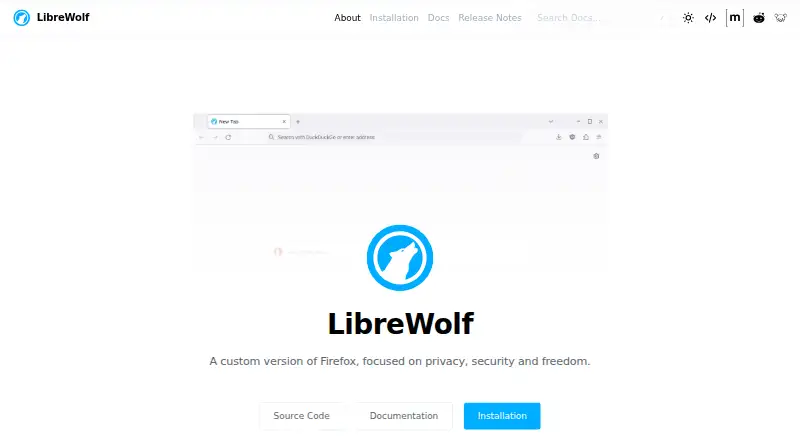
What LibreWolf is
LibreWolf is an independent custom version of Firefox focused on privacy, security, and user freedom. This free, open-source browser is available for Linux, macOS, and Windows. Its defaults include uBlock Origin with custom filter lists, strict Tracking Protection, Resist Fingerprinting, and disabled WebGL. It deletes cookies and website data when closed and enables Total Cookie Protection. LibreWolf also enables HTTPS-only mode and stricter TLS/SSL negotiation rules. DuckDuckGo and Searx are among its listed privacy-conscious search providers. The project says the browser disables telemetry, including crash reports, studies, and personalized recommendations, and that it does not collect data. LibreWolf is based on the latest Firefox version, with updates usually arriving within three days of an upstream stable release, but it does not update automatically. DRM playback is off by default and can be enabled in settings. The built-in password manager is disabled, and the project suggests using another option. The FAQ says nobody is currently working on an Android version and recommends IronFox as an alternative. LibreWolf states that it is not affiliated with Mozilla.
Who it suits
LibreWolf may suit people seeking a free, open-source browser with privacy-focused defaults on Linux, macOS, or Windows. It may be less suitable for users who need Android availability, automatic updates, or an enabled built-in password manager.
What it does well
- Free and open source for Linux, macOS, and Windows.
- Includes uBlock Origin and strict Tracking Protection.
- Deletes cookies and site data on close.
- Disables telemetry and enables HTTPS-only mode.
- Updates usually arrive within three days of Firefox stable releases.
What to know first
- No Android version is being developed currently.
- Does not update automatically.
- Built-in password manager is disabled.
- DRM playback is disabled by default.
Plans
| Plan | Billed and limits | Price |
|---|---|---|
| LibreWolf | Community-driven open-source browser | Free |
As librewolf.net lists them, read 4 Oct 2026. The maker's own page has the final word.
Getting started
- Visit the LibreWolf website.
- Choose the version for Linux, macOS, or Windows.
- Install and open the browser on your platform.
- Enable DRM playback in settings if you need it.
LibreWolf is an independent, open-source Firefox variant for people who want privacy protections switched on by default. It suits desktop users willing to keep the browser updated and handle passwords elsewhere. The trade-off is a deliberately restrictive setup that asks for more maintenance than a typical browser.
Overview
LibreWolf combines tracking defenses, anti-fingerprinting settings and stricter connection security, while disabling browser telemetry. The project says it collects no data and has no infrastructure to do so. It is not affiliated with Mozilla, though it is based on Firefox and usually receives updates within three days of an upstream stable release.
That update cadence is reasonably prompt, but there is no automatic update capability: staying current is the user's responsibility. Cookie and website data are deleted when the browser closes, which helps limit persistence but can mean signing in again or rebuilding site preferences. DRM playback is disabled by default and must be enabled in settings for sites that require it.
Key features
Tracking and fingerprinting controls
LibreWolf includes uBlock Origin with custom default filter lists and enables Tracking Protection in strict mode. Resist Fingerprinting is on by default, and WebGL is disabled. These defaults suit privacy-conscious users who prefer protection without assembling extensions themselves; stricter settings may be inconvenient for people who depend on persistent site data or WebGL.
Security and privacy defaults
HTTPS-only mode and stricter TLS/SSL negotiation rules add safeguards around connections. Total Cookie Protection is enabled, alongside deletion of cookies and website data on close. DuckDuckGo and Searx are among the privacy-conscious search providers the project lists. The browser disables telemetry, including crash reports, studies and personalized recommendations.
Everyday trade-offs
The built-in password manager is disabled, and LibreWolf recommends using another password manager. That is a sensible fit for people who already have a separate password workflow, but a drawback for anyone who expects the browser to store and fill credentials. Cross-device sync is supported, although LibreWolf's strict cookie handling and desktop-only platform availability may still make it a less seamless choice for users moving between devices.
Security issues can be reported by PGP-encrypted email, but there is no bug bounty program. Users can ask questions in the Matrix room, Reddit community or Lemmy community.
Pricing
LibreWolf is free and open source, with no free trial. The LibreWolf plan costs nothing and describes a community-driven open-source browser. There are no paid tiers to weigh against its manual update and separate password-manager requirements.
Platforms
LibreWolf is available for Linux, macOS and Windows. There is no Android version in development, and the project recommends IronFox for Android users. Its desktop focus is a clear limitation for anyone who wants the same browser across desktop and phone.
Who it's for
Choose LibreWolf if you want a free Firefox-based browser with strict tracking and cookie protections, anti-fingerprinting defaults and no telemetry, and you are prepared to update it yourself. Look elsewhere if you need an Android build, browser-managed passwords, automatic updates or DRM playback enabled out of the box.
Pros and cons
- Strong protections enabled by default: uBlock Origin, strict Tracking Protection, Resist Fingerprinting and Total Cookie Protection reduce the need to configure a privacy setup from scratch.
- Minimal browser telemetry: the project says telemetry is disabled and that it does not collect data.
- Manual upkeep: users must install updates themselves, despite updates usually following Firefox stable releases within three days.
- Separate password management: the built-in manager is disabled, so users need another way to store credentials.
- Desktop-only availability: there is no Android version, and DRM playback needs to be enabled when required.
Alternatives
Brave Browser is worth considering if you want a free plan with ad and tracker blocking across desktop and mobile platforms. Tor Browser is another free, open-source option for readers comparing privacy-focused browsers across Android and desktop.
Waterfox is a free, open-source alternative with Android and extension platforms as well as desktop builds. Mullvad Browser is another free, open-source desktop option for Linux, macOS and Windows.
IronFox is the direct alternative for Android users; it is free and open source and supports Android 5 or newer. SnowHaze is a free iOS privacy-browser option with tracker blocking, ad blocking, fingerprinting protection and Tor integration.
Cromite offers free, open-source builds for Android, Windows and Linux. Midori Browser is a free browser across desktop and mobile platforms, with no account required.
Browse more options in Privacy browsers and Web browsers.
Verdict
LibreWolf is a strong choice for desktop users who want a free, open-source Firefox variant with substantial privacy protections already enabled. Its main reason to choose is the breadth of those defaults; its main reason to look elsewhere is the responsibility it puts on users to manage updates and passwords, alongside the lack of Android support.
Verdict
LibreWolf offers a privacy-focused Firefox variant across desktop platforms, with protective defaults and no telemetry according to the project. Users should be prepared to manage updates manually and use another password manager.
Questions
Is LibreWolf free?
Yes. The listed LibreWolf plan costs nothing, and the browser is open source.
Which platforms does LibreWolf support?
It is available for Linux, macOS, and Windows. The project says nobody is currently working on an Android version and recommends IronFox as an alternative.
Does LibreWolf update automatically?
No. Updates usually arrive within three days of an upstream stable Firefox release, but LibreWolf has no automatic update capability.
Does LibreWolf include a password manager?
It has a built-in password manager, but it is disabled. The project suggests using another password manager.
Can LibreWolf play DRM content?
DRM playback is disabled by default and can be enabled in settings.
How can users get support or report a security issue?
Users can ask questions in the Matrix room, Reddit community, or Lemmy community. Security issues can be reported by PGP-encrypted email; the project says it has no bug bounty program.
Facts from LibreWolf's own pages
- Android availability
- The FAQ says nobody is currently working on an Android version and recommends IronFox as an alternative. · librewolf.net, 4 Oct 2026
- Anti-fingerprinting
- Its default settings enable Resist Fingerprinting and disable WebGL. · librewolf.net, 4 Oct 2026
- Built-in ad blocking
- Yes · librewolf.net, 21 Sept 2026
- Cookie handling
- LibreWolf deletes cookies and website data on close and enables Total Cookie Protection. · librewolf.net, 4 Oct 2026
- Cross-device sync
- Yes · librewolf.net, 21 Sept 2026
- Data collection
- The project says it does not collect data and lacks the infrastructure to do so. · librewolf.net, 4 Oct 2026
- DRM
- DRM content playback is disabled by default and can be enabled in settings. · librewolf.net, 4 Oct 2026
- Free plan
- Yes · librewolf.net, 21 Sept 2026
- Mozilla relationship
- LibreWolf states that it is not affiliated with Mozilla. · librewolf.net, 4 Oct 2026
- Open source
- Yes · librewolf.net, 21 Sept 2026
- Password manager
- The built-in password manager is disabled, and the project suggests using other password manager options. · librewolf.net, 4 Oct 2026
- Supported platforms
- both · librewolf.net, 21 Sept 2026
- Search
- The project lists DuckDuckGo and Searx among its privacy-conscious search providers. · librewolf.net, 4 Oct 2026
- Security
- The browser enables HTTPS-only mode and stricter TLS/SSL negotiation rules. · librewolf.net, 4 Oct 2026
- Security reporting
- Security issues can be reported by PGP-encrypted email, and the project says it has no bug bounty program. · librewolf.net, 4 Oct 2026
- Support
- Users can ask questions in the Matrix room, Reddit community, or Lemmy community. · librewolf.net, 4 Oct 2026
- Telemetry
- The feature list says LibreWolf disables telemetry, including crash reports, studies, and personalized recommendations. · librewolf.net, 4 Oct 2026
- Tracking protection
- It includes uBlock Origin with custom default filter lists and enables Tracking Protection in strict mode. · librewolf.net, 4 Oct 2026
- Updates
- LibreWolf is based on the latest Firefox version, with updates usually arriving within three days of an upstream stable release, but it has no automatic update capability. · librewolf.net, 4 Oct 2026
- What it does
- LibreWolf is an independent custom version of Firefox focused on privacy, security, and user freedom. · librewolf.net, 4 Oct 2026
Where LibreWolf stands on Freedom251
- Web browsers#8 of 154
- Privacy browsers#5 of 32