
Aloha Browser
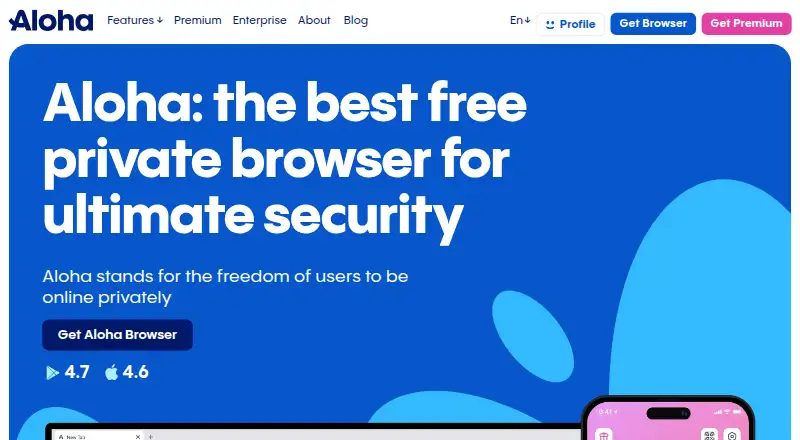
What Aloha Browser is
Aloha Browser is a Chromium-based browser for Windows, macOS, Linux, iOS and Android. Its free plan includes ad blocking and a free VPN, and cross-device sync lets users sync across devices. Aloha Browser is open source and supports extensions through the Chrome Store. The product has a freemium pricing model: the Free plan costs nothing, while Premium adds expanded VPN access, advanced file management and premium customization options. The pricing note includes a 7-day trial. Founded in 2015, Aloha Browser is headquartered in Limassol, Cyprus. Its feature set combines web browsing with built-in ad blocking and VPN access, with some additional VPN, file management and customization features available on Premium. The broad platform range makes it available across desktop and mobile operating systems. Users can start with the free plan and choose Premium for its additional features.
Who it suits
Aloha Browser suits people looking for a browser across desktop and mobile devices, with built-in ad blocking, VPN access and cross-device sync. It may also suit users who want an open-source browser and Chrome Store extension support.
What it does well
- Free plan includes ad blocking and a free VPN.
- Available on Windows, macOS, Linux, iOS and Android.
- Cross-device sync is supported.
- Open source, with Chrome Store extension support.
What to know first
- Expanded VPN access is a Premium feature.
- Advanced file management and premium customization are Premium features.
- Extension support is through the Chrome Store.
Limits
The Free plan includes a free VPN; expanded VPN access, advanced file management and premium customization are Premium features.
Plans
| Plan | Billed and limits | Price |
|---|---|---|
| Free | Browser features include ad blocking and free VPN. | Free |
| Premium | Expanded VPN access · Advanced file management · Premium customization options | On request |
As alohabrowser.com lists them, read 23 Sept 2026. The maker's own page has the final word.
Getting started
- Visit the Aloha Browser website.
- Choose the platform you use: Windows, macOS, Linux, iOS or Android.
- Start with the Free plan, which includes ad blocking and a free VPN.
- Use the 7-day trial or choose Premium for expanded VPN access, advanced file management and premium customization.
Verdict
Choose Aloha Browser if you want a browser with built-in ad blocking, free VPN access and cross-device sync across desktop and mobile platforms. Look elsewhere if you need its expanded VPN access, advanced file management or premium customization without moving to Premium.
Questions
Is Aloha Browser free?
Yes. Its Free plan costs nothing and includes ad blocking and a free VPN.
What platforms does Aloha Browser support?
It is available for Windows, macOS, Linux, iOS and Android.
Is Aloha Browser open source?
Yes, Aloha Browser is listed as open source.
Does Aloha Browser support extensions?
Yes. Extension support is through the Chrome Store.
What does Premium add?
Premium includes expanded VPN access, advanced file management and premium customization options.
Does Aloha Browser offer a trial?
The pricing note includes a 7-day trial.
Facts from Aloha Browser's own pages
- Browser engine
- chromium · alohabrowser.com, 23 Sept 2026
- Built-in ad blocking
- Yes · alohabrowser.com, 23 Sept 2026
- Cross-device sync
- Yes · alohabrowser.com, 23 Sept 2026
- Founded
- 2015 · alohabrowser.com, 28 Sept 2026
- Free plan
- Yes · alohabrowser.com, 23 Sept 2026
- Headquarters
- Limassol, Cyprus · alohabrowser.com, 28 Sept 2026
- Open source
- Yes · alohabrowser.com, 23 Sept 2026
- Supported platforms
- both · alohabrowser.com, 23 Sept 2026
Where Aloha Browser stands on Freedom251
- Web browsers#9 of 154
- Privacy browsers#14 of 32