
IronFox
by IronFox
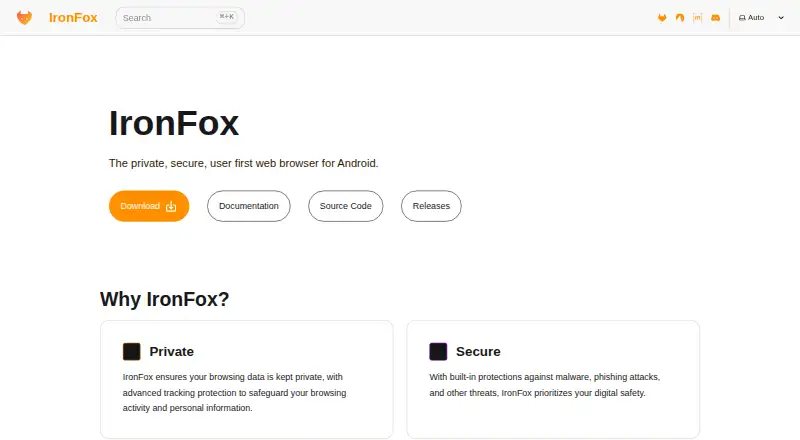
What IronFox is
IronFox is a free, open-source browser for Android that adds privacy controls to a Firefox-based browsing experience. It blocks trackers and ads, includes protections against malware and phishing, and says it does not collect, store, or sell user data. The project removes tracking libraries such as Adjust and Sentry, removes proprietary libraries, and replaces Google Mobile Services with open alternatives including microG and UnifiedPush. By default, it clears browsing history, cache, download history, and open tabs on exit. DNS over HTTPS is enabled with maximum protection and no fallback, using Quad9 by default; HTTPS-Only Mode, proxied Google Safe Browsing, and basic per-site process isolation are also enabled. Firefox Sync is supported with end-to-end encryption. IronFox requires Android 5 or newer, a supported ARM or x86_64 architecture, and 512 MB of free disk space. The project notes that it cannot defeat sophisticated fingerprinting, Firefox-based browsers have security deficiencies compared with Chromium on Android, and disabling DRM can prevent playback of some protected streaming content.
Who it suits
IronFox may suit Android users looking for an open-source browser with privacy controls and automatic clearing of browsing data on exit. Its stated limitations matter to people who need strong resistance to sophisticated fingerprinting or DRM-protected streaming playback.
What it does well
- Free and open source.
- Blocks trackers and ads.
- Clears browsing data and open tabs on exit.
- Enables DNS over HTTPS with Quad9 by default.
- Supports end-to-end encrypted Firefox Sync.
What to know first
- Requires Android 5 or newer.
- Cannot defeat sophisticated fingerprinting.
- Firefox-based browsers have stated Android security deficiencies.
- Disabled DRM can block some protected streaming content.
Limits
The free plan requires Android 5 or newer, a supported ARM or x86_64 architecture, and 512 MB of free disk space. IronFox disables Encrypted Media Extensions, which can prevent some DRM-protected streaming content from playing.
Plans
| Plan | Billed and limits | Price |
|---|---|---|
| IronFox | Free and open source · Android 5 or newer · 512 MB free disk space required | Free |
As ironfoxoss.org lists them, read 8 Oct 2026. The maker's own page has the final word.
Getting started
- Choose a download route: Accrescent, IronFox’s F-Droid repository, Obtainium, or direct download.
- Check that the device runs Android 5 (API 21) or newer.
- Confirm the device uses a supported ARM or x86_64 architecture and has at least 512 MB of free disk space.
- Install IronFox using the selected route.
- When verifying an installation, check the package ID and signing-certificate SHA-256 as IronFox recommends.
IronFox is a free, open-source browser for Android that builds on Firefox and removes several proprietary and tracking components. It best suits privacy-conscious Android users who want strong defaults and open-service integrations; readers needing maximum anonymity, broad platform coverage or reliable DRM streaming should choose differently.
Overview
IronFox comes from a project founded in 2024 and requires Android 5 (API 21) or newer, a supported ARM or x86_64 architecture and 512 MB of free disk space. It is built directly from current Firefox releases, so its base receives recent Firefox features, security patches and bug fixes. Deblobbing removes proprietary libraries, while tracking libraries such as Adjust and Sentry are removed from Firefox.
The project says it does not collect, store or sell user data. It replaces Google Mobile Services with open alternatives, including microG and UnifiedPush, and adds UnifiedPush support after removing Google Play Firebase Messaging. Packages are distributed through Accrescent, an F-Droid repository, Obtainium and direct downloads. Checking the package ID and signing-certificate SHA-256 is recommended when verifying an installation.
Key features
Privacy and tracking controls
IronFox blocks trackers and ads, with advanced tracking protection aimed at browsing activity and personal information. By default it deletes history, cache, download history and open tabs when you exit. That is valuable on shared devices or whenever retaining a local trail is undesirable, but it also means returning to recent tabs is less convenient.
DNS over HTTPS runs in maximum-protection mode with no fallback and uses Quad9 by default. This gives DNS requests a more private path, while the no-fallback setting can make connectivity less forgiving on networks that interfere with encrypted DNS. HTTPS-Only Mode, Google Safe Browsing through a proxy and basic per-site process isolation are enabled by default, combining safer connections and threat screening without presenting them as complete anonymity.
Firefox foundation and synchronization
End-to-end encrypted Firefox Sync lets users carry browser data across supported Firefox-based installations. IronFox keeps the familiar Firefox foundation while stripping proprietary libraries and dependencies, a sensible fit for readers who want open-source Android software rather than a browser tied to Google services.
Important limits
IronFox acknowledges that it cannot defeat sophisticated fingerprinting. For whistleblowers, political dissidents, journalists and similar high-risk users, it recommends Tor Browser instead. It also states that Firefox-based browsers have security deficiencies compared with Chromium, especially on Android. Encrypted Media Extensions are disabled, so some DRM-protected streaming services may not play. Those are practical constraints, not edge-case footnotes.
Pricing
| Plan | Price | Includes |
|---|---|---|
| IronFox | free | Free and open source; Android 5 or newer; 512 MB free disk space required |
There is no paid tier or free trial. Every user receives the same Android browser, so the decision is about privacy priorities and compatibility rather than features withheld behind payment.
Platforms
IronFox is available on Android only. The Android 5 minimum and ARM or x86_64 support cover older and current compatible devices, but users seeking desktop or iOS editions need another browser.
Who it's for
Choose IronFox if you want an open-source Android browser with ad and tracker blocking, aggressive privacy defaults, encrypted DNS, Firefox Sync and alternatives to Google mobile components. It is particularly suitable for shared-device use and for people who prefer to erase local browsing data on exit.
Look elsewhere if you depend on DRM streaming, require Chromium's stronger Android security position, need sophisticated anti-fingerprinting or want one browser across desktop and mobile platforms.
Pros and cons
- Pros: Free and open source, with no data collection, storage or sale claimed.
- Pros: History, cache, downloads and tabs clear automatically on exit.
- Pros: Maximum-protection DNS over HTTPS, HTTPS-Only Mode, proxy-based Safe Browsing and basic process isolation are enabled by default.
- Pros: Removes Firefox tracking and proprietary libraries and supports microG, UnifiedPush and encrypted Firefox Sync.
- Cons: Cannot defeat sophisticated fingerprinting, so it is unsuitable for high-risk anonymity needs.
- Cons: Its stated security disadvantages versus Chromium on Android matter to security-first users.
- Cons: Disabled DRM support can break some streaming playback.
- Cons: Android-only availability limits cross-platform use.
Alternatives
Tor Browser is the better choice for whistleblowers, dissidents, journalists and others whose threat model requires protection IronFox says it cannot provide; it is free, open source and available on Android, Linux, macOS and Windows.
Brave Browser fits readers wanting free ad and tracker blocking across Android, iOS, Linux, macOS and Windows, with an optional paid Brave Origin plan.
Waterfox is a free, open-source alternative with Android and desktop availability and no premium payment requirement.
Mullvad Browser is worth considering when desktop privacy matters; it is free and open source for Linux, macOS and Windows.
LibreWolf offers a community-driven open-source browser for Linux, macOS and Windows.
SnowHaze suits readers seeking a freemium privacy browser on Android or iOS with tracker blocking, an ad blocker, fingerprinting protection and Tor integration.
Cromite is a free open-source option for Android, Windows and Linux.
Midori Browser is free to download and use across Android, iOS, Linux, macOS, Windows and extensions, with no account required.
For broader browsing directories, see Privacy browsers and Web browsers.
Verdict
IronFox is a strong choice for Android users who want privacy controls enabled from the first launch, open replacements for Google services and a free, open-source Firefox base. Its main reason to look elsewhere is compatibility and threat-model risk: disabled DRM, acknowledged Chromium security disadvantages and limited fingerprinting resistance make it a poor fit for demanding streaming or high-anonymity use.
Verdict
IronFox offers a broad set of default privacy controls for Android, along with Firefox Sync and open-source replacements for some Google services. Its own limitations are important: it cannot stop sophisticated fingerprinting, has noted security disadvantages versus Chromium on Android, and disables DRM playback support.
Questions
How much does IronFox cost?
The listed plan is free: free.
Is IronFox open source?
Yes. IronFox is listed as open source.
Which devices can run IronFox?
It requires Android 5 (API 21) or newer, a supported ARM or x86_64 architecture, and at least 512 MB of free disk space.
Where can I download IronFox?
It is available through Accrescent, its F-Droid repository, Obtainium, and direct downloads.
Does IronFox support browser sync?
Yes. It supports end-to-end encrypted browser sync through Firefox Sync.
Will IronFox play DRM-protected streaming content?
It disables Encrypted Media Extensions, which can prevent playback of some DRM-protected streaming content.
Facts from IronFox's own pages
- Ad blocking
- Yes · ironfoxoss.org, 19 Sept 2026
- Browser Experience
- Presents itself as clean, fast, and privacy-respecting. · ironfoxoss.org, 28 Sept 2026
- Device requirements
- IronFox requires Android 5 (API 21) or newer, a supported ARM, ARM64, or x86_64 architecture, and at least 512 MB of free disk space. · ironfoxoss.org, 8 Oct 2026
- Distribution
- The maker provides downloads through Accrescent, its own F-Droid repository, Obtainium, and direct APK downloads. · ironfoxoss.org, 8 Oct 2026
- Downloads
- IronFox is available through Accrescent, its F-Droid repository, Obtainium, and direct downloads. · ironfoxoss.org, 7 Oct 2026
- DRM limitation
- IronFox disables Encrypted Media Extensions, which can prevent playback of some DRM-protected streaming content. · ironfoxoss.org, 7 Oct 2026
- Fingerprinting limit
- The maker says IronFox cannot defeat sophisticated fingerprinting and recommends Tor Browser when a threat model calls for that level of protection. · ironfoxoss.org, 8 Oct 2026
- Fingerprint protection
- advanced · ironfoxoss.org, 19 Sept 2026
- Firefox Sync
- IronFox supports Firefox Sync, and users can configure a custom sync server. · ironfoxoss.org, 8 Oct 2026
- Founded
- 2024 · ironfoxoss.org, 28 Sept 2026
- Free plan
- Yes · ironfoxoss.org, 19 Sept 2026
- Google Replacement
- Replaces Google Mobile Services with open alternatives. · ironfoxoss.org, 28 Sept 2026
- Integrations
- IronFox supports UnifiedPush notifications without Google Play Services; users need to install and configure a distributor app. · ironfoxoss.org, 8 Oct 2026
- Known limitation
- IronFox says it cannot defeat sophisticated fingerprinting and recommends Tor Browser for threat models such as whistleblowers, political dissidents, and journalists. · ironfoxoss.org, 7 Oct 2026
- Network privacy
- IronFox enables DNS over HTTPS with Max Protection through Quad9 by default. · ironfoxoss.org, 8 Oct 2026
- Open Alternatives
- Names microG and UnifiedPush as open alternatives. · ironfoxoss.org, 28 Sept 2026
- Open source
- IronFox is free and open source, and says it removes proprietary libraries from Firefox through deblobbing. · ironfoxoss.org, 8 Oct 2026
- Open Source
- IronFox is presented as free and open source. · ironfoxoss.org, 28 Sept 2026
- Supported platforms
- mobile · ironfoxoss.org, 19 Sept 2026
- Platform security limitation
- The maker notes that Firefox-based browsers, including IronFox, have security deficiencies compared with Chromium, especially on Android. · ironfoxoss.org, 8 Oct 2026
- Privacy controls
- By default, IronFox clears browsing history, cache, download history, and open tabs on exit. · ironfoxoss.org, 7 Oct 2026
- Privacy defaults
- By default, IronFox clears browsing history, cache, download history, and open tabs on exit. · ironfoxoss.org, 8 Oct 2026
- Privacy Focus
- Designed to keep browsing data private. · ironfoxoss.org, 28 Sept 2026
- Product
- IronFox describes itself as a private, secure, user-first web browser for Android. · ironfoxoss.org, 8 Oct 2026
Where IronFox stands on Freedom251
- Web browsers#25 of 154
- Privacy browsers#10 of 32