
Min Browser
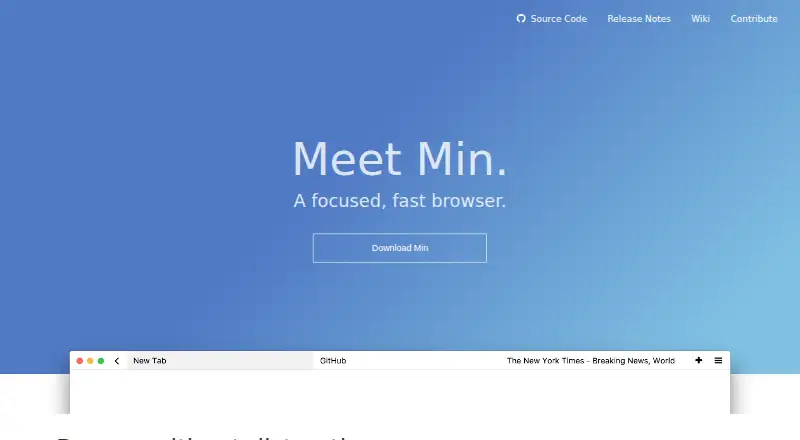
What Min Browser is
Min Browser is a free, open-source desktop browser for Linux, macOS, and Windows, built on Chromium. It blocks most ads and trackers automatically and includes tools aimed at reducing distractions. Focus Mode hides other tabs, while Tasks group tabs into work areas that you can switch between with keyboard shortcuts. Min searches the text of pages you have visited on your device. Bookmarks support tags, and the browser can suggest pages similar to saved bookmarks. Usage statistics are enabled by default, covering the operating system, computer language, install date, version, feature usage, and an anonymous installation ID; you can opt out in preferences. Min says it does not send personally identifying information, browsing history, passwords, or other data stored locally. Credential autofill works through Bitwarden and 1Password command-line tools. Userscripts extend functionality, and DuckDuckGo integration can provide suggestions and API information.
Who it suits
Min suits desktop users who want a free, open-source Chromium browser with ad blocking, privacy controls, and tab organization. It is also aimed at people who prefer keyboard-based workflows and distraction-reduction tools.
What it does well
- Free plan with no listed charge
- Open-source Chromium browser for three desktop systems
- Blocks most ads and trackers automatically
- Focus Mode and Tasks organize browsing
- Searches visited-page text locally
What to know first
- Usage statistics are enabled by default
- Bitwarden and 1Password need command-line tools
- No mobile platform is listed
Limits
Min is provided as a free plan. Usage statistics are enabled by default until changed in preferences, and Bitwarden or 1Password autofill requires their command-line tools.
Plans
| Plan | Billed and limits | Price |
|---|---|---|
| Min | Not stated | Free |
As minbrowser.org lists them, read 12 Oct 2026. The maker's own page has the final word.
Getting started
- Open the Min Browser website
- Choose a build for Linux, macOS, or Windows
- Download a prebuilt binary or follow build documentation
- Install and launch Min
- Opt out of usage statistics in preferences if desired
- Connect Bitwarden or 1Password command-line tools for credential autofill
Verdict
Min combines a minimal desktop browsing experience with built-in blocking, local page search, and task-based tabs. Review its default statistics collection and desktop-only availability before choosing it.
Questions
How much does Min Browser cost?
Min is free and open source. The listed plan is Min at no cost.
Which platforms support Min?
Min supports Linux, macOS, and Windows as a desktop browser. Prebuilt downloads and build documentation also cover Debian, Raspberry Pi, and Red Hat Linux.
Does Min block ads and trackers?
Yes. It blocks most ads and trackers automatically.
What data does Min send?
Min says it does not send personally identifying information, browsing history, passwords, or other data stored locally in Min. Usage statistics are enabled by default, and users can opt out in preferences.
Can Min autofill passwords?
Yes, through Bitwarden and 1Password, which require their command-line tools.
Is Min extensible?
Userscripts can be installed to extend Min's functionality.
Facts from Min Browser's own pages
- Ad and tracker blocking
- Min blocks most ads and trackers automatically. · minbrowser.org, 12 Oct 2026
- Bookmarks
- Bookmarks can be organized with tags, and Min can suggest similar pages based on bookmarks. · minbrowser.org, 12 Oct 2026
- Browser engine
- chromium · minbrowser.org, 23 Sept 2026
- Built-in ad blocking
- Yes · minbrowser.org, 23 Sept 2026
- Data not collected
- Min says it does not send personally identifying information, browsing history, passwords, or other data stored locally in Min. · github.com, 12 Oct 2026
- Downloads
- The project provides prebuilt binaries and documents builds for Windows, macOS, Debian, Raspberry Pi, and Red Hat Linux. · github.com, 12 Oct 2026
- Extensibility
- Min supports installing userscripts to extend its functionality. · github.com, 12 Oct 2026
- Focus Mode
- Focus Mode hides other tabs to reduce distractions. · minbrowser.org, 12 Oct 2026
- Free plan
- Yes · minbrowser.org, 23 Sept 2026
- Full-text search
- Min searches the text of visited pages on the user's device. · minbrowser.org, 12 Oct 2026
- Open source
- Min is open-source software released under the Apache-2.0 license. · github.com, 12 Oct 2026
- Password managers
- Min supports credential autofill through Bitwarden and 1Password, which require their command-line tools. · github.com, 12 Oct 2026
- Supported platforms
- desktop · minbrowser.org, 23 Sept 2026
- Privacy
- Usage statistics are enabled by default and include operating system, computer language, install date, version, feature usage, and an anonymous installation ID; users can opt out in preferences. · github.com, 12 Oct 2026
- Product
- Min is a fast, minimal browser designed to protect privacy and reduce distractions. · minbrowser.org, 12 Oct 2026
- Search integration
- When DuckDuckGo is selected, Min can show search suggestions and information from the DuckDuckGo API, including Wikipedia summaries. · github.com, 12 Oct 2026
- Support
- The project directs users with questions to open an issue and also points to its Discord server. · github.com, 12 Oct 2026
- Tab organization
- Tasks group tabs, and keyboard shortcuts let users switch between tasks. · minbrowser.org, 12 Oct 2026
Where Min Browser stands on Freedom251
- Web browsers#21 of 154