Freedom251 › Code Search Tools

Chromium
What Chromium is
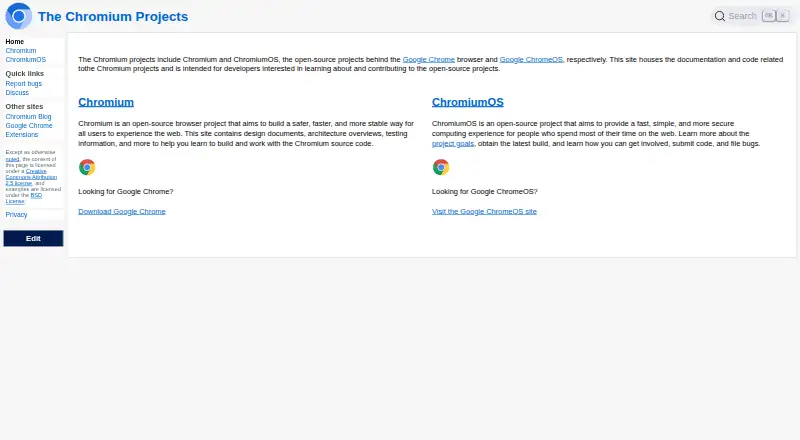
Chromium is an open-source browser project and codebase for people who build, study, and contribute to the project. Its site provides source code alongside design documents, architecture overviews, testing information, build guidance, and contribution instructions. The project develops the V8 JavaScript engine and Blink rendering engine. Its published security approach includes sandboxing, Safe Browsing, defense in depth, and safe defaults; a security team reviews architecture, helps address security bugs, and offers consulting within the project. Developers can contribute code, report bugs, and join discussions. The source code is under a permissive BSD license, and Google uses Chromium as the basis for Google Chrome. Build instructions cover Windows, Mac, Linux, iOS, and Android. The download archive offers builds for Mac, Windows, Linux, and ChromiumOS. These builds are provided on a best-effort basis from arbitrary revisions, so they may differ from user-facing Chrome releases. They do not auto-update and do not include symbols. Chromium is free and open source. The project points people seeking code help to the chromium-dev Google Group or #chromium IRC channel; these are not support channels for Chrome itself.
Who it suits
Chromium suits developers who want to learn about, build, or contribute to an open-source browser project. Its source code, technical documentation, build instructions, and contribution channels support that work.
What it does well
- Source code is released under a permissive BSD license.
- Build instructions cover Windows, Mac, Linux, iOS, and Android.
- The project develops the V8 JavaScript and Blink rendering engines.
- Security documentation covers sandboxing, Safe Browsing, and defense in depth.
- Developers can contribute code, report bugs, and join discussions.
What to know first
- Available builds may not match user-facing Chrome releases.
- Builds do not auto-update and do not include symbols.
- Site Isolation is unsupported in Android WebView and some lower-memory Android devices.
Getting started
- Visit the Chromium website.
- Review the source code, design documents, and build instructions.
- Choose the build instructions for a supported host or mobile platform.
- Use the download archive to find builds for Mac, Windows, Linux, or ChromiumOS.
- For code help, contact the chromium-dev Google Group or #chromium IRC channel.
Chromium is an open-source browser project built around the Blink rendering engine and V8 JavaScript engine. It suits developers who want to study browser code, build Chromium, or contribute to the project; people looking for a ready-to-use browser with automatic updates should look elsewhere.
Overview
Chromium combines browser development with a substantial public engineering project: its site offers source code, architecture and design documents, testing information, and guidance for contributors. Google uses this codebase as the basis for Chrome, but Chromium builds are separate: they may come from arbitrary revisions and may not correspond to Chrome releases. That distinction matters if you need a predictable, maintained desktop browser rather than a project build.
The project describes a security approach built around sandboxing, Safe Browsing, defense in depth, and safe defaults. Its security team reviews architecture, helps identify and fix bugs, and advises the wider project. Site Isolation has a documented memory cost—about 10–13% on desktop with many tabs open in Chrome 67—and is unsupported in Android WebView and on Chrome for Android devices with less than 2 GB of RAM.
Key features
- Browser source and engineering documentation: Code, design documents, architecture overviews, and testing information make Chromium useful for developers learning how a browser is built or working on the project.
- Blink and V8: Chromium develops the rendering engine and JavaScript engine used by the project. This gives contributors a way to work on core browser technology, though using Chromium builds means accepting the project’s build and update limitations.
- Security work: Sandboxing, Safe Browsing, layered defenses, and secure defaults shape the project’s stated approach. Site Isolation’s memory tradeoff and platform limits are relevant for anyone evaluating its security design.
- Extension developer resources: Reference documentation, samples, tutorials, FAQs, discussion groups, and videos help extension developers find material for building and learning.
- Contribution paths: Developers can contribute code, report bugs, and join discussions. Help with Chromium code is directed to the chromium-dev Google Group or #chromium IRC; these are not support channels for Chrome.
Pricing
Chromium is free and open source, released under a permissive BSD license. There is no paid plan or free trial to weigh against the free option. The main cost is practical: builds do not auto-update, so people using them must manage updates themselves, and best-effort builds may not align with user-facing Chrome releases.
Platforms
The project documents builds or build instructions for Windows, Mac, Linux, iOS, and Android. Its download archive offers builds for Mac, Windows, Linux, and ChromiumOS. The difference matters: documented platform support does not mean every platform has the same ready-to-download build. In particular, the archive’s listed build choices do not include iOS or Android.
Who it's for
Chromium is a strong fit for browser developers, researchers, and technically capable users who want to inspect or change browser source, understand its architecture, or contribute code. Extension developers can also draw on its dedicated documentation and samples.
It is a weaker fit for people who want a browser that updates automatically, follows Chrome’s user-facing release cadence, or comes with conventional Chrome support. Developers seeking help with Chromium code have community channels, but those channels do not provide Chrome support.
Pros and cons
Pros
- Open code under a permissive BSD license: Developers can study and contribute to the project without paying for access.
- Deep technical documentation: Architecture, design, testing, and extension resources support learning and development work.
- Clear contribution routes: Code contributions, bug reports, discussions, and developer help channels give interested developers ways to participate.
Cons
- No automatic updates: Users need to handle updates themselves, which makes Chromium builds less convenient as a daily browser.
- Builds may not match Chrome releases: Arbitrary revisions make release alignment less predictable.
- Best-effort build availability: The archive’s builds are not presented as a uniform, supported download across every documented platform.
- Site Isolation has tradeoffs: It can increase memory use, and the project documents specific Android limitations.
Alternatives
If your goal is to find or navigate code rather than work on a browser project, these code search tools may be a better fit:
- ast-grep is a free option for readers looking for a code search tool across its listed API, extension, Linux, macOS, web, and Windows platforms.
- Code Search fits teams that want a free Community plan with unlimited users, full-text search, repository-wide find and replace, a CLI and MCP server, and SCIP code intelligence.
- GNU GLOBAL is a free choice for readers seeking GNU GPL software across Linux, macOS, self-hosted, and Windows environments.
- OpenGrok is a free, open-source code search option under the CDDL license, with API, web, self-hosted, and desktop platform support.
- Shebe suits readers looking for local code search with an Apache-2.0 license.
- sqry is a free, open-source tool under the MIT license that runs locally on Linux, macOS, and Windows.
- LXR Cross Referencer is a free, self-installed option for Linux, self-hosted, and web environments.
For a broader browser comparison, see web browsers. Chatterbox TTS is another listed alternative.
Verdict
Choose Chromium if your priority is access to browser source code, technical documentation, and a real path to contribute to an open-source project. Its engineering depth and free BSD-licensed code make it compelling for developers. Choose another browser if you need automatic updates, builds tied to Chrome’s release cadence, or Chrome support.
Verdict
Choose Chromium if you want an open-source browser project with code, technical documentation, and ways to contribute. Its available builds require manual updating and may come from revisions that do not match user-facing Chrome releases.
Questions
Is Chromium free and open source?
Yes. Chromium is free, and its source code is released under a permissive BSD license.
Which platforms does Chromium support?
Build instructions cover Windows, Mac, Linux, iOS, and Android. The download archive lists Mac, Windows, Linux, and ChromiumOS builds.
Does Chromium update automatically?
No. The project says its available builds do not auto-update.
How does Chromium relate to Google Chrome?
Chromium is the open-source project and browser source code maintained at chromium.org. Google uses it as the basis for Google Chrome.
Where can developers get help with Chromium code?
The project points developers to the chromium-dev Google Group or #chromium IRC channel. These are not support channels for Chrome itself.
Facts from Chromium's own pages
- Audience
- The Chromium site provides source code, design documents, architecture overviews, testing information, and contribution guidance for people who build and work with Chromium. · chromium.org, 12 Oct 2026
- Browser engine
- other · chromium.org, 21 Sept 2026
- Build availability
- Chromium builds are made available on a best-effort basis from arbitrary revisions that may not match user-facing Chrome releases. · chromium.org, 12 Oct 2026
- Build limitation
- The download page says Chromium builds do not auto-update and do not have symbols. · chromium.org, 12 Oct 2026
- Build platforms
- The project documents building Chromium on Windows, Mac, and Linux host systems, as well as iOS and Android build instructions. · chromium.org, 12 Oct 2026
- Community
- The project invites developers to contribute code, report bugs, and participate in discussions. · chromium.org, 12 Oct 2026
- Developer support
- The project directs people who need help with the code to the chromium-dev Google Group or the #chromium IRC channel, and says these are not support channels for Chrome itself. · chromium.org, 12 Oct 2026
- Download platforms
- The Chromium build archive lists Mac, Windows, Linux, and ChromiumOS as platform choices. · chromium.org, 12 Oct 2026
- Downloads
- Chromium builds are offered on a best-effort basis and come from arbitrary revisions that may not correspond to user-facing Chrome releases. · chromium.org, 12 Oct 2026
- Engines
- The project develops the V8 JavaScript engine and Blink rendering engine. · chromium.org, 12 Oct 2026
- Extensions
- Chromium's extension documentation links developers to reference documentation, samples, tutorials, FAQs, discussion groups, and videos. · chromium.org, 12 Oct 2026
- Google relationship
- A Chromium Blog post describes Chromium as the open-source project and browser source code maintained at chromium.org, which Google uses as the basis for Google Chrome. · blog.chromium.org, 12 Oct 2026
- Intended audience
- The project site describes itself as intended for developers learning about and contributing to the open-source projects. · chromium.org, 12 Oct 2026
- License
- Google released the Chromium source code under a permissive BSD license. · blog.chromium.org, 12 Oct 2026
- Open source
- Yes · chromium.org, 21 Sept 2026
- Supported platforms
- both · chromium.org, 21 Sept 2026
- Platform support
- The project documents builds for Windows, Mac, Linux, iOS, and Android; the download page lists Chromium builds for Mac, Windows, Linux, and ChromiumOS. · chromium.org, 12 Oct 2026
- Product
- Chromium is an open-source browser project intended to provide a safer, faster, and more stable way to experience the web. · chromium.org, 12 Oct 2026
- Project purpose
- The Chromium Projects site provides documentation and code for developers interested in learning about and contributing to the open-source projects. · chromium.org, 12 Oct 2026
- Security
- The security principles describe sandboxing, Safe Browsing, defense in depth, and safe defaults as parts of the browser’s security approach. · chromium.org, 12 Oct 2026
- Security limits
- The Site Isolation documentation says it is not supported in Android WebView or on Chrome for Android devices with less than 2 GB of RAM. · chromium.org, 12 Oct 2026
- Security process
- The security team reviews architecture, helps find and fix security bugs, and provides security consulting to the broader Chromium project. · chromium.org, 12 Oct 2026
- Security tradeoff
- The project documents increased memory use as a Site Isolation tradeoff, estimating about 10–13% on desktop with many tabs open in Chrome 67. · chromium.org, 12 Oct 2026
- Support
- The project directs developers who need help to the chromium-dev Google Group or IRC channel and says these are not support channels for Chrome itself. · chromium.org, 12 Oct 2026
Where Chromium stands on Freedom251
- Code Search Tools#2 of 42
- Web browsers#19 of 154