Freedom251 › Code Search Tools

Code Search
What Code Search is
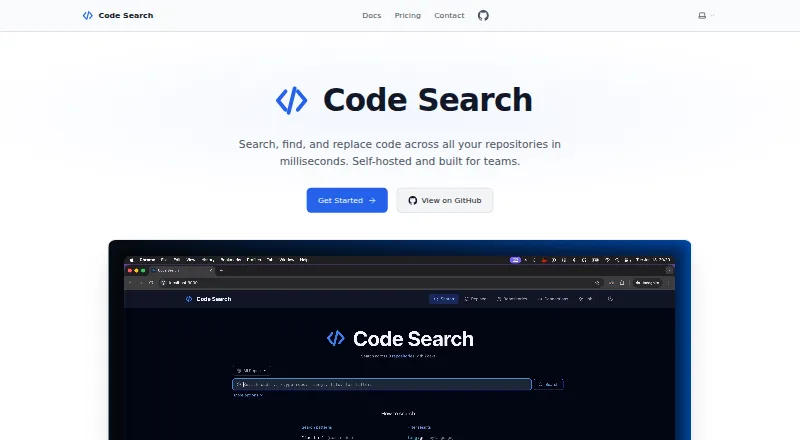
Code Search is a self-hosted platform for finding and changing code across repositories, with a command-line interface for batch operations. It uses Zoekt for sub-second repository-wide search and supports regex searches. SCIP-powered tools provide go-to-definition, find-references and symbol search. Teams can replace code across repositories and have the platform create branches and merge requests. A built-in MCP server lets AI assistants such as Claude and Cursor search, browse and navigate code. Supported code hosts include GitHub, GitHub Enterprise Server, GitLab, self-hosted GitLab, Gitea, and Bitbucket Cloud and Server. Deployment options include Docker, source builds, Kubernetes and Helm. The project uses the Apache License 2.0. The maker says code and data stay on customer servers and the application sends no telemetry or usage data back. The free Community plan includes unlimited users. Enterprise adds OIDC single sign-on, repository permissions, audit logging and priority support; its pricing is available on request.
Who it suits
Code Search is aimed at organizations that want to self-host and search or change code across hundreds or thousands of repositories. Its Enterprise controls may suit teams needing repository permissions and audit logs.
What it does well
- Searches across repositories with Zoekt
- Supports multi-repository replacement and merge requests
- Includes CLI, MCP server and SCIP code intelligence
- Supports multiple code hosts and deployment options
- Free Community plan has unlimited users
What to know first
- Enterprise pricing is available on request
- Enterprise-only features include OIDC, RBAC and audit logging
- Community support is through GitHub Issues
Plans
| Plan | Billed and limits | Price |
|---|---|---|
| Community | Unlimited users · Full-text code search · Find and replace across repositories · CLI and MCP server · SCIP code intelligence · GitHub, GitLab, Gitea, Bitbucket · Horizontal scaling · Docker and Kubernetes deployment | Free |
| Enterprise | Everything in Community · OIDC SSO · RBAC · Audit logging · Ed25519 license management · Priority support · Custom user limits and SLA | On request |
As code-search.techquests.dev lists them, read 28 Sept 2026. The maker's own page has the final word.
Getting started
- Visit the Code Search website.
- Choose the free Community plan or request Enterprise pricing.
- Install with Docker or a source build, or deploy through Kubernetes or Helm.
- Connect a supported code host: GitHub, GitHub Enterprise Server, GitLab, self-hosted GitLab, Gitea, or Bitbucket Cloud or Server.
- Use the CLI or MCP server for batch operations or AI assistant access.
Overview
Code Search is a self-hosted platform for teams that need to find and change code across many repositories. Its strongest case is keeping repository search and bulk edits on infrastructure the organization controls; the trade-off is that teams must install and operate it themselves.
For organizations handling hundreds or thousands of repositories, it brings fast search, code navigation and automated multi-repository changes together. Its Apache License 2.0 project and free Community plan make it accessible, while Enterprise is the route to centralized access controls and priority support. Browse Code Search Tools for other options.
Key features
Search and navigation
Zoekt powers sub-second search across repositories, with regular-expression support and codebase indexing. SCIP adds go-to-definition, find-references and symbol search. Together, those capabilities suit developers who need to trace code beyond matching text, though the product is aimed at repository-scale work rather than being just a local code-search utility.
Bulk changes
Code Search can find and replace across multiple repositories, then automatically create branches and merge requests. CLI support makes batch operations part of the workflow. This is useful when a change must be applied broadly; teams looking only for search and navigation may not need this operational scope.
AI assistant connection
A built-in MCP server connects assistants such as Claude and Cursor to code search, browsing and navigation. It adds an integration path for teams using those assistants without replacing the underlying repository search and code intelligence features.
Code hosts and deployment
Supported hosts include GitHub, GitHub Enterprise Server, GitLab, self-hosted GitLab, Gitea, and Bitbucket Cloud and Server. Installation options include Docker, source builds, Kubernetes and Helm, with horizontal scaling in Community. That range suits organizations with varied hosting setups, but self-hosting still requires deployment and administration.
Privacy and administration
The maker says code and data remain on customer servers and the application sends no telemetry or usage data back to it. Enterprise adds OIDC single sign-on, repository permissions based on glob patterns, and audit records for searches, file access and replacements. These controls matter for organizations that need centralized identity and activity oversight; Community does not include them.
Pricing
Community: free. It includes unlimited users, full-text code search, cross-repository find and replace, CLI and MCP server, SCIP code intelligence, the supported code hosts, horizontal scaling, and Docker and Kubernetes deployment. It is a substantial starting point for teams comfortable without Enterprise access controls, audit logging, priority support or a custom SLA.
Enterprise: custom pricing. It includes everything in Community plus OIDC SSO, RBAC, audit logging, Ed25519 license management, priority support, custom user limits and SLA. Organizations that need those controls or a defined service arrangement should request pricing; no seat cap or quota is stated for Community beyond unlimited users.
Platforms
Code Search is available as a self-hosted, web-based service, with Linux, macOS and Windows platforms and an API. Docker, source builds, Kubernetes and Helm cover deployment choices; actual fit depends on whether an organization can operate the service on its own infrastructure.
Who it's for
Code Search fits engineering organizations managing hundreds or thousands of repositories, especially those that need bulk edits, code navigation and control over where code and data reside. It is less compelling for individuals or teams seeking a hosted service, or for groups that need only lightweight local search and do not want to manage a deployment.
Pros and cons
- Pro: Sub-second repository-wide search combines with SCIP navigation, so users can move from matches to definitions and references.
- Pro: Bulk replacement can create branches and merge requests automatically, reducing friction for changes spanning multiple repositories.
- Pro: Community includes unlimited users and the main search, navigation and batch capabilities at no cost.
- Pro: Self-hosting and the maker's stated no-telemetry approach keep code and data on customer servers.
- Con: Self-hosted deployment means the organization must take responsibility for running the service.
- Con: OIDC SSO, repository-level RBAC, audit logging and priority support require Enterprise, whose pricing is custom.
Alternatives
ast-grep is a free option across API, extension, desktop and web platforms; consider it when that platform spread is a better fit than Code Search's self-hosted, multi-repository workflow.
Chromium is a free, open-source option for Windows, macOS, Linux and Android, rather than a direct match for Code Search's repository search and bulk-change focus.
OpenGrok is a free, open-source, self-hosted option for Linux, macOS, web and Windows. Consider it when a free self-installed alternative is the priority.
sqry is a free, MIT-licensed tool that runs locally on Linux, macOS and Windows; it may suit users who prefer local operation over a self-hosted service spanning repositories.
Shebe is a free, Apache-2.0-licensed local code-search option for API, Linux, macOS, self-hosted and Windows platforms.
Chatterbox TTS is a free open-source model offering for research and development on Linux, macOS and self-hosted platforms.
Code Fundi has a Dev plan at $21 a month with 5,000 Credits/Mo, 10 Private Repo Indexes, usage logs, multi-codebase search/chat and priority support; consider it when those indexed-repository and search/chat terms fit better than a self-hosted deployment.
LXR Cross Referencer is free, open-source and self-installed for Linux, self-hosted and web use.
Verdict
Choose Code Search if your organization needs repository-wide search, code navigation and coordinated bulk changes while keeping code on its own infrastructure. The free Community plan is unusually broad for that workflow; look elsewhere if you want a managed service or need Enterprise controls without moving to custom pricing.
Verdict
Code Search brings repository-wide search, code navigation and bulk changes to a self-hosted setup. Community is free; teams needing Enterprise access controls should request pricing.
Questions
Is Code Search free?
Yes. The Community plan costs nothing and includes unlimited users.
What does Enterprise add?
Enterprise adds OIDC single sign-on, glob-pattern repository permissions, audit logging, Ed25519 license management, priority support, and custom user limits and SLA.
Which code hosts does it support?
It supports GitHub, GitHub Enterprise Server, GitLab, self-hosted GitLab, Gitea, and Bitbucket Cloud and Server.
Can Code Search be self-hosted?
Yes. Installation options include Docker, source builds, Kubernetes, and Helm.
Is Code Search open source?
The project is licensed under Apache License 2.0.
What platforms does it support?
The listed platforms are API, Linux, macOS, self-hosted, web, and Windows.
Facts from Code Search's own pages
- AI integration
- A built-in MCP server connects AI assistants such as Claude and Cursor for code search, browsing, and navigation. · code-search.techquests.dev, 28 Sept 2026
- Audit logging
- Enterprise audit logging records searches, file access, and replace operations. · code-search.techquests.dev, 28 Sept 2026
- Bulk changes
- It can find and replace across multiple repositories and automatically create branches and merge requests. · code-search.techquests.dev, 28 Sept 2026
- Code hosts
- Supported code hosts include GitHub, GitHub Enterprise Server, GitLab, self-hosted GitLab, Gitea, and Bitbucket Cloud and Server. · code-search.techquests.dev, 28 Sept 2026
- Code intelligence
- SCIP-powered features include go-to-definition, find-references, and symbol search. · code-search.techquests.dev, 28 Sept 2026
- Deployment
- Installation options include Docker, source builds, Kubernetes, and Helm. · code-search.techquests.dev, 28 Sept 2026
- Enterprise access controls
- Enterprise adds OIDC single sign-on and role-based repository permissions using glob patterns. · code-search.techquests.dev, 28 Sept 2026
- Intended users
- The product is described as designed for organizations that search and change code across hundreds or thousands of repositories and want to self-host. · code-search.techquests.dev, 28 Sept 2026
- License
- The project is licensed under Apache License 2.0. · github.com, 28 Sept 2026
- Privacy
- The self-hosted application does not send telemetry or usage data back to the maker, and the site says code and data stay on the customer's servers. · code-search.techquests.dev, 28 Sept 2026
- Purpose
- Code Search is a self-hosted code search and replace platform with CLI support for batch operations across repositories. · code-search.techquests.dev, 28 Sept 2026
- Search
- It uses Zoekt for sub-second search across all repositories. · code-search.techquests.dev, 28 Sept 2026
- Support
- Community support is available through GitHub Issues, while Enterprise includes priority support. · code-search.techquests.dev, 28 Sept 2026
Where Code Search stands on Freedom251
- Code Search Tools#4 of 42