Freedom251 › Code Refactoring Tools

ast-grep
What ast-grep is
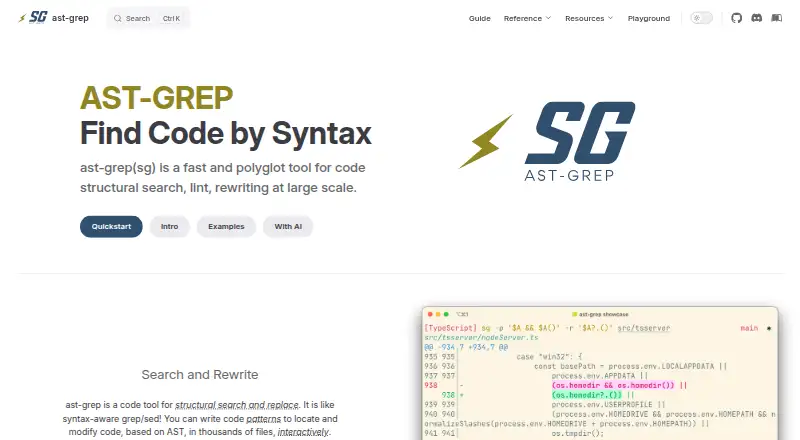
ast-grep is a free, open-source tool for searching, linting, and rewriting code by its structure. It matches patterns against syntax-tree nodes rather than plain text, which lets developers target code across a codebase. Its CLI can preview and apply changes interactively, and scan configurable YAML rules with error, warning, info, or hint severity. Rules can combine pattern, kind, regex, relational, and composite conditions; commands are available for creating and testing rules, including snapshot-based tests. The project says it supports more than 20 languages and can load custom languages. Programs can inspect or change syntax trees through its JavaScript API, while a WebAssembly API supports browsers and other WASM environments. An online playground lets users try patterns without installing the tool. Editor options include a VS Code extension and language-server setups for editors including Vim, Neovim, and Emacs. The CLI is available through several package managers or as a source build. The FAQ notes gaps in advanced static analysis and that a rule cannot target multiple languages at once.
Who it suits
It suits developers who need structural search, custom lint rules, or large-scale code rewrites across supported languages. It also offers API and editor integration options for developers who want to use it from programs or their editor.
What it does well
- Searches and rewrites code by syntax-tree pattern.
- Interactive CLI previews rewrites before applying them.
- Supports 20+ languages and custom language loading.
- Rule tests can use snapshots.
- Online playground works without local installation.
What to know first
- Some advanced static-analysis information is unsupported.
- A rule cannot target multiple languages at once.
Plans
| Plan | Billed and limits | Price |
|---|---|---|
| ast-grep | Pricing not stated on the opened official pages | Free |
As ast-grep.github.io lists them, read 4 Oct 2026. The maker's own page has the final word.
Getting started
- Open the online playground to try patterns without installing ast-grep.
- Install the CLI through npm, Cargo, Homebrew, MacPorts, Nix, or pip, or build it from source.
- Set up the VS Code extension or a documented language-server integration for your editor.
- Create or test YAML rules with the CLI; add sgconfig.yml to a project when using linting diagnostics through the language server.
ast-grep is a free, open-source tool for developers who need to search, lint, and rewrite code by its structure rather than by raw text. It is a strong fit for repeatable, codebase-wide changes; teams that rely on deeper static analysis should look elsewhere or pair it with another tool.
Overview
ast-grep matches patterns against syntax-tree nodes, which helps distinguish code by its shape instead of matching every textual occurrence. That makes it useful for locating and changing recurring constructs across many files. Its CLI can preview and apply rewrites interactively, and the project describes parallel Rust processing for work across thousands of source files.
The breadth comes with a boundary: the FAQ says some advanced static-analysis information is not supported. Structural rules can identify code patterns, but ast-grep is not the right choice when a task depends on that deeper analysis.
Key features
Search, rewriting, and linting
The scan command runs configurable AST-pattern rules and reports severities including error, warning, info, and hint. This gives teams a way to turn code-shape conventions into checks, while interactive previews help review broad changes before applying them. It is particularly suited to repeatable refactors and targeted linting, not checks that require unsupported analysis.
Custom rules and testing
Rules are written in YAML and can combine pattern, kind, regex, relational, and composite conditions. The CLI includes commands to create and test rules, with snapshot-based test options. That combination is useful for teams maintaining reusable checks: rules can express more than a single text match and can be tested as part of their workflow.
A rule cannot target multiple languages at once. For mixed-language repositories, that means maintaining separate rules or using a superset language with languageGlobs, as the FAQ recommends. That extra organization is a real cost for teams hoping to write one rule for every language.
Languages, editors, and APIs
The project says it supports more than 20 languages and allows custom languages to be loaded. The online playground lets users try patterns and rewrite rules without installing the tool. Editor support includes an official VS Code extension and language-server integrations; the editor guide also documents Neovim and Emacs setups, alongside community integrations. The language server publishes diagnostics and supports diagnostic code actions, though linting diagnostics require an sgconfig.yml project file.
For programmatic use, the JavaScript API can inspect and change syntax trees, while the WebAssembly API supports browsers and other WASM environments. These interfaces make ast-grep relevant beyond command-line use, but they do not remove its analysis limits.
Pricing
ast-grep is open source and free, with no free trial because no paid trial is offered. The ast-grep plan is free. There are no paid tiers or seat-based plan distinctions in this offering, so teams can use the same tool without choosing a higher subscription to access its core capabilities.
Platforms
ast-grep is available across Linux, macOS, and Windows, as well as through API, extension, and web experiences. The CLI is distributed through npm, Cargo, Homebrew, MacPorts, Nix, and pip, with source builds also possible. Its self-hosted deployment model suits teams that want to run code search and linting within their own environment; the browser playground offers a way to explore rules without a local installation.
Who it's for
Choose ast-grep if you need structural search, configurable lint rules, or large-scale code rewrites across a codebase, especially when you want to define and test your own rules. Its language coverage and editor options also make it relevant to developers working across different languages and environments. It is a weaker fit when one rule must cover multiple languages or when the task requires advanced static-analysis information.
For questions and issues, the project directs users to GitHub and Discord, and also points to Stack Overflow and Reddit. That community-oriented support suits users comfortable resolving questions through public channels.
Pros and cons
- Pros: Structural matching targets syntax-tree nodes, making it more precise for code-shaped searches and rewrites than raw text matching.
- Pros: YAML rules, rule-testing commands, and multiple severity levels support reusable lint checks.
- Pros: More than 20 supported languages, custom language loading, editor integrations, and JavaScript and WebAssembly APIs give it several routes into a workflow.
- Cons: Some advanced static-analysis information is unsupported, limiting its use for checks that depend on it.
- Cons: Rules target one language at a time, so mixed-language projects may need separate rules or a superset-language setup.
- Cons: Linting diagnostics through the language server require an sgconfig.yml project file.
Alternatives
For a broader starting point, browse Code Refactoring Tools or Code Search Tools.
- CodeRush is an alternative to consider for its editor-extension offering; it provides all versions free for commercial use, with the same features and updates across free and paid subscriptions.
- ReSharper is worth considering for non-commercial C# work in VS Code and compatible editors through its free non-commercial plan, or for readers seeking its separate paid plan.
- Roslynator is another free option, with tools and extensions available at no charge.
- Sourcery may suit readers looking for a free open-source plan centered on public repositories, AI reviews, PR summaries and diagrams, one-click fixes, and custom review rules.
- Moderne is an option for readers seeking a managed service, including managed backpatch service and dedicated FTEs in its Fully Managed Service plan.
- Refrax is another free alternative.
- Scalafix is another free alternative, from the Scala Center, which focuses on open source and education.
- Coccinelle is another free alternative.
Verdict
Choose ast-grep if your priority is reusable, syntax-aware search, linting, and rewriting across a codebase without a subscription. Its broad language and integration support strengthens the case, but the one-language-per-rule constraint and gaps in advanced static analysis are reasons to look elsewhere when those capabilities are central.
Verdict
ast-grep combines structural code search, configurable linting, and rewriting in a free, open-source tool. Its language coverage and integrations are broad, though it does not provide some advanced static-analysis information and rules are limited to one language at a time.
Questions
How much does ast-grep cost?
It is free and open source.
Which languages does ast-grep support?
The project says it supports more than 20 languages and allows custom languages to be loaded.
Can I use ast-grep in my editor?
Yes. There is an official VS Code extension, and the editor guide documents language-server setups for Vim, Neovim, and Emacs.
Can one rule cover multiple languages?
No. The FAQ recommends using a superset language with languageGlobs or making separate rules for each language.
Does ast-grep provide APIs?
Yes. It provides a JavaScript API for working with syntax trees and a WebAssembly API for browsers and other WASM environments.
Who publishes ast-grep?
The site credits Herrington Darkholme in its copyright notice.
Facts from ast-grep's own pages
- APIs
- ast-grep provides a JavaScript API for programmatically inspecting and changing syntax trees, plus a WebAssembly API for browsers and other WASM environments. · ast-grep.github.io, 4 Oct 2026
- Code rewriting
- The CLI can interactively preview and apply rewrites to matching code. · ast-grep.github.io, 4 Oct 2026
- Custom rules
- Rules are written in YAML and can combine pattern, kind, regex, relational, and composite matching conditions. · ast-grep.github.io, 4 Oct 2026
- Distribution
- The CLI is distributed through npm, Cargo, Homebrew, MacPorts, Nix, and pip, and can also be built from source. · ast-grep.github.io, 4 Oct 2026
- Install methods
- The CLI is distributed through npm, Cargo, Homebrew, and MacPorts, with source builds also available. · ast-grep.github.io, 4 Oct 2026
- Integrations
- The documentation describes editor integrations, including a VS Code extension and language server support for editors such as Vim and Neovim. · ast-grep.github.io, 4 Oct 2026
- Languages
- The project says it supports 20+ languages and allows custom languages to be loaded. · ast-grep.github.io, 4 Oct 2026
- Language support
- The site says ast-grep supports 20+ programming languages and can load custom languages. · ast-grep.github.io, 4 Oct 2026
- Limits
- The FAQ says ast-grep does not currently support some advanced static analysis information. · ast-grep.github.io, 4 Oct 2026
- Linting
- The scan command runs configurable AST pattern rules and supports severity levels including error, warning, info, and hint. · ast-grep.github.io, 4 Oct 2026
- Lint rules
- Users can define custom lint rules with AST patterns and receive error reporting. · ast-grep.github.io, 4 Oct 2026
- LSP capabilities
- The language server publishes diagnostics and supports diagnostic code actions; linting diagnostics require an sgconfig.yml project file. · ast-grep.github.io, 4 Oct 2026
- Notable limitation
- A rule cannot target multiple languages at once; the FAQ recommends a superset language with languageGlobs or separate rules for each language. · ast-grep.github.io, 4 Oct 2026
- Other editor integrations
- The editor guide documents setups for Neovim and Emacs, plus community integrations for coc.nvim, Telescope, and grug-far.nvim. · ast-grep.github.io, 4 Oct 2026
- Pattern search
- It matches code patterns against syntax tree nodes rather than searching source text. · ast-grep.github.io, 4 Oct 2026
- Performance
- The site describes search and replace across thousands of source files as powered by parallel Rust. · ast-grep.github.io, 4 Oct 2026
- Programmatic API
- The JavaScript API lets programs inspect and change syntax trees using JavaScript. · ast-grep.github.io, 4 Oct 2026
- Publisher
- The site credits Herrington Darkholme in its copyright notice. · ast-grep.github.io, 4 Oct 2026
- Purpose
- ast-grep is a fast, polyglot tool for structural code search, linting, and rewriting at scale. · ast-grep.github.io, 4 Oct 2026
- Rule testing
- The CLI includes commands to create and test rules, with snapshot-based test options. · ast-grep.github.io, 4 Oct 2026
- Search and rewrite
- It uses code patterns and abstract syntax trees to find and modify code across many files, with an interactive rewrite mode. · ast-grep.github.io, 4 Oct 2026
- Security use
- The example catalog includes rules for detecting security issues, such as a Go JSON tag vulnerability and C/C++ format string risks. · ast-grep.github.io, 4 Oct 2026
- Support
- The project directs users with questions or issues to GitHub or Discord and also points to Stack Overflow and Reddit. · ast-grep.github.io, 4 Oct 2026
- Support channels
- The site links to Discord, Stack Overflow, and Reddit community channels. · ast-grep.github.io, 4 Oct 2026
Where ast-grep stands on Freedom251
- Code Refactoring Tools#1 of 22
- Code Search Tools#3 of 42