
GNOME Web
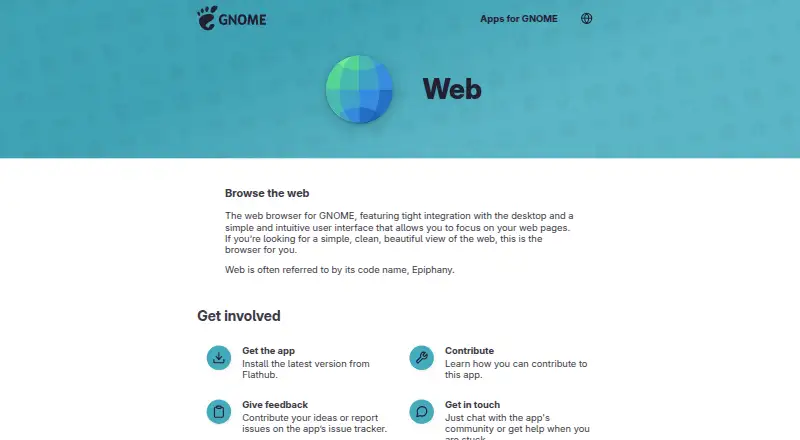
What GNOME Web is
GNOME Web is a free, open-source browser for Linux desktop computers. It uses the WebKit engine and is designed with a simple interface that keeps the page in focus. Its built-in ad blocking and advanced tracking protection support browsing with fewer ads and tracking. The browser can save webpages as Web Apps, which open from the Activities overview in a separate window without an address bar or menus.
Private browsing limits access to browsing information on the computer, does not sign in to websites, and does not save session information. It does not prevent websites from tracking browsing activity. Web can offer to remember website login details, with an option to disable password remembering in Preferences. Users can also set a proxy through GNOME Network settings and customize webpage appearance with CSS, including font size and color scheme. Mouse gestures can navigate backward or forward, manage tabs, and reload pages; they require a middle mouse button. GNOME directs users to Flathub for the latest version. The app page lists version 51.1, released September 24, 2026, and links to online help, an issue tracker, and the app community.
Who it suits
GNOME Web suits Linux desktop users who want a free browser with a simple interface, built-in ad blocking, and advanced tracking protection. It can also suit people who want to launch saved webpages as standalone Web Apps or customize page appearance with CSS.
What it does well
- Free and open source.
- Uses the WebKit browser engine.
- Includes built-in ad blocking and advanced tracking protection.
- Saved Web Apps open without browser menus or an address bar.
- Supports proxies, custom CSS, and mouse gestures.
What to know first
- Available for Linux desktop only.
- Private browsing does not stop websites from tracking activity.
- Mouse gestures require a middle mouse button.
Plans
| Plan | Billed and limits | Price |
|---|---|---|
| Free | Free browser download | Free |
As apps.gnome.org lists them, read 11 Oct 2026. The maker's own page has the final word.
Getting started
- Open GNOME Web’s app page.
- Install the latest version from Flathub.
- Browse the web, or save a webpage as a Web App from the browser.
- Set preferences such as password remembering, proxy use, or custom CSS as needed.
Verdict
Choose GNOME Web if you want a free, open-source browser for a Linux desktop, with ad blocking, tracking protection, and Web Apps. Its private browsing mode does not prevent websites from tracking activity, so that limitation matters if you expect it to do so.
Questions
How much does GNOME Web cost?
It is free. The listed Free plan costs nothing.
Is GNOME Web open source?
Yes, GNOME Web is open source.
Which platforms does it support?
It is listed for Linux desktop.
What browser engine does it use?
GNOME Web uses WebKit.
Does private browsing prevent tracking?
No. It limits access to browsing information on the computer and does not save session information, but websites can still track activity.
Where can I get help?
The app page links to online help, an issue tracker, and the app community.
Facts from GNOME Web's own pages
- Browser engine
- webkit · apps.gnome.org, 21 Sept 2026
- Browsing
- Web offers a simple way to browse the internet and displays pages with the speed and accuracy of other popular browsers. · help.gnome.org, 11 Oct 2026
- Built-in ad blocking
- Yes · apps.gnome.org, 21 Sept 2026
- Customization
- Users can apply custom CSS to change the look of web pages, including font size or color scheme. · help.gnome.org, 11 Oct 2026
- Distribution
- GNOME's app page directs users to install the latest version from Flathub. · apps.gnome.org, 11 Oct 2026
- Free plan
- Yes · apps.gnome.org, 21 Sept 2026
- Latest release
- The app page lists version 51.1, released September 24, 2026. · apps.gnome.org, 11 Oct 2026
- Mouse gestures
- Web supports mouse gestures for navigating backward or forward, creating or closing tabs, and reloading a page; gestures require a middle mouse button. · help.gnome.org, 11 Oct 2026
- Open source
- Yes · apps.gnome.org, 21 Sept 2026
- Passwords
- Web can ask to remember website login details, and users can turn password remembering off in Preferences. · help.gnome.org, 11 Oct 2026
- Supported platforms
- desktop · apps.gnome.org, 21 Sept 2026
- Privacy limit
- The help page says incognito mode does not stop websites from tracking browsing activity. · help.gnome.org, 11 Oct 2026
- Private browsing
- Private browsing limits access to browsing information on the computer and does not log into websites or save session information. · help.gnome.org, 11 Oct 2026
- Proxy
- Web can use a proxy server configured through the GNOME Network settings panel. · help.gnome.org, 11 Oct 2026
- Purpose
- Web is a browser for GNOME with a simple interface designed to keep focus on web pages. · apps.gnome.org, 11 Oct 2026
- Support
- The app page links to online help, an issue tracker, and the app community for help and discussion. · apps.gnome.org, 11 Oct 2026
- Tracking protection
- advanced · apps.gnome.org, 21 Sept 2026
- Web apps
- Users can save webpages as Web Apps that launch from the Activities overview in a window without the address bar or menus. · help.gnome.org, 11 Oct 2026
Where GNOME Web stands on Freedom251
- Web browsers#24 of 154