BrowserOS
by BrowserOS
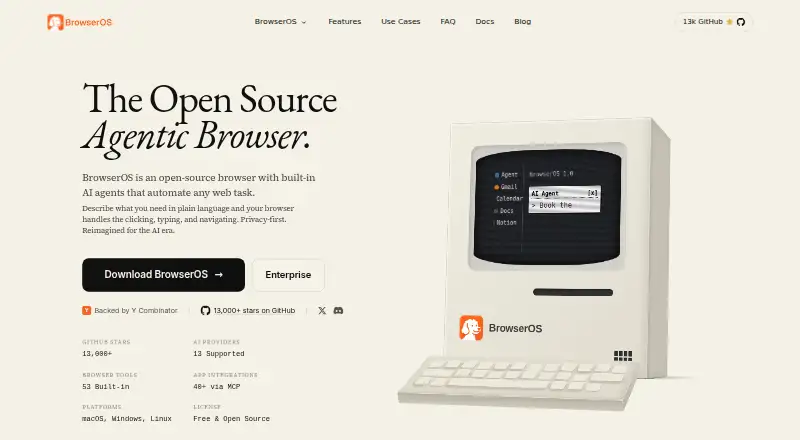
What BrowserOS is
BrowserOS is a free, open-source browser based on Chromium, with AI agents that carry out web tasks from natural-language instructions. An agent can click, type, navigate, fill forms, extract data, and run workflows with multiple steps. Chat Mode answers questions about the page currently open in the browser. A visual Graph Mode for repeatable workflows is marked as coming soon.
BrowserOS supports Gemini, Claude, and OpenAI, as well as local models through Ollama or LM Studio. The maker lists more than 40 app integrations through MCP, including Gmail, Slack, Notion, and Calendar, plus 53 built-in browser tools. Its MCP server can connect with Claude Code, Gemini CLI, or Codex. As a Chromium fork, BrowserOS supports Chrome extensions and can import Chrome bookmarks, passwords, and settings.
The maker says browsing data stays on the device unless cloud syncing is enabled. Syncing is off by default, and synced activity is encrypted on BrowserOS servers. BrowserOS also says it does not store or log AI prompt or response content; selected AI providers may handle submitted data under their own policies. It is available for desktop on macOS, Windows, and Linux, and is licensed under AGPL-3.0. The default AI model has limited daily usage, cloud AI providers may charge based on API usage, and local models are free. The documentation says local LLMs are not yet powerful enough for Agent Mode.
Who it suits
BrowserOS suits desktop users who want AI agents to handle browser tasks and are comfortable choosing an AI provider or using a local model. It may also suit developers who want browser tools and an MCP server that can connect with Claude Code, Gemini CLI, or Codex.
What it does well
- AI agents can navigate, fill forms, extract data, and run multi-step workflows.
- Supports Gemini, Claude, OpenAI, Ollama, and LM Studio.
- Lists more than 40 MCP app integrations and 53 built-in browser tools.
- Supports Chrome extensions and imports bookmarks, passwords, and settings.
- Browsing data stays on device unless cloud syncing is enabled.
What to know first
- The default AI model has limited daily usage.
- Cloud AI providers may charge based on API usage.
- Local LLMs are not yet powerful enough for Agent Mode.
- Visual Graph Mode is marked as coming soon.
Limits
The free plan’s default AI model has limited daily usage, and other cloud AI providers charge based on API usage; local models are free. The documentation says local LLMs are not yet powerful enough for Agent Mode.
Plans
| Plan | Billed and limits | Price |
|---|---|---|
| Free | Open source · Built-in AI agents · Runs on macOS, Windows, and Linux | Free |
| BrowserOS | Free and open source; AI provider usage may cost extra. · Default AI model has limited daily usage · Other cloud AI providers charge based on API usage · Local models are free | Free |
| BrowserOS Free | Open-source desktop browser · AI-provider/API costs may apply · local models via Ollama or LM Studio | Free |
As browseros.com lists them, read 19 Sept 2026. The maker's own page has the final word.
Getting started
- Open the BrowserOS product page.
- Install BrowserOS on macOS, Windows, or Linux.
- Choose a supported AI provider or set up a local model through Ollama or LM Studio.
- Use Chat Mode to ask questions about the current page or give an agent a web task.
- Connect the MCP server to Claude Code, Gemini CLI, or Codex if needed.
Overview
BrowserOS is an open-source Chromium browser that uses AI agents to carry out web tasks from natural-language instructions. It suits people who want browser automation and MCP integrations alongside familiar Chrome extensions; its main trade-off is that Agent Mode depends on cloud AI, since local models are not yet powerful enough for it.
Agents can click, type, navigate, fill forms, extract data and run multi-step workflows. Chat Mode answers questions about the current page, while visual Graph Mode for repeatable workflows is still coming soon. That makes BrowserOS more compelling for ad hoc browser tasks than for users seeking a finished visual workflow builder.
Key features
Agents, chat and integrations
BrowserOS supports Gemini, Claude and OpenAI, and offers more than 40 MCP app integrations, including Gmail, Slack, Notion and Calendar. Its product page also lists 53 built-in browser tools. Together, these features give automation-minded users ways to connect browser tasks with other apps; the practical cost can depend on which AI provider they use.
Developers can connect its MCP server to Claude Code, Gemini CLI or Codex. Chrome extension support, plus import for Chrome bookmarks, passwords and settings, lowers the friction of moving from Chrome without giving up its extension ecosystem.
Privacy and openness
BrowserOS says browsing data stays on the device unless users enable cloud syncing, which is off by default; synced activity is encrypted on its servers. It also says it does not store or log AI prompts or responses, though selected AI providers may handle submitted data under their own policies. The AGPL-3.0 license makes the browser open source, but provider data policies remain relevant when using cloud AI.
Pricing
BrowserOS is free and open source. Its Free plan costs nothing and includes built-in AI agents, with support for macOS, Windows and Linux. The product plan is also free, but free access does not mean unlimited cloud AI: the default model has limited daily usage, and other cloud providers charge according to API usage. Local models are free, but the documentation says they are not yet powerful enough for Agent Mode.
There is no paid BrowserOS tier described; the choice is between the default model's daily allowance, paying a cloud provider based on API use, or using local models for tasks they can handle.
Platforms
BrowserOS is a desktop Chromium fork for macOS, Windows and Linux, with Chrome Store extension support. It also supports importing Chrome bookmarks, passwords and settings. Its listed platforms include extension support, but it is not presented as a mobile browser.
Who it's for
BrowserOS is a strong fit for desktop users who want to automate browser actions, connect workflows to MCP-enabled apps or developer tools, and retain Chrome extensions. It is less suitable for anyone who needs Agent Mode to run on local models, a ready-to-use visual workflow builder, or predictable AI costs regardless of provider usage.
Pros and cons
- Pro: Free, open-source Chromium with Chrome extension support, which makes it a low-cost option for desktop users who want browser automation.
- Pro: Agents handle a broad range of actions, while more than 40 MCP integrations and a developer-facing MCP server reach beyond the browser.
- Pro: Cloud syncing is off by default, and BrowserOS says it does not log AI prompt or response content.
- Con: The default AI model has limited daily usage; other cloud providers charge by API usage, so heavy use may not be free.
- Con: Local models are not yet powerful enough for Agent Mode, limiting the appeal for users who want automation without cloud AI.
- Con: Visual Graph Mode is still coming soon, so users seeking repeatable workflows in that mode will need to wait.
Alternatives
For broader platform reach, Norton Neo is free and includes unlimited AI, with a VPN allowance of 5 GB per month or unlimited VPN when it is the default browser. Choose it if Android or iOS support matters more than BrowserOS's open-source Chromium and MCP setup.
Comet is downloadable for free on Android, iOS, macOS and Windows, but is not open source. It is an option for people who want a free browser across mobile and desktop without requiring an open-source product.
Arc Search is a free mobile browser for Android and iOS. Choose it if mobile browsing is the priority; premium and team features may be charged in the future, with no specifics announced.
Aside offers a free plan with 500 credits per month, up to three routines and bring-your-own-subscription terms, plus a Pro plan at $20 a month with three times Free usage. It may fit users who prefer defined routine and credit limits over BrowserOS's browser-integrated agents.
BrowserOS neo is another free, AGPL-3.0 open-source BrowserOS option for Linux, macOS and Windows; choose it if that alternative better fits your desktop setup.
Genspark AI Browser offers an On-Device Free AI plan with 169 open-weight models, no internet requirement, subscriptions or limits, alongside a Team plan at $30 a month. It suits readers prioritizing on-device AI and stated usage without limits.
MoltBrowser is a free-forever, fully open-source option for extension, Linux, macOS and Windows. It is worth considering if those terms and platform coverage are the main criteria.
Polar offers a free plan with 3,000 starting credits, 100 daily credits capped at 1,000, browser agent capabilities and advanced AI features; its Individual plan costs $20 a month. It may suit users who want a credit-based browser agent offering rather than BrowserOS's Chromium and MCP focus.
Browse more options in AI Browsers, AI Browser Agents or Web browsers.
Verdict
Choose BrowserOS if you want a free, open-source desktop Chromium browser that combines natural-language agents, Chrome extensions and useful MCP connections. Look elsewhere if local models are essential for Agent Mode, you need visual Graph Mode now, or you want cloud AI usage without provider-based costs and limits.
Verdict
Choose BrowserOS if you want a free, open-source Chromium browser with AI agents, MCP integrations, and desktop support across macOS, Windows, and Linux. Look elsewhere if you need local models for Agent Mode or visual Graph Mode now; cloud AI provider usage may also cost extra.
Questions
Is BrowserOS free?
Yes. BrowserOS is listed as free and is open source.
Which desktop platforms does it support?
BrowserOS runs on macOS, Windows, and Linux.
Which AI providers can I use?
BrowserOS supports Gemini, Claude, and OpenAI, and can run local models through Ollama or LM Studio.
Can I use Chrome extensions?
Yes. BrowserOS is a Chromium fork and supports Chrome extensions. Users can also import Chrome bookmarks, passwords, and settings.
Is BrowserOS open source, and what is its license?
Yes. BrowserOS is open source under the AGPL-3.0 license.
Can local models run Agent Mode?
The documentation says local LLMs are not yet powerful enough for Agent Mode.
Facts from BrowserOS's own pages
- Ad blocking
- The repository README states that BrowserOS bundles uBlock Origin with Manifest V2 support. · github.com, 14 Oct 2026
- Agent actions
- Its agent can click, type, navigate, fill forms, extract data, and run multi-step workflows. · docs.browseros.com, 8 Oct 2026
- AI data handling
- BrowserOS says it does not store or log AI prompt or response content, while selected AI providers may handle submitted data under their own policies. · browseros.com, 8 Oct 2026
- AI providers
- The product lists support for more than 11 providers, including OpenAI, Anthropic, Google Gemini, Moonshot Kimi, OpenRouter, Ollama and LM Studio. · browseros.com, 14 Oct 2026
- API and SDKs
- Public developer extensibility is provided through the built-in MCP server and custom MCP servers; the cited documentation does not present a separate REST SDK. · github.com, 14 Oct 2026
- Browser engine
- chromium · browseros.com, 19 Sept 2026
- Browser tools
- The product page lists 53 built-in browser tools. · browseros.com, 8 Oct 2026
- Built-in browser tools
- The maker advertises 53 built-in browser tools for automation. · browseros.com, 14 Oct 2026
- Changelog/news
- A March 24, 2026 release added OAuth connections for ChatGPT Pro, GitHub Copilot and Qwen Code so existing subscriptions could drive BrowserOS without separate API keys. · browseros.com, 14 Oct 2026
- Chat and workflows
- Chat Mode answers questions about the current page, while visual Graph Mode for repeatable workflows is marked as coming soon. · docs.browseros.com, 8 Oct 2026
- Chrome compatibility
- Because BrowserOS is a Chromium fork, the maker says Chrome extensions, bookmarks and passwords can be imported. · browseros.com, 14 Oct 2026
- Collected account data
- The privacy policy says BrowserOS Software Limited collects names, email addresses and product-engagement events such as workspace creation and page views. · browseros.com, 14 Oct 2026
- Company founded
- LinkedIn lists BrowserOS (YC S24) as founded in 2024. · linkedin.com, 14 Oct 2026
- Company legal entity
- The privacy policy and terms identify the operating entity as BrowserOS Software Limited, with a registered office in Redwood City, California. · browseros.com, 14 Oct 2026
- Company owner branding
- The product footer identifies Felafax, Inc. as the copyright holder. · browseros.com, 14 Oct 2026
- Company size
- LinkedIn lists the company size as 2–10 employees and headquarters in San Francisco, California. · linkedin.com, 14 Oct 2026
- Developer use
- BrowserOS includes an MCP server that can connect with Claude Code, Gemini CLI, or Codex. · browseros.com, 8 Oct 2026
- Documentation
- The documentation site covers installation, connecting agents, watching sessions, replaying runs and local-data handling, and links to a guided first-run walkthrough. · docs.browseros.com, 14 Oct 2026
- Extensions
- BrowserOS is a Chromium fork and supports Chrome extensions; users can also import Chrome bookmarks, passwords, and settings. · docs.browseros.com, 8 Oct 2026
- Extension support
- chrome_store · browseros.com, 19 Sept 2026
- Free plan
- Yes · browseros.com, 19 Sept 2026
- Funding
- Crunchbase classifies BrowserOS as a private seed-stage company in San Francisco with 1–10 employees and names Lightscape Partners as an investor. · crunchbase.com, 14 Oct 2026
- Headquarters
- Redwood City, California, United States · browseros.com, 28 Sept 2026
- Installation
- The README documents Homebrew installation plus direct macOS, Windows, Linux AppImage and Debian downloads. · github.com, 14 Oct 2026
Where BrowserOS stands on Freedom251
- Tool Agents#1 of 26
- AI Browsers#1 of 23
- AI Browser Agents#1 of 22
- Agentic AI Browser Software#1 of 18
- Browser Agents#1 of 18
- Web browsers#11 of 154