Freedom251 › AI Search Engines
Arc Search
What Arc Search is
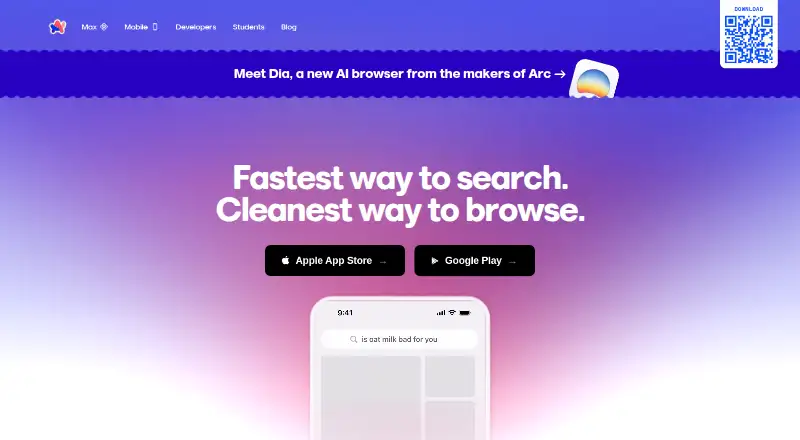
Arc Search is a free mobile browser built around Browse for Me, which searches multiple pages and creates an answer on a custom webpage. Its built-in ad blocker is described as blocking ads, trackers, pop-ups, and cookie banners. Other features include reader and incognito modes, website translation, voice search, and automatic archiving of inactive tabs; listed archive intervals range from 12 hours to 30 days. Browse for Me is the default search option, with Google, Bing, DuckDuckGo, Ecosia, Perplexity, and Kagi also listed. Arc Sync shares desktop Spaces, pinned tabs, and Today tabs with Arc Search on iOS, but is unavailable on Android; tabs made in Arc Search do not sync back to desktop. The maker says Browse for Me sends command-bar content and search-result content to OpenAI to produce summaries. Arc Search supports iOS 16 or later and Android 10 or later. The maker says Arc Sync sidebar data uses end-to-end encryption, but the product is not currently SOC 2 or ISO 27001 certified and does not offer account MFA.
Who it suits
Arc Search suits mobile users who want a browser with multi-page search summaries and built-in ad blocking. Its sync features may be relevant to iOS users with desktop Spaces, pinned tabs, or Today tabs.
What it does well
- Browse for Me searches multiple pages and creates an answer.
- The ad blocker targets ads, trackers, pop-ups, and cookie banners.
- Includes reader mode, incognito mode, translation, and voice search.
- Supports several alternative search engines.
What to know first
- Arc Sync is unavailable on Android.
- Mobile-created tabs do not sync back to desktop.
- Browse for Me sends search content to OpenAI.
- No account MFA is currently offered.
Limits
The Arc Search plan is listed as free. The maker says premium and team features may be charged in the future, without specifics announced.
Plans
| Plan | Billed and limits | Price |
|---|---|---|
| Arc Search | Free mobile browser; premium and team features may be charged in the future, with no specifics announced | Free |
As arc.net lists them, read 5 Oct 2026. The maker's own page has the final word.
Getting started
- Install Arc Search on a supported iOS or Android device.
- Use iOS 16 or later or Android 10 or later.
- Open Browse for Me, the default search option, or choose a listed alternative search engine.
- Use Arc Sync on iOS to share desktop Spaces, pinned tabs, and Today tabs.
- Contact support from the app settings or submit a ticket through the help page.
Arc Search is a mobile browser that pairs a multi-page answer generator with familiar browsing tools. It is best for people who want quick search summaries on a phone without paying for a browser. Its main trade-offs are that Browse for Me sends search content to OpenAI and sync is limited to iOS.
Overview
Browse for Me is the default search option: it draws on multiple pages to create an answer on a custom webpage. You can instead use Google, Bing, DuckDuckGo, Ecosia, Perplexity, or Kagi. That range gives you a conventional search option when you would rather inspect results yourself, but Arc Search does not offer deep research mode or source filters. It is better suited to quick synthesis than to workflows that require structured source selection or extended research.
For ordinary browsing, Arc Search includes reader and incognito modes, website translation, voice search, and a built-in blocker that Arc says blocks ads, trackers, pop-ups, and cookie banners. It also archives inactive tabs automatically, with intervals ranging from 12 hours to 30 days. That can keep a crowded tab bar in check, but anyone who relies on leaving tabs open indefinitely should consider the automatic archiving behavior.
Key features
Generated answers and search choice
Browse for Me searches multiple pages and presents an answer on a custom webpage, reducing the need to open each result for a quick overview. The privacy cost is worth weighing: Arc says the command-bar content and search-result content are sent to OpenAI to generate summaries. Readers who prefer not to share that material can choose another search engine, though that gives up Browse for Me’s generated-answer approach.
The alternatives include both familiar engines and Perplexity and Kagi. That choice makes Arc Search less dependent on its default mode, but it does not add deeper research features: there is no deep research mode, source filtering, browser extension, or API access.
Tab handling and everyday browsing
Automatic archiving is an opinionated way to manage inactive tabs, and the available interval range—from 12 hours to 30 days—offers some control over how quickly it takes effect. It is useful for readers who accumulate tabs, less so for those who treat an open tab as a long-term reminder. Reader mode, incognito mode, translation, voice search, and the stated ad and tracker blocking round out the browser without changing that basic trade-off.
Pricing
Arc Search costs nothing. The Arc Search plan is a free mobile browser, making it a straightforward option for readers who want its search and browsing tools without a subscription. The plan’s description says premium and team features may be charged in the future, but gives no specifics; there is no current paid tier to compare or seat or quota limit to factor into a buying decision.
The free plan’s main compromises are functional rather than price-based: it has no deep research mode, source filters, browser extension, or API access. It also carries the privacy and sync limitations described below. If those matter more than the zero price, another browser may be a better fit.
Platforms
Arc Search is available on Android, iOS, macOS, and Windows, while its device requirements for mobile are iOS 16 or later and Android 10 or later. Arc Sync shares desktop Spaces, pinned tabs, and Today tabs with Arc Search on iOS. The sync gap is substantial for cross-device users: Arc says sync is unavailable on Android, and tabs created in Arc Search do not sync back to desktop.
Arc says Arc Sync protects sidebar data with end-to-end encryption and identifies Argon2 and Libsodium sealed boxes in its technical details. It also says it is not currently SOC 2 or ISO 27001 certified and does not offer account MFA. These are relevant considerations for people evaluating security controls, particularly in work settings. Support is available through the app settings or a ticket submitted via the help page.
Who it's for
Arc Search suits mobile readers who want a free browser with a generated answer option, conventional search-engine choices, and built-in everyday browsing tools. It is a better fit for iOS users who want desktop Spaces and tabs shared to mobile than for Android users looking for the same connection. Readers who need research controls, an extension, an API, or stronger account-security provisions should look elsewhere.
Pros and cons
- Pro: Browse for Me turns material from multiple pages into a single answer, useful when a quick synthesis is more convenient than opening several results.
- Pro: Six alternative search engines provide a fallback for readers who do not want Browse for Me as their search choice.
- Pro: Reader mode, translation, voice search, incognito mode, and the stated blocker make it usable for more than generated search alone.
- Con: Browse for Me sends command-bar and search-result content to OpenAI, which may not suit privacy-sensitive searches.
- Con: Sync is unavailable on Android, and mobile-created tabs do not sync back to desktop, limiting continuity across devices.
- Con: No deep research mode or source filters means it is not aimed at users who need more control over research results.
- Con: Arc says it lacks SOC 2 and ISO 27001 certification and account MFA, constraints for some security-conscious users.
Alternatives
For a free, open-source browser with built-in AI agents on macOS, Windows, and Linux, consider BrowserOS. Choose Norton Neo if its stated unlimited AI and VPN allowance—5 GB per month, or unlimited when Neo is your default browser—better match your priorities; it is free to download and use across Android, iOS, Linux, macOS, web, and Windows. Comet is another free option available on Android, iOS, macOS, and Windows.
If you want a desktop-oriented agent workflow, Aside offers a free tier with 500 credits per month, up to three routines, and bring-your-own subscription, plus a Pro plan at $20 a month. For a free, open-source browser for Linux, macOS, and Windows, BrowserOS neo is an option. Genspark AI Browser may suit readers who want its stated on-device free AI plan with 169 open-weight models and no internet requirement, or a Team plan at $30 a month. MoltBrowser is a free, open-source choice. Polar is another desktop option, with its Free plan starting with 3,000 credits and adding 100 daily up to a cap of 1,000, alongside browser-agent capabilities and advanced AI features.
For broader browsing choices, compare the AI Browsers, AI Search Engines, Mobile Browser Software, and Web browsers lists.
Verdict
Choose Arc Search if you want a free mobile browser whose default search can turn multiple pages into a concise, custom-page answer, with familiar browsing tools alongside it. Its key reason to choose is that synthesis without a subscription; look elsewhere if sending search content to OpenAI, the Android sync gap, or the lack of deeper research controls is a deal-breaker.
Verdict
Arc Search combines mobile browsing tools with a search option that generates page-based answers. Consider its stated data sharing and platform-specific sync limits when deciding whether it fits your needs.
Questions
Is Arc Search free?
Yes. The Arc Search plan is listed as free as a free mobile browser. The plan notes that premium and team features may be charged in the future, with no specifics announced.
Which platforms does Arc Search support?
The listed platforms are Android, iOS, macOS, and Windows. Device requirements specify iOS 16 or later and Android 10 or later.
What search engines can I use?
Browse for Me is the default. The listed alternatives are Google, Bing, DuckDuckGo, Ecosia, Perplexity, and Kagi.
What information does Browse for Me send to OpenAI?
The maker says Browse for Me sends command bar content and search result content to OpenAI to generate summaries.
Does Arc Search sync with desktop?
Arc Sync shares desktop Spaces, pinned tabs, and Today tabs with Arc Search on iOS. It is unavailable on Android, and tabs created in Arc Search do not sync back to desktop.
Does Arc Search have account MFA or security certifications?
The maker says it does not currently offer account MFA and is not currently SOC 2 or ISO 27001 certified. It says Arc Sync sidebar data uses end-to-end encryption, with Argon2 and Libsodium sealed boxes in its technical details.
Facts from Arc Search's own pages
- Ad blocking
- Arc Search says its built-in ad blocker blocks ads, trackers, pop-ups, and cookie banners. · arc.net, 5 Oct 2026
- Device requirements
- Arc Search supports iOS 16 or later and Android 10 or later. · resources.arc.net, 5 Oct 2026
- Free plan
- Yes · arc.net, 21 Sept 2026
- Other browser features
- Arc Search includes reader mode, incognito mode, website translation, and voice search. · arc.net, 5 Oct 2026
- Platforms
- The maker links to the Apple App Store and Google Play for Arc Search; its download page also offers Arc for Windows and Mac. · arc.net, 5 Oct 2026
- Privacy
- The maker says Browse for Me sends the command bar content and search result content to OpenAI to generate summaries. · arc.net, 5 Oct 2026
- Product
- Arc Search is a mobile browser with Browse for Me, which searches multiple pages and creates an answer on a custom webpage. · arc.net, 5 Oct 2026
- Search engines
- Arc Search offers Browse for Me by default and lists Google, Bing, DuckDuckGo, Ecosia, Perplexity, and Kagi as alternative search engines. · resources.arc.net, 5 Oct 2026
- Security
- The maker says Arc Sync uses end-to-end encryption for sidebar data and names Argon2 and Libsodium sealed boxes in its technical details. · resources.arc.net, 5 Oct 2026
- Security limits
- The maker says it is not currently SOC 2 or ISO 27001 certified and does not currently offer account MFA. · arc.net, 5 Oct 2026
- Support
- Arc Search users can contact the team from the app settings or submit a support ticket through the help page. · resources.arc.net, 5 Oct 2026
- Sync
- Arc Sync shares desktop Spaces, pinned tabs, and Today tabs with Arc Search on iOS; the maker says sync is unavailable on Android and tabs created in Arc Search do not sync back to desktop. · resources.arc.net, 5 Oct 2026
- Tab management
- Arc Search automatically archives inactive tabs; its help page lists archive intervals from 12 hours to 30 days. · resources.arc.net, 5 Oct 2026
Where Arc Search stands on Freedom251
- AI Search Engines#2 of 28
- AI Browsers#3 of 23
- Mobile Browser Software#8 of 31
- Web browsers#82 of 154