
Comet
What Comet is
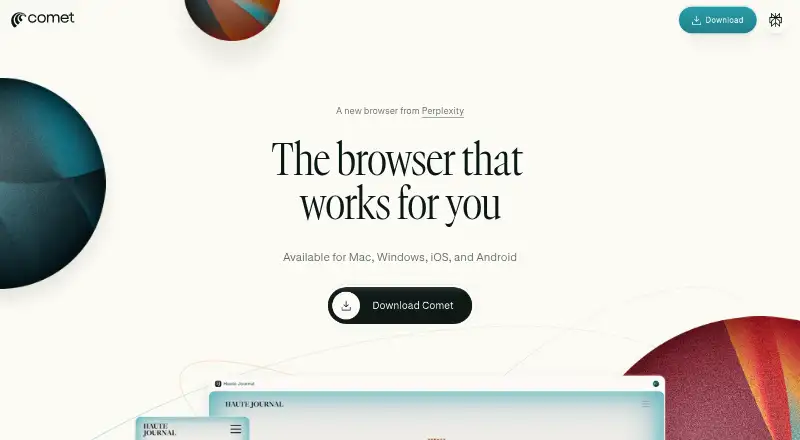
Comet is Perplexity’s AI browser, with an assistant built into the browsing experience. The assistant can answer questions about open tabs, search the web, and interact with websites on the user's behalf. Examples include explaining content, comparing tabs, drafting emails, scheduling meetings, and making purchases. Perplexity is the default search engine, and Comet uses Chromium. The browser is free to download for Android, iOS, macOS, and Windows, and supports most Chrome extensions. Extensions must be installed and configured again because their data does not transfer from Chrome. Browsing information such as URLs, searches, cookies, open tabs, and site permissions is stored locally. Website credentials are kept in the device’s secure vault, not on Perplexity’s servers. Privacy settings let users delete browsing and search history, cookies, and cached data. For some queries, page context—including text or email—may be processed on Perplexity’s servers. Email or scheduling tasks may require opting in to Perplexity Connector access; those permissions can later be changed or revoked.
Who it suits
Comet suits people who want an AI assistant alongside web browsing across mobile and desktop platforms. It may also suit users who want to ask about open tabs or delegate website tasks, provided they review actions before confirming them.
What it does well
- Free browser for Android, iOS, macOS, and Windows.
- Assistant can answer questions about open tabs.
- Supports most Chrome extensions.
- Browsing data is stored locally on the device.
- Users can stop the agent and review actions before confirming.
What to know first
- Chrome extensions must be reinstalled and configured.
- Some queries may send page context to Perplexity’s servers.
- Email or schedule tasks may require opting into Connector access.
Plans
| Plan | Billed and limits | Price |
|---|---|---|
| Comet | Downloadable for free | Free |
As perplexity.ai lists them, read 4 Oct 2026. The maker's own page has the final word.
Getting started
- Visit https://www.perplexity.ai/comet.
- Download Comet for Android, iOS, macOS, or Windows.
- Install and configure any Chrome extensions you want to use.
- Use Perplexity as the default search engine, or ask the assistant about open tabs.
- Opt in to Perplexity Connector if you want email or schedule task access.
Comet is a free Perplexity browser for people who want an assistant to help with both research and tasks on websites. Its page-aware assistance is the main draw; it is a weaker fit for readers who want page context kept entirely off Perplexity’s servers.
Overview
Built on Chromium, Comet combines browsing with an assistant that can answer questions about open tabs, search the web, and interact with websites. That makes it useful when research or a routine task depends on pages already in the browser, rather than a standalone chat. Perplexity is the default search engine, and built-in ad blocking and cross-device sync round out the browsing experience.
Key features
Help with pages and tasks
Comet Assistant can summarize or explain content, compare information across tabs, and help draft emails, schedule meetings, or make purchases. This breadth suits people who want to move from finding information to acting on it without leaving the browser. Website interactions can have consequences, so Comet says users can stop the agent at any time and should review actions before confirming them.
Connected services and privacy
Email or scheduling tasks may require opting in to Perplexity Connector access to third-party services; those permissions can later be changed or revoked in Perplexity settings. Comet stores browsing data such as URLs, searches, cookies, open tabs, and site permissions on the device. Website passwords and credit-card details are kept in the device’s secure vault, not on Perplexity’s servers, and users can delete history, cookies, and cached data in the browser’s privacy settings.
That local storage is not the whole privacy picture: Comet may send page context, including text or email, to Perplexity’s servers when a query requires it. Users who are uncomfortable with that should avoid sharing sensitive page content or choose a browser that better fits their privacy requirements.
Extensions and enterprise controls
Comet supports most Chrome extensions, but extensions must be installed and configured again when switching from Chrome because their data does not transfer. That is a manageable setup cost for users with a short extension list, but a drawback for anyone relying on a carefully configured Chrome environment. Enterprise deployments add MDM support on macOS and Windows and configuration of more than 500 Chromium-based policies.
Pricing
Comet is free to download and use at no cost. There are no paid plans or quotas to weigh against the free version in the plans described here, making it a straightforward option for individuals who want its browser and assistant without a subscription. Enterprise deployments are supported, but have custom pricing.
Platforms
Comet is available on Android, iOS, macOS, and Windows. Its Chromium base and broad Chrome extension support help users bring familiar browser tools, though extensions need a fresh installation and setup. For Comet-specific questions, Perplexity provides [email protected].
Who it's for
Comet is best for people who regularly compare pages, ask questions about what they are reading, or want help with everyday website tasks. Cross-device sync and free access make it appealing for users who want one assistant-enabled browser across desktop and mobile. It is less suitable for users who need extensions and their existing data to migrate intact, or who do not want page context processed on a service’s servers when a query calls for it.
Pros and cons
- Pro: Assistant can answer questions about open tabs and compare pages, keeping research grounded in the material already being browsed.
- Pro: Free access, ad blocking, and cross-device sync combine core browsing conveniences without a paid plan.
- Pro: Browsing data and saved credentials have distinct protections: browsing data stays on-device, while passwords and card details use the device’s secure vault.
- Con: Page context, including text or email, may be processed on Perplexity’s servers to complete queries, which may rule it out for privacy-sensitive work.
- Con: Chrome extensions do not transfer with their data, so switching entails reinstalling and configuring them.
- Con: Users should supervise website actions and review them before confirmation, limiting how safely the assistant can be left to act unattended.
Alternatives
For an open-source option with built-in AI agents across macOS, Windows, and Linux, consider BrowserOS. Norton Neo is another free choice, with unlimited AI and a VPN allowance of 5 GB per month, or unlimited VPN when it is the default browser. Choose Arc Search if a free mobile browser is the priority, bearing in mind that premium and team features may be charged for in the future without specifics announced. Aside suits users who want browser routines and a credit-based free tier, while its Pro plan costs $20 a month. BrowserOS neo is a free, open-source option for Linux, macOS, and Windows that uses your own AI provider. Genspark AI Browser may suit users seeking on-device AI models without internet access or subscriptions on its free plan. MoltBrowser is a free, fully open-source alternative. Polar offers browser-agent capabilities with a free credit allowance and daily credits, for users who prefer a credit-based model.
Explore more options in AI Browsers, AI Browser Agents, and Web browsers.
Verdict
Choose Comet if you want a free Chromium browser whose assistant can answer questions about open pages and help carry out routine website tasks. Its strongest reason to choose it is the combination of page-aware research and practical actions in one browser. Look elsewhere if server-side processing of page context is unacceptable or if you need Chrome extensions and their data to move over intact.
Verdict
Comet combines browsing with an assistant for page questions and website interactions. Keep in mind that some queries may involve server-side processing of page context and that extensions do not transfer from Chrome.
Questions
Is Comet free?
Yes. Comet is available to download for free.
Which devices support Comet?
Comet is available for Android, iOS, macOS, and Windows.
Does Comet support Chrome extensions?
It supports most Chrome extensions. Extensions must be installed and configured again because extension data is not transferred from Chrome.
Where does Comet store browsing data and credentials?
Browsing data such as URLs, searches, cookies, open tabs, and site permissions is stored locally. Website credentials are kept in the device’s secure vault, not on Perplexity’s servers.
Can Comet access email or scheduling services?
Email or schedule tasks may require opting in to Perplexity Connector access. Those permissions can later be changed or revoked in Perplexity settings.
Can Comet process page content on Perplexity’s servers?
It may process page context, including text or email, on Perplexity’s servers when needed to complete a query.
Facts from Comet's own pages
- Browser engine
- chromium · perplexity.ai, 23 Sept 2026
- Built-in ad blocking
- Yes · perplexity.ai, 23 Sept 2026
- Compatibility
- Comet supports most Chrome extensions, but users must install and configure them again because extension data is not transferred from Chrome. · perplexity.ai, 4 Oct 2026
- Credentials
- Website credentials such as passwords and credit cards are stored in the device’s secure vault and not on Perplexity’s servers. · perplexity.ai, 4 Oct 2026
- Cross-device sync
- Yes · perplexity.ai, 23 Sept 2026
- Enterprise
- Enterprise deployments support MDM on macOS and Windows and configuration of more than 500 Chromium-based policies. · perplexity.ai, 4 Oct 2026
- Extension support
- chrome_store · perplexity.ai, 23 Sept 2026
- Features
- Comet’s examples include summarizing and explaining content, comparing information across tabs, drafting emails, scheduling meetings, and making purchases. · perplexity.ai, 4 Oct 2026
- Free plan
- Yes · perplexity.ai, 23 Sept 2026
- Headquarters
- San Francisco, California, United States · perplexity.ai, 28 Sept 2026
- Integrations
- For email or schedule tasks, Comet may ask the user to opt in to Perplexity Connector access to third-party services, and permissions can later be revoked or changed in Perplexity settings. · perplexity.ai, 4 Oct 2026
- Local data
- Comet stores browsing data such as URLs, searches, cookies, open tabs, and site permissions locally on the device. · perplexity.ai, 4 Oct 2026
- Notable data handling
- Comet may process page context, including text or email, on Perplexity’s servers when needed to complete a user’s query. · perplexity.ai, 4 Oct 2026
- Open source
- No · perplexity.ai, 23 Sept 2026
- Page assistance
- Comet Assistant can answer questions about open tabs, search the web, and interact with websites on the user’s behalf. · perplexity.ai, 4 Oct 2026
- Supported platforms
- both · perplexity.ai, 23 Sept 2026
- Privacy controls
- Users can delete browsing and search history, cookies, and cached data in Comet’s privacy settings. · perplexity.ai, 4 Oct 2026
- Product
- Comet is Perplexity’s AI browser with a personal assistant built into the browsing experience. · perplexity.ai, 4 Oct 2026
- Safety controls
- Comet says users can stop the agent at any time and should review actions before confirming them. · perplexity.ai, 4 Oct 2026
- Search
- Perplexity is Comet’s default search engine. · perplexity.ai, 4 Oct 2026
- Support
- For Comet-specific questions, Perplexity lists [email protected] as its contact address. · perplexity.ai, 4 Oct 2026
Where Comet stands on Freedom251
- AI Browsers#4 of 23
- AI Browser Agents#4 of 22
- Web browsers#74 of 154