Freedom251 › Motion Capture Software

mimem.ai
What mimem.ai is
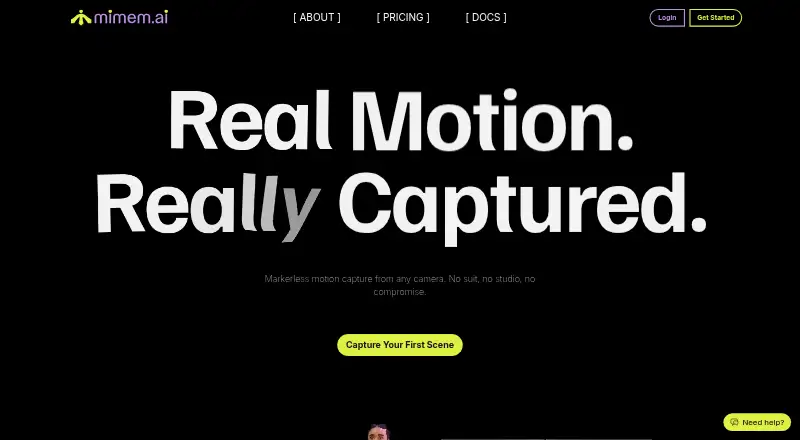
mimem.ai converts recorded video into 3D skeleton animation through a cloud-based, markerless motion-capture workflow. It works with DSLRs, webcams, and smartphones, and the maker says calibration is not needed. Users can capture with the companion app or another recording device, upload the footage for processing, preview the animation online, and download it as an FBX file for Unity, Unreal Engine, Blender, Maya, MotionBuilder, or Cascadeur. The companion app can pair iOS and Android phones as synchronized cameras. Users can also upload a character and retarget a take, with IK retargeting for hand and foot placement included in paid plans. Every plan includes commercial usage, finger tracking, and web-based animation preview; the maker says commercial rights require no royalties or attribution. The Free plan costs nothing and includes 50 daily tokens, 2 GB storage, three cameras, and three monthly FBX exports, with retargeting preview only. Essential costs €25 a month. A 30-second clip typically takes 2–5 minutes to process, while Pro users receive priority processing. Uploaded video and derived motion data may be used to improve AI models; users can opt out for future submissions in account settings.
Who it suits
mimem.ai suits creators who need to turn recorded footage into FBX animation for supported 3D tools. The maker describes Essential for personal projects, Plus for ambitious creators and small teams, and Pro for large teams doing professional projects.
What it does well
- Works with DSLRs, webcams, and smartphones
- Maker says camera calibration is not needed
- Exports FBX for several named 3D tools
- All plans include commercial usage rights
- Phone app can pair synchronized iOS and Android cameras
What to know first
- Real-time output is not available
- Free plan limits exports to three FBX files monthly
- Free plan offers retargeting preview only
- Uploaded videos and motion data may be used to improve AI models
Limits
Free includes 50 tokens per day, 2 GB storage, three cameras and three FBX exports per month; retargeting is preview-only. Daily included tokens reset rather than accumulate, and one token processes 30 frames per camera. Essential, the least expensive paid subscription, includes 500 daily tokens, 25 GB storage, three cameras and 40 monthly FBX exports.
Plans
| Plan | Billed and limits | Price |
|---|---|---|
| Free | 50 tokens daily · 2 GB storage · 3 cameras · 3 FBX exports monthly · retargeting preview only · commercial use | Free |
| Extra tokens | No subscription; credits never expire · Tokens are spent after plan daily tokens run out | €0.01, paid once |
| Pro | Billed monthly · 5000 tokens daily · 100 GB storage · 12 cameras · unlimited FBX exports · character retargeting and IK retargeting included | €199 a month |
| Extra FBX exports | No subscription · Additional FBX exports purchased individually | €2.50, paid once |
| Essential | Billed monthly · 500 tokens daily · 25 GB storage · 3 cameras · 40 FBX exports monthly · character retargeting and IK retargeting included | €25 a month |
| Plus | Billed monthly · 1500 tokens daily · 50 GB storage · 6 cameras · unlimited FBX exports · character retargeting and IK retargeting included | €60 a month |
As mimem.ai lists them, read 2 Oct 2026. The maker's own page has the final word.
Getting started
- Visit the mimem.ai website.
- Use the companion app on iOS or Android, or record with another device such as a DSLR or webcam.
- Upload the footage for cloud processing.
- Preview the animation on the web.
- Download the animation as an FBX file.
Overview
mimem.ai converts recorded video into 3D skeleton animation through cloud-based, markerless motion capture. It suits creators who need downloadable motion for game engines or animation tools, especially those working with multiple cameras or their own characters. Its appeal is a flexible capture setup and commercial rights on every plan; it is a poor fit for anyone who needs live output.
Key features
Record with the companion app or another camera, upload the footage, then download the processed animation. The maker says DSLRs, webcams and smartphones need no calibration, and automatic synchronization is included across plans. The companion app pairs iOS or Android phones with a session so they can act as synchronized cameras. A 30-second clip typically takes 2–5 minutes to process, making this a post-capture workflow; Pro subscribers get priority processing.
FBX is the export format, with stated compatibility for Unity, Unreal Engine, Blender, Maya, MotionBuilder and Cascadeur. Web-based preview and body, face, hand and finger tracking are included on every plan. Paid plans add character retargeting, including IK placement for feet and hands; Free only allows retargeting preview. That makes the free tier useful for trying the capture pipeline, but not for completing a retargeted-character workflow.
Each token processes 30 frames per camera, and daily included tokens reset rather than roll over. That distinction matters for irregular projects: unused daily capacity is lost, while separately purchased extra tokens do not expire. Uploaded video and derived motion data may be used to improve AI models; users can opt out for future submissions in account settings.
Pricing
Free costs nothing and includes 50 tokens daily, 2 GB of storage, 3 cameras and 3 FBX exports monthly. Commercial use is included, but retargeting is preview-only. It is a constrained way to assess the service or handle occasional small exports, not a dependable production allowance.
Essential costs €25 a month, billed monthly, and raises the allowance to 500 daily tokens, 25 GB storage and 40 monthly exports, while unlocking character and IK retargeting. It keeps the 3-camera limit, so it suits individual projects that need usable retargeting more than larger capture setups. Plus costs €60 a month, billed monthly, and provides 1,500 daily tokens, 50 GB, 6 cameras and unlimited FBX exports. It is the more practical fit for ambitious creators or small teams with frequent exports. Pro costs €199 a month, billed monthly, and provides 5,000 daily tokens, 100 GB, 12 cameras and unlimited exports, plus priority processing; its higher capacity is aimed at larger teams and professional projects.
Extra tokens cost €0.01, paid once, with no subscription and credits that never expire; they are used after daily plan tokens run out. Extra FBX exports cost €2.50, paid once. These add-ons can bridge occasional shortfalls, but do not replace the higher daily capacity of a paid plan. All plans grant commercial usage rights without royalties or attribution requirements. Paid subscribers can request technical support by email on business days.
Platforms
The service supports web, iOS and Android. Desktop software compatibility is through FBX files, not a stated native desktop app.
Who it's for
mimem.ai is best for creators and teams who can capture offline, want FBX animation, and value phone-based synchronized cameras or retargeting onto their own characters. Its tier ladder makes sense when export volume, camera count or processing capacity grows. Look elsewhere if real-time output is essential, or if a project depends on an export format other than FBX.
Pros and cons
- Pros: No-calibration capture from varied camera types and synchronized phone cameras reduce setup friction for multi-camera work.
- Pros: Character and IK retargeting on paid plans, along with broad stated FBX compatibility, supports a direct path into common animation and game tools.
- Pros: Commercial use is included even on Free, without royalties or attribution requirements.
- Cons: Processing takes minutes rather than producing real-time output, ruling it out for live workflows.
- Cons: Free has only 3 monthly exports and preview-only retargeting; daily tokens also expire at reset.
- Cons: FBX is the only stated export format, and uploaded footage or derived motion data may be used for AI improvement unless users opt out for future submissions.
Alternatives
Mocai is worth comparing if broader platform coverage and an API matter more than mimem.ai’s paid-tier camera and export allowances; its free plan limits footage to 1 minute monthly and clips to 15 seconds, for a single person.
Move AI offers a free allowance of 30 credits that do not expire for videos up to 30 seconds, while mimem.ai instead resets included tokens daily.
XR Animator is a free alternative for readers considering a public-version option.
FreeMoCap is a free alternative for readers who prefer a no-subscription, no-license option.
Move One provides 30 one-time free credits for 30-second videos, which do not expire.
Open Mocap is a free open-source Blender add-on for Blender 4.0.0 and earlier, so it is the more specific choice for that setup.
PINOC has a free plan with 5 videos per day, one generation at a time, limited multi-track sessions and seven-day asset and generation storage.
Rokoko Create offers a free Starter tier with 30 seconds per month of Vision AI video processing, unlimited text-to-motion clips, five Studio imports monthly and one month of cloud storage.
For more options, browse AI Motion Capture Software and Motion Capture Software.
Verdict
Choose mimem.ai if you need markerless, offline video capture that exports FBX, with commercial rights and paid character retargeting. Its free tier is useful for limited trials, but the monthly export cap and preview-only retargeting make Essential the entry point for regular character work. Choose another tool for live output or non-FBX delivery.
Verdict
mimem.ai turns recorded motion into downloadable FBX animation and includes commercial usage rights on every plan. The free tier limits storage, cameras, and monthly exports; paid plans add higher token and export allowances, with Essential starting at €25 a month.
Questions
Is mimem.ai free?
Yes. The Free plan costs nothing and includes 50 daily tokens, 2 GB storage, three cameras and three monthly FBX exports.
How much do paid plans cost?
Essential costs €25 a month, Plus costs €60 a month and Pro costs €199 a month. Extra tokens cost €0.01 as a one-time purchase, and extra FBX exports cost 2.50 EUR each.
Which platforms does it support?
The service supports web, iOS and Android. The companion app pairs iOS and Android phones as synchronized motion-capture cameras.
What file format does mimem.ai export?
It exports FBX files, described as compatible with Unity, Unreal Engine, Blender, Maya, MotionBuilder and Cascadeur.
Can I use animations commercially?
Yes. All plans, including Free, include commercial rights without royalties or attribution requirements.
Can uploaded videos be used to train AI models?
Uploaded videos and derived motion data may be used to improve AI models. You can opt out in account settings for future submissions.
Facts from mimem.ai's own pages
- Cameras
- It works with cameras including DSLRs, webcams, and smartphones, and the maker says no calibration is needed. · mimem.ai, 2 Oct 2026
- Commercial rights
- The maker says all plans, including Free, grant commercial rights to animations without royalties or attribution requirements. · mimem.ai, 2 Oct 2026
- Data processors
- The privacy policy names Stripe, Auth0, Vercel, AWS in Ireland, HelpScout, Google, and Meta as possible data processors. · mimem.ai, 2 Oct 2026
- Included features
- Every plan includes web-based animation preview, automatic video synchronization, calibration-free tracking, commercial usage, finger tracking, and the companion app. · mimem.ai, 2 Oct 2026
- Intended users
- The maker describes Essential for personal projects, Plus for ambitious creators and small teams, and Pro for large teams doing professional projects. · mimem.ai, 2 Oct 2026
- Limits and token use
- One token processes 30 frames per camera, and included daily tokens reset each day rather than accumulating. · mimem.ai, 2 Oct 2026
- Mobile capture
- The companion app pairs iOS and Android phones with a session so they can act as synchronized mocap cameras. · mimem.ai, 2 Oct 2026
- Output
- The service exports FBX files, which the maker says work with Unity, Unreal Engine, Blender, Maya, MotionBuilder, and Cascadeur. · mimem.ai, 2 Oct 2026
- Privacy and AI training
- Uploaded videos and derived motion data may be used to improve AI models, and users can opt out in account settings for future submissions. · mimem.ai, 2 Oct 2026
- Processing
- A 30-second clip typically processes in 2–5 minutes, and Pro users get priority processing. · mimem.ai, 2 Oct 2026
- Product
- mimem is a cloud-based markerless motion-capture platform that turns video into 3D skeleton animation. · mimem.ai, 2 Oct 2026
- Retargeting
- Users can upload their own character and retarget a take onto it with IK retargeting for feet and hand placement. · mimem.ai, 2 Oct 2026
- Support
- Paid subscribers can request technical support by email at [email protected], with requests handled on business days. · mimem.ai, 2 Oct 2026
- Workflow
- Users record with the companion app or another recording device, upload footage for cloud processing, then download animation files. · mimem.ai, 2 Oct 2026
Where mimem.ai stands on Freedom251
- Motion Capture Software#8 of 63
- AI Motion Capture Software#6 of 27