Micro
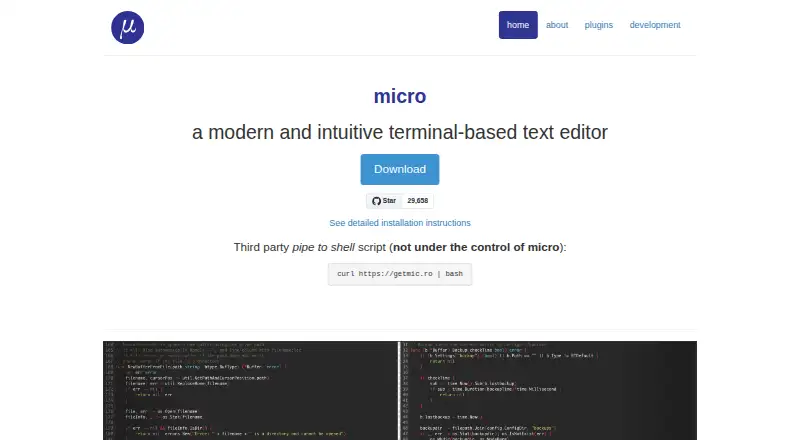
What Micro is
Micro is a free terminal-based text editor for people who prefer working in a terminal or regularly edit files over SSH. It is distributed as a single static binary with no dependencies and runs on Windows, macOS, Linux, and other systems where Go and its terminal library run. The editor supports syntax highlighting for over 130 languages, plus splits, tabs, a diff gutter, simple autocompletion, persistent undo, linting notifications, macros, soft wrapping, line numbers, and Unicode. It includes multiple cursors, mouse selection, and a real interactive shell. Users can configure options and rebind keys with JSON, then extend the editor using Lua. Its plugin system has a manager for installing, removing, and updating plugins. Micro supports 16-, 256-, and truecolor themes and includes seven default colorschemes. It also supports language servers and remote development. On Linux desktops, external clipboard access requires xclip or xsel for X11, or wl-clipboard for Wayland. Vim emulation and Vi keybindings are not provided.
Who it suits
It suits people who prefer editing in a terminal, including those who regularly work on files over SSH. It is available across Windows, macOS, Linux, and other supported systems.
What it does well
- Single static binary has no dependencies.
- Syntax highlighting covers over 130 languages.
- Lua plugin system includes plugin management.
- Supports language servers and remote development.
What to know first
- No Vim emulation or Vi keybindings.
- Linux desktop clipboard access requires an external tool.
- Mingw and Cygwin are not officially supported.
Limits
Micro is free, with no paid plan limit listed. On Linux desktops, external clipboard access requires xclip or xsel for X11, or wl-clipboard for Wayland.
Plans
| Plan | Billed and limits | Price |
|---|---|---|
| Open-source Micro editor | single static binary · no dependencies | Free |
As micro-editor.github.io lists them, read 28 Sept 2026. The maker's own page has the final word.
Getting started
- Open the Micro website.
- Choose the build for Windows, macOS, or Linux.
- Run the static binary; it has no dependencies.
- Adjust options in JSON or extend configuration with Lua.
- Install or manage plugins through the built-in Lua plugin manager.
Overview
Micro is a terminal-based text editor for people who prefer a shell workflow, especially those who regularly edit files over SSH. Its appeal is a broad toolkit packaged in a single, dependency-free binary; it is a less natural fit for anyone who depends on Vi-style editing conventions.
Key features
Micro is equipped for more than quick configuration changes: it supports splits and tabs, persistent undo, macros, soft wrapping, line numbers, Unicode, a diff gutter, basic autocompletion and linting notifications. Syntax highlighting covers more than 130 languages, and language-server support extends its usefulness for language-aware editing. This makes it a capable terminal editor, though its feature set is not a reason to treat it as a full desktop IDE.
Configuration options and keybindings are handled through JSON, with Lua for further configuration and extensions. The Lua plugin system has a built-in manager for installing, removing and updating plugins, a practical advantage for users who want to tailor the editor without managing every extension manually. Multiple cursors, mouse-based selection and an interactive shell inside the editor add flexibility while keeping the workflow in the terminal.
Micro's single static binary includes what it needs and has no dependencies, which is useful when setting up an editor on remote or constrained systems. That portability does not eliminate every setup consideration: on Linux desktops, external clipboard access requires xclip or xsel for X11, or wl-clipboard for Wayland. Windows is supported, but Mingw and Cygwin are not officially supported.
Pricing
Micro is free: the Open-source Micro editor plan costs nothing and provides a single static binary with no dependencies. There is no paid tier to trade features against, so it suits users who want a capable terminal editor without a subscription or usage cap.
Platforms
Micro supports Linux, macOS and Windows, as well as OpenBSD, NetBSD, Illumos and other systems where Go and its terminal library run. Windows users relying on Mingw or Cygwin should choose another setup, since those environments are not officially supported. Linux desktop users should also account for the separate clipboard utilities if they need external clipboard access.
Who it's for
Micro is a strong fit for shell-oriented users, people editing files over SSH, and anyone who values a portable editor with multiple cursors, plugins and language-server support. Its JSON configuration and Lua extension options suit users who want to adjust the editor without leaving that terminal-centered approach. Those who expect Vi or Vim keybindings should look elsewhere: Micro does not provide them.
Pros and cons
- Pro: A dependency-free static binary makes deployment straightforward, particularly on remote systems.
- Pro: Multiple cursors, language-server support and a managed Lua plugin system give it more range than a barebones terminal editor.
- Pro: JSON configuration and rebindable keys offer practical customization, with Lua for further extension.
- Con: No Vi or Vim emulation means users invested in those keybindings will face a different editing workflow.
- Con: Linux desktop clipboard integration depends on installing the appropriate external utility.
- Con: Mingw and Cygwin are outside its officially supported Windows environments.
Alternatives
Neovim is the more relevant choice for readers who want a free editor with Vi-style conventions; Micro does not offer those keybindings. Kate is worth considering when a cross-platform text editor is preferable to a terminal-first one. Visual Studio Code is another free option for readers comparing editors across Linux, macOS, web and Windows. CodeDroid may suit readers looking for a free option spanning mobile, desktop and web platforms. NumenText is another free, open-source terminal IDE to compare. Zed, Devin Desktop and IntelliJ IDEA are alternatives with free plans and paid offerings. For a broader shortlist, see Code editors, Text Editors or Go IDEs.
Verdict
Choose Micro if you want a free, portable terminal editor with a substantial editing toolkit and the option to extend it through Lua. Its dependency-free binary is the clearest reason to pick it, particularly for SSH and remote work. Look elsewhere if Vi-style keybindings are essential, or if Linux clipboard access without additional utilities is a requirement.
Verdict
Micro offers terminal editing with multiple cursors, plugins, language-server support, and broad configuration options. Its clipboard requirements on Linux and lack of Vi-style keybindings are worth considering.
Questions
Is Micro free?
Yes. Micro is free, and its listed plan costs nothing.
Which platforms does Micro support?
It supports Windows, macOS, and Linux, along with other systems where Go and its terminal library run. Mingw and Cygwin are not officially supported on Windows.
Does Micro support plugins?
Yes. It has a Lua plugin system with a built-in manager for installing, removing, and updating plugins.
Can Micro edit files remotely?
Micro supports remote development and is intended in part for people who regularly edit files over SSH.
Does Micro have Vim or Vi keybindings?
No. Micro does not provide Vim emulation or Vi keybindings.
What license does Micro use?
The Micro repository is MIT licensed.
Facts from Micro's own pages
- Binary format
- Micro is distributed as a single, batteries-included static binary with no dependencies. · micro-editor.github.io, 28 Sept 2026
- Bug Reporting
- Bugs can be reported through the GitHub issue tracker · micro-editor.github.io, 28 Sept 2026
- Community Chat
- Offers Gitter for informal discussion · micro-editor.github.io, 28 Sept 2026
- Configuration Format
- Uses simple JSON configuration · micro-editor.github.io, 28 Sept 2026
- Customization
- Users can configure options and rebind keys with JSON, and extend configuration with Lua. · micro-editor.github.io, 28 Sept 2026
- Default Colorschemes
- Includes 7 default colorschemes · micro-editor.github.io, 28 Sept 2026
- Editor capabilities
- Micro includes splits, tabs, a diff gutter, simple autocompletion, persistent undo, linting notifications, macros, soft wrapping, line numbers, and Unicode support. · github.com, 28 Sept 2026
- Editor type
- terminal · micro-editor.github.io, 20 Sept 2026
- Extension support
- Yes · micro-editor.github.io, 20 Sept 2026
- Free plan
- Yes · micro-editor.github.io, 20 Sept 2026
- Installation
- Distributed as a static binary with no dependencies · micro-editor.github.io, 28 Sept 2026
- Intended users
- Micro is intended for people who prefer working in a terminal or regularly edit files over SSH. · github.com, 28 Sept 2026
- Keybindings
- Keybindings can be rebound in bindings.json · micro-editor.github.io, 28 Sept 2026
- Language server support
- Yes · micro-editor.github.io, 20 Sept 2026
- Language Support
- Supports over 75 languages · micro-editor.github.io, 28 Sept 2026
- License
- The Micro repository is MIT licensed. · github.com, 28 Sept 2026
- Linux clipboard requirement
- On Linux desktop environments, external clipboard access requires xclip or xsel for X11, or wl-clipboard for Wayland. · github.com, 28 Sept 2026
- Lua Configuration
- Lua can configure the editor further · micro-editor.github.io, 28 Sept 2026
- Mouse Support
- Supports click-drag selection and double- or triple-click selection · micro-editor.github.io, 28 Sept 2026
- Multiple cursors
- Micro supports multiple cursors. · github.com, 28 Sept 2026
- Supported platforms
- Windows,macOS,Linux · micro-editor.github.io, 20 Sept 2026
- Platform support
- Micro is cross-platform and supports Windows, macOS, Linux, OpenBSD, NetBSD, Illumos, and other systems where Go and its terminal library run. · github.com, 28 Sept 2026
- Plugins
- Micro has a Lua plugin system and a built-in manager that installs, removes, and updates plugins. · github.com, 28 Sept 2026
- Plugin System
- Provides a Lua plugin system with automatic plugin installation · micro-editor.github.io, 28 Sept 2026
Where Micro stands on Freedom251
- Text Editors#29 of 82
- Editor Software#13 of 32
- Code editors#20 of 45
- Go IDEs#12 of 24