BBEdit
by BBEdit
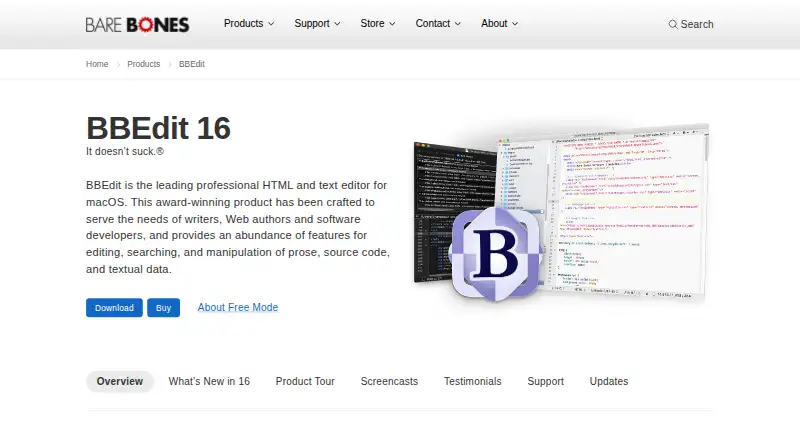
What BBEdit is
BBEdit is a professional HTML and text editor for macOS, aimed at writers, web authors and software developers. Its tools include grep pattern matching, multi-file search and replace, syntax coloring, function navigation, code folding and text completion. For web authoring, it provides HTML markup tools, standards-based syntax checking, and live previews of HTML and Markdown documents. Licensed users get integrated Git and Subversion support, plus in-app worksheets for conversing with ChatGPT, Claude and Ollama. BBEdit also works with AppleScript, macOS Unix scripting, Automator, Xcode as an external editor and the Language Server Protocol. It can open and save text files on FTP and SFTP servers. Free Mode continues after the 30-day evaluation period, though some advanced features need a paid license. The listed BBEdit 16 Individual license costs 59.99 USD as a one-time purchase. BBEdit 16 requires macOS 14.0 or later and runs on Intel and Apple silicon Macs. Bare Bones says its products are available only for macOS, with no Windows or Linux versions.
Who it suits
BBEdit suits macOS writers, web authors and developers who need text and code editing, web authoring tools or scripting integrations. It is not an option for Windows or Linux users.
What it does well
- Free Mode continues after the evaluation period.
- Includes multi-file search and replace.
- Provides live HTML and Markdown previews.
- Licensed version integrates Git and Subversion.
- Supports FTP and SFTP text files.
What to know first
- Available only for macOS.
- BBEdit 16 requires macOS 14.0 or later.
- Some advanced features require a paid license.
- Individual license costs 59.99 USD one time.
Limits
Free Mode is free forever after the 30-day evaluation period, but some advanced features require a paid license. The BBEdit 16 Individual license is listed at $59.99, paid once.
Plans
| Plan | Billed and limits | Price |
|---|---|---|
| Free Mode | Permanent core editing features after the evaluation period · No nag screens or unsolicited interruptions | Free |
| BBEdit license | Individual license · Full feature set · Perpetual license for the purchased version | $59.99 a month |
| Mac App Store subscription | Full advanced feature set · Annual subscription | On request |
| BBEdit Free Mode | Free forever after the 30-day evaluation period. · Some advanced features require a paid license | Free |
| BBEdit 16 Individual | One-time purchase; the page does not state a billing schedule. · Individual license · macOS only | $59.99, paid once |
As barebones.com lists them, read 22 Sept 2026. The maker's own page has the final word.
Getting started
- Open the BBEdit website.
- Use a Mac running macOS 14.0 or later for BBEdit 16.
- Start the 30-day evaluation period.
- Continue in Free Mode after the evaluation, or purchase the BBEdit 16 Individual license for $59.99, paid once.
BBEdit is a professional text, code, and HTML editor for Mac writers, web authors, and software developers. It suits people who need serious search, editing, and automation tools in one application, especially when documents become large or span many files. Its main appeal is breadth; its decisive drawback is that the product is tied entirely to macOS.
Overview
BBEdit brings plain-text editing, programming work, and web authoring together rather than treating them as separate jobs. Grep pattern matching and multi-file search and replace are valuable when a change must reach across a project. Column editing and large-file handling are practical advantages for structured data and substantial documents, while function navigation, code folding, and text completion make long source files easier to move through.
The scope makes BBEdit a strong fit for people who alternate between prose, markup, and code. It is less suitable if your work requires a cross-platform editor: Bare Bones offers no Windows or Linux version, and BBEdit 16 requires macOS 14 or later. The application is universal on Intel and Apple silicon Macs, so supported hardware is broad within that boundary.
Key features
For coding, BBEdit provides syntax coloring, function navigation, code folding, text completion, and pattern-based grep tools. These features address both routine editing and larger refactoring jobs, with multi-file replacement reducing repetitive manual changes. HTML authors get markup tools, standards-based syntax checking, and live previews for HTML and Markdown, making the application useful for building and checking documents as well as editing their source.
A paid license adds integrated Git and Subversion support, which keeps version-control operations inside the editor. BBEdit also supports AppleScript, macOS Unix scripting, Automator workflows, Xcode as an external editor, and the Language Server Protocol. Those integrations favor Mac users with established automation or development pipelines.
Remote work is supported through opening and saving text files on FTP and SFTP servers, along with third-party transfer clients that can send files through “Edit in BBEdit” commands. Licensed users can create in-app worksheets for conversations with ChatGPT, Claude, and Ollama. Bare Bones says worksheet requests and responses travel directly to the ChatGPT API over HTTPS and are not received or retained by the company.
Pricing
BBEdit uses a freemium model with a 30-day evaluation period. Free Mode costs nothing and remains available after evaluation with permanent core editing features, without nag screens or unsolicited interruptions. It is the sensible choice for writers and occasional editors who do not need the advanced licensed feature set.
The published BBEdit license is $59.99 a month, billed as an Individual license, and includes the full feature set with a perpetual license for the purchased version. A separate BBEdit 16 Individual entry is $59.99, paid once, described as a one-time purchase for an individual, macOS-only license; the page does not state a billing schedule beyond that wording. These entries should be checked carefully before payment because their terms are presented differently.
The Mac App Store subscription has custom pricing and includes the full advanced feature set through an annual subscription. Free Mode gives up licensed capabilities such as integrated version control and AI worksheets, while paid options are aimed at users who will rely on the complete workflow.
Platforms
BBEdit is available only for macOS. Version 16 requires macOS 14.0 or later and runs as a universal app on Intel and Apple silicon Macs. There are no Windows or Linux editions, so teams that standardize on multiple desktop operating systems need another editor or a separate tool.
Who it's for
Choose BBEdit if you write, edit, or maintain substantial text and HTML on a Mac and value deep search, column operations, previews, scripting, and optional source-control integration. It is particularly well matched to web authors and developers who want Mac automation and remote-file workflows alongside a capable text editor. Free Mode works for core editing; licensed users are the audience for Git, Subversion, AI worksheets, and the broader advanced feature set.
Pros and cons
- Pro: Grep and multi-file search and replace handle project-wide changes more efficiently than document-by-document editing.
- Pro: HTML checking and live HTML/Markdown previews serve web authors without requiring a separate preview workflow.
- Pro: AppleScript, Unix scripting, Automator, Xcode, and Language Server Protocol support fits Mac-centered development processes.
- Pro: Permanent Free Mode preserves core editing after the 30-day evaluation without nag screens.
- Con: The macOS-only policy excludes Windows and Linux users entirely.
- Con: Advanced functions require a paid license, and the published license entries present different billing terms that warrant confirmation.
- Con: Support is limited to email or a contact form; telephone and on-site support are not offered.
Alternatives
Visual Studio Code is the better pick when you need a free editor that runs on Linux, macOS, Windows, and the web. Choose Neovim for a free, Apache 2.0-licensed option spanning desktop, Android, API, and self-hosted environments. Kate suits readers seeking a free editor for Linux, Windows, and macOS, while Vim is a freely distributed cross-platform choice supported by donations.
Zed is worth considering if a free personal plan with 2,000 accepted edit predictions and external-agent or API-key support matches your workflow. Notepad++ is a free Windows-only text and source-code editor under the GPL. EmEditor is a Windows alternative with a 6.00 USD monthly Professional subscription and per-computer licensing. jEdit is free software with full source code under GPL 2.0 for Linux, macOS, and Windows.
For broader comparisons, see the Text Editors and Code editors lists.
Verdict
BBEdit is a strong choice for Mac writers, web authors, and developers who want powerful text manipulation, HTML tooling, and automation in one mature editor. Choose it for the permanent core-editing mode or the licensed integrations; look elsewhere if you need Windows or Linux support, telephone assistance, or a clearly uniform subscription structure.
Verdict
BBEdit combines text editing, web authoring and development tools, with a continuing free mode and a paid license for advanced features. Check the macOS requirement and platform limitation before selecting it.
Questions
Is BBEdit free?
Yes. Free Mode costs nothing and remains available after the 30-day evaluation period. Some advanced features require a paid license.
How much does the BBEdit 16 Individual plan cost?
It is listed at $59.99, paid once.
Which operating systems does BBEdit support?
BBEdit is for macOS. BBEdit 16 requires macOS 14.0 or later and runs on Intel and Apple silicon Macs; Bare Bones says there are no Windows or Linux versions.
Does BBEdit support version control?
The licensed feature set includes integrated Git and Subversion support.
Can BBEdit edit remote files?
It can open and save text files on FTP and SFTP servers and supports third-party file-transfer clients through “Edit in BBEdit” commands.
Who makes BBEdit?
BBEdit is made by Bare Bones Software, Inc., a privately held company based in North Chelmsford, Massachusetts. The company was founded in 1993.
Facts from BBEdit's own pages
- AI worksheets
- The comparison chart says licensed users can create in-app worksheets to converse with ChatGPT, Claude, and Ollama. · barebones.com, 4 Oct 2026
- Column editing
- Yes · barebones.com, 22 Sept 2026
- Company
- Bare Bones Software, Inc. is a privately held corporation based in North Chelmsford, Massachusetts. · barebones.com, 4 Oct 2026
- Extension support
- Yes · barebones.com, 22 Sept 2026
- Founded
- 1993 · barebones.com, 28 Sept 2026
- Free plan
- Yes · barebones.com, 22 Sept 2026
- Headquarters
- North Chelmsford, Massachusetts, USA · barebones.com, 28 Sept 2026
- Large-file handling
- Yes · barebones.com, 22 Sept 2026
- Notable limits
- Bare Bones says its software products are available only for macOS and that there are no Windows or Linux versions. · barebones.com, 4 Oct 2026
- Platform requirements
- BBEdit 16 requires macOS 14.0 or later and is a universal app for Intel and Apple silicon Macs. · barebones.com, 4 Oct 2026
- Privacy
- Bare Bones says BBEdit worksheet queries and responses go directly to the ChatGPT API over HTTPS and are not received or retained by Bare Bones. · barebones.com, 4 Oct 2026
- Product
- BBEdit is a professional HTML and text editor for macOS aimed at writers, web authors, and software developers. · barebones.com, 4 Oct 2026
- Remote files
- BBEdit can open and save text files on FTP and SFTP servers and supports third-party file-transfer clients through “Edit in BBEdit” commands. · barebones.com, 4 Oct 2026
- Support
- Technical support is available by email or contact form; the company says it does not offer telephone or on-site support. · barebones.com, 4 Oct 2026
- Supported platforms
- macOS · barebones.com, 22 Sept 2026
- Text and code tools
- Features include grep pattern matching, multi-file search and replace, syntax coloring, function navigation, code folding, and text completion. · barebones.com, 4 Oct 2026
- Version control
- The licensed feature set includes integrated support for Git and Subversion. · barebones.com, 4 Oct 2026
- Web authoring
- BBEdit provides HTML markup tools, standards-based syntax checking, and live previews of HTML and Markdown documents. · barebones.com, 4 Oct 2026
- Workflow integrations
- BBEdit supports AppleScript, macOS Unix scripting, Automator workflows, Xcode as an external editor, and the Language Server Protocol. · barebones.com, 4 Oct 2026
Where BBEdit stands on Freedom251
- Editor Software#9 of 32
- Text Editors#27 of 82
- Code editors#21 of 45