Lite XL
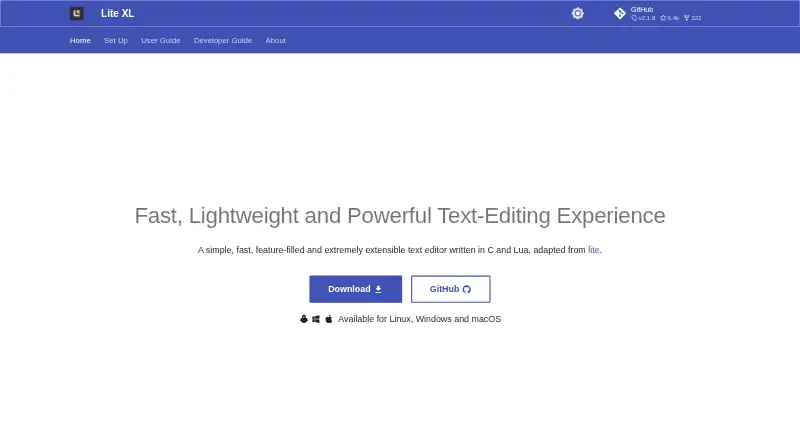
What Lite XL is
Lite XL is a lightweight text editor written in C and Lua, available free under the MIT license. Its bundle is less than 5MB, and the project says it can run on desktops and some single-board computers with weak ARM CPUs and 1GB of RAM. Multiline editing, autocomplete, pane splitting, multi-cursor editing and macro recording are supported. For navigating work, it includes a file browser, fuzzy file finder and project search, though it cannot find and replace across a project. Lua scripting and plugins provide ways to customize the editor. The documented lpm plugin manager can install, update and uninstall plugins; optional plugins add language-server tools, a terminal, Git diff gutter, EditorConfig support and linting. Language-server features such as diagnostics and go-to-definition require a plugin because no language server client is included by default. Official downloads are available for Windows, Linux and macOS, with minimums of Windows 7 SP2, Ubuntu 18.04 and OS X El Capitan. Newer macOS releases require confirmation in Finder at first launch because the project uses a self-signed certificate.
Who it suits
Lite XL suits people who want a free, small text editor with multi-cursor editing, macros and Lua customization. It may also suit users who want to extend their editor with plugins, including optional language-server tools.
What it does well
- Free software under the MIT license.
- Bundle is less than 5MB.
- Includes multiline editing, autocomplete and pane splitting.
- File browser, fuzzy file finder and project search are built in.
- lpm manages plugin installation, updates and removal.
What to know first
- Project-wide find-and-replace is not supported.
- Language-server support requires an optional plugin.
- Official binary releases are provided only for Windows, Linux and macOS.
- Community plugin safety, stability and quality are not guaranteed.
Limits
Lite XL is free, with no free-trial period. Project-wide find-and-replace is unavailable, and a language server client is not included by default. The project does not guarantee the safety, stability or quality of community-contributed plugins.
Plans
| Plan | Billed and limits | Price |
|---|---|---|
| Lite XL | Free software under the MIT license | Free |
As lite-xl.com lists them, read 8 Oct 2026. The maker's own page has the final word.
Getting started
- Open the Lite XL website.
- Choose an official download for Windows, Linux or macOS.
- Install or launch it, following the first-launch confirmation in Finder on newer macOS releases.
- Use the built-in editing and file tools, and consult the documentation as needed.
- Use lpm to install, update or uninstall plugins.
Verdict
Choose Lite XL if you want a free, lightweight editor with built-in project navigation and the option to customize it with Lua and plugins. Look elsewhere if project-wide find-and-replace or built-in language-server support is essential, or if you need an official binary for another platform.
Questions
How much does Lite XL cost?
The Lite XL plan is free. It is free software under the MIT license.
Which platforms have official downloads?
The official site provides downloads for Windows, Linux and macOS. Its guide lists minimums of Windows 7 SP2, Ubuntu 18.04 and OS X El Capitan.
Does Lite XL include language-server features?
It does not include a language server client by default. An LSP plugin can add autocomplete, diagnostics, symbol search and go-to-definition.
Can I extend or customize the editor?
Yes. Lite XL is scriptable with Lua and supports plugins. Its documented lpm manager can install, update and uninstall plugins.
Does it support project-wide find-and-replace?
No. It includes project search, but not find-and-replace across a project.
Are community plugins guaranteed to be safe?
No. The team says it cannot guarantee community plugins' safety, stability or quality, and plugin support is best-effort.
Facts from Lite XL's own pages
- Bundle size
- The site says Lite XL comes in a bundle less than 5MB and runs on desktops and some single-board computers with a weak ARM CPU and 1GB of RAM. · lite-xl.com, 8 Oct 2026
- Editing features
- Multiline editing, autocomplete and pane splitting are supported by default. · lite-xl.com, 8 Oct 2026
- Extension support
- Yes · lite-xl.com, 22 Sept 2026
- File and project tools
- The editor includes a file browser, fuzzy file finder and project search, but does not support find-and-replace across a project. · lite-xl.com, 8 Oct 2026
- Free plan
- Yes · lite-xl.com, 22 Sept 2026
- Language server support
- Lite XL does not include a language server client by default; the LSP plugin adds features such as autocomplete, diagnostics, symbol search and go-to-definition. · lite-xl.com, 8 Oct 2026
- Lua customization
- Lite XL is scriptable with Lua, which the site says is used for everything except communication with the operating system. · lite-xl.com, 8 Oct 2026
- Macro recording
- Yes · lite-xl.com, 22 Sept 2026
- Minimum platform versions
- The download guide lists Windows 7 SP2 and above, Ubuntu 18.04 and above, and OS X El Capitan and above. · lite-xl.com, 8 Oct 2026
- Multi-cursor editing
- Yes · lite-xl.com, 22 Sept 2026
- Other integrations
- Documented optional plugins include an integrated terminal, Git diff gutter, EditorConfig support and linter support. · lite-xl.com, 8 Oct 2026
- Plugins
- Plugins can add features, and the documented plugin manager lpm can install, update and uninstall them. · lite-xl.com, 8 Oct 2026
- Plugin safety
- The team warns it cannot guarantee the safety, stability or quality of community-contributed plugins and provides plugin support on a best-effort basis. · lite-xl.com, 8 Oct 2026
- Product
- Lite XL is a lightweight, extensible text editor written in C and Lua. · lite-xl.com, 8 Oct 2026
- Security and signing
- The project repository says newer macOS releases are signed with a self-signed certificate and requires a first-launch confirmation in Finder. · github.com, 8 Oct 2026
- Support and community
- The site directs users to documentation, plugin repositories and an issue tracker for feature or plugin requests. · lite-xl.com, 8 Oct 2026
- Supported downloads
- The official site provides downloads for Windows, Linux and macOS; it says other platforms do not have official binary releases. · lite-xl.com, 8 Oct 2026
- Supported platforms
- Windows,Linux,macOS · lite-xl.com, 22 Sept 2026
Where Lite XL stands on Freedom251
- Editor Software#8 of 32
- Code editors#13 of 45
- Text Editors#24 of 82