Freedom251 › Meeting Scheduling Software

MeetScheduling
What MeetScheduling is
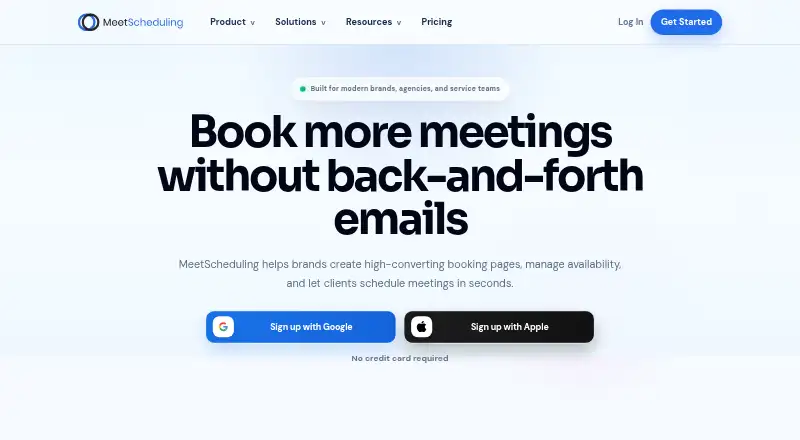
MeetScheduling lets brands publish booking pages, manage availability, and let clients schedule meetings. It supports one-on-one, group, round-robin, and custom event flows, with routing by team, region, or qualification. Workflow automations can send reminders and confirmations and trigger post-meeting actions. Google Calendar, Outlook, and iCloud connections update availability across connected calendars; meeting links can be generated for Zoom, Microsoft Teams, Google Meet, and Webex. The free plan includes one event type, unlimited bookings, and Google Calendar sync. Startup is $12/mo and includes 10 event types and three team members. Business Pro is $29/mo, with unlimited event types and team members, all calendar integrations, white-label branding, and priority support. Enterprise pricing is custom; listed features include a dedicated database, AI phone agents, SOC2, HIPAA, ISO 27001, and a 99.9% uptime SLA. The service also lists payment collection through Stripe and PayPal, webhooks and API delivery, and Salesforce and Marketo sync on paid tiers. It is available on Android, iOS, web, through an API, and as an extension.
Who it suits
The free plan may suit solo operators who need one event type and unlimited bookings. Startup is described for growing teams and solo operators, while Business Pro and Enterprise target agencies and organizations with dedicated infrastructure, compliance, or SLA needs.
What it does well
- Supports one-on-one, group, and round-robin scheduling.
- Routes inbound meetings by team, region, or qualification.
- Automates reminders, confirmations, and post-meeting actions.
- Free plan includes unlimited bookings.
- Connects to Google Calendar, Outlook, and iCloud.
What to know first
- Free plan is limited to one event type.
- Startup costs $12/mo.
- Business Pro costs $29/mo.
- Enterprise pricing is custom and not listed.
Limits
The free plan includes one event type, unlimited bookings, and Google Calendar sync. Startup is $12 /month and includes 10 event types and three team members.
Plans
| Plan | Billed and limits | Price |
|---|---|---|
| Startup | $12 /month · 10 event types · 3 team members · Round-robin scheduling · Collective events · Routing forms | $12 a month |
| Business Pro | $29 /month · Unlimited event types · Unlimited team members · All calendar integrations · White-label branding · Priority support | $29 a month |
| Enterprise | Custom · Everything in Business Pro · Dedicated database · AI phone agents · SOC2, HIPAA, ISO 27001 · 99.9% uptime SLA | On request |
| Free | $0 /month · 1 event type · Unlimited bookings · Google Calendar sync | On request |
As meetscheduling.com lists them, read 9 Oct 2026. The maker's own page has the final word.
Getting started
- Open the MeetScheduling website.
- Choose the Free, Startup, Business Pro, or Enterprise plan.
- Use the web service or the Android or iOS platform, or connect through its API or extension.
- Connect a supported calendar to manage availability.
- Create an event type and share its booking page with clients.
MeetScheduling is built for businesses that want clients to book individuals or teams through structured scheduling flows. It is most compelling for growing operations that need lead assignment, shared calendars, and automated follow-up. Solo users with one recurring appointment may find the free tier sufficient, but broader booking needs quickly point to paid plans.
Overview
The service combines public booking pages with availability control and several appointment formats: one-to-one, group, round-robin, and custom events. Incoming meetings can be assigned according to team, geography, or qualification, so it can function as a lightweight intake and distribution layer rather than merely a calendar link. Automations send confirmations and reminders and can trigger actions after a meeting, reducing routine coordination.
Key features
Team scheduling and routing
Round-robin scheduling, collective events, team booking pages, and routing forms support shared calendars and distributed ownership. This is useful for sales or service teams that must put the right person in front of a prospect. The free plan allows only one event type, which is restrictive if you need distinct links for demos, consultations, and internal meetings.
Calendar, video, and payments
Google Calendar, Outlook, and iCloud connections update availability across connected calendars. MeetScheduling can create links for Zoom, Microsoft Teams, Google Meet, and Webex. Paid tiers add Stripe and PayPal collection, webhooks and API delivery, plus Salesforce and Marketo synchronization, making the upgrade more relevant to revenue and marketing workflows than to basic appointment booking.
Branding and access
Custom booking domains support a branded customer journey. Business Pro adds white-label branding and all calendar integrations, while SAML SSO is reserved for Business Pro and Enterprise. Enterprise also adds a dedicated database, AI phone agents, a 99.9% uptime SLA, and SOC2, HIPAA, and ISO 27001 coverage.
Pricing
| Plan | Price | What you get |
|---|---|---|
| Free | $0 /month | One event type, unlimited bookings, Google Calendar sync |
| Startup | $12 a month | 10 event types, three team members, round-robin scheduling, collective events, routing forms |
| Business Pro | $29 a month | Unlimited event types and team members, all calendar integrations, white-label branding, priority support |
| Enterprise | Custom pricing | Business Pro features plus dedicated database, AI phone agents, compliance certifications, and 99.9% uptime SLA |
Free is a practical starting point for one simple booking flow and does not cap bookings, but it lacks additional event types and team capacity. Startup is aimed at solo operators and growing teams that need routing and up to three members. Business Pro suits agencies and serious operators requiring unlimited scale, broader calendar coverage, and branded pages. Enterprise is for organizations needing dedicated infrastructure, formal compliance, and service guarantees; its price is custom. Paid tiers therefore buy operational breadth, not merely more appointments.
Platforms
MeetScheduling supports Android, iOS, web, browser extension, and API access. That combination covers client-facing booking, mobile administration, and integration-led workflows.
Who it's for
Choose it for a team that routes inbound meetings by qualification, region, or ownership and wants calendars, conferencing, payments, and follow-up in one scheduling system. Startup fits a small operation with three or fewer team members; Business Pro is better for agencies and larger teams. Enterprise is the appropriate tier when compliance, dedicated infrastructure, and uptime commitments are requirements. It is less suitable for a solo user who needs several meeting types but does not want to pay beyond the one-type free allowance.
Pros and cons
Pros
- Strong team distribution: round-robin, collective events, team pages, and qualification-based routing handle shared ownership.
- Broad meeting stack: three named calendar systems and four video providers cover common scheduling setups.
- Unlimited free bookings: the free plan can support ongoing use when one event type is enough.
- Enterprise controls: SAML SSO, compliance standards, dedicated infrastructure, and a 99.9% SLA address regulated deployments.
Cons
- Free plan is narrow: one event type limits users with multiple appointment purposes.
- Team capacity starts at three: Startup may require an early move to Business Pro for larger groups.
- Key business integrations are paid: payments, CRM sync, webhooks, and API capabilities are not part of the free offer.
- Enterprise cost is opaque: organizations must request custom pricing before budgeting.
Alternatives
Pick Cal.com if you want a free plan with one user, unlimited event types and calendars, and more than 100 app integrations. Calendar.com is an alternative for individuals seeking a free-forever option with Android, iOS, web, extension, and API coverage. Choose Taggg for unlimited connections and meetings on its basic plan across desktop operating systems. FreeBusy suits individual appointment bookings and meeting polls, including a free personal tier. Koalendar is preferable when unlimited free booking pages, embeds, calendar sync, and video conferencing are the priority. SimplyMeet.me offers a free single-user plan with three meeting types and a 50-meeting monthly allowance. Choose Tymeslot when self-hosting and an open-source deployment are central requirements. Zoho Bookings is an option for a one-user free plan with a 15-day premium trial.
Verdict
MeetScheduling is a strong choice for growing teams that need booking pages tied to routing, shared scheduling, and automated follow-up. Its main reason to choose it is the combination of team assignment and multi-provider calendar and video support. Look elsewhere if you need many event types at no cost, transparent enterprise pricing, or a simpler solo scheduler.
Verdict
MeetScheduling combines booking pages, availability management, meeting routing, and workflow automation. The free plan is limited to one event type, while team size and feature options expand on paid tiers.
Questions
Is MeetScheduling free?
Yes. Its free plan costs $0 /month and includes one event type, unlimited bookings, and Google Calendar sync.
How much do the paid plans cost?
Startup costs $12 /month and Business Pro costs $29 /month. Enterprise pricing is custom.
Which platforms does it support?
MeetScheduling is available on Android, iOS, and web, and through an API and extension.
Which calendars and video services does it connect to?
Named calendar connections are Google Calendar, Outlook, and iCloud. It can generate meeting links for Zoom, Microsoft Teams, Google Meet, and Webex.
Does it support payments and CRM connections?
The pricing comparison lists Stripe and PayPal payments, plus Salesforce and Marketo sync on paid tiers. It also lists webhooks and API delivery.
What does Enterprise include?
Enterprise lists a dedicated database, AI phone agents, a 99.9% uptime SLA, and SOC2, HIPAA, and ISO 27001. It also includes dedicated onboarding support and 24/7 real-time Slack Connect.
Facts from MeetScheduling's own pages
- Automations
- Workflow automations can send reminders, confirmations, and post-meeting actions. · meetscheduling.com, 9 Oct 2026
- Calendar integrations
- The site names Google Calendar, Outlook, and iCloud calendar connections, with availability updated across connected calendars. · meetscheduling.com, 9 Oct 2026
- Enterprise support
- Enterprise includes dedicated onboarding support and 24/7 real-time Slack Connect. · meetscheduling.com, 9 Oct 2026
- Lead routing
- Routing can direct inbound meetings by team, region, or qualification. · meetscheduling.com, 9 Oct 2026
- Limits
- The free plan includes one event type, unlimited bookings, and Google Calendar sync; the Startup plan includes 10 event types and three team members. · meetscheduling.com, 9 Oct 2026
- Other integrations
- The pricing comparison lists Stripe and PayPal payments, webhooks and API delivery, and Salesforce and Marketo sync on paid tiers. · meetscheduling.com, 9 Oct 2026
- Platforms
- The site lists a mobile app and browser extension, and its footer links to the App Store, Google Play, Chrome, Edge, and Firefox. · meetscheduling.com, 9 Oct 2026
- Scheduling
- The service supports one-on-one, group, round-robin, and custom event flows. · meetscheduling.com, 9 Oct 2026
- Security
- The pricing page lists SAML SSO on Business Pro and Enterprise, and SOC2, HIPAA, and ISO 27001 for Enterprise. · meetscheduling.com, 9 Oct 2026
- Video integrations
- The site says it can generate meeting links for Zoom, Microsoft Teams, Google Meet, and Webex. · meetscheduling.com, 9 Oct 2026
- What it does
- MeetScheduling lets brands create booking pages, manage availability, and let clients schedule meetings. · meetscheduling.com, 9 Oct 2026
- Who it is for
- The pricing page describes Startup as for growing teams and solo operators, Business Pro for agencies and serious operators, and Enterprise for dedicated infrastructure, compliance, and SLAs. · meetscheduling.com, 9 Oct 2026
Where MeetScheduling stands on Freedom251
- Meeting Scheduling Software#8 of 35