Freedom251 › Database Backup Software

mariadb-backup
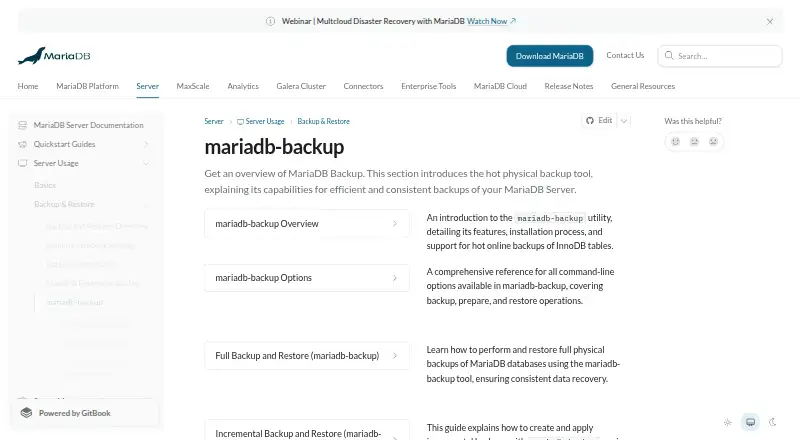
What mariadb-backup is
mariadb-backup is a free, open-source tool for physical backups of MariaDB tables. It supports full, incremental, and partial backups, point-in-time recovery, and restoration of individual databases, tables, and partitions. It works with InnoDB, Aria, MyISAM, and MyRocks storage engines. For InnoDB, it can take hot online backups; full backups on running systems use a nearly non-blocking method. It can also transfer Galera Cluster state snapshots and handle tables protected by Data-at-Rest Encryption, keeping encrypted tables encrypted in the backup. InnoDB page-compressed tables are supported, and backup output can be streamed to stdout for piping to tools such as OpenSSL or gzip. The tool is self-hosted and runs on Linux and Windows. Before restore, backups need preparation with the --prepare option; safe full and incremental restores require an empty MariaDB data directory. Backup operations connect to the running server and generally need a database account with global RELOAD, PROCESS, LOCK TABLES, and BINLOG MONITOR privileges. Restoring does not require a database user.
Who it suits
It suits MariaDB operators who need physical backups across supported storage engines, including online InnoDB backups or point-in-time recovery. It is also relevant for teams using Galera Cluster or encrypted tables.
What it does well
- Supports full, incremental, and partial backups.
- Includes point-in-time recovery and individual object restoration.
- Hot online backups are available for InnoDB.
- Supports Galera Cluster state snapshot transfers.
- Streams backup output for encryption or compression tools.
What to know first
- Partial backups require many steps.
- Partial backups cannot restore directly onto servers with other data.
- Full and incremental restores require an empty data directory.
- Backup operations generally need global database privileges.
Limits
Partial backups require many steps and cannot be restored directly onto an existing server containing other data. Safe full and incremental restores require an empty MariaDB data directory, and backups must be prepared before restoration.
Plans
| Plan | Billed and limits | Price |
|---|---|---|
| Open-source mariadb-backup | Physical backups for MariaDB data; Linux and Windows | Free |
As mariadb.com lists them, read 7 Oct 2026. The maker's own page has the final word.
Getting started
- Open the mariadb-backup documentation website.
- Use a Linux or Windows environment with a self-hosted MariaDB Server.
- For backup operations, connect using a database account with the generally required global privileges.
- Create a full, incremental, or partial backup as needed.
- Prepare the backup with the --prepare option before restoring it.
mariadb-backup is an open-source, self-hosted utility for physical online backups of MariaDB tables. It is aimed at database administrators who need engine-aware backup and recovery rather than a hosted control panel. The zero-cost plan is attractive, but successful restoration depends on careful preparation, privileges, and destination handling.
Overview
The tool connects to a running MariaDB Server for backup operations; restore work does not require a database user. It supports full, incremental, and partial backups, point-in-time recovery, and restoration of individual databases, tables, and partitions. That range suits both routine protection and selective recovery, provided your team is comfortable managing backup files and recovery sequences.
Online operation is a practical strength. Full backups use a nearly non-blocking approach on running systems, while InnoDB supports hot online backups. This fits production services where stopping MariaDB for a conventional copy would be disruptive. It is still an infrastructure utility, not a guided backup dashboard for non-specialists.
Key features
Flexible backup and recovery
Full backups establish a complete baseline; incremental backups reduce the amount of data captured after that baseline; and partial backups let you target narrower selections. Point-in-time recovery gives administrators a way to recover to a chosen moment, while individual database, table, and partition restoration supports more focused incidents. Partial backups require many steps and cannot be restored directly onto an existing server that contains other data, so they are best for operators who can control the destination environment.
Engine and cluster coverage
Support spans InnoDB, Aria, and MyISAM, with backup and restore support for MyRocks. The tool can also provide Galera Cluster state snapshot transfers (SSTs), making it relevant to clustered MariaDB deployments rather than only standalone servers. InnoDB page-compressed tables are supported during backup and restore.
Encryption and streaming
Data-at-rest encrypted tables remain encrypted in the backup. mariadb-backup can load the server's key-management and encryption plugin to handle those tables. Output can stream to standard output, allowing pipelines to OpenSSL or gzip when you need encryption or compression outside the backup process itself.
Restore discipline
Every backup must be prepared with the --prepare option before restoration, making its files point-in-time consistent for MariaDB Server. Safe full and incremental restores require an empty MariaDB data directory. These requirements protect consistency but add operational steps that automated, hosted products often hide.
Privileges and access
Backup operations generally need global RELOAD, PROCESS, LOCK TABLES, and BINLOG MONITOR privileges. MariaDB recommends a dedicated account with those backup privileges. Restore operations do not require a database user, which simplifies work on an offline or newly prepared destination.
Pricing
The Open-source mariadb-backup plan costs free. It covers physical backups for MariaDB data on Linux and Windows. There are no paid tiers, seat charges, storage quotas, or trial terms in this plan. The trade-off is that the product supplies a command-line, self-hosted capability rather than a hosted service with managed storage or a visual scheduling layer.
Platforms
mariadb-backup runs on Linux and Windows, with a self-hosted deployment model. It is designed for MariaDB Server using InnoDB, Aria, MyISAM, or MyRocks storage engines, so platform choice should follow where your database infrastructure already runs.
Who it's for
Choose it if you administer MariaDB directly, need online protection for active systems, or require incremental, partial, point-in-time, encrypted, and engine-specific recovery options without licensing cost. It is particularly suitable for teams operating Galera clusters or mixed MariaDB storage engines.
Look elsewhere if you want a hosted backup service, a graphical workflow, or restores that do not require preparing files and clearing the target data directory. The privilege model and multi-step partial-restore process also make it a poor fit for occasional users without database administration experience.
Pros and cons
- Pro: Nearly non-blocking full backups and hot InnoDB operation reduce maintenance interruption on live systems.
- Pro: Full, incremental, partial, and point-in-time options cover routine, selective, and time-specific recovery.
- Pro: InnoDB, Aria, MyISAM, MyRocks, Galera SST, encrypted tables, and page-compressed tables broaden deployment coverage.
- Pro: Standard-output streaming works with OpenSSL and gzip for external encryption or compression pipelines.
- Con: Backups must be prepared before restore, adding a required consistency step.
- Con: Full and incremental restores need an empty data directory, complicating in-place recovery.
- Con: Partial backups are laborious and cannot be restored directly onto servers that already contain other data.
- Con: Backup privileges and self-hosted file management demand experienced operators.
Alternatives
For a broader database directory, see Database Backup Software. Choose MySQL instead when you need a freemium database platform spanning Linux, macOS, Windows, API, and self-hosted deployments, with a free trial and replication and high-availability components. DBDock is a free, MIT-licensed self-hosted CLI alternative. Quemsi suits users wanting a freemium, open-source agent with an unlimited-database Solo plan. SqlBak is the better fit for a managed-style workflow with web access, alerts, and a free tier limited to one server, two databases, and one month of history. Databasus offers free Apache 2.0 software across Linux, self-hosted, and web deployments. DBAegis targets PostgreSQL administration with a Community plan limited to one admin, three connections, and three schedules. Percona Backup for MongoDB is the relevant free, self-hosted choice for MongoDB rather than MariaDB. pg_probackup is a free backup and recovery utility for PostgreSQL clusters.
Verdict
mariadb-backup is the right choice for MariaDB administrators who want comprehensive physical, online, and engine-aware recovery controls at no license cost. Its main reason to choose it is the combination of hot InnoDB backups, point-in-time recovery, encryption handling, and broad engine support. Look elsewhere when your priority is a hosted interface, simpler restores, or a workflow that does not require prepared files, an empty destination directory, and database-level operational expertise.
Verdict
mariadb-backup covers several MariaDB backup types, recovery options, and storage engines, with online InnoDB backups and encryption support. Plan for the preparation step before restore, and check the data-directory and privilege requirements for your workflow.
Questions
How much does mariadb-backup cost?
The open-source plan is free.
Which platforms does it support?
It is listed for Linux and Windows, with self-hosted deployment.
Which MariaDB storage engines are supported?
It supports InnoDB, Aria, and MyISAM, and also supports MyRocks backups and restores.
Does it support point-in-time recovery?
Yes. Point-in-time recovery is supported.
Is mariadb-backup open source?
Yes. It is described as an open source tool.
Does restoring require a database user?
Restore operations do not require a database user. Backup operations connect to the running server and generally need global RELOAD, PROCESS, LOCK TABLES, and BINLOG MONITOR privileges.
Facts from mariadb-backup's own pages
- Backup access
- For backup operations, the tool connects to the running server and MariaDB recommends using a dedicated user with backup privileges; restore operations do not require a database user. · mariadb.com, 7 Oct 2026
- Backup modes
- It supports full, incremental, and partial backups, as well as point-in-time recovery. · mariadb.com, 7 Oct 2026
- Backup preparation
- A backup must be prepared before restoring it so its files are made consistent for use by MariaDB Server. · mariadb.com, 7 Oct 2026
- Backup types
- It supports full, incremental, and partial backups, plus point-in-time recovery and restoration of individual databases, tables, and partitions. · mariadb.com, 7 Oct 2026
- Compression
- It supports backing up and restoring tables that use InnoDB page compression. · mariadb.com, 7 Oct 2026
- Encryption
- It supports backing up and restoring tables using data-at-rest encryption, and encrypted tables remain encrypted in the backup. · mariadb.com, 7 Oct 2026
- Encryption support
- It supports tables using Data-at-Rest Encryption and can load the server's key management and encryption plugin to back up encrypted tables. · mariadb.com, 7 Oct 2026
- Galera integration
- It can be used for Galera Cluster state snapshot transfers (SSTs). · mariadb.com, 7 Oct 2026
- Headquarters
- Silicon Valley and Ireland · mariadb.com, 28 Sept 2026
- Online backups
- It can make hot online InnoDB backups and provides a nearly non-blocking method for full backups on running systems. · mariadb.com, 7 Oct 2026
- Online operation
- It provides a nearly non-blocking method for full backups on running systems, with hot online backups available for InnoDB. · mariadb.com, 7 Oct 2026
- Operational requirements
- For backup operations, the database account generally needs the global RELOAD, PROCESS, LOCK TABLES, and BINLOG MONITOR privileges. · mariadb.com, 7 Oct 2026
- Partial backup limitation
- Partial backups require many steps and cannot be restored directly onto existing servers containing other data. · mariadb.com, 7 Oct 2026
- Platforms
- The utility is available on Linux and Windows. · mariadb.com, 7 Oct 2026
- Purpose
- mariadb-backup is an open source tool for physical online backups of MariaDB tables. · mariadb.com, 7 Oct 2026
- Restore preparation
- Backups must be prepared with the --prepare option before restoration so the data files become point-in-time consistent. · mariadb.com, 7 Oct 2026
- Restore requirement
- For safe full and incremental restoration, the MariaDB data directory must be empty. · mariadb.com, 7 Oct 2026
- Storage engines
- It supports InnoDB, Aria, and MyISAM tables, and also supports MyRocks backups and restores. · mariadb.com, 7 Oct 2026
- Stream integrations
- It can stream backup output to stdout, allowing it to be piped to tools such as OpenSSL and gzip for encryption or compression. · mariadb.com, 7 Oct 2026
Where mariadb-backup stands on Freedom251
- Database Backup Software#11 of 27