Freedom251 › Database Backup Software

DBDock
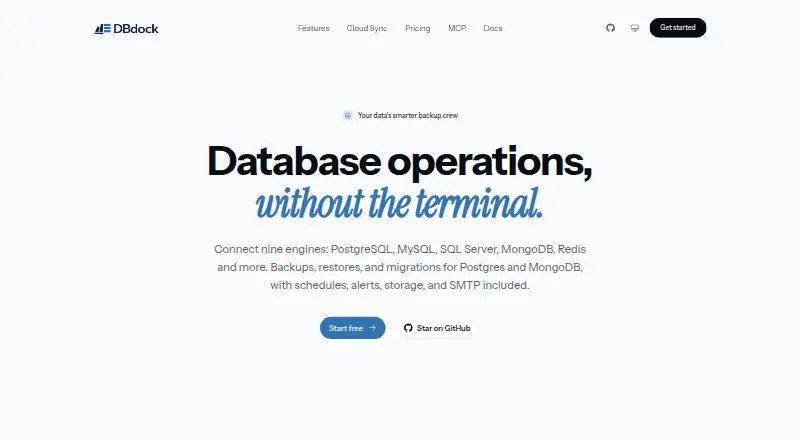
What DBDock is
DBDock is a database toolkit for backups, restores, copies, and migrations between databases. Its free, MIT-licensed CLI backs up and restores PostgreSQL, MySQL/MariaDB, SQL Server, and Redis. It also supports migration between MongoDB and PostgreSQL in either direction, with schema mapping, dry runs, and incremental sync. Backup storage can use local disk, AWS S3, Cloudflare R2, Cloudinary, or managed DBDock Storage. The CLI supports cron-based automation and email or Slack notifications. DBDock Cloud adds a managed dashboard with scheduled jobs, managed storage, teams, and alerts. The project lists AES-256-GCM encryption with PBKDF2 key derivation, credential masking, and `.pgpass` support. Cloud Sync sends non-secret metadata while database passwords, storage keys, encryption secrets, and webhook URLs remain on the user's machine. A TypeScript SDK enables programmatic access from Node.js applications. The CLI requires Node.js 18 or newer, and PostgreSQL backups require PostgreSQL client tools. DBDock is available for API, Linux, macOS, self-hosted, web, and Windows use. Its creator and maintainer is Naheem Olaide.
Who it suits
DBDock suits people who need a free, self-hosted CLI for database backups and restores, or migrations between MongoDB and PostgreSQL. Teams that want a managed dashboard can use DBDock Cloud, while Node.js developers can access the toolkit through its TypeScript SDK.
What it does well
- Free, MIT-licensed CLI for backups and restores.
- Migrates between MongoDB and PostgreSQL in either direction.
- Offers local, cloud, and managed backup storage choices.
- Supports cron automation with email and Slack notifications.
- Cloud Sync keeps passwords and other secrets on the user's machine.
What to know first
- The CLI requires Node.js 18 or newer.
- PostgreSQL backups require PostgreSQL client tools.
- The open-source CLI is self-hosted; DBDock Cloud is described as a managed dashboard.
Limits
The CLI requires Node.js 18 or newer, and PostgreSQL backups require PostgreSQL client tools. The open-source CLI is self-hosted.
Plans
| Plan | Billed and limits | Price |
|---|---|---|
| Open-source CLI | free forever · self-hosted · MIT licensed · backups, restores, copies and migrations · optional cloud sync | Free |
As dbdock.xyz lists them, read 15 Oct 2026. The maker's own page has the final word.
Getting started
- Visit https://dbdock.xyz.
- Install Node.js 18 or newer for the CLI.
- Install PostgreSQL client tools if you plan to back up PostgreSQL.
- Choose a storage destination such as local disk, AWS S3, Cloudflare R2, Cloudinary, or managed DBDock Storage.
- Use the CLI for backups, restores, copies, or supported migrations.
- Choose DBDock Cloud for a managed dashboard with scheduled jobs, storage, teams, and alerts.
DBDock is a free database toolkit for operators who want command-line control over backup, restore and cross-database migration workflows. It is best suited to people comfortable managing self-hosted software and its dependencies. Its range of database and storage options is a strong draw; its CLI runtime and PostgreSQL tooling requirements add setup work.
Overview
The MIT-licensed CLI combines backups and restores for PostgreSQL, MySQL/MariaDB, SQL Server and Redis with migration support between MongoDB and PostgreSQL. That breadth makes it useful when one workflow spans several database engines, rather than only protecting a single database type. The trade-off is that a command-line tool asks operators to manage setup and automation themselves.
DBDock uses a hybrid model: the CLI is self-hosted, while DBDock Cloud offers a managed dashboard with scheduled jobs, managed storage, teams and alerts. The project says Cloud Sync sends non-secret metadata and keeps database passwords, storage keys, encryption secrets and webhook URLs on the user's machine. This separation may suit teams seeking cloud coordination while retaining those credentials locally.
Key features
Backup, restore and migration
Backup and restore support spans four database families, while migrations run in both directions between MongoDB and PostgreSQL. Schema mapping, dry runs and incremental sync give operators tools to plan a move and continue syncing changes. PostgreSQL backups require PostgreSQL client tools, an extra dependency that may complicate setup on machines without them.
Storage and automation
Storage options include local disk, AWS S3, Cloudflare R2, Cloudinary and managed DBDock Storage. That mix lets users choose local or hosted destinations, though the range alone does not remove the work of configuring a backup workflow. The CLI supports cron-based automation and email and Slack notifications, useful for scheduled jobs that need a way to surface alerts.
Security and integration
DBDock lists AES-256-GCM encryption with PBKDF2 key derivation, credential masking and .pgpass support. A TypeScript SDK also lets Node.js applications access DBDock programmatically. The CLI requires Node.js 18 or newer, so it is not a fit for environments that cannot meet that runtime requirement.
Pricing
The Open-source CLI plan costs nothing and is MIT licensed and self-hosted. DBDock is described as free forever; there is no paid CLI tier to weigh against a lower-cost feature set. The choice is whether to run the CLI yourself or use DBDock Cloud's managed dashboard, which includes scheduled jobs, managed storage, teams and alerts; Cloud pricing is custom pricing.
Platforms
DBDock is offered across API, Linux, macOS, self-hosted, web and Windows environments. The CLI's Node.js 18-or-newer requirement and the PostgreSQL client-tools requirement for PostgreSQL backups are practical constraints regardless of platform.
Who it's for
DBDock suits database operators who want a free, self-hosted command-line toolkit covering several engines, or teams planning MongoDB–PostgreSQL migrations. Its cloud dashboard may appeal to teams wanting managed scheduling and coordination. It is less suitable for users who want to avoid command-line setup, runtime dependencies or self-managed automation.
Pros and cons
- Pros: One CLI handles backups and restores for PostgreSQL, MySQL/MariaDB, SQL Server and Redis, plus migrations in both directions between MongoDB and PostgreSQL.
- Pros: Local and hosted storage choices, cron automation and email or Slack notifications support scheduled backup workflows.
- Pros: Cloud Sync keeps specified secrets on the user's machine while sending non-secret metadata.
- Cons: Node.js 18 or newer is required, and PostgreSQL backups need PostgreSQL client tools.
- Cons: The CLI is self-hosted, so users must manage its setup and cron-based automation rather than relying on the Cloud dashboard.
Alternatives
Database Backup Software is a broader category to explore when comparing backup tools. For database documentation needs, see Database Documentation Tools.
Choose MySQL instead if you want its Community Edition, described as GPL-licensed and covering SQL and NoSQL applications with replication and high-availability components. Quemsi is another freemium option; its agent is described as open source and auditable, modifiable or buildable from source.
SqlBak may suit users who want a free plan capped at one server, two databases and one month of backup history, with server-down alerts every 60 minutes. Databasus offers a free Apache 2.0 open-source plan with all described product features, for users who prefer that licensing and packaging.
DBAegis has a free Community plan capped at one admin, three connections and three schedules. For narrower needs, mariadb-backup provides physical backups for MariaDB data on Linux and Windows, while pg_probackup is a free backup and recovery utility for PostgreSQL clusters. Percona Backup for MongoDB is another free community option.
Verdict
Choose DBDock if you want a free, self-hosted CLI that combines multi-engine backups and restores with MongoDB–PostgreSQL migrations and flexible storage options. Its strongest reason to consider it is that breadth in one tool; look elsewhere if you need to avoid Node.js and PostgreSQL client-tool dependencies or do not want to manage a CLI workflow.
Verdict
Choose DBDock if you want a free, self-hosted CLI for database backups, restores, or MongoDB and PostgreSQL migrations. Its storage options, cron automation, and notifications support scheduled backup workflows, and DBDock Cloud adds a managed dashboard. The CLI requires Node.js 18 or newer, with PostgreSQL client tools needed for PostgreSQL backups.
Questions
Is DBDock free?
The Open-source CLI plan is free. It is MIT licensed and self-hosted.
Which databases can it back up and restore?
The CLI supports backups and restores for PostgreSQL, MySQL/MariaDB, SQL Server, and Redis.
Which migrations does it support?
It supports migration from MongoDB to PostgreSQL and from PostgreSQL to MongoDB. These migrations include schema mapping, dry runs, and incremental sync.
Where can backups be stored?
Storage choices include local disk, AWS S3, Cloudflare R2, Cloudinary, and managed DBDock Storage.
What do I need to run the CLI?
The CLI requires Node.js 18 or newer. PostgreSQL backups also require PostgreSQL client tools.
Who created DBDock?
The repository says DBDock was created and is maintained by Naheem Olaide.
Facts from DBDock's own pages
- Additional database clients
- The repository lists backup and restore support for PostgreSQL, MySQL/MariaDB, SQL Server and Redis. · github.com, 15 Oct 2026
- Alerts
- Email, Slack and webhook notifications are available for backup and schedule events. · dbdock.mintlify.app, 15 Oct 2026
- Alerts and schedules
- The CLI supports cron-based automation and email and Slack notifications. · github.com, 8 Oct 2026
- Analytics
- The documentation says users can track database growth and build no-code administration dashboards from their data. · dbdock.mintlify.app, 15 Oct 2026
- Backup support
- The documentation describes encrypted and compressed backups for PostgreSQL and MongoDB. · dbdock.mintlify.app, 15 Oct 2026
- CLI installation
- Users can run DBDock with npx or install it globally through npm. · github.com, 15 Oct 2026
- Cloud dashboard
- DBDock Cloud is a hosted browser dashboard for connecting databases, scheduling encrypted backups and managing operations without running infrastructure. · dbdock.mintlify.app, 15 Oct 2026
- Cloud data handling
- Cloud Sync sends project metadata while database passwords, storage keys, encryption secrets and webhook URLs stay local. · github.com, 15 Oct 2026
- Cloud features
- DBDock Cloud is described as a managed dashboard with scheduled jobs, managed storage, teams, and alerts. · github.com, 8 Oct 2026
- Cloud sync
- The CLI can link a local project to the hosted dashboard with login and sync commands. · github.com, 15 Oct 2026
- Cloud Sync data
- The project says Cloud Sync sends non-secret metadata and keeps database passwords, storage keys, encryption secrets, and webhook URLs on the user's machine. · github.com, 8 Oct 2026
- Company scale
- Tekcify reports more than 28,000 active users across its products and presence in more than 52 countries. · tekcify.com, 15 Oct 2026
- Compression
- The documentation identifies zstd compression for backups. · dbdock.mintlify.app, 15 Oct 2026
- Cross-database migration
- DBDock migrates between MongoDB and PostgreSQL with automatic schema mapping, dry runs and incremental synchronization. · dbdock.mintlify.app, 15 Oct 2026
- Database copies
- The copydb command clones a database between environments such as production, staging and local. · github.com, 15 Oct 2026
- Documentation depth
- The documentation site provides quickstarts, CLI reference, security, cloud sync, troubleshooting and FAQ sections. · dbdock.mintlify.app, 15 Oct 2026
- Encryption
- The project specifies AES-256-GCM encryption and PBKDF2 key derivation for backups. · github.com, 15 Oct 2026
- License
- The CLI repository is released under the MIT license and is described as self-hosted and free forever. · github.com, 15 Oct 2026
- Maker
- Tekcify presents DBDock as one of four live products in its product studio. · tekcify.com, 15 Oct 2026
- Migration
- It supports MongoDB to PostgreSQL and PostgreSQL to MongoDB migration with schema mapping, dry runs, and incremental sync. · github.com, 8 Oct 2026
- PostgreSQL requirement
- PostgreSQL operations require client tools such as pg_dump, pg_restore and psql, with a client major version at least as new as the server. · github.com, 15 Oct 2026
- Repository activity
- The public GitHub repository shows 15 stars, one fork and Naheem Olaide as creator and maintainer. · github.com, 15 Oct 2026
- Requirements
- The CLI requires Node.js 18 or newer, and PostgreSQL backups require PostgreSQL client tools. · github.com, 8 Oct 2026
- Retention
- Retention cleanup can be based on backup count or age and includes a safety net. · github.com, 15 Oct 2026
Where DBDock stands on Freedom251
- Database Backup Software#2 of 27
- Database Documentation Tools#2 of 27