Freedom251 › Database Backup Software

SqlBak
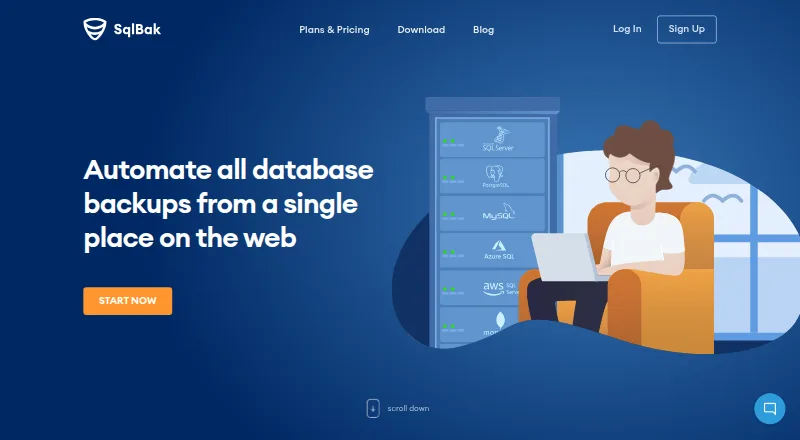
What SqlBak is
SqlBak automates database backups and provides a web service for managing backups across multiple servers. It lists support for SQL Server, PostgreSQL, MySQL, Azure SQL, Amazon RDS for SQL Server and MongoDB. Destinations include cloud storage services, FTP, SSH and local or network folders. For SQL Server, listed features include point-in-time recovery, full, differential and transaction-log backups, automatic verification, compression, health monitoring and one-click restore. The app runs as a background service on Windows or Linux servers; the download page also describes Docker and Raspberry Pi installation. SqlBak says backups are encrypted and sent directly from the server to the user's storage, while database credentials are encrypted and stored on the server. The Free plan costs nothing for one server, two databases and one month of history. Standard is $6 a month per server and Professional is $9 a month per server. A 30-day trial of Professional features does not require a credit card to start.
Who it suits
SqlBak suits teams that need scheduled backups and centralized management across servers, using one of its listed databases and destinations. Its free plan is sized for one server and two databases; larger history limits are listed on paid plans.
What it does well
- Supports six listed database types
- Offers point-in-time recovery
- Backups can go to cloud, FTP, SSH or folders
- 30-day trial requires no credit card
What to know first
- Free plan covers one server
- Free plan limits backups to two databases
- Free plan keeps one month of history
Limits
The Free plan includes one server, two databases and one-month backup history, with server-down alerts every 60 minutes. Standard includes six-month history and alerts every 10 minutes; Professional includes 12-month history and alerts every five minutes.
Plans
| Plan | Billed and limits | Price |
|---|---|---|
| Free | 1 server · 2 databases · local/network folder, external HDD/NAS, FTP, Box, Backblaze B2, Yandex.Disk · server-down alerts every 60 min · 1-month backup history · AES encryption · health check · extended support · white label · public API | Free |
| Standard | month / server if you start now! · FTPS, SFTP, Dropbox, Google Drive, OneDrive, OneDrive for Business · server-down alerts every 10 min · 6-month backup history · AES encryption · health check · extended support · white label · public API | $6 a month |
| Professional | month / server if you start now! · Amazon S3, Microsoft Azure Storage, S3 Compatible · server-down alerts every 5 min · 12-month backup history · AES encryption · health check every 60 min · extended support · white label · public API | $9 a month |
As sqlbak.com lists them, read 19 Oct 2026. The maker's own page has the final word.
Getting started
- Visit https://sqlbak.com/ and choose the Free plan or start the 30-day trial.
- Install the SqlBak app on a Windows or Linux server; Docker and Raspberry Pi installation are also described.
- Connect a supported database and configure backup jobs with the CLI, or use the service's web management.
- Choose a listed backup destination for your backups.
Overview
SqlBak is a service for automating database backups and managing jobs across multiple servers. It is a strong fit for administrators working across different database engines or storage providers, especially where SQL Server recovery controls matter. Its central trade-off is scale: the free plan covers just one server and two databases.
The service supports Microsoft SQL Server, PostgreSQL, MySQL, Azure SQL, Amazon RDS for SQL Server, and MongoDB. A background app runs on Windows or Linux servers, while a web service provides management; Docker and Raspberry Pi installations are also described. That hybrid approach gives server operators a way to keep backup activity close to their systems while managing it remotely.
Key features
SQL Server receives the most specifically described backup controls: full, differential, and transaction-log backups, point-in-time recovery, automatic verification, compression, health monitoring, and one-click restore. Together, these make SqlBak more relevant to operators concerned with recoverability than a scheduler limited to creating backup copies. The listed controls are specific to SQL Server, so the same depth should not be assumed for every supported database.
Backup frequency is custom, and destinations range from Amazon S3, Google Drive, Dropbox, OneDrive, Microsoft Azure, Google Cloud, and Backblaze B2 to S3-compatible storage, Box, Wasabi, Aruba Cloud, Yandex Disk, FTP, local or network folders, and SSH. This breadth is useful when a team already has a storage policy or needs to choose different destinations. It also makes SqlBak a more flexible option than a service centered on a single storage provider.
Backups are encrypted and uploaded directly from the server to the user's storage, bypassing SqlBak.com; database credentials are encrypted and stored on the server. All plans include SSL encryption, while paid plans also include AES encryption. SqlBak says it is PCI DSS compliant, does not have access to credit-card data, and has compliance validated annually by Stripe. These are meaningful safeguards, though they do not replace a user's own review of storage access and security requirements.
A REST API can check backup status, and a command-line interface can connect servers and configure jobs. Those options suit teams that want to incorporate setup or monitoring into existing workflows. Standard and Professional include extended support.
Pricing
SqlBak is freemium, with a 30-day trial of Professional features that requires no credit card to start. Plans are pay-as-you-go: users can upgrade, downgrade, or cancel at any time, and prepaying for a year earns an additional 10% off.
- Free: free. It covers one server and two databases, with one-month backup history and server-down alerts every 60 minutes. This is a sensible starting point for a small setup, but the caps make it a poor fit for larger environments or longer retention needs.
- Standard: $6 a month, billed per server if you start now. It extends backup history to six months and checks server-down status every 10 minutes. Choose it when those increases are enough; it does not provide the 12-month history or five-minute alerts of Professional.
- Professional: $9 a month, billed per server if you start now. It provides 12-month history and server-down alerts every five minutes, alongside the Professional features available during the trial. It is the stronger fit for teams that need longer retention or faster outage alerts.
Both paid prices are per server, so costs rise with the number of servers. The free tier's server, database, and history limits are the main constraint for growing deployments.
Platforms
SqlBak lists API, Linux, self-hosted, web, and Windows support. The Windows and Linux background service, plus Docker and Raspberry Pi installation options, give operators several deployment routes; the web service provides a separate management layer.
Who it's for
SqlBak is best suited to database administrators and teams responsible for backups across more than one database type or storage destination. It is particularly compelling for SQL Server environments that need point-in-time recovery and verification. A small deployment can begin on the free tier, while organizations requiring longer history or quicker server-down alerts have a clear paid-plan path. It is less attractive when one server and two databases are not enough but the per-server paid pricing is hard to justify.
Pros and cons
- Pro: Support for six named database types gives teams with mixed environments a single service to consider.
- Pro: A wide choice of cloud, file, and network destinations can accommodate existing storage arrangements.
- Pro: SQL Server backups include point-in-time recovery, automatic verification, and one-click restore, not just backup scheduling.
- Pro: The no-card 30-day Professional trial lets users evaluate paid-plan features before committing.
- Con: Free use is capped at one server, two databases, and one month of history, limiting its usefulness beyond small deployments.
- Con: Paid plans are priced per server, so the bill grows with deployment size.
- Con: Backup controls are most fully described for SQL Server, leaving less basis to judge the feature depth for other database types.
Alternatives
For a broader database-backup shortlist, see Database Backup Software.
- MySQL is a freemium alternative with a free plan and trial, and its listed Community Edition covers SQL and NoSQL applications with replication and high-availability components. Consider it when those broader database capabilities matter more than SqlBak's backup-focused scope.
- Databasus is free, open-source software under Apache 2.0, with all described product features in its free plan. It may suit readers who prioritize an open-source, no-cost option.
- DBAegis offers a free Community plan capped at one admin, three connections, and three schedules. It is worth considering when that bounded community setup fits the workload.
- pg_probackup is a free backup and recovery utility for PostgreSQL clusters. Choose it when the need is specifically PostgreSQL cluster backup rather than SqlBak's multi-database service.
- Barman is a free, open-source PostgreSQL disaster-recovery tool for Linux and self-hosted deployments. It is the more focused alternative for that environment.
- Database Vault has a free web plan with weekly backups, seven-day retention, and 1 GB of total storage. That limited allowance may suit users whose priority is a small amount of managed backup storage.
- Percona XtraDB Cluster is free, open-source database clustering software, with paid support and services offered separately. Consider it for clustering rather than SqlBak's backup management.
- pgBackRest is a free, open-source PostgreSQL backup tool under the MIT license, for personal or commercial use. It is a focused option for PostgreSQL deployments.
Verdict
SqlBak is a solid choice for administrators who need automated backups across multiple database types and storage destinations, with especially useful recovery controls for SQL Server. Its no-card trial and flexible cancellation lower the barrier to trying paid features. Look elsewhere if the free caps are too restrictive, per-server pricing does not suit a larger deployment, or the requirement is a focused open-source PostgreSQL tool.
Verdict
SqlBak combines backup automation with a range of database types and storage destinations. The free tier is limited in servers, databases and history, while paid plans are priced per server.
Questions
What does SqlBak cost?
The Free plan costs nothing. Standard costs $6 a month per server, and Professional costs $9 a month per server.
Is there a free trial?
Yes. The 30-day trial provides Professional plan features and requires no credit card to start.
Which databases does SqlBak support?
The listed databases are SQL Server, PostgreSQL, MySQL, Azure SQL, Amazon RDS for SQL Server and MongoDB.
Where can SqlBak send backups?
Destinations include cloud storage services, FTP, SSH, and local or network folders. The listed cloud destinations include Amazon S3, Google Drive, Dropbox and Microsoft Azure.
Where does the SqlBak app run?
It runs as a background service on Windows or Linux servers. Docker and Raspberry Pi installation are also described.
What security details does SqlBak provide?
SqlBak says backups are encrypted and sent directly from the server to the user's storage, and database credentials are encrypted and stored on the server. All plans include SSL encryption; paid plans list AES encryption.
Facts from SqlBak's own pages
- Agent architecture
- A lightweight Windows or Linux agent runs as a background service and connects the database server to the web account. · sqlbak.com, 19 Oct 2026
- API and CLI
- The site says users can check backup status with a REST API and use a command-line interface to connect servers and configure jobs. · sqlbak.com, 29 Sept 2026
- API integration example
- A provider blog documents using the API to send SqlBak job status, date and backup-type results into Zabbix. · sqlbak.com, 19 Oct 2026
- Automation
- It supports maintenance jobs, command-line execution from scripts or batch files, scheduled jobs and email notifications. · sqlbak.com, 19 Oct 2026
- Backup features
- The SQL Server page lists point-in-time recovery, full, differential and transaction-log backups, automatic backup verification, compression, health monitoring, and one-click restore. · sqlbak.com, 29 Sept 2026
- Backup formats
- Local SQL Server connections produce native .bak files, while remote connections use generated SQL scripts. · sqlbak.com, 19 Oct 2026
- Centralized management
- A web dashboard can manage backups from any number of connected servers on one page. · sqlbak.com, 19 Oct 2026
- CLI
- SqlBak-CLI is a free beta command-line utility for SQL Server and MySQL backup, cloud transfer and restore. · sqlbak.com, 19 Oct 2026
- CLI limitation
- The CLI roadmap lists PostgreSQL restore, MySQL binary-log incrementals, automatic email and 7zip as future features rather than current capabilities. · sqlbak.com, 19 Oct 2026
- CLI platforms
- The CLI documentation says it has no dependencies and supports popular Linux distributions plus all Windows and Windows Server versions. · sqlbak.com, 19 Oct 2026
- Company history
- Pranas.NET says it was founded in Manhattan in 2003, moved to New Jersey in 2016 and released SqlBak in 2010. · sqlbackupandftp.com, 19 Oct 2026
- Compliance
- SqlBak says it is PCI DSS compliant, has no access to credit-card data, and has compliance validated annually by Stripe. · sqlbak.com, 29 Sept 2026
- Compression
- Backup files can use Zip, 7Zip or SQL Server native compression. · sqlbak.com, 19 Oct 2026
- Credential handling
- Database connection credentials are encrypted and stored on the customer server rather than on SqlBak.com. · sqlbak.com, 19 Oct 2026
- Current distributor version
- ComponentSource lists SqlBak version 3.4.5 dated April 30, 2026. · componentsource.com, 19 Oct 2026
- Database support
- The site lists backup support for SQL Server, PostgreSQL, MySQL, Azure SQL, Amazon RDS SQL Server, and MongoDB. · sqlbak.com, 29 Sept 2026
- Data path
- Backups are encrypted and uploaded directly from the customer server to the selected storage, bypassing SqlBak.com. · sqlbak.com, 19 Oct 2026
- Deployment
- The SqlBak app runs as a background service on Windows or Linux servers; the download page also describes Docker and Raspberry Pi installation. · sqlbak.com, 29 Sept 2026
- Destinations
- Listed backup destinations include Amazon S3, Google Drive, Dropbox, OneDrive, Microsoft Azure, S3-compatible storage, Backblaze B2, Box, Wasabi, Google Cloud, Aruba Cloud, Yandex Disk, FTP, local or network folders, and SSH. · sqlbak.com, 29 Sept 2026
- Documentation status
- SqlBak says its main product documentation is still under development and directs users to support and blog articles. · sqlbak.com, 19 Oct 2026
- Encryption
- The pricing page says all plans include SSL encryption, and paid plans list AES encryption. · sqlbak.com, 29 Sept 2026
- Founded
- 2003 · sqlbak.com, 28 Sept 2026
- GDPR
- Pranas.NET states that it is fully GDPR compliant. · sqlbak.com, 19 Oct 2026
- Headquarters
- Hawthorne, New Jersey, United States · sqlbak.com, 28 Sept 2026
Where SqlBak stands on Freedom251
- Database Backup Software#17 of 27