Freedom251 › Database Backup Software
Holland Backup
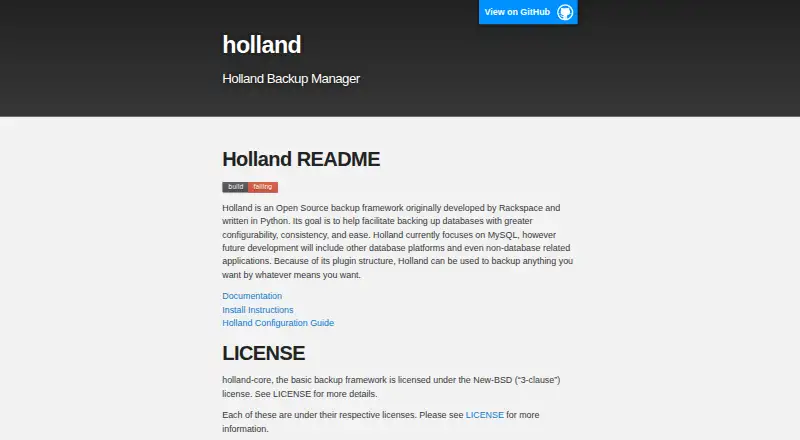
What Holland Backup is
Holland Backup is a free, open source framework for database backups on Linux in a self-hosted setup. Originally developed by Rackspace and written in Python, it uses plugins to connect backup jobs with different data sources. Documented database support includes MySQL, MariaDB, PostgreSQL, and MongoDB, with providers such as mysqldump, XtraBackup, pgdump, pg_basebackup, mariabackup, and mongodump. A command provider can run custom backup commands, and the plugin approach can support other data when a provider is available.
Holland keeps backup-set settings separate from provider configuration, while allowing a backup set to override provider defaults. Backup sets can specify retention counts and purge policies. Its command line can run backups, list backups and plugins, create configuration templates, and purge backups. The framework supports point-in-time recovery. Installation guidance covers RHEL/CentOS, Ubuntu, SUSE, Debian, and manual installation. Holland requires Python 3.6 or later; Python 2 support was removed in version 1.2.0. The MySQL LVM provider also requires suitable LVM snapshot capacity and a backup directory on a separate filesystem.
Who it suits
Holland Backup suits Linux users who want a self-hosted, plugin-based framework for database backups and retention management. It is relevant to teams using one of its documented database providers or able to supply a provider for another data source.
What it does well
- Free and open source under the New-BSD three-clause core license.
- Documented providers cover four database systems.
- Command line can run, inspect, configure, and purge backups.
- Supports point-in-time recovery.
What to know first
- Requires Python 3.6 or later.
- MySQL LVM backups require snapshot space and a separate filesystem.
- Plugins may have their own licenses.
Limits
Holland requires Python 3.6 or later. Its MySQL LVM provider requires the database to use an LVM volume with adequate free extents and snapshot capacity, and its backup directory must be on a different filesystem from the running database.
Getting started
- Visit the Holland website.
- Choose package installation instructions for RHEL/CentOS, Ubuntu, SUSE, or Debian, or use manual installation.
- Ensure Python 3.6 or later is available.
- Configure backup providers and backup sets separately.
- Use the command line to generate configuration templates and run backups.
Verdict
Holland offers flexible backup providers and command-line management for self-hosted Linux environments. Check the runtime and provider requirements first, especially the storage constraints for the MySQL LVM option.
Questions
Is Holland Backup free?
Yes. It is free and open source, and there is no free trial.
Which databases does it support?
Documented providers cover MySQL, MariaDB, PostgreSQL, and MongoDB.
What platforms does it support?
Holland is for Linux and self-hosted deployment. Installation instructions cover RHEL/CentOS, Ubuntu, SUSE, and Debian.
What license does Holland use?
The holland-core framework uses the New-BSD three-clause license. Plugins may use their respective licenses.
Can it back up data beyond databases?
The plugin design can support other data sources when a provider is available. A command provider can run custom backup commands.
What does the MySQL LVM provider require?
The database must run on an LVM volume, with enough free volume-group extents and snapshot capacity for changes during backup. Its backup directory must be on a separate filesystem.
Facts from Holland Backup's own pages
- Backup management
- The command line can run backups, list available backups and plugins, generate backup-set configuration, and purge backups. · docs.hollandbackup.org, 10 Oct 2026
- Backup methods
- Providers include mysqldump, MySQL with LVM snapshots, XtraBackup, pgdump, pg_basebackup, mariabackup, and mongodump. · docs.hollandbackup.org, 4 Oct 2026
- Backup providers
- Documented providers include mysqldump, MySQL with LVM, XtraBackup, PostgreSQL tools, MariaDB tools, and mongodump. · docs.hollandbackup.org, 10 Oct 2026
- Backup storage constraint
- For mysql-lvm, the configured backup directory must be on a different filesystem from the running database filesystem. · hollandbackup.org, 10 Oct 2026
- Compression
- Provider configuration supports choosing a compression method and related options for backups. · hollandbackup.org, 10 Oct 2026
- Configuration
- Backup sets select a provider and can override provider defaults, including database or table selection, compression, and locking options. · docs.hollandbackup.org, 10 Oct 2026
- Custom commands
- The command provider can run custom backup commands and substitute the backup data directory path at runtime. · docs.hollandbackup.org, 10 Oct 2026
- Database support
- Documented providers include MySQL, PostgreSQL, and MongoDB backup tools. · docs.hollandbackup.org, 4 Oct 2026
- Installation
- The maker documents package installation for RHEL/CentOS, Ubuntu, SUSE, and Debian, plus manual installation; its Docker instructions point to third-party containers. · hollandbackup.org, 10 Oct 2026
- License
- The basic holland-core framework is licensed under the New-BSD three-clause license; the site says plugins have their respective licenses. · hollandbackup.org, 10 Oct 2026
- Linux distributions
- Installation instructions cover RHEL/CentOS, Ubuntu, SUSE, and Debian. · hollandbackup.org, 4 Oct 2026
- LVM constraint
- The MySQL LVM provider requires the database to run on an LVM volume with space reserved for snapshots. · docs.hollandbackup.org, 4 Oct 2026
- LVM requirement
- The mysql-lvm provider requires adequate free volume-group extents and a snapshot large enough for changes during the backup. · hollandbackup.org, 10 Oct 2026
- Operations
- The command line supports running backups, listing backups and installed plugins, generating configuration templates, and purging backups. · docs.hollandbackup.org, 4 Oct 2026
- Plugin design
- Its plugin structure lets users configure backups for different data sources, including sources beyond databases when a provider is available. · docs.hollandbackup.org, 4 Oct 2026
- Plugin framework
- Holland uses plugins and says it can back up other kinds of data when a provider is available. · hollandbackup.org, 10 Oct 2026
- Product
- Holland is an open source database backup framework originally developed by Rackspace and written in Python. · hollandbackup.org, 10 Oct 2026
- Purpose
- The project says it aims to make database backups more configurable, consistent, and easy to manage. · hollandbackup.org, 10 Oct 2026
- Retention
- Holland's backup-set configuration supports a backups-to-keep setting, which defaults to retaining one backup. · docs.hollandbackup.org, 10 Oct 2026
- Runtime requirement
- The documentation lists Python 3.6 or later as a core dependency and says Python 2 support was removed in Holland 1.2.0. · docs.hollandbackup.org, 4 Oct 2026
Where Holland Backup stands on Freedom251
- Database Backup Software#18 of 27