Freedom251 › Database Backup Software

cbbackupmgr
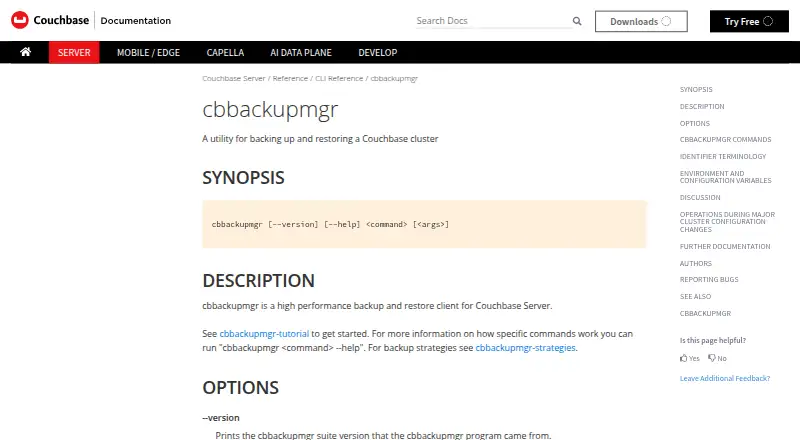
What cbbackupmgr is
cbbackupmgr is a self-hosted command-line client for backing up and restoring Couchbase Server clusters. It creates incremental backups by default, transferring data added since the repository’s previous backup. Its commands cover repository and backup operations: create repositories, inspect or compact backups, merge or remove them, gather diagnostic information, and restore data. A merge deduplicates data, so the resulting backup can take less disk space than the backups it combines.
For Couchbase Server 7.1.2 and later, native cloud storage options include AWS S3, Google Storage, and Azure Blob Storage. Repositories can be encrypted with AES256GCM by default or AES256CBC, and can use AWS KMS, GCP KMS, Azure Key Vault, or HashiCorp Vault Transit for external key management. Cluster authentication supports a username and password or a client certificate and private key.
Couchbase identifies cbbackupmgr as an Enterprise Edition tool and recommends Enterprise Edition binaries for commercial production systems. It is available for Linux, macOS, and Windows. The minimum hardware requirement is four CPU cores and 8 GiB RAM; the recommended configuration is sixteen CPU cores, 16 GiB RAM, and SSD disks. Cluster-connected commands are unsupported during major cluster configuration changes, though they may run during a rebalance.
Who it suits
cbbackupmgr suits teams managing Couchbase Server backups and restores who want incremental backup operations and repository-level controls. It is positioned for Enterprise Edition use, including commercial production systems, and supports self-hosted deployment on Linux, macOS, or Windows.
What it does well
- Incremental backups transfer data added since the prior repository backup.
- Commands cover repository creation, inspection, compaction, merging, removal, diagnostics, and restore.
- Merging deduplicates data and can reduce backup disk use.
- Cloud storage supports AWS S3, Google Storage, and Azure Blob Storage.
- Encrypted repositories support AES options and external key managers.
What to know first
- Commercial production use is directed toward Enterprise Edition binaries.
- Cluster-connected commands are unsupported during major configuration changes.
- Minimum hardware requirements include four CPU cores and 8 GiB RAM.
- Passphrase encryption is not supported for production use.
Limits
The free plan is available, but commercial production systems are directed toward Enterprise Edition binaries. Passphrase-based encryption is for development or testing, not production. Cluster-connected commands are unsupported during major cluster configuration changes.
Plans
| Plan | Billed and limits | Price |
|---|---|---|
| Couchbase Server Enterprise subscription (includes cbbackupmgr) | Traditional subscription based on the total number of production nodes; request pricing. · Couchbase Enterprise Edition tool · backup and restore for Couchbase clusters | On request |
As docs.couchbase.com lists them, read 8 Oct 2026. The maker's own page has the final word.
Getting started
- Open the Couchbase documentation page for cbbackupmgr.
- Use an Enterprise Edition binary for commercial production systems.
- Run it on Linux, macOS, or Windows in a self-hosted environment.
- Prepare at least four CPU cores and 8 GiB RAM; SSD disks and sixteen cores with 16 GiB RAM are recommended.
- Authenticate to the cluster with a username and password or a client certificate and private key.
- Create a repository, then use the commands to manage backups and restore data.
Verdict
Choose cbbackupmgr if you manage Couchbase Server and need incremental backups, restore operations, and control over backup repositories. Look elsewhere if point-in-time recovery is essential, or if your cluster may undergo major configuration changes while connected commands must run.
Questions
Which platforms does it support?
It runs on Linux, macOS, and Windows, and is self-hosted.
What does cbbackupmgr do?
It backs up and restores Couchbase Server clusters, with commands for repository creation and backup inspection, compaction, merging, and removal.
Does it support cloud storage?
Yes. For Couchbase Server 7.1.2 and later, it supports AWS S3, Google Storage, and Azure Blob Storage.
How does encryption work?
Repositories support AES256GCM by default or AES256CBC, with external key managers including AWS KMS, GCP KMS, Azure Key Vault, and HashiCorp Vault Transit. Passphrase-based encryption is intended only for development or testing.
Does it offer point-in-time recovery?
No. Point-in-time recovery is not supported.
Facts from cbbackupmgr's own pages
- Authentication
- The utility can authenticate to a cluster with a username and password or with a client certificate and private key. · docs.couchbase.com, 8 Oct 2026
- Backup encryption
- Encrypted repositories support AES256GCM by default or AES256CBC, with AWS KMS, GCP KMS, Azure Key Vault, and HashiCorp Vault Transit as external key managers. · docs.couchbase.com, 8 Oct 2026
- Backup management
- The command suite can create repositories, inspect, compact, merge, and remove backups, collect diagnostic information, and restore data. · docs.couchbase.com, 8 Oct 2026
- Cloud storage
- Native cloud integration supports AWS S3, Google Storage, and Azure Blob Storage for Couchbase Server 7.1.2 and later. · docs.couchbase.com, 8 Oct 2026
- Deduplication
- Merging backups deduplicates data so the merged backup can use less disk space than the prior backups. · docs.couchbase.com, 8 Oct 2026
- Hardware requirements
- The minimum hardware requirement is four CPU cores and 8 GiB RAM; the recommended hardware is sixteen CPU cores, 16 GiB RAM, and SSD disks. · docs.couchbase.com, 8 Oct 2026
- Incremental backups
- All backups are incremental by default, transferring new data since the previous backup in the repository. · docs.couchbase.com, 8 Oct 2026
- Intended use
- Couchbase describes cbbackupmgr as an Enterprise Edition tool and recommends Enterprise Edition binaries for commercial production systems. · docs.couchbase.com, 8 Oct 2026
- Operational limitation
- Commands that connect to a cluster are unsupported during major cluster configuration changes, although they may run during a rebalance. · docs.couchbase.com, 8 Oct 2026
- Passphrase limit
- The documentation says passphrase-based encryption is not supported in production and should be used only for development or testing. · docs.couchbase.com, 8 Oct 2026
- Purpose
- cbbackupmgr is a high-performance backup and restore client for Couchbase Server clusters. · docs.couchbase.com, 8 Oct 2026
- Support
- Couchbase directs urgent issues to its Support Team and bugs to its Jira Bug Tracker. · docs.couchbase.com, 8 Oct 2026
Where cbbackupmgr stands on Freedom251
- Database Backup Software#4 of 27