Freedom251 › Device Farm Software

Maestro
What Maestro is
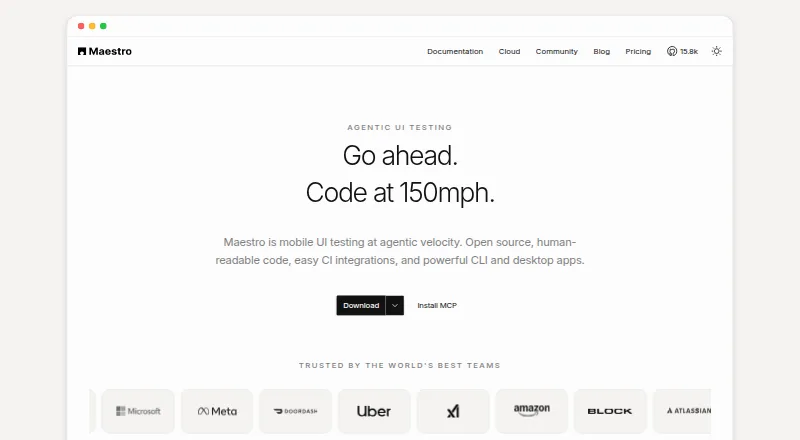
Maestro is an open-source UI testing framework for mobile and web apps. Tests use human-readable YAML flows, and its CLI can run them locally on a developer’s devices or in continuous integration. Maestro Studio is a desktop app for building and running tests, with screen inspection, command suggestions and an embedded emulator. Maestro Cloud runs tests in parallel on hosted devices and provides video playback, detailed logs and flake detection. Supported targets include Android, iOS, React Native, Flutter and web applications. Web testing is in beta and supports Chromium only, with preset locale and screen dimensions. Cloud integrations include GitHub Actions, Bitrise, Bitbucket Pipelines, CircleCI and generic CI providers. Results can be sent to GitHub pull requests, Slack, email or webhooks. The Cloud service offers a free seven-day trial without a credit card. Its monthly price depends on maximum concurrent executions; the listed Cloud plan costs $250 per device per month. The privacy notice says its servers are in the United States and personal information may be transferred, stored and processed in other countries.
Who it suits
Maestro is aimed at testers, developers, engineers and DevOps teams automating tests for mobile and web applications. Its local CLI suits teams running on their own devices, while Cloud is an option for hosted parallel test runs.
What it does well
- Human-readable YAML flows for writing tests.
- CLI runs locally and can execute tests in CI.
- Studio offers screen inspection and an embedded emulator.
- Cloud provides parallel runs, video, logs and flake detection.
- Seven-day Cloud trial requires no credit card.
What to know first
- Web testing is beta and Chromium-only.
- Web locale and screen dimensions are preset.
- Cloud starts at $250 per device per month.
- Privacy notice allows personal information processing in other countries.
Limits
The free Local plan runs on your own devices. Web testing is in beta and supports Chromium only, with preset locale and screen dimensions. The Cloud trial lasts seven days; Cloud pricing is based on maximum concurrent executions.
Plans
| Plan | Billed and limits | Price |
|---|---|---|
| Local | Free Open Source · Run on your own devices · Maestro MCP, Viewer, Studio, CLI · local agents | Free |
| Cloud | $250/device/mo · Price based on maximum concurrent executions · unlimited hosted test runs · Android, iOS, and web devices | $250 a month |
| Enterprise Cloud | Custom pricing · Custom contracts · SSO · dedicated support · managed test cases · security review | On request |
As maestro.dev lists them, read 29 Sept 2026. The maker's own page has the final word.
Getting started
- Visit https://maestro.dev/.
- Install Maestro Studio for Windows, macOS, or Linux, or use the open-source CLI.
- Create tests as human-readable YAML flows.
- Run tests locally on your devices or execute them in CI.
- Start the free seven-day Maestro Cloud trial without a credit card, or choose Cloud at $250 a month per device.
Overview
Maestro is an open-source UI testing framework for testers and developers who want to automate mobile apps with readable YAML flows and retain control over local execution. Teams can add a visual desktop authoring tool or hosted device runs as needs grow; web testing is the weaker fit because it is still in beta and limited to Chromium.
The split between Local and Cloud is useful: the CLI runs on your own devices and in CI, while Cloud adds hosted parallel runs and run diagnostics. That makes Maestro a plausible starting point for mobile teams, but the per-device Cloud charge and narrow browser coverage matter when planning a broader test program.
Key features
Local flows and visual authoring
The open-source CLI runs YAML tests locally and in CI, so teams can use their own devices and execution environment without a Cloud subscription. Maestro Studio adds screen inspection, command suggestions, and an embedded emulator to build and run tests from a desktop app. This gives teams a visual aid alongside a text-based format, though it does not turn Maestro into a desktop-app testing tool.
Cloud execution and integrations
Maestro Cloud runs tests in parallel on hosted devices and provides video playback, detailed logs, and flake detection. Integrations cover GitHub Actions, Bitrise, Bitbucket Pipelines, CircleCI, and generic CI providers; results can be sent to GitHub pull requests, Slack, email, or webhooks. These are useful provisions for teams coordinating frequent runs and investigating failures, but Cloud pricing is based on maximum concurrent executions and charged per device.
Boundaries and privacy
Maestro supports Android, iOS, React Native, Flutter, and web applications. Web testing is beta, Chromium-only, and uses preset locale and screen dimensions, so it is a poor choice where cross-browser coverage or freely varied web environments are central. The privacy notice says servers are in the United States and personal information may be transferred, stored, and processed in other countries; teams with data-location requirements should account for that.
Pricing
| Plan | Price | What it includes |
|---|---|---|
| Local | free | Free open source; run on your own devices; Maestro MCP, Viewer, Studio, CLI, and local agents. |
| Cloud | $250 a month | Billed $250/device/mo; price based on maximum concurrent executions; unlimited hosted test runs on Android, iOS, and web devices. |
| Enterprise Cloud | Custom pricing | Custom contracts, SSO, dedicated support, managed test cases, and security review. |
Local is the practical fit for teams able to provide devices and run tests themselves: it avoids a recurring hosted-device bill, while giving up Cloud's hosted parallel execution and associated run diagnostics. Cloud's unlimited test runs do not mean unlimited device capacity; the monthly price is pegged to maximum concurrent executions and the listed rate is per device. Web or Chromium device pricing is available by inquiry. A free 7-day Cloud trial requires no credit card, giving teams a short window to evaluate hosted execution before taking on the monthly cost. Enterprise Cloud is aimed at organizations that need custom terms, SSO, dedicated support, managed test cases, or security review.
Platforms
Maestro Studio installers are available for Windows, macOS, and Linux. The product targets Android and iOS apps as well as web apps, but does not list desktop-app testing. The web beta's Chromium-only scope means teams needing multiple browser engines should look elsewhere.
Who it's for
Maestro suits testers, developers, engineers, and DevOps teams automating mobile and web UI tests, especially those who want to begin with local devices and CI before paying for hosted runs. It is less suitable for teams whose web quality bar depends on cross-browser testing, or whose execution needs make per-device concurrency pricing unattractive.
Pros and cons
- Pro: The open-source CLI runs locally and in CI, so teams can start without buying hosted capacity.
- Pro: Studio combines screen inspection, command suggestions, and an embedded emulator for visual test authoring.
- Pro: Cloud pairs hosted parallel runs with video, detailed logs, flake detection, CI integrations, and result notifications.
- Con: Cloud starts at $250 a month, billed $250/device/mo, with cost tied to maximum concurrency.
- Con: Web testing is beta and limited to Chromium with preset locale and screen dimensions.
- Con: The product covers mobile and web apps, not desktop-app testing, despite Studio being a desktop application.
Alternatives
For a broader comparison, browse End-to-End Testing Software, Mobile App Testing Software, GUI Testing Software, Device Farm Software, or Functional Testing Software.
- Nightwatch is a free, open-source option with no paywalls, worth considering if you want its stated everything-for-everyone model rather than Maestro's paid hosted-device tier.
- WebdriverIO is a free open-source automation framework that requires Node.js; choose it if that framework and runtime fit your team better than Maestro's YAML flows.
- Cypress has a free Starter plan with 10 users, 500 test results/month, 100 prompt executions/month, and 30-day access to paid features; it may fit a team that can work within those caps.
- Playwright supports Chromium, Firefox, and WebKit and offers browser automation in TypeScript, Python, .NET, and Java; prefer it when cross-browser coverage is the priority.
- Selenium is a free set of open-source browser automation tools and libraries; it is an alternative for teams seeking that browser-focused approach.
- BugBug offers local testing on a free plan capped at 4 test suites, 1 user, 1 project, and 15 tests; consider it if those limits suit a small local workflow.
- Functionize has a free plan with no time limit, 800,000 credits/month, 5 parallel runs, all agent capabilities, a team workspace, and self-serve billing and support; it may suit teams whose needs fit that stated allowance.
- ACCELQ is another option.
Verdict
Choose Maestro if your team wants readable mobile UI flows, local execution, and a path to hosted parallel testing with useful run diagnostics. Its local toolkit is the strongest reason to start; look elsewhere if web testing must span browsers or if Cloud's per-device concurrency pricing does not suit your workload.
Verdict
Maestro offers local, desktop and hosted ways to author and run mobile and web UI tests. Its Chromium-only web support and per-device Cloud pricing are key limits to weigh.
Questions
Is Maestro free?
The Local plan is free and open source. Maestro Cloud offers a free seven-day trial without a credit card.
How much does Maestro Cloud cost?
Cloud is listed at $250 a month per device. Its monthly price depends on maximum concurrent executions; web or Chromium device pricing is available by inquiry.
Which platforms and apps does Maestro support?
Supported targets include Android, iOS, React Native, Flutter, and web apps. Maestro Studio installers are available for Windows, macOS, and Linux.
Can I run Maestro tests locally or in CI?
Yes. The open-source CLI runs YAML tests locally on your own devices and can execute tests in CI.
Which browsers does Maestro support for web testing?
Web testing is in beta and supports Chromium only, with preset locale and screen dimensions.
What does Enterprise Cloud include?
Enterprise Cloud has custom pricing and includes SSO, dedicated support, managed test cases, and a security review.
Facts from Maestro's own pages
- Audience
- The product is aimed at testers, developers, engineers, and DevOps teams working on mobile and web test automation. · docs.maestro.dev, 29 Sept 2026
- CLI
- The open-source CLI runs YAML tests locally and can execute tests in CI. · maestro.dev, 29 Sept 2026
- Cloud
- Maestro Cloud runs tests in parallel on hosted devices and provides video playback, detailed logs, and flake detection. · maestro.dev, 29 Sept 2026
- Cloud plan limit
- The Cloud monthly price is based on maximum concurrent executions, and web or Chromium device pricing is available by inquiry. · maestro.dev, 29 Sept 2026
- Desktop platforms
- Maestro Studio installers are available for Windows, macOS, and Linux. · docs.maestro.dev, 29 Sept 2026
- Enterprise support
- Enterprise Cloud includes premium dedicated support and detailed vendor and security review. · maestro.dev, 29 Sept 2026
- Integrations
- Maestro Cloud documents integrations for GitHub Actions, Bitrise, Bitbucket Pipelines, CircleCI, and generic CI providers. · docs.maestro.dev, 29 Sept 2026
- Notifications
- Maestro Cloud can send test results to GitHub pull requests, Slack, email, or webhooks. · maestro.dev, 29 Sept 2026
- Privacy
- The privacy notice says its servers are in the United States and that personal information may be transferred, stored, and processed in other countries. · maestro.dev, 29 Sept 2026
- Product
- Maestro is an open-source UI testing framework for mobile and web apps, using human-readable YAML flows. · maestro.dev, 29 Sept 2026
- Studio
- Maestro Studio is a visual desktop app for building and running tests with screen inspection, command suggestions, and an embedded emulator. · maestro.dev, 29 Sept 2026
- Supported targets
- Maestro supports Android, iOS, React Native, Flutter, and web applications. · docs.maestro.dev, 29 Sept 2026
- Trial
- Maestro Cloud offers a free 7-day trial with no credit card required. · maestro.dev, 29 Sept 2026
- Web limitation
- Web testing is in beta and supports Chromium only, with preset locale and screen dimensions. · docs.maestro.dev, 29 Sept 2026
Where Maestro stands on Freedom251
- Device Farm Software#3 of 26
- Mobile App Testing Software#7 of 32
- Functional Testing Software#10 of 38
- GUI Testing Software#9 of 34
- End-to-End Testing Software#11 of 29
- Automated Testing#13 of 34