Freedom251 › Test Automation Software

BugBug
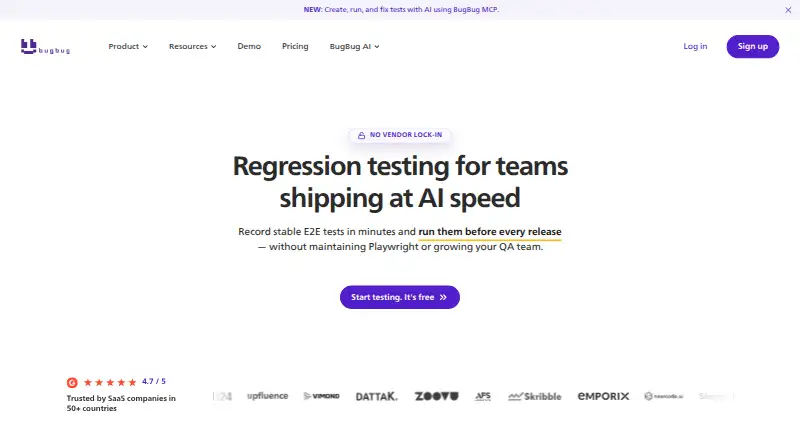
What BugBug is
BugBug is a browser-based test automation tool for web applications and websites. Its Chrome extension records actions such as clicks, typing, navigation, and form entry, then turns them into end-to-end tests; users can add assertions during recording. Adaptive Locators, Smart Click & Scroll, and Smart Waiting help stabilize test steps. Tests can run locally or in the cloud, and paid plans include scheduled cloud runs and alerts. BugBug supports end-to-end, regression, smoke, and UI testing in Chromium-based browsers, including Chrome, Edge, Opera, and Brave. Tests can be imported or exported as human-readable YAML. The free plan is limited to local testing, four test suites, one user, one project, and 15 tests. Paid plans start at $99 a month, billed annually, and a 14-day trial is listed. BugBug also lists integrations such as GitHub, GitLab, Slack, Jira, and Linear, as well as CLI, API, SDK, webhooks, and MCP.
Who it suits
BugBug suits QA, engineering, and SaaS teams that need to automate web-app testing, including users with less technical experience. It is limited to Chromium-based browsers and is not for native mobile or desktop apps, Safari, or Firefox.
What it does well
- Records browser activity into end-to-end tests
- Add assertions while recording
- Supports local and cloud test runs
- Exports tests as human-readable YAML
- Lists integrations including GitHub and Jira
What to know first
- Free plan is limited to local testing
- Free plan allows 15 tests
- Does not support Safari or Firefox automation
- Not a native mobile or desktop automation platform
Limits
The free plan is restricted to local testing, four test suites, one user, one project and 15 tests. Paid plans start at $99/mo billed annually; a 14-day trial is listed.
Plans
| Plan | Billed and limits | Price |
|---|---|---|
| Free | local testing only · 4 test suites · 1 user · 1 project · 15 tests | Free |
| Pro | billed annually · unlimited cloud test runs · unlimited test suites · unlimited users · unlimited projects · unlimited tests | $189 a month |
| Business | billed annually · unlimited cloud test runs · unlimited test suites · unlimited users · unlimited projects · unlimited tests | $559 a month |
| Core | billed annually · unlimited cloud test runs · unlimited test suites · 3 users · 3 projects · 50 tests | $99 a month |
As bugbug.io lists them, read 3 Oct 2026. The maker's own page has the final word.
Getting started
- Visit the BugBug website.
- Install the Chrome extension to record browser interactions.
- Record clicks, typing, navigation or forms, and add assertions as needed.
- Run tests locally, or choose a paid plan for cloud runs and scheduled execution.
- Connect listed integrations or use CLI, API, SDK, webhooks or MCP as needed.
- Import or export tests in human-readable YAML.
Verdict
BugBug offers a low-code route from browser actions to automated tests, with YAML exports and a range of integrations. Check its browser coverage and free-plan limits against your needs before choosing a plan.
Questions
Is BugBug free?
BugBug has a free plan for local testing. It includes four test suites, one user, one project and 15 tests.
What do paid plans cost?
Paid plans start at $99/mo when billed annually. A 14-day trial is listed.
Which browsers does BugBug support?
It supports Chromium-based browsers, including Chrome, Edge, Opera and Brave. It is not a Safari or Firefox automation platform.
Can BugBug test native mobile or desktop apps?
No. BugBug says it is not a native mobile or desktop automation platform. Mobile web testing is listed.
Which integrations are available?
The integrations page lists GitHub, GitLab, Bitbucket, Vercel, Slack, Discord, Zapier, Jira and Linear, as well as CLI, API, SDK, webhooks and MCP.
Who makes BugBug?
BugBug identifies TestRevolution sp. z o.o. as the personal data controller. It says the company was founded in 2020 and identifies Paweł Bylina as founder and CEO.
Facts from BugBug's own pages
- AI assistance
- Adaptive Locators, Smart Click & Scroll, and Smart Waiting help stabilize recorded test steps. · bugbug.io, 3 Oct 2026
- Audience
- BugBug describes itself as suitable for technical and less technical users, including QA, engineering, and SaaS teams. · bugbug.io, 3 Oct 2026
- Browser support
- BugBug supports Chromium-based browsers, including Chrome, Edge, Opera, and Brave. · bugbug.io, 3 Oct 2026
- Company
- BugBug says it was founded in 2020 and identifies Paweł Bylina as its founder and CEO. · bugbug.io, 3 Oct 2026
- Execution
- Tests can run locally or in the cloud, and paid plans provide scheduled cloud runs and alerts. · bugbug.io, 3 Oct 2026
- Exports
- Tests can be imported and exported as human-readable YAML for backup, review, and version control. · bugbug.io, 3 Oct 2026
- Headquarters
- Tarnowskie Góry, Poland · bugbug.io, 28 Sept 2026
- Integrations
- The integrations page lists GitHub, GitLab, Bitbucket, Vercel, Slack, Discord, Zapier, Jira, and Linear, alongside CLI, API, SDK, webhooks, and MCP. · bugbug.io, 3 Oct 2026
- Platform limits
- BugBug says it is not a native mobile or desktop, Safari, or Firefox automation platform. · bugbug.io, 3 Oct 2026
- Privacy
- The privacy policy identifies TestRevolution sp. z o.o. as the personal data controller and references GDPR. · bugbug.io, 3 Oct 2026
- Product
- BugBug records browser interactions and turns them into automated end-to-end tests for web applications. · bugbug.io, 3 Oct 2026
- Security and hosting
- BugBug says its primary infrastructure is hosted in the EU, with servers in Gdańsk, Poland. · bugbug.io, 3 Oct 2026
- Support
- The Core plan includes human support from test automation professionals, while Business includes dedicated onboarding. · bugbug.io, 3 Oct 2026
- Test creation
- The Chrome extension records clicks, typing, navigation, and forms, and can add assertions while recording. · bugbug.io, 3 Oct 2026
- Use cases
- BugBug supports end-to-end, regression, smoke, and UI testing for web apps and websites. · bugbug.io, 3 Oct 2026
Where BugBug stands on Freedom251
- Test Automation Software#6 of 45
- Functional Testing Software#7 of 38
- End-to-End Testing Software#7 of 29