Freedom251 › Device Farm Software
Samsung Remote Test Lab
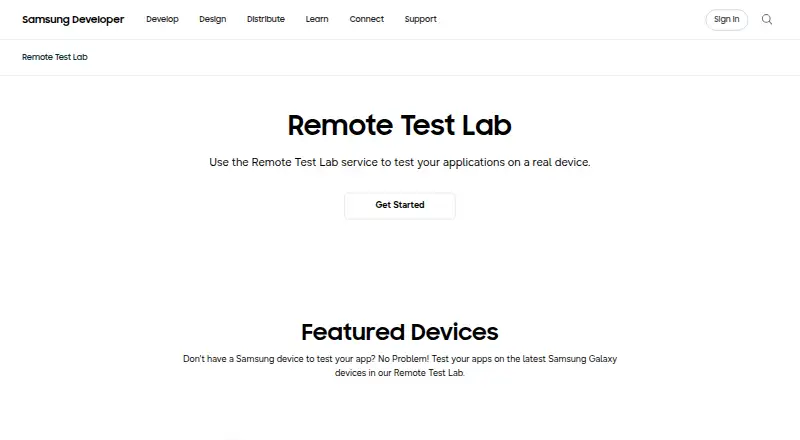
What Samsung Remote Test Lab is
Samsung Remote Test Lab lets developers control Samsung phones, tablets, watches, and other featured devices remotely to test applications on actual hardware over a network. It supports Android and Tizen apps on appropriate Samsung devices. Sessions can capture and record the screen, stream device audio, and replay a recorded sequence of actions with Auto-Repeat. Remote Debug Bridge can expose a remote device to tools such as Android Studio as though it were connected locally. The service is free, but reservations consume a limited number of daily credits, and access time varies by device. Samsung does not guarantee a particular device will be available when needed. Use requires a Samsung Account, a JavaScript-enabled browser, JRE 7 or later including Java Web Start, and outbound port 2600 access. Although testing uses real devices, operating conditions may not exactly match production, so production models should also be tested. The service is limited to qualified registered users.
Who it suits
Remote Test Lab suits developers who need to try Android or Tizen applications on Samsung devices without a local device connection. It also supports sessions involving screen capture, audio, and Android Studio access.
What it does well
- Tests Android and Tizen apps on real Samsung devices.
- Supports screen capture, recording, and audio streaming.
- Auto-Repeat replays recorded action sequences.
- Remote Debug Bridge works with tools such as Android Studio.
What to know first
- Daily free credits are limited.
- Device availability and session length are not guaranteed.
- Requires a Samsung Account, JRE, browser, and open outbound port 2600.
- Remote conditions may differ from production.
Limits
The free plan provides a limited number of credits each day, and reservation time varies by device. Access is for a defined period, and availability of any particular device at a given time is not guaranteed.
Plans
| Plan | Billed and limits | Price |
|---|---|---|
| Free | free sign-up · daily credits are limited · reservation time varies by device | Free |
| Free Remote Test Lab | Samsung account · virtual-credit reservations · 20 credits/day · 15 minutes per credit · 30-minute minimum reservation · 10-hour maximum reservation | Free |
As developer.samsung.com lists them, read 30 Sept 2026. The maker's own page has the final word.
Getting started
- Visit the Samsung Remote Test Lab website.
- Sign in with a Samsung Account.
- Use a JavaScript-enabled standard browser and install JRE 7 or later, including Java Web Start.
- Ensure outbound port 2600 is open.
- Reserve an available device using the daily credits, then install and test an Android or Tizen application.
Samsung Remote Test Lab is a free service for remotely controlling real Samsung devices while testing Android and Tizen applications. It is best for developers who need targeted checks on Samsung hardware without owning every device they need. Its value is clear, but limited daily credits and uncertain device availability make it a supplement rather than a reliable primary test environment.
Overview
Qualified registered users can reserve Samsung mobile and watch devices and interact with them over a network in real time. Testing on actual hardware can help surface device-specific behavior that a virtual environment may not show. The service also covers Tizen applications, making it relevant beyond Android phone testing.
Reservations consume a limited daily credit allowance, and each device has its own access period. Samsung does not guarantee that a particular model will be available when needed. That combination suits short, focused investigations better than scheduled test runs or continuous access. Remote sessions may also differ from exact operating conditions, so Samsung devices intended for production use should be tested separately.
Key features
- Remote Samsung hardware: Install and test Android and Tizen apps on appropriate real devices. The page currently features Galaxy Z Fold8, Galaxy Z Flip8, Galaxy S26 Ultra, QLED 4K TV, and Galaxy Tab S11; the breadth is useful, but access to any one device at a chosen time is not assured.
- Screen capture and recording: Preserve visual evidence during a session, which helps when documenting a display or interaction issue.
- Audio streaming: Listen to audio played through the test device, useful for checking sound output without physical access to it.
- Auto-Repeat: Record an action sequence and replay it multiple times. This can reduce repetitive manual work for recurring checks, though it does not remove the limits on reservation time.
- Remote Debug Bridge: Connect through tools such as Android Studio as if the remote device were attached locally. Predefined automated tests are also supported, giving developers options beyond manual interaction.
Pricing
Free: free. Sign-up is free, and daily credits are limited; reservation time varies by device. There are no paid tiers described here, so the trade-off is access constrained by the credit allowance and availability rather than a larger quota that can be purchased. It fits developers who need occasional checks and can work around uncertain booking times, but not teams that need guaranteed sessions.
Use requires a Samsung Account, a JavaScript-enabled standard web browser, JRE 7 or later including Java Web Start, and outbound port 2600 open. Those prerequisites can make setup less convenient in managed or restricted environments.
Platforms
The service is available through web access and lists Linux, macOS, and Windows platforms. Testing covers Android and Tizen apps on appropriate Samsung devices. It does not provide browser testing, so teams evaluating websites across browsers should choose a separate tool for that work.
Who it's for
Remote Test Lab is a practical fit for app developers who need occasional access to Samsung hardware, especially when validating Android or Tizen behavior across device types. It is less suitable as the sole basis for a release decision: sessions are time-limited, availability is not guaranteed, and remote operation may not match production conditions. Users must also remove software and other content after a session and must not copy, reverse engineer, or decompile the device or connected technology. Samsung may restrict prohibited use, including locking a device with a PIN or pattern.
Pros and cons
- Pro: Real Samsung devices at no charge. Developers can investigate device-specific behavior without buying each device.
- Pro: Useful testing tools. Screen recording, audio streaming, Auto-Repeat, Remote Debug Bridge, and predefined automated tests support both observation and repeated checks.
- Con: Limited, uncertain access. Daily credits are capped, session lengths vary by device, and a particular device is not guaranteed at a particular time.
- Con: Not a production substitute. Remote conditions may differ from actual operating conditions, so production models still need testing.
- Con: Setup and cleanup obligations. The Java runtime, account, browser, and network-port requirements need to be met, and session content must be uninstalled afterward.
Alternatives
Browse the Device Farm Software category to compare tools in this space. Choose Maestro instead when running tests on your own devices is a better fit: its free Local plan includes Maestro MCP, Viewer, Studio, CLI, and local agents, and it supports Android and iOS among its listed platforms.
SureAsset is another free option, but its stated focus is asset lifecycle management, hardware and software license tracking, and API access and automation. Appetize may suit readers seeking browser-based device access with a defined free allowance: its free plan is single-user, caps active devices at two, and refills 30 minutes monthly. TestMu AI Real Device Cloud offers a different stated free allowance—one parallel test and five live sessions per month, up to two minutes each—so it may suit users whose needs fit those caps.
Firebase Cloud Messaging is a no-cost messaging service rather than a stated device-testing alternative. TestingBot may be a better match for readers looking for a paid live-testing plan, with its Live plan priced at €20 a year, billed annually, or €30 month-to-month. BrowserStack Live is another paid option, with a Freelancer plan at $12.50 a month billed annually or $19 month-to-month. DeviceFarmer is a free alternative.
Verdict
Choose Samsung Remote Test Lab for focused, no-cost checks on real Samsung Android and Tizen devices, especially when owning the hardware is impractical. Its strongest reason to choose is direct access to Samsung devices with debugging and repeat-test tools; its strongest reason to look elsewhere is that daily credits, variable session lengths, and uncertain availability cannot support dependable, production-critical coverage on their own.
Verdict
Remote Test Lab provides network access to real Samsung devices for application testing. Plan for limited daily credits, variable reservation times, and production-device checks.
Questions
How much does Samsung Remote Test Lab cost?
The Free plan costs nothing. It uses free sign-up and has limited daily credits.
Which apps can I test?
Users can install and test Android and Tizen applications on appropriate Samsung devices.
Does it use real devices?
Yes. Remote Test Lab provides remote access to actual Samsung devices, though testing conditions may not match production exactly.
What tools can connect to a remote device?
Remote Debug Bridge provides access through tools such as Android Studio as if the device were connected locally. The service also supports predefined automated tests.
What do I need to access the service?
You need a Samsung Account, a JavaScript-enabled standard browser, JRE 7 or later including Java Web Start, and outbound port 2600 open.
Is a specific device always available?
No. Samsung does not guarantee availability of a particular device at a given time, and access duration varies by device.
Facts from Samsung Remote Test Lab's own pages
- Android Studio
- Remote Debug Bridge lets developers access a remote device through tools such as Android Studio as if it were connected locally. · developer.samsung.com, 30 Sept 2026
- Audio
- Audio streaming lets users listen to audio played through the testing device. · developer.samsung.com, 30 Sept 2026
- Audio streaming
- Audio streaming lets testers hear sound produced by the remote device. · developer.samsung.com, 15 Oct 2026
- Auto Repeat
- Auto Repeat records device actions, replays them repeatedly, and saves reusable XML scenarios. · developer.samsung.com, 15 Oct 2026
- Availability limit
- Samsung does not guarantee that any specific device will be available at a particular time, and access lasts only for a defined period that varies by test device. · developer.samsung.com, 30 Sept 2026
- Client launch
- Starting a reservation downloads a JNLP file that launches the Remote Test Lab client. · developer.samsung.com, 15 Oct 2026
- Company founded
- Samsung Electronics was established in 1969, according to LinkedIn company information. · linkedin.com, 15 Oct 2026
- Company headquarters
- LinkedIn lists Samsung Electronics headquarters in Suwon-si, Gyeonggi-do, South Korea. · linkedin.com, 15 Oct 2026
- Company legal name
- Samsung Electronics Co., Ltd. is the company identified in Samsung corporate reporting. · images.samsung.com, 15 Oct 2026
- Company size
- LinkedIn lists Samsung Electronics as having more than 10,001 employees. · linkedin.com, 15 Oct 2026
- Credits
- Samsung says users receive 10 credits once per day through the My Credits control and reservations consume credits according to duration. · developer.samsung.com, 15 Oct 2026
- Current devices
- The Remote Test Lab page features Galaxy Z Fold8, Galaxy Z Flip8, Galaxy S26 Ultra, QLED 4K TV, and Galaxy Tab S11. · developer.samsung.com, 30 Sept 2026
- Device controls
- Client menus include orientation and scaling, clipboard synchronization, file management, Wi-Fi reset, reboot, application management, and log viewing. · developer.samsung.com, 15 Oct 2026
- Documentation depth
- Samsung publishes feature tutorials for installation, Auto Repeat, Android Studio debugging, watch-face testing, and troubleshooting. · developer.samsung.com, 15 Oct 2026
- Featured devices
- The current landing page highlights Galaxy Z Fold8, Galaxy Z Flip8, Galaxy S26 Ultra, QLED 4K TV, and Galaxy Tab S11. · developer.samsung.com, 15 Oct 2026
- Host requirements
- Use requires a Samsung Account, a JavaScript-enabled standard web browser, JRE 7 or later including Java Web Start, and outbound port 2600 open. · developer.samsung.com, 30 Sept 2026
- Independent limit
- A Reddit user reports that uploading either an APK or AAB repeatedly produced an error while trying to test an app. · reddit.com, 15 Oct 2026
- Independent praise
- A Reddit developer says free worldwide access to real Samsung devices helped troubleshoot a Galaxy Watch issue and could connect through Android Studio and Watch Face Studio. · reddit.com, 15 Oct 2026
- Limit: API integrations
- A G2 reviewer requests integrations with OpenAI and Claude APIs for experimentation. · g2.com, 15 Oct 2026
- Limit: freezes and restarts
- G2 reviewers report sessions freezing and sometimes requiring Samsung personnel to restart the device. · g2.com, 15 Oct 2026
- Limit: incomplete testing coverage
- G2 feedback says some advanced features are unavailable and the Samsung-only environment is unsuitable for broader cross-platform QA. · g2.com, 15 Oct 2026
- Limit: missing saved state
- A G2 reviewer reports that device profiles or state cannot be saved between sessions and that sessions are limited to a few hours. · g2.com, 15 Oct 2026
- Limit: slow connections
- G2 reviewers repeatedly report slow connections or loading, especially during busy periods. · g2.com, 15 Oct 2026
- News: global expansion
- A Samsung press release dated September 16, 2021 described a refreshed program with labs in India, Poland, South Korea, the United States, Brazil, Russia, the United Kingdom, and Vietnam. · news.samsung.com, 15 Oct 2026
Where Samsung Remote Test Lab stands on Freedom251
- Device Farm Software#5 of 26
- Mobile Device Testing Software#5 of 18